
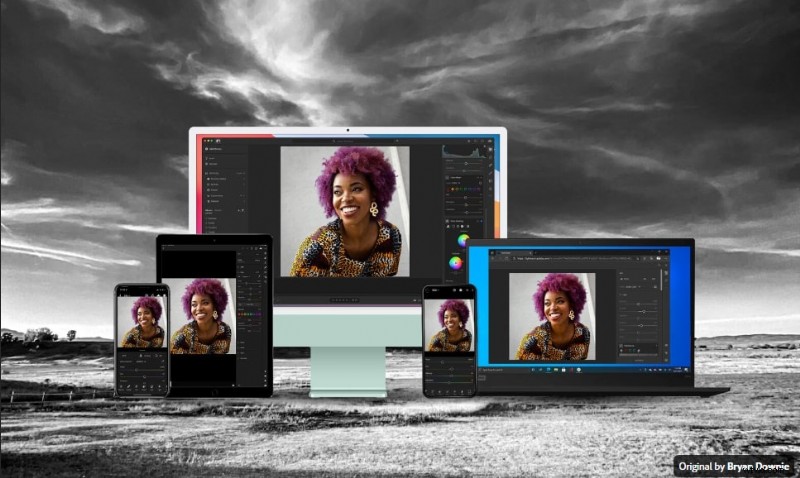
Lightroom is a trusted photo editing tool known for its powerful features and professional-grade results. However, it’s not the perfect solution for everyone.
Many users seek a Lightroom alternative due to factors like high subscription costs, complex workflows, limited compatibility, or missing features they need for their specific projects. Whether you're a beginner looking for something more user-friendly or a professional wanting a one-time purchase option, there are many strong options to consider.
In this article, we’ll highlight the 7 best Lightroom alternatives that offer flexibility, performance, and creative control for every type of user.
How We Test These Tools
To help you find the best Lightroom alternatives, we follow a hands-on and consistent review process for each photo editing tool featured in this list:
- Feature Set: We explore each app’s overall editing capabilities, from essential tools like cropping and exposure adjustment to advanced features such as layers, masking, color grading, and batch processing.
- Performance: We test how smoothly the software runs across different systems, including its speed when handling high-resolution files and large editing tasks. Tools that run efficiently without lag score higher.
- Price & Value: We consider whether the features offered are worth the price. This includes evaluating free plans, one-time purchases, or subscriptions, and whether the tool provides good value for photographers at different skill levels.
Quick Picks: Our Top 3 Favorite Lightroom Alternatives
If you're short on time and only want the best options, here are three standout choices that serve as excellent Lightroom alternatives. Each offers a unique balance of features, performance, and value based on your editing needs.
1. Affinity Photo
A strong Lightroom alternative for those looking for powerful photo editing without a subscription. Affinity Photo provides advanced tools like RAW processing, HDR merge, and detailed layer controls. It's ideal for creatives who want pro-level functionality at a one-time fee.
View detail

2. Capture One
This Lightroom alternative is popular among professionals thanks to its strong color grading tools and tethered shooting support. Capture One is ideal for photographers who prioritize image quality and a streamlined studio workflow.
View detail
3. Darktable
For users looking for a completely free Lightroom alternative, Darktable delivers a solid experience. It's open-source and packed with essential tools for RAW editing, color correction, and batch processing. Great for hobbyists and more experienced users.
View detail
Lightroom Alternatives Comparison Table
Still not sure which Lightroom alternative suits your needs? Here's a side-by-side comparison of the top choices we've tested. The table breaks down platform availability, pricing models, AI features, video support, and who is best suited to use these tools.
| Tools | Platform | Price | AI Tools | Video Support | Ideal for |
| Affinity Photo | Windows, macOS | One-time $69.99 | Ideal for professionals on a budget | ||
| Capture One | Windows, macOS | Subscription Pro plan starting from $17.48/month | Studio photographers & pros | ||
| ON1 Photo Raw | Windows, macOS | One-time payment from $77.69 | All-in-one editor with AI enhancements | ||
| Luminar Neo | Windows, macOS | From $79 | AI-enhanced photo editing | ||
| Polarr | Windows, macOS, Android, iOS | Free / Pro plan starting at $7.99/month | Quick edits and stylized filters | ||
| Darktable | Windows, macOS, Linux | Free | Open-source enthusiasts | ||
| DxO PhotoLab | Windows, macOS | From $139 | Pro-level image corrections |
Top 7 Lightroom Alternatives in Detail
Now that you've seen how each tool compares, let's take a closer look at 7 Lightroom alternatives. Each one offers unique strengths suited to different creative needs, workflows, and budgets.
1. Affinity Photo – One-Time Purchase Photo Editor
Pros & Cons
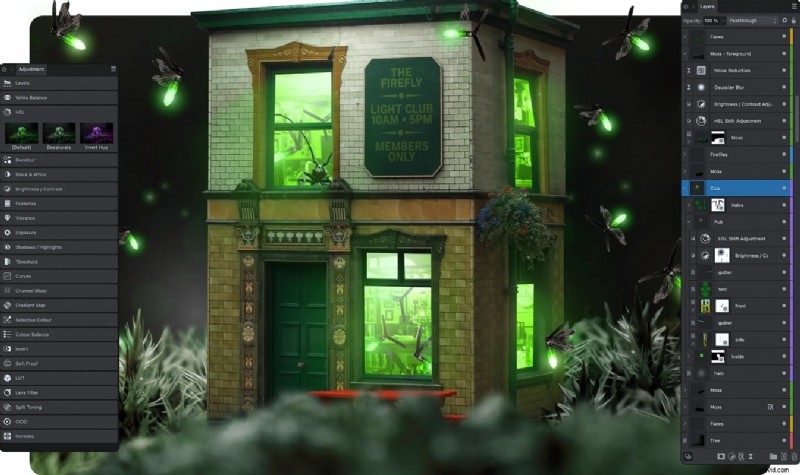
- Great for detailed retouching photos and layered designs
- Full PSD compatibility, making it ideal for collaborative or hybrid Adobe users
- It offers advanced features like masking and blend modes, similar to Photoshop
- No photo library or catalog tools, so not ideal for managing large photo sets
- Interface may feel overwhelming if you're used to simpler editors like Lightroom
Platform
Windows, macOS
Key Features
Layer-based editing, RAW support, batch processing, HDR merge, advanced retouching tools.
Price
One-time payment (~$70)
Best For
Photographers looking for an advanced editor with a one-time cost.
Why It’s Great
Affinity Photo offers a professional-grade toolset for a one-time cost, making it a popular Lightroom alternative for users on a budget.
2. Capture One – Pro-Level Photo Editor
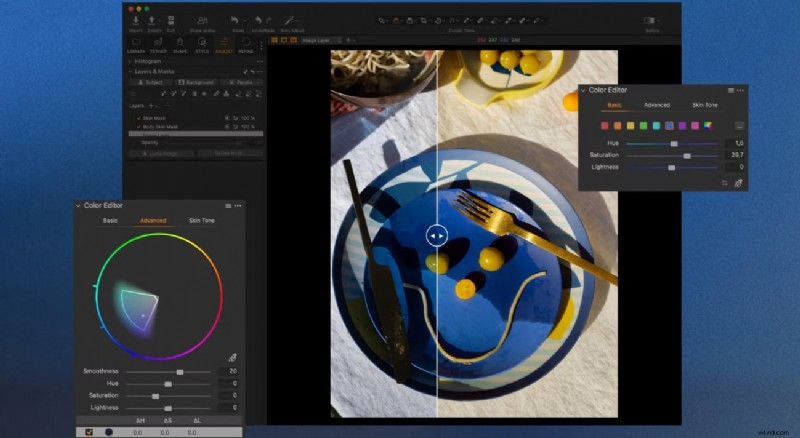
Pros & Cons
- Great for tethered shooting, quick and stable live capture
- Advanced color tools that offer more control than Lightroom
- Organize projects using sessions, which is great for client-based work
- Steep learning curve, especially for beginners
- Expensive compared to other alternatives, especially for full camera support
Platform
Windows, macOS
Key Features
Tethered shooting, advanced color grading, RAW editing, layers, and masks.
Price
One-time or subscription (from ~$17/month or one-time $351)
Best For
Studio photographers and professionals who need precise control over RAW files.
Why It’s Great
Known for its excellent color grading and RAW processing, Capture One is a premium Lightroom alternative for professionals.
3. ON1 Photo Raw – All-in-One Photo Editing Tool
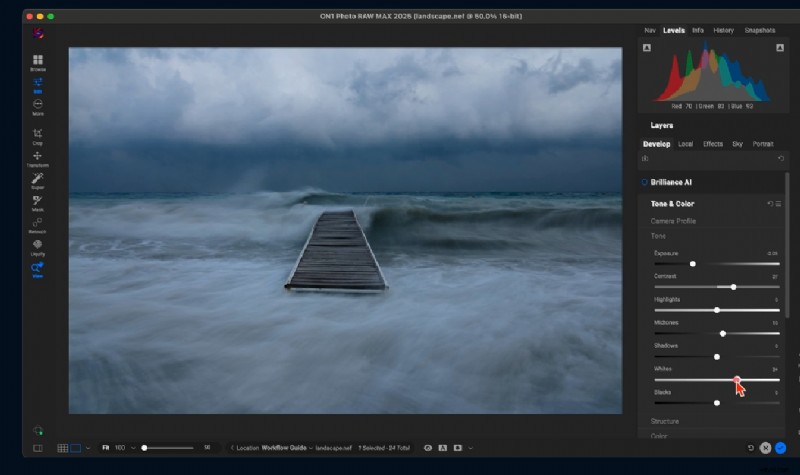
Pros & Cons
- Combines photo organizing, raw editing, effects, and layers in one workflow
- Smart tools like AI Match and Sky Swap add creative flexibility
- Handles large image libraries pretty well
- Performance can be inconsistent depending on hardware setup
- Too many feature sets may lead to longer learning time for casual users
Platform
Windows, macOS
Key Features
RAW processing, photo organization, layers, effects, AI enhancements.
Price
One-time payment (around $77/month)
Best For
Users looking for a Lightroom alternative with built-in creative tools.
Why It’s Great
ON1 Photo RAW is a powerful all-in-one editor that combines Lightroom-style management with Photoshop-style editing.
4. Luminar Neo – Easy AI Photo Editing
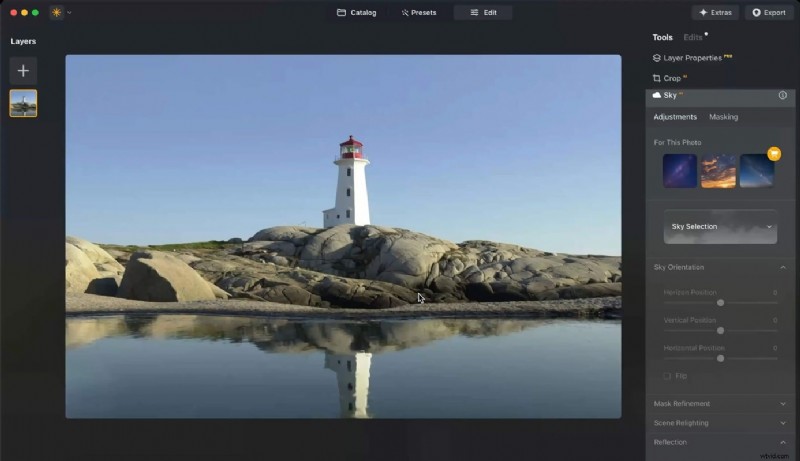
Pros & Cons
- Standout AI tools like Relight AI, Background Removal AI, and Power Line Removal
- Clean interface that’s beginner-friendly
- Works well for content creators who want bold edits quickly
- Some AI tools require extra paid extensions
- Not ideal for batch editing or organizing large libraries
Platform
Windows, macOS
Key Features
AI enhancements, sky replacement, portrait tools, presets.
Price
Subscription or lifetime license (from ~$78)
Best For
Creators who want quick and stunning edits with AI assistance.
Why It’s Great
Luminar Neo is an intuitive Lightroom alternative that speeds up complex edits using smart AI tools.
5. Polarr – Quick Mobile Photo Editor
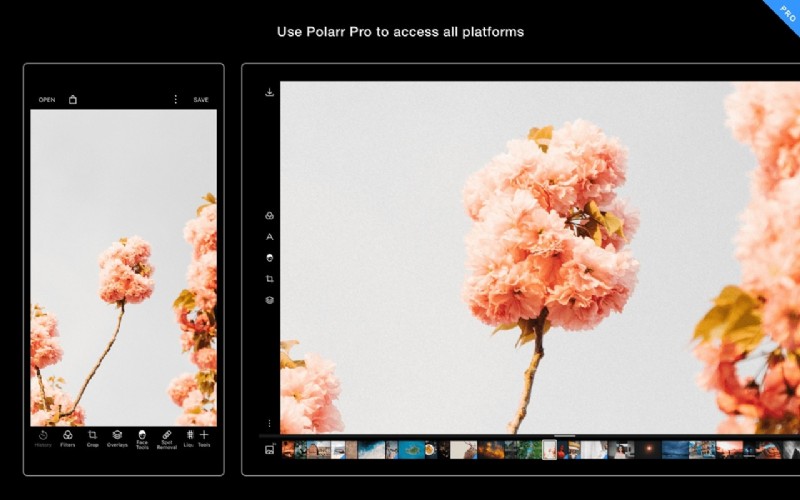
Pros & Cons
- Lightweight and fast for mobile or quick web editing
- It lets you create custom filters and share them with QR codes
- Runs smoothly even on mid-range phones and laptops
- Doesn’t support RAW workflows well
- Limited export options and no advanced photo organization tools
Platform
Windows, macOS, Android, iOS
Key Features
Filters, overlays, batch editing, style syncing.
Price
Freemium, premium from ~$7.99/month
Best For
Social media creators and mobile-first photographers.
Why It’s Great
Polarr is a lightweight Lightroom alternative ideal for mobile creators who want quick and stylish edits on the go.
6. Darktable – Free and Open-Source Editor
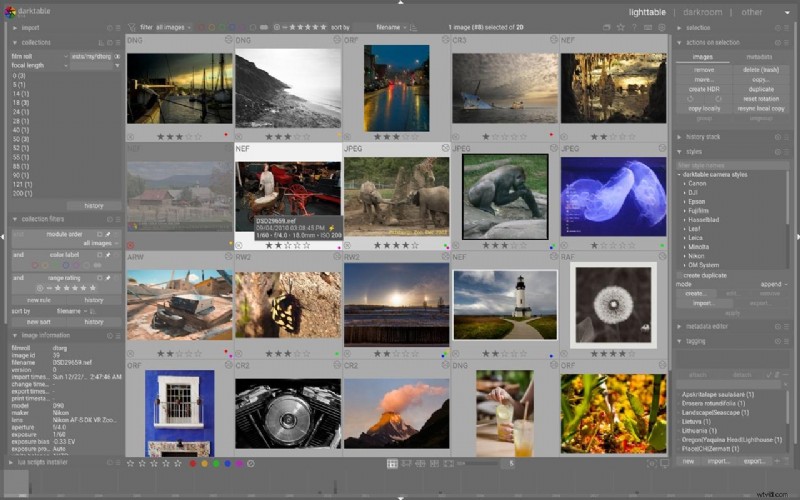
Pros & Cons
- It offers deep control over RAW editing with powerful modules
- Free and open-source
- Runs on all major platforms, including Linux
- Steep learning curve due to its open-source UI
- UI can feel outdated
Platform
Windows, macOS, Linux
Key Features
RAW processing, color correction, masking, non-destructive editing.
Price
Free
Best For
Enthusiasts and professionals who want an open-source Lightroom alternative.
Why It’s Great
Darktable offers a powerful editing environment at no cost, making it a top choice for tech-savvy users.
7. DxO PhotoLab – Precision Photo Editor
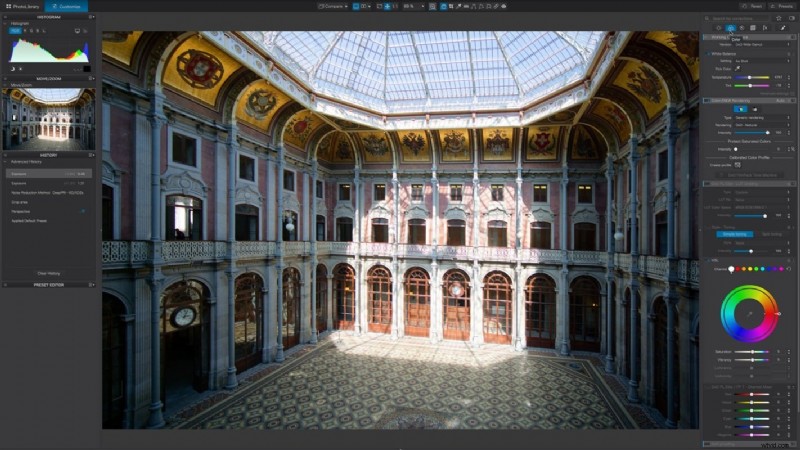
Pros & Cons
- Best-in-class noise reduction with DeepPRIME and DeepPRIME XD
- Lens and camera corrections are super precise using DxO’s lab work
- Improves photo clarity without making images look fake
- Lacks layers and creative effects that other tools include
- No photo organizing tools like catalogs or collections
Platform
Windows, macOS
Key Features
AI noise reduction, lens corrections, and RAW editing.
Price
From ~$139
Best For
Photographers looking for superior RAW rendering and noise reduction.
Why It’s Great
DxO PhotoLab is a strong Lightroom alternative if you work with noisy or distorted images. It offers excellent optical corrections and AI-powered tools.
Lightroom Alternative for Creators Who Need Video Editing
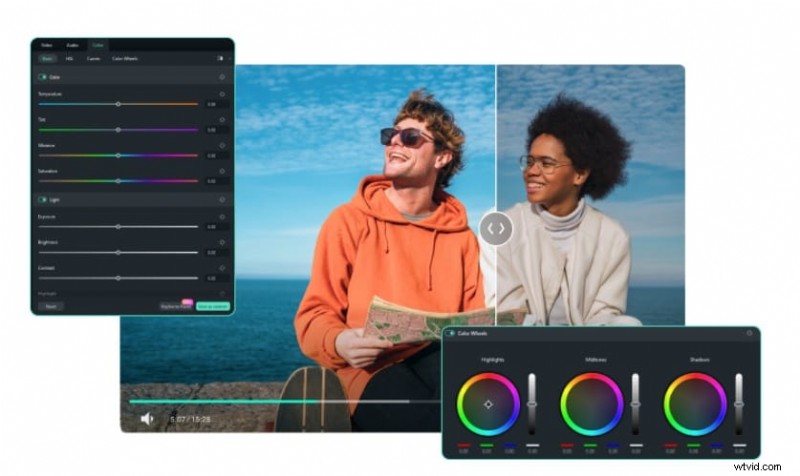
Lightroom is excellent for fine-tuning lighting, tones, and colors in still images, but it doesn't offer any support for video editing. If your workflow includes short-form videos, product promos, or cinematic storytelling, you may want a Lightroom alternative that goes beyond just photos and supports video editing as well.
This is where Filmora becomes a helpful addition.
 Secure Download
Pros & Cons
- User-friendly for beginners, yet flexible for more advanced users
- Offers AI-powered tools and built-in effects for quick content creation
- Makes it easy to resize and optimize content for platforms like TikTok, Instagram, and YouTube
- Seamless sync between desktop and mobile versions
- Watermark included in the free version
- Access to premium assets requires a Pro plan subscription
Platform
Windows, macOS, iOS, and Android
Key Features
If you're turning edited photos into videos or combining visuals with music and motion, Filmora provides a creative and intuitive solution. Its built-in tools make it ideal for social media creators, vloggers, marketers, and anyone looking to produce polished video content.
Free version with watermark, paid plans starting from a yearly plan
Best For
Creators who want to enhance their photo work with quick and high-quality video edits.
Why It’s Great
Filmora allows users to take visuals from photo editors and build engaging video stories. You can animate still images, add transitions, music, effects, and export in social media-ready formats with minimal effort.
How to Choose the Right Lightroom Alternative for You
Finding the right Lightroom alternative depends on what you value most in your creative process. Here’s a breakdown of common user needs and which tools are most suitable:
- If you are concerned about the cost
Lightroom’s subscription-based pricing can add up over time. If you're looking for a one-time purchase or a free solution, you may want to consider more budget-friendly alternatives.
Recommended app: Affinity Photo
- If You Want More Features Than Lightroom Offers
Lightroom is powerful, but it lacks some advanced features that certain users need, like built-in AI tools, layer-based editing, or more creative visual effects.
Recommended app: Luminar Neo
- If Performance Is Your Top Priority
Running Lightroom smoothly can require a high-spec machine. If you often process large image batches or use an older device, a lightweight tool with fast rendering is key.
Recommended app: Darktable
- If You Prefer a Different User Experience
Some photographers simply prefer different layouts or workflows. A cleaner layout or a different editing flow might make a big difference in your creativity.
Recommended app: ON1 Photo RAW
- If You Need Better Compatibility
If you work with specialized file formats or need deeper RAW support, you might want a Lightroom alternative that handles a wider range of files seamlessly.
Recommended app: Capture One
- If You’re Concerned About Privacy and Data Control
Cloud syncing isn’t for everyone. If you prefer to keep your edits and files local, look for a tool that doesn’t rely on cloud-based storage or subscriptions.
Recommended app: DxO PhotoLab

Filmora
AI Video Editing App & Software
Best tool for making videos anywhere for all creators!
Looking for a Lightroom alternative that also supports video editing? Filmora lets you transform your photos into stunning videos with filters, effects, and easy drag-and-drop tools.
Conclusion
Finding the right Lightroom alternative depends on your creative needs, budget, and workflow. If you want a one-time purchase tool, faster performance, or more editing features like AI and layering, there are great options to explore.
From powerful desktop software to lightweight mobile apps, these tools give you the flexibility to edit photos your way without being tied to a subscription. Take time to try what suits your style and goals, so you can find the tools that work best for you.
Vote Now: Choose Your Favorite Lightroom Alternative 🎯
We reviewed the top 7 photo editors — now it's your turn to weigh in.
Pick the one that best fits your editing style:
Affinity Photo
Capture One
ON1 Photo RAW
Luminar Neo
Polarr
Darktable
DxO PhotoLab
🙌 Thanks for sharing your choice! Every vote helps photographers discover better tools.
See which photo editor is leading the pack below: