
Many YouTubers, filmmakers, marketers, and casual editors are paying more attention to how their videos look, and color grading software plays a big role in that. From adding a cinematic touch to improving consistency across social media content, color grading helps transform raw footage into something more polished and professional.
While powerful tools like Final Cut Pro or Premiere Pro offer advanced controls, they can be too complex or time-consuming for many users. Not everyone has the time to master technical workflows just to enhance color.
That's why more and more creators are now seeking video grading software that's easier to use, faster to learn, and still delivers impressive results. In this article, we'll highlight some of the best tools available, including beginner-friendly options, so you can find one that suits your editing style and experience level.
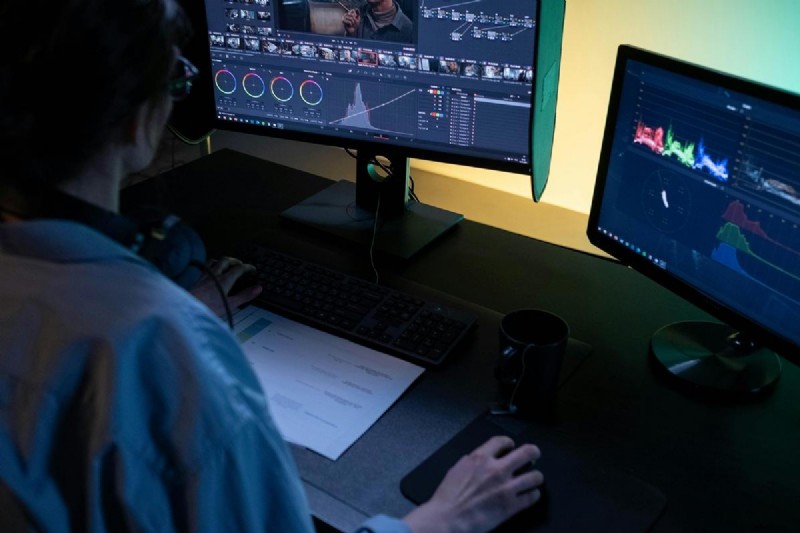
Our Top 3 Color Grading Picks
If you want great video results without getting lost in complicated settings, the right color grading software can make all the difference. Here are our three picks, each offering something unique, depending on your workflow and skill level:
- Final Cut Pro – Best for Mac-Based Editors
A favorite among Mac users, Final Cut Pro delivers powerful video grading features packed into a streamlined and intuitive interface. It’s ideal for creators who want professional results while staying in the Apple ecosystem.
- Filmora – Best for Beginners and Quick Grading
Filmora is a go-to for content creators who want to enhance their videos quickly without dealing with steep learning curves. With built-in LUTs, one-click filters, and real-time previews, it makes color grading simple and accessible.
- Adobe Premiere Pro – Best for Integrated Editing + Grading
Premiere Pro is a powerhouse for those who want both deep editing and advanced grading tools in one platform. Its Lumetri Color panel gives you full creative control while fitting seamlessly into a larger Adobe workflow.
Part 1. Strength Highlights: Who Each Tool Serves Best
Not all editors have the same needs. Some want fast, beginner-friendly tools, while others need pro-level control. Here’s a quick comparison of the most popular color grading software to help you decide which one best suits your editing style:
| Tools | Best For | Key Strength | Consider if you |
| Final Cut Pro | Mac-based editors and filmmakers | Smooth workflow, powerful color wheels | Use a Mac and want pro features with an intuitive design |
| Filmora | Beginners, vloggers | One-click tools, built-in LUTs | Need quick and easy color adjustments |
| Adobe Premiere Pro | Professionals and Adobe users | Integrated Lumetri Color panel | Want advanced grading with full editing flexibility |
| HitFilm | Budget-friendly creators | Free plan with pro-level grading | Want a free tool with strong visual FX and color tools |
| Avid Media Composer | Film/TV editors, large teams | Industry-grade color pipeline | Work in post-production and need collaborative tools |
| Lightworks | Intermediate editors | Real-time grading, flexible UI | Want solid tools without a heavy learning curve |
| VEGAS Pro | PC users and YouTubers | Intuitive timeline, HDR grading tools | Edit on Windows and want fast performance |
Filmora
AI Video Editing App & Software
Best tool for making videos anywhere for all creators!
Lorem Ipsum is simply dummy text of the printing and typesetting industry. Lorem Ipsum has been the industry's standard.
Part 2. Top 7 Color Grading Software Tools (Reviewed in Depth)
Let’s take a closer look at seven standout color grading software programs that offer solid color grading features, whether you're a total beginner, a YouTuber, or working on professional-level video projects. Each one comes with its strengths to suit different needs and workflows.
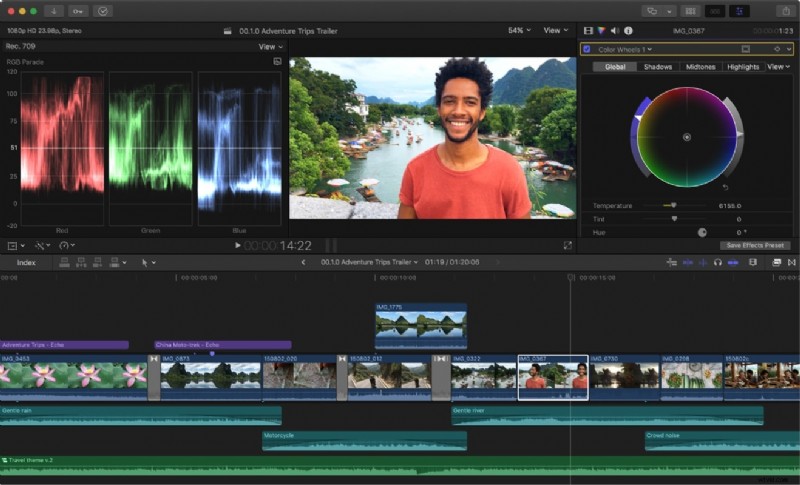
1. Final Cut Pro – Best for Mac Users
Pros & Cons
- Smooth editing and grading experience
- Optimized for Apple hardware
- Excellent for cinematic looks
- macOS only
- Steeper learning curve for beginners
Platforms
macOS
Price
One-time fee of $299.99
Best for
Professional and intermediate Mac-based editors
Highlights
Magnetic timeline, powerful color wheels, real-time performance
Why We Recommend It
If you're a Mac user and want pro-level results with intuitive tools and speed, Final Cut Pro is a perfect option for you.
2. Filmora – Best for Beginners and Quick Enhancements
 Secure Download
Pros & Cons
- Intuitive color tools that balance ease and creative control
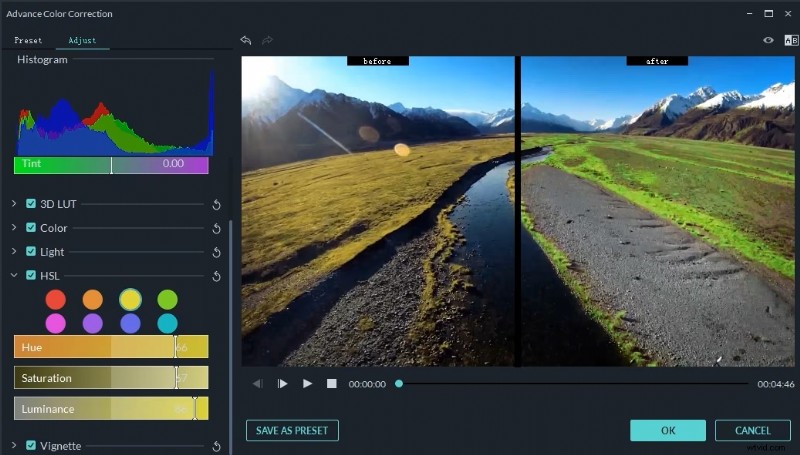
- Built-in LUT support and adjustable color wheels
- Real-time preview for faster grading decisions
- AI-powered color match for consistent looks across clips
- Fast rendering optimized for social media formats
- Limited advanced features in the free plan
- Not ideal for pro-level film work
Platforms
Windows, macOS
Subscription starts from a yearly plan, also offer a one-time fee plan
Best for
New creators, casual editors, vloggers
Highlights
One-click filters, built-in LUTs, and AI-powered tools
Why We Recommend It
Filmora keeps things simple and beginner-friendly, helping you enhance your videos quickly with vibrant and stylish color grading presets.
3. Adobe Premiere Pro – Best for Adobe Ecosystem Users
Pros & Cons
- Deep grading tools with precision
- Works smoothly with After Effects and Photoshop
- Ideal for creative professionals
- Steeper learning curve, especially for beginners
- Requires powerful hardware for smooth performance
Platforms
Windows, macOS
Price
Subscription-based from $22.99/month
Best for
Professionals, Adobe Creative Cloud users
Highlights
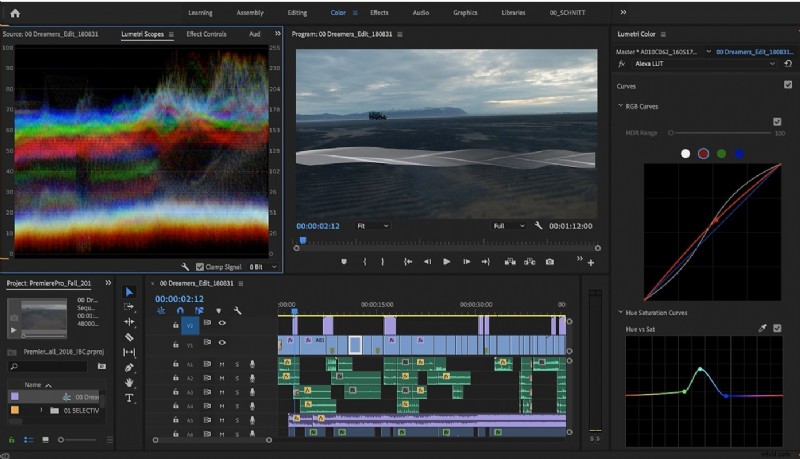
Lumetri Color panel, seamless Adobe integration
Why We Recommend It
If you’re already in the Adobe ecosystem, Premiere Pro offers everything you need to grade and edit within one powerful platform.
4. Avid Media Composer – Best Overall for Professional Broadcast Editing
Pros & Cons
- Industry-trusted for decades
- Designed for large projects and teams
- Deep color and metadata control
- Not ideal for quick or casual projects
- Requires high system specs and complex setup for collaborative workflows
Platforms
Windows, macOS
Price
Subscription-based from $39.99/month
Best for
TV, film studios, collaborative teams
Highlights
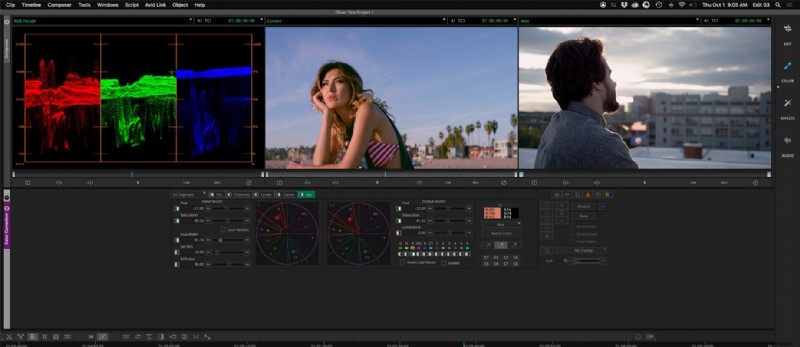
Broadcast-standard color pipeline, shared project features
Why We Recommend It
Avid is the high benchmark for broadcast-level projects and ideal for teams working on high-end productions that demand precision.
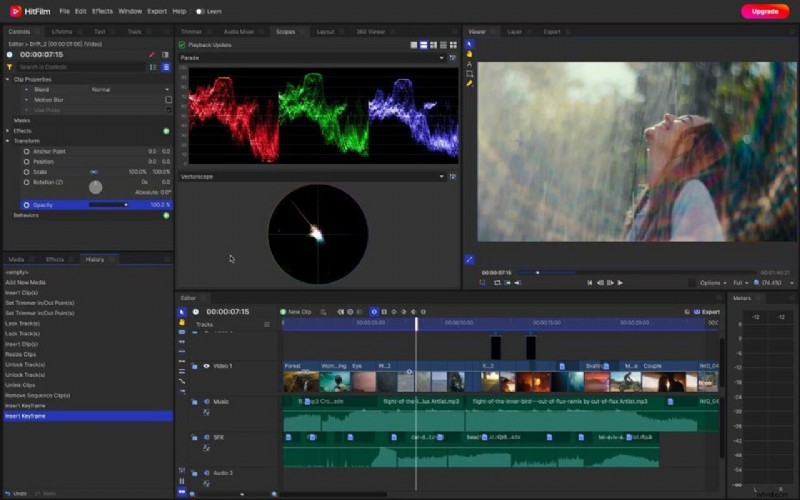
5. HitFilm – Best for Editors on a Budget
Pros & Cons
- Built-in effects and presets help speed up grading
- Strong combo of editing and grading
- Includes VFX tools for creative flexibility
- Advanced color grading options are limited in the free version
- UI can feel overwhelming when handling large projects
Platforms
Windows, macOS
Price
Free version available, plus paid upgrades from $6.25
Best for
Indie creators, students, budget-friendly editors
Highlights
Built-in effects, color wheels, VFX tools
Why We Recommend It
For those of you who are just starting and need a free tool with decent ratings and effects, HitFilm is one of the best value options available.
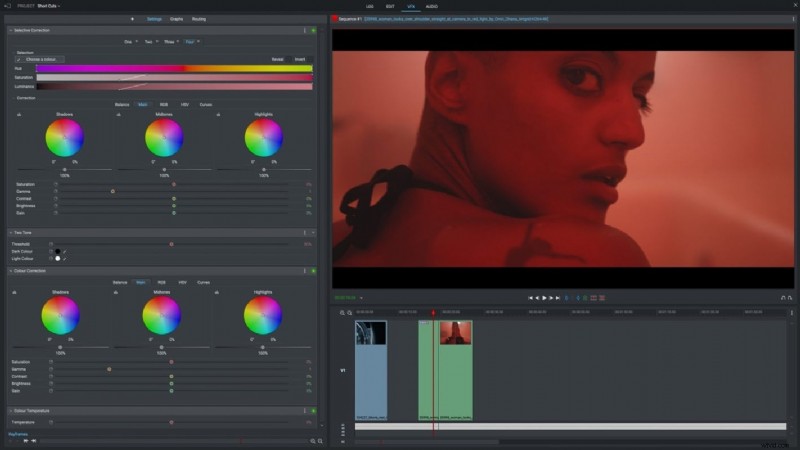
6. Lightworks – Best for Fast Editing with Decent Grading Tools
Pros & Cons
- Real-time effects and fast rendering performance
- Supports a wide range of file formats
- Offers flexible trimming and timeline editing
- Interface can feel outdated and unintuitive
- Fewer built-in color grading tools compared to competitors
Platforms
Windows, macOS
Price
Free version available, Pro version via subscription starts from $13.99
Best for
Solo filmmakers, fast-paced editors
Highlights
Real-time color grading, simple timeline, export to social platforms
Why We Recommend It
Lightworks is ideal for those who want a fast and efficient workflow with color tools for quick video projects.
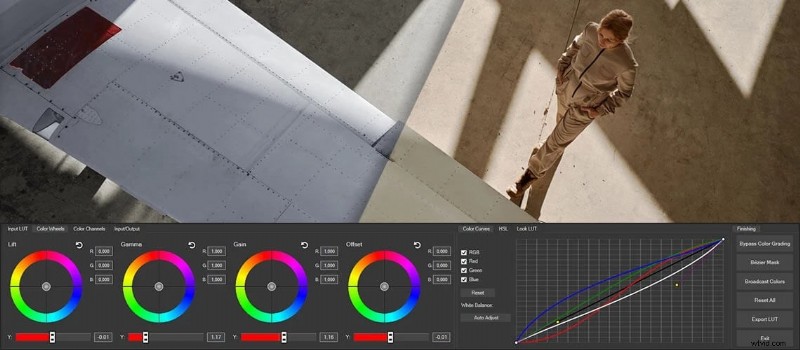
7. VEGAS Pro – Best for Event and Commercial Video Editors
Pros & Cons
- Intuitive, timeline-based workflow that’s beginner-friendly
- Strong color grading tools including HDR support and LUTs
- Real-time editing and fast rendering with GPU acceleration
- Windows-only (not available for Mac users)
- Some features locked behind more expensive versions (e.g., VEGAS Pro vs Pro Suite)
Platforms
Windows
Price
One-time purchase for $175 or subscriptions start at $14.99/month
Best for
Solo editors, wedding videographers, corporate creators
Highlights
Real-time grading preview, curve controls, HDR support
Why We Recommend It
VEGAS Pro blends ease of use with pro features, making it a solid option for commercial video work or anyone who needs speed and control without complex layers.
Part 3. How to Choose the Right Color Grading Software
Choosing the best color grading software depends on your editing style, experience, and the type of content you create. Here's a quick guide to help you decide which tool meets your workflow best:
- For cinematic storytelling:
Try Avid Media Composer. It’s built for precision, making it ideal for narrative filmmakers who need detailed control and a smooth cinematic finish.
- For fast YouTube or social media edits:
Go with Filmora. Its easy interface, built-in LUTs, and drag-and-drop tools make it perfect for creators who want quick yet stylish grading without a steep learning curve.
- If you’re editing + grading in one workflow:
Choose Adobe Premiere Pro. It lets you handle both tasks in one place, especially if you're already using other Adobe apps like After Effects or Photoshop.
- For Mac-native speed and simplicity:
Pick Final Cut Pro. It's optimized for macOS, offering smooth performance and a magnetic timeline that makes grading and editing efficient.
- If you’re on a budget but want flexibility:
Try HitFilm. It offers solid grading tools, visual effects, and editing features even in its free version. It's ideal for solo creators who want more without paying extra.
Filmora
AI Video Editing App & Software
Best tool for making videos anywhere for all creators!
Easily enhance your video colors with Filmora’s built-in LUTs, filters, and AI color matching. Perfect for creators who want cinematic results without complex tools.
Part 4: Color Grading Plugins
If you're already using video editing or color grading software but want to take your visuals a step further, plugins can be a powerful addition. These tools are designed to simplify grading, offer cinematic looks instantly, or give you more precise control over color tones.
Here are some popular color grading plugins worth a try:
1. Cinema Grade
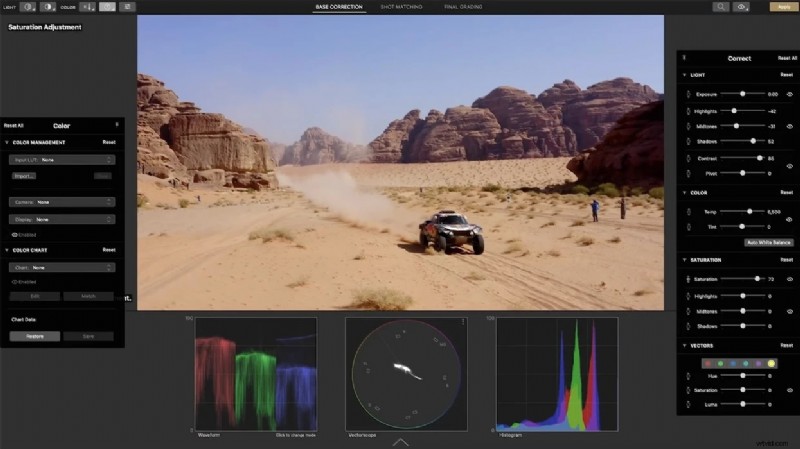
Works with: Premiere Pro, Final Cut Pro
Cinema Grade makes color grading more intuitive by letting you grade directly in the viewer window. Instead of adjusting sliders and wheels, you can click and drag right on your video to change exposure, contrast, or color balance. It also comes with professional LUTs and looks to speed up your workflow.
Why it’s great:
- Visual grading interface
- Real-time previews
- Ideal for filmmakers who want precision without complexity
2. Magic Bullet Suite by Red Giant
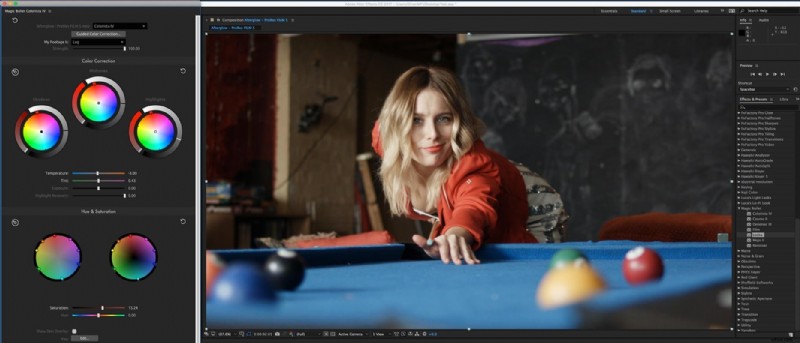
Works with: Premiere Pro, After Effects, Final Cut Pro
Magic Bullet offers a collection of tools to apply cinematic color grades, remove video noise, and simulate high-end camera looks. It’s a favorite among filmmakers and YouTubers.
Why it’s great:
- Stunning cinematic presets
- Easy-to-use color correction tools
- Film results in a few clicks
3. Color Finale
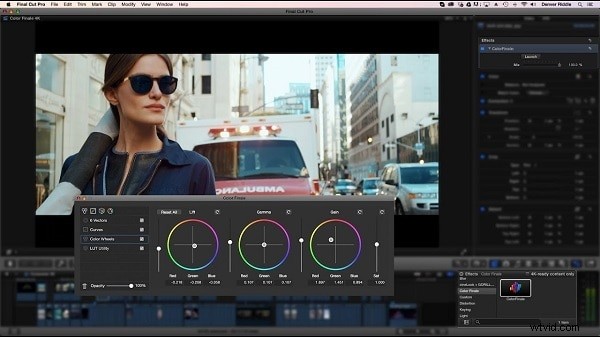
Works with: Final Cut Pro
If you're a Mac user, Color Finale is a powerful plugin for advanced color grading in Final Cut Pro. It includes professional scopes, LUT support, and layered grading tools to fine-tune your visuals.
Why it’s great:
- Deep control over color layers
- Intuitive node-based interface
- Built specifically for FCP users
Conclusion
Color grading software can completely change how your videos feel, helping them look polished, professional, and on-brand. You don’t need to be a film expert to make your content stand out. With beginner-friendly video grading software like Filmora or more advanced options like Final Cut Pro, there’s something for every type of creator.
And if you want to go even further, plugins like Cinema Grade can help enhance your visuals. The key is finding color grading software that fits your style, skill level, and pace. Once you do, grading becomes less technical and more of a creative boost.
🎨 Vote Now: Which Color Grading Software Gets Your Vote?
From beginner-friendly apps to pro-level tools, which one do YOU trust for stunning color grading? Pick your favorite below:
Filmora CURRENT LEADER
Final Cut Pro
Adobe Premiere Pro
Avid Media Composer
HitFilm
Lightworks
VEGAS Pro
👏Thanks for casting your vote! Your input helps other editors choose the right tool for their workflow.
See which software is leading the pack: