
In 2025, telling a story through images requires more than just a basic grid. Whether you need an aesthetic photo collage app for iPhone to boost your Instagram engagement or a free collage maker for iPhone that offers professional AI filters, we’ve got you covered. We’ve updated our list to feature the 12 best free photo collage apps that stand out for their ease of use, creative templates, and high-quality exports.
Filmora is a powerful video editing software that can be used on Windows and Mac. While it's primarily a video editor, you can easily use it as an iPhone photo collage app to create stunning video collages. Simply import your photos, use the multi-layer timeline to arrange them, and add stylish effects or transitions. You can then export a high-quality video collage or even take a snapshot to create a static photo grid or a YouTube thumbnail.
 Secure Download
Telling a story through pictures is a fun way to share your favorite iPhone photos with your friends whether you do it with online Collage Makers or with collage creation apps, and each free photo collage app for iPhone listed below will make this task much easier.
Pro Tip: How to Make a Moving Video Collage on iPhoneIf static grids aren't enough, Wondershare Filmora allows you to create dynamic video collages with AI-powered smart templates. Unlike basic apps, you can sync your photo transitions to the beat of the music automatically. [Try Filmora for Free]
Photo Collage Apps Comparison Chart
| App Name | Best For... | AI & Key Features | Price & Model | User Rating |
|---|---|---|---|---|
| Diptic | Creative layouts & video collages | Classic borders, video support, 9-photo grids | Paid / In-App Purchase | 4.5/5 |
| MOLDIV | Magazine & Pro editing | Beauty camera, 300+ frames, magazine presets | Free / In-App Purchase | 4.7/5 |
| PicsArt | AI-powered aesthetic collages | AI Background remover, magic effects, remixing | Free / Subscription | 4.7/5 |
| Canva | Professional & Social media design | Magic Studio AI, 1M+ templates, drag-and-drop | Free / Subscription | 4.9/5 |
| Adobe Express | Aesthetic grids & AI generation | Generative AI, premium fonts, one-tap resize | Free / Subscription | 4.8/5 |
| PicCollage | User-friendly & Scrapbooking | Handwriting tools, freestyle, instant grids | Free / In-App Purchase | 4.8/5 |
| Layout from Instagram | Quick Instagram-ready grids | No-fuss interface, Photo Booth, mirrored grids | Free | 4.5/5 |
|
Show more Show less |
12 Best FREE Photo Collage Apps for iPhone
1. Diptic - Best for Video & Photo Compositions
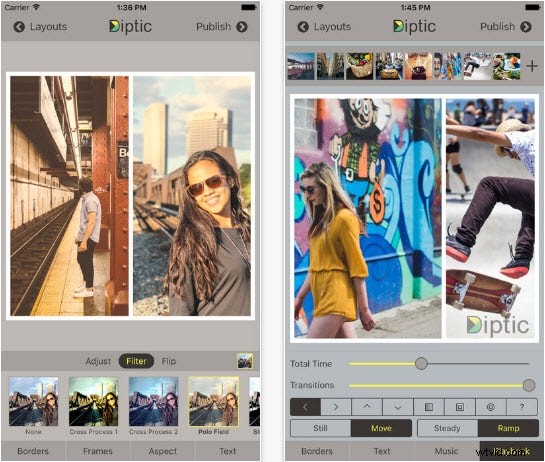
Image from Internet
The plethora of options provided by Diptic is going to impress you since each of the app's features helps you tell a better story with your photos. The collage apps for iPhone lets you combine up to nine different images in a single photo collage, and it also offers nearly 200 layouts. Some of the animated grids allow you to present each photo from a group separately, while the video adjustments feature lets you add music to video collages. Even though the Diptic app can be downloaded for free, some in-app purchases are required if you want to use all the features this app has to offer.
Pros & Cons
- Supports video collages and photos in a single frame.
- High-resolution export for crystal clear quality.
- The interface feels a bit dated compared to modern 2025 apps.
- Many classic layouts require an additional purchase.
Key Features
- Combine up to 9 photos or videos into one stunning layout.
- Customize borders with different colors, textures, and rounded corners.
- Apply filters and adjustments to individual photos within the grid.
2. MOLDIV - Professional Photo Editor & Magazine Layouts
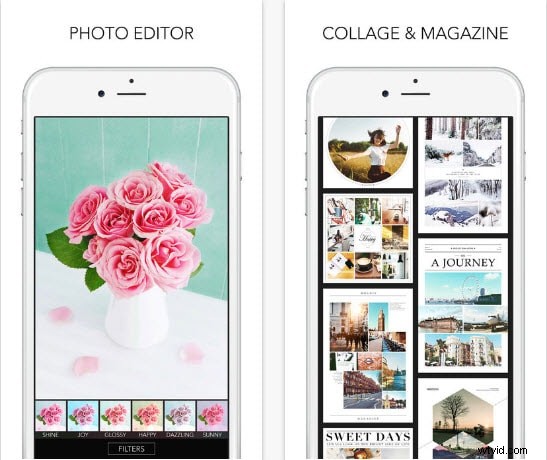
Image from Internet
This free collage apps for iPhone allows its users to edit their photos in any way they want. The app features over 180 filters, amazing photo editing tool and a Pro Camera that lets you capture videos and photos. MOLDIV app enables you to combine as many as 16 photos in a collage, while it also provides over 300 frames. The Magazine feature lets the app's users create collages that resemble a magazine cover with 135 layouts. You can select the aspect ratio or combine your iPhone photos in a FreeStyle mode if you'd like to create a unique collage your friends will adore.
3. piZap Photo Editor
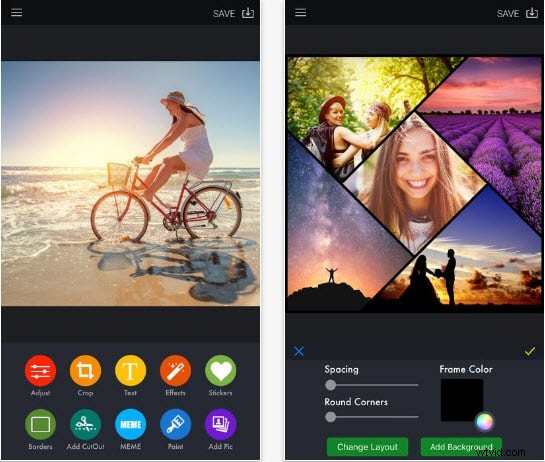
Image from Internet
Creating amazing best photo collage with this free iPhone app is easy because it provides a nearly unlimited amount of layouts. You can use rectangles, hearts, circles or even mixed shapes to tell compelling stories with your photos. Before you create a collage, you can add filters, stickers, frames or borders to your photos in order to make them look more fun. The Cut-Out tool can be utilized to cut parts of a picture and add them to another photo, while over 400 fonts and text bubbles allow you to add text to your iPhone photos. Some in-app purchases may be necessary if you want to explore every feature this iPhone photo editing app has to offer.
4. Layout from Instagram
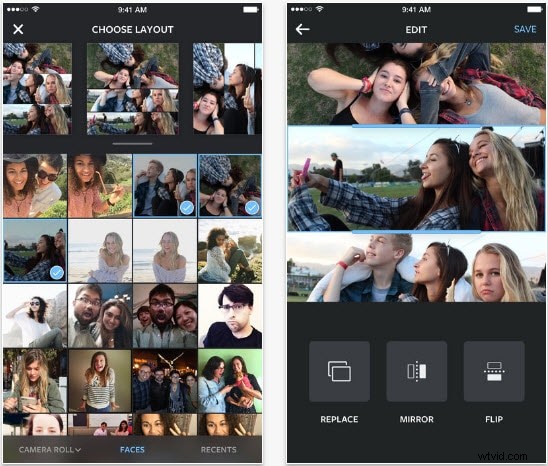
Image from Internet
Passionate Instagrammers are going to love using this iPhone photo collage app, simply because it broadens the list of things that can be done with photos on Instagram. iPhone owners who choose to download this free photo collage app can combine nine images by using elegant layouts and photo grids the app provides. Furthermore, the Photo Booth mode lets you snap quick photos in various situations, while the Faces tab allows you to easily organize and locate pictures which depict people. Besides providing a quick and easy way to create Instagram posts, the app also lets you save your creations to the camera roll in order to share them on other social media networks.
5. PicsArt Photo & Collage Maker
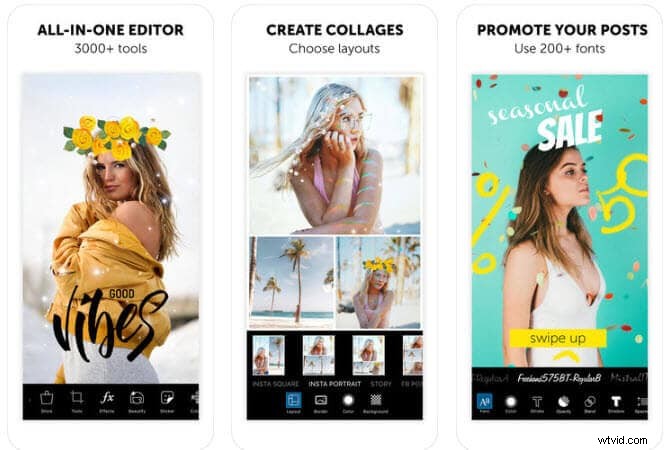
Image from Internet
Besides being one of the most powerful photo collage apps for iPhone, PicsArt is also one of the best photo editing apps you can find at the App Store. Hundreds of free grid templates, templated collages and freestyle collages that allow you to arrange photos in any way you want are available in the Collage Maker and Grids mode. On the other hand, the best collage app mode provides professional photo editing tools that will make each of your iPhone photos look like a masterpiece. The app can be downloaded for free, but cool effects and some more advanced features must be purchased.
Pros & Cons
- Massive library of AI photo effects and aesthetic stickers.
- Allows for complete "Freestyle" collage creation without grid limits.
- Heavy app size may slow down older iPhone models.
- Frequent prompts to upgrade to the Gold subscription.
Key Features
- AI-powered Background Remover for professional-looking cutouts.
- Replay feature to recreate popular collage styles in one tap.
- Collaborative editing tools to remix images with a global community.
6. Collage Maker - Mixgram Editor
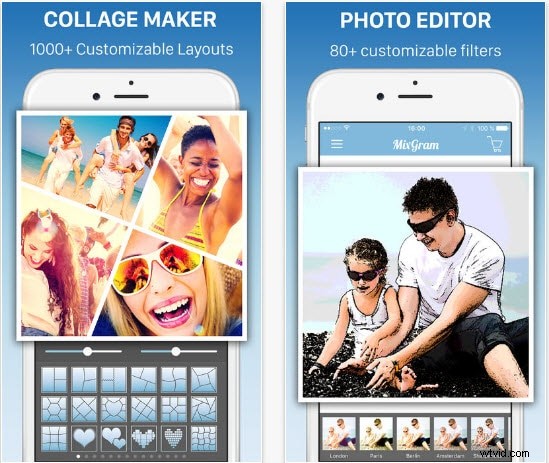
Image from Internet
By making the decision to download this free collage app for iPhone, you will be joining millions of visual content creators who are already using this collage apps for iphone . The app provides over a thousand fully customizable frames and collage templates that will allow you to express your creativity freely. Mixagram also features a lot of different photo filters and effects, while its unique fonts let you caption photos or add text to every photo edited with this amazing app. Sharing photos directly from Mixagram to any social media platform is easy, and you can share collages you created with this app with your friends instantly.
7. Pic Stitch - Collage Editor
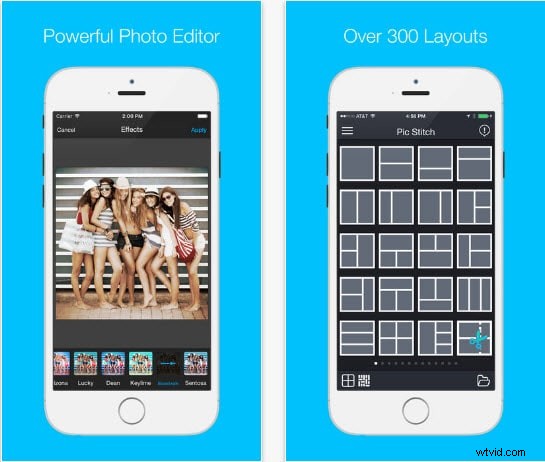
Image from Internet
A quick look at this list of features Pic Stitch offers will leave you wondering if there is anything this iOS app can't do. With over 300 different layouts, 15 aspect ratios and remarkable photo filters the app delivers all the tools you'll ever need to create an outstanding photo collage with your iPhone. Furthermore, Pic Stitch lets you work with both photos and videos, while it also provides the option to add music to your photo collages. The app is easy to use but it contains in-app purchases.
8. Photo Collage - Collageable
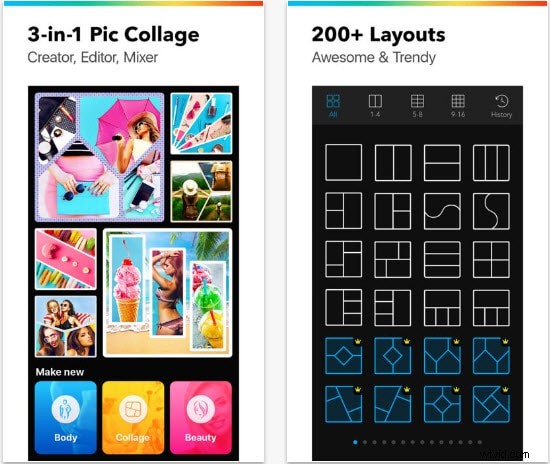
Image from Internet
Each photo collage app that lets you combine up to 25 images in a single frame must be amazing. Collageable lets you tell your photo stories with more than 300 different layouts and it is unbelievably fun and easy to use. The app allows you to mix-match, rotate or rearrange freely the photos you want to include in a collage, while the features such frames, stickers or filters allow you create a special kind of atmosphere on each collage you create.
9. Pic Jointer - Photo Collage
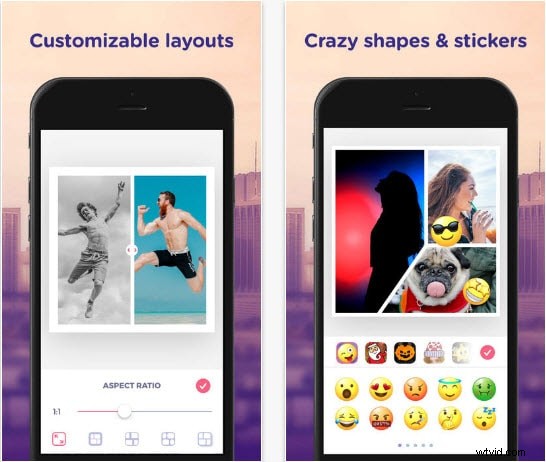
Image from Internet
Although you can download this app for free, some in-app purchases may improve the experience of creating a collage with Pic Jointer. Besides offering more than a hundred stylish layouts which let you combine as many as 9 photos in a single frame, the app also provides countless stickers, handcrafted filters, and beautiful image backgrounds. Adding text to your photos is also a possibility because Pic Jointer features a collection of amazing fonts that will make your collages look even cooler.
10. PicCollage
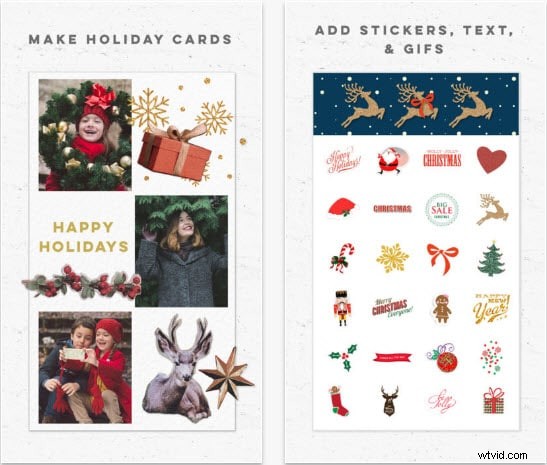
Image from Internet
There is no doubt that PicCollage is one of the best photo collage apps for iPhone because it provides its users with a fun and easy ways to create amazingly beautiful collages from their iPhone photos. There are hundreds of layouts you can use, while the app also provides an instant photo grid for images on your iPhone, Instagram or Facebook. Adding text in your own handwriting is also an option, while every other feature offered by this app will allow you to unleash your creativity.
11. Canva

Image from Internet
Canva has revolutionized the way we think about mobile design, making it a top contender for the best free photo collage app for iPhone. It’s not just a simple grid maker; it’s a full-scale graphic design suite that fits in your pocket. With millions of aesthetic collage templates, Canva allows you to create social media posts, mood boards, and photo grids that look like they were made by a professional designer. Its drag-and-drop interface is incredibly intuitive, and the addition of "Magic Studio" brings AI-powered tools that can help you remove backgrounds or generate text-to-image elements for your collages instantly.
Pros & Cons
- Best free collage maker for iPhone for social media branding.
- Cloud syncing allows you to edit on both iPhone and Mac.
- Requires an internet connection for most features.
- Can be overwhelming for users who just want a simple 2-photo grid.
Key Features
- Magic Studio AI for generating aesthetic elements and text-to-image.
- Thousands of trending templates for Instagram Stories and TikTok.
- Extensive library of royalty-free graphics and professional fonts.
12. Adobe Express
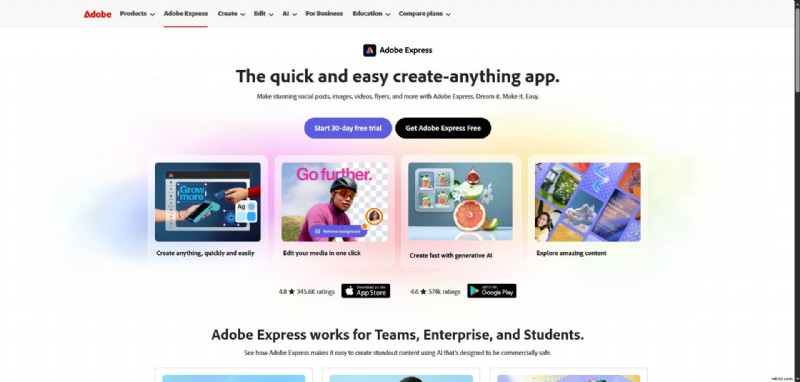
Image from Internet
Adobe Express brings the power of professional Adobe software to a simplified, user-friendly iPhone experience. It stands out as a premium free collage maker for those who want high-end results without the complexity of Photoshop. The app’s standout feature in 2025 is its Generative AI (Adobe Firefly) integration, which lets you insert or remove objects in your collages using simple text prompts. Whether you are creating a simple photo grid or a complex multi-layered project, Adobe Express provides "Quick Actions" to remove backgrounds, resize images for any platform, and convert files in a single tap.
Pros & Cons
- Unmatched Generative AI tools for expanding and filling photos.
- Clean, ad-free experience compared to other free apps.
- Some advanced features require a Creative Cloud subscription.
- Learning curve is slightly higher than "Layout from Instagram."
Key Features
- One-tap "Resize" tool for instantly changing collage formats.
- Generative Fill to add or remove objects within your photo grid.
- Direct access to Adobe Stock photos for background enhancements.
Conclusion
Finding the best free photo collage app for iPhone can make your photo editing fun and easy. Apps like Diptic, MOLDIV, and piZap Photo Editor offer great features and high user ratings. If you're looking for a top-tier free pic collage app, try Layout from Instagram or PicsArt. These apps offer many tools to create beautiful photo collages and photo grids.
For more detailed reviews and more options, visit Wondershare Filmora.

Filmora
AI Video Editing App & Software
Best tool for making videos anywhere for all creators!
Simplify all your steps in video editing, from the pre-processing to finalizing, Filmora AI stays tuned.