
Creating an anniversary video is an excellent choice for all happy couples looking forward to celebrating their anniversary. Another year has passed, and a lot has happened. There were ups and downs, but you managed to pull through and live to celebrate another milestone together.
Instead of going with a cliché gift that your significant other is sure to expect, why not go with something more creative?
You would think you need to hire more than one professional to complete the job. But you can do it all yourself, which makes the whole thing so romantic. Let's learn about the best wedding anniversary video maker and how to use it to create the best wedding anniversary video that will be remembered.
In this article
-
- For the 1st year - the Paper Anniversary
- For the 5th year - the Wood Anniversary
- For the 10th year - the Tin Anniversary
- For the 25th year - the Silver Anniversary
- For the 50th year - the Gold Anniversary
The internet is filled with video makers and editing tools, but one stands out. We are, of course, talking about Wondershare Filmora - the best anniversary video maker with music, templates, stickers, effects, and many AI-powered features.


Filmora offers everything you need to create meaningful anniversary videos, whether you're celebrating a personal milestone or producing engaging corporate anniversary videos that tell your brand's story in a polished and professional way. Here's what makes it such a versatile tool:
- Advanced color correction: It can extract color from images or videos and intelligently match the other one with AI.
- Motion tracking features: It can enhance the video by selecting your loved one and adding a graphic or a piece of text that will track their motion in the video.
- Various audio editing features: It supports generating royalty-free background music as an AI music maker, adding crossfade transitions to connect two songs more seamlessly.
- Text insertion and editing: It has many built-in text fonts, types, and animations, so you can add messages and quotes to appear and disappear during the video to entice emotions left, right, and center.
- AI video enhancer: It can make old-saved videos clearer to enhance your visual quality or upscale video resolutions with one click.
- AI audio denoiser: It offers to remove background noise from your videos.
- Powerful stabilization features: You can use Filmora to stabilize the video and make it look professional.
- Rich video templates: You can choose from a bunch of video templates to make an anniversary video with simple clicks.
- Various input and output formats: It supports almost every popular video and image format for importing and exporting.
Filmora is highly user-friendly, and with several guides and video tutorials online, getting the hang of it is a walk in the park. Let's get down to the nitty-gritty. Read on to learn how to make this fantastic video step by step.
How to Make an Anniversary Video in Minutes?
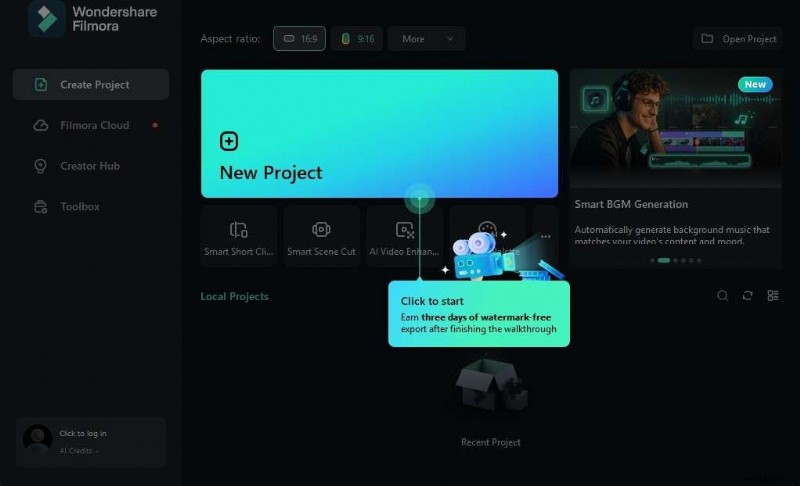
- You need to download and install Filmora > click New Project to start.
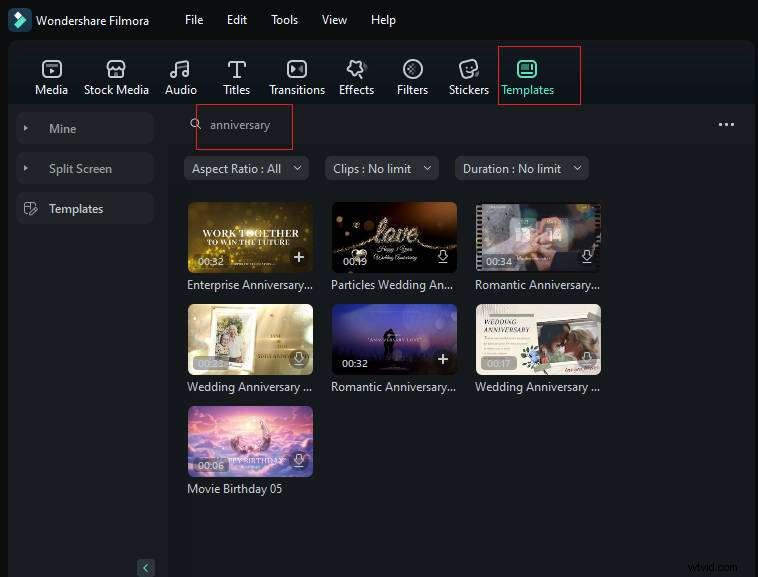
- Find and select a template and add it to the Editor Timeline: Click on Templates in the Elements Panel and type anniversary in the search box. Browse, preview, select, and add a template to your timeline.
- Replace the stock footage with your own images and videos: Just click on the prompt provided. It reads "Click to Replace material."

- Further edit videos: Just navigate to texts to edit the titles or switch to other panels to edit your videos further.
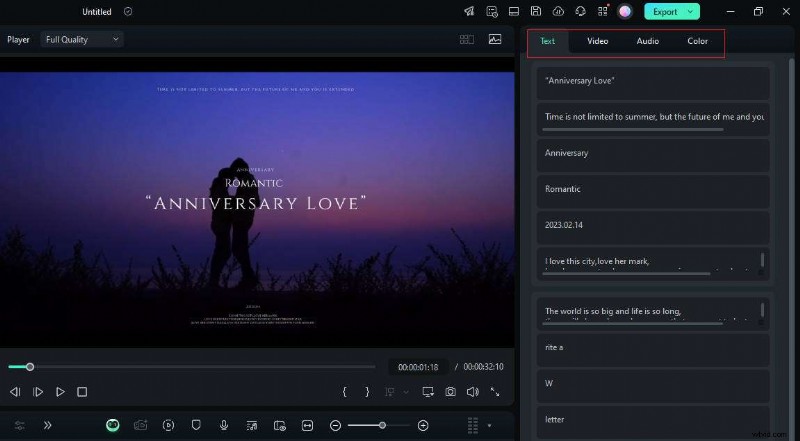
5. Export the video: If you are satisfied with the results, click the export button to save the anniversary video.
How to Enhance an Anniversary Video?
The next step is to have a little fun. You can use various stickers and effects, add text, and do various other things. Here are some simple steps.
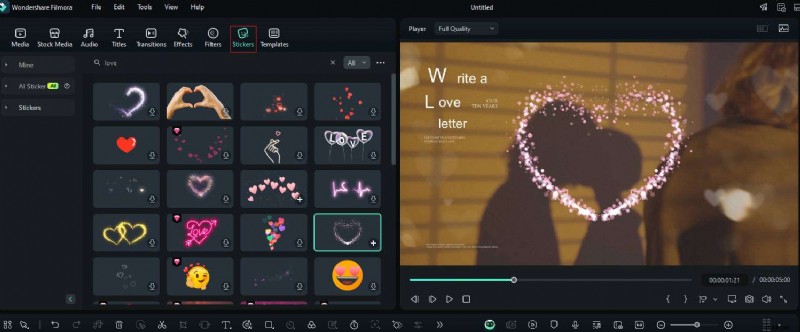
- Add stickers: You can go to the stickers tab > search the elements for which you want stickers to add to your videos.
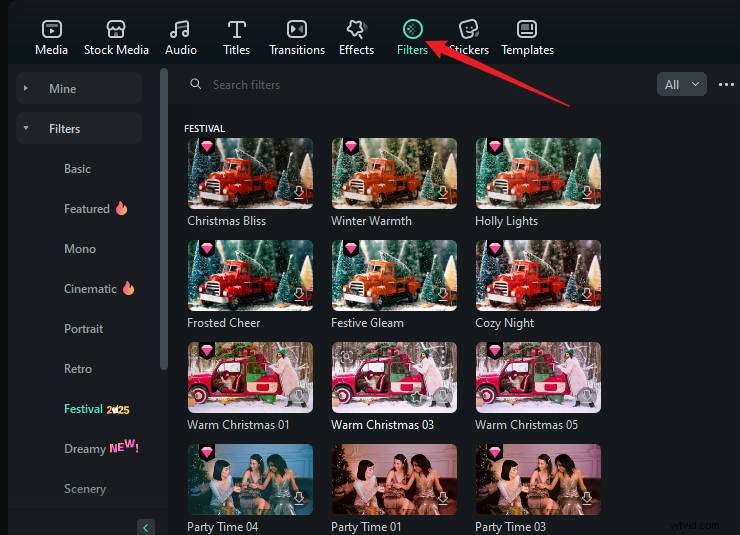
- Add filters: There are various filters in Filmora; you can preview them individually.
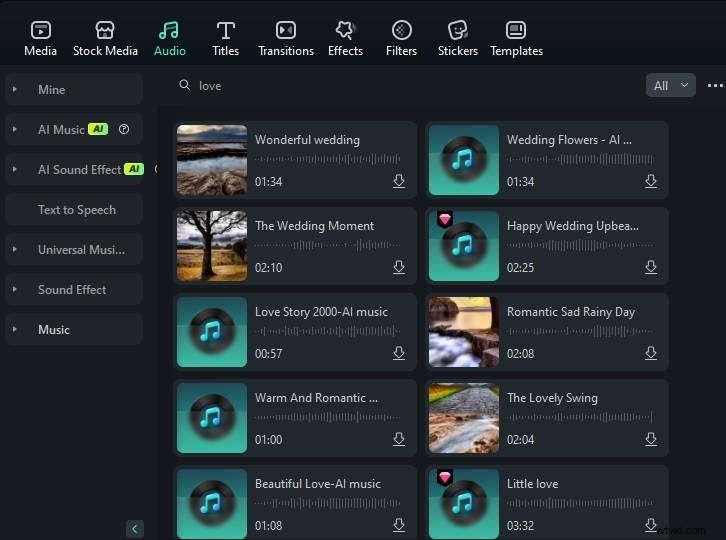
- Add background music to the video: To add background music to the video, you can add from its preset resources and search keywords to find the music you want quickly.
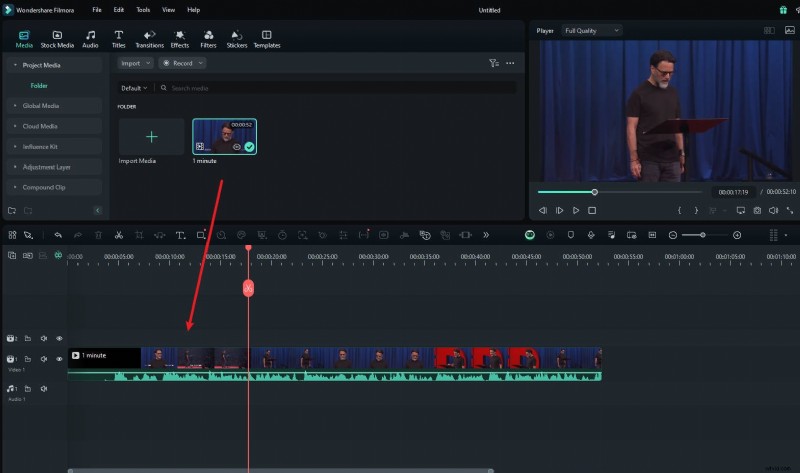
You can also import a song from your computer and add it below to the video.
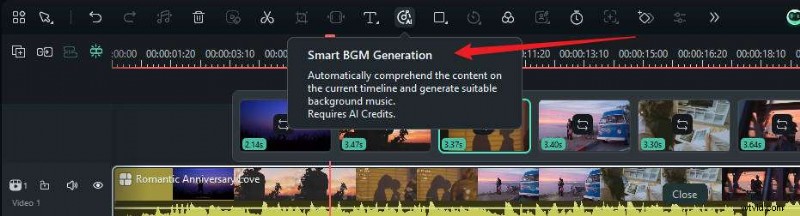
Additionally, you can use an AI music generator or smart BGM generator to create music intelligently.
- Add voiceover to your video: If you want to make your video more vivid and heartfelt, you can record your voiceover and add it to the timeline.
In addition to these basic edits, Filmora allows you to do much more. Check the following video guide for more reference.
Edit Videos with Wondershare Filmora
- 100+ advanced video editing features.
- Vast video/audio effects and creative assets.
- Powerful AI for effortless content creation.
- Intuitive, professional yet beginner-friendly.
- Works on Mac, Windows, iOS, and Android.
Bonus Tip: Best Anniversary Video Ideas
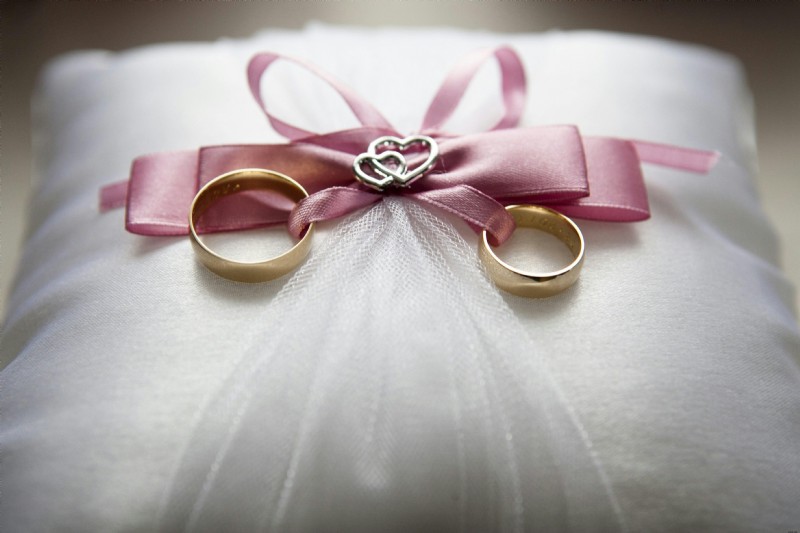
We have divided this list of ideas based on how long you have been together. The greater the anniversary, the more photos and videos you will have to play with. Hopefully, these ideas will help spark your creative juices.
For the 1st year - the Paper Anniversary
After one year of marriage, a good idea is to remind yourself and your spouse of your wedding photos and videos. You can make a collage of photos and videos. It can start with your wedding day and follow you throughout the year with cool transitions and effects.
For the 5th year - the Wood Anniversary
After five years, you had a chance to experience a lot of things together for the first time. You will have memories from your first time going on a trip, your first music festival, the first expensive dinner, and all sorts of other first experiences. The theme of the video can be 5 years of experiencing life for the first time with you.
For the 10th year - the Tin Anniversary
Ten years is a very long time. If you manage to pass this 10-year mark, there is nothing that can stop you. Usually, in 10 years, many special memories have been captured, like family videos, your kids growing up, and you must have had several crucial moments. Focus on those.
For the 25th year - the Silver Anniversary
After twenty-five years as a couple, you are practically one person. You can pick an important milestone from each year since your wedding and create a love evolution video showing how the two of you have grown together over the years.
For the 50th year - the Gold Anniversary
Very few people make it this far, so congratulations are in order. At this point, you should ask your family for help, and you can go a step further here. You certainly have a ton of memories captured, so why not make a whole movie?
Conclusion
Creating an anniversary video will make a timeless piece of art that can be revisited and shared from generation to generation. With the help of Filmora, the best anniversary video maker, you don't need fancy video editing skills. Anyone can do it and make the final video look like a professional did it. Older generations didn't have this technology, but we do. Let's use it!