
If you're building a brand, whether it's for a business, YouTube channel, or personal project, having a logo that fits seamlessly into any background is important. A transparent logo helps your brand look polished and professional, whether it's on a website, a video, or social media.
You don't need expensive design software to get one. With a good transparent logo maker, you can remove backgrounds or design a new transparent logo in just a few clicks.
Our Top 3 Transparent Logo Makers Picks
Wondershare Filmora
Best for Logo Animation
Canva
Best for custom logo design and easy transparency
View detail

Remove.bg
Best for quick background removal
View detail
To find the best transparent logo creators, we tried each tool ourselves and focused on the following:
- Ease of use: How easy they are to use
- Background removal: How well they removed backgrounds
- Export quality: The quality of the transparent logos they exported
- Extras: Helpful extras like design templates, animation options, and different file formats
Part 1. Transparent Logo Maker Comparison Chart
Overall ranking and summary recommendations (displayed in chart format)
| Tool | Platform | Pricing | Supported Output Type | Rating |
| Filmora | Windows, macOS, mobile | Free with watermark / Paid | Animated Video & Image | ★4.5/5 |
| Adobe Express | Web, iOS, Android | Free / Premium plan | Transparent PNG & print-ready logos | ★4/5 |
| Canva | Web, iOS, Android | Free / Pro | Transparent PNG logos (Pro only) | ★4.5/5 |
| Looka | Web | Paid (one-time) | Transparent PNG, vector, and print kits | ★4.5/5 |
| Apowersoft | Web | Free | Transparent PNG logos | ★4.5/5 |
| Kittl | Web | Free / Pro | Transparent PNG and vector logos | ★4.7/5 |
| Design.com | Web | Free / Paid | Transparent PNG and vector logos | ★4.7/5 |
| LogoAI | Web | Paid | Transparent PNG and branding assets | ★4.6/5 |
| Filmora App | Web, iOS, Android | Free (with watermark) / Paid | Transparent video/image logo overlays | ★4.7/5 |
| Snapseed | Android, iOS | Free | Transparent PNG (manual edit) | ★4.6/5 |
| Remove.bg | Web, Windows, macOS | Free / Paid (HD) | Transparent PNG logos | ★4.6/5 |
| Background Eraser | Android, iOS | Free / In-app purchases | Transparent PNG (manual edit) | ★4.8/5 |
|
Show more Show less |
 Secure Download
Part 2. Top Transparent Logo Makers on Desktop in 2025
If you prefer working on a bigger screen with more control, desktop-friendly transparent logo makers are your best bet. Whether designing from scratch or removing backgrounds from existing logos, these desktop tools offer more flexibility, power, and precision. Below, we break down the top performers you can use on Windows and macOS in 2025, complete with pros, cons, pricing, and why each one stands out.
Wondershare Filmora
Originally known for its intuitive video editing tools, Wondershare Filmora has evolved into a creative suite that supports transparent logo makers through background removal, motion graphics, and animation effects.
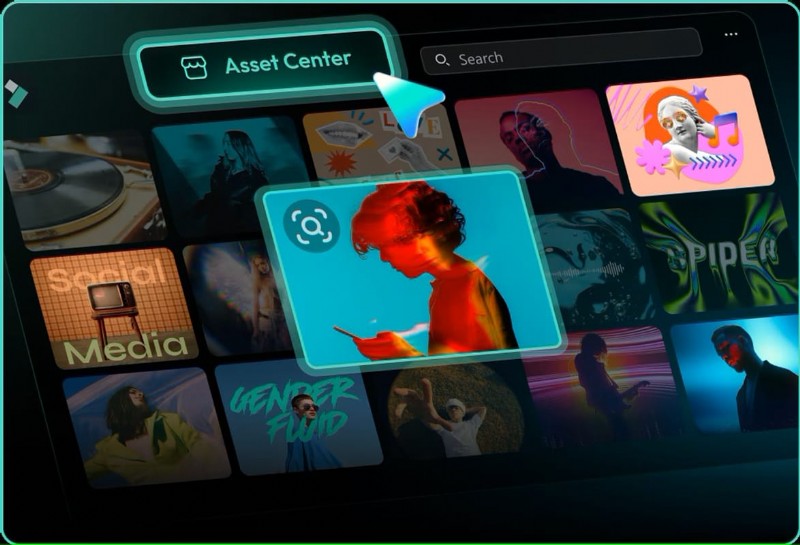
Best for:Creators who want to animate logos for videos, intros, and brand visuals.
Operating system:Windows, macOS
Key Features
- Keyframing and motion tracking
- Chroma key and background remover
- High-quality export options(PNG, MP4)
- Built-in text and title templates
- Supports both static and animated logos
Pros & Cons
- Great for video-based logo animations
- Frequent updates and new features
- Beginner-friendly, even with advanced effects
- The free version includes a watermark
- More video-focused than logo-specific
Pricing Information
- Free version available with limited advanced features
- Paid plans start at $49.99/year
Official Ratings and Brief Reviews
- ★4.5/5 - Trustpilot
- ★4.5/5 - Software Advice
Why We Recommend It:
Filmora is perfect if you want your transparent logo to be more than just static. It lets you create animated logo reveals and branded visuals quickly, without needing advanced design or animation skills.

Filmora
AI Video Editing App & Software
Best tool for making videos anywhere for all creators!
Best for Logo Animation.
Adobe Express
Adobe Express is Adobe's lightweight, web-based design tool, offering a clean interface and advanced features for quick graphic creation, including logo design with a transparent background creator.
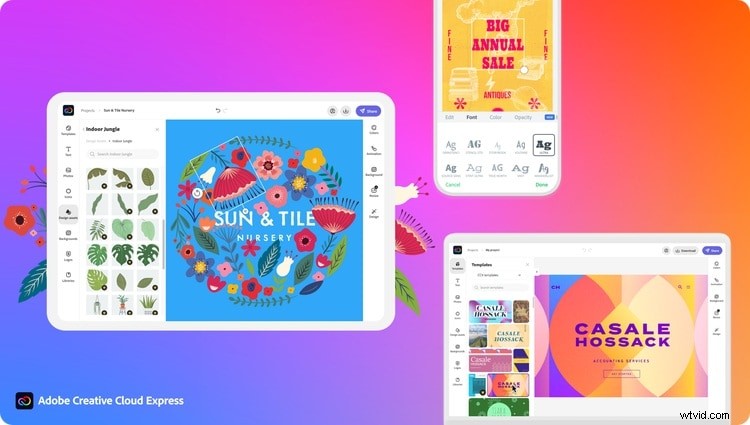
Best for:Quick and stylish transparent logos with a professional look.
Operating system:Web-based (Windows, macOS via browser), iOS, Android
Key Features
- One-click background removal
- Branded templates and smart layout tools
- Transparent PNG export (with free plan)
- Cloud-based sync and Adobe integration
Pros & Cons
- Fast and polished templates
- The free plan is plentiful
- Integrated with Adobe Creative Cloud
- Some advanced features are locked behind the Pro
- Less flexibility than full Adobe Illustrator
Pricing Information
- Free plan available
- Premium: $9.99/month
Official Ratings and Brief Reviews
Why We Recommend It:
For those who want a professional result with minimal effort, Adobe Express is a great choice. Its smart tools and polished designs are ideal for quick and clean transparent logos.
Canva
Canva is one of the most popular online design platforms, with an extensive template library and an easy drag-and-drop interface. It's ideal for logo creation and a transparent background maker.
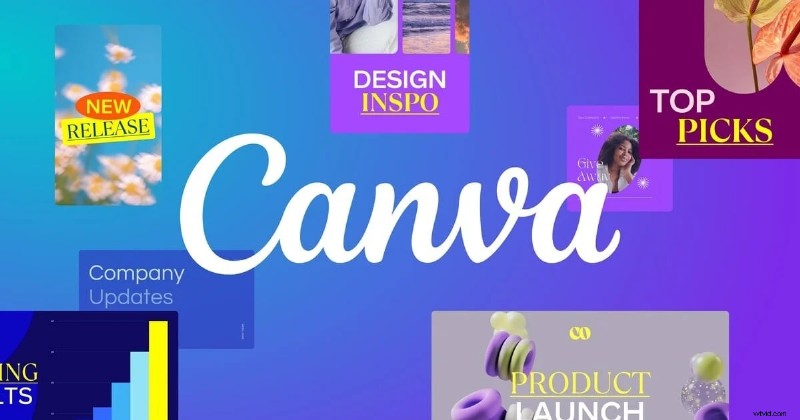
Best for:Beginners or small business owners designing their first logo.
Operating system:Web-based, Windows, macOS, iOS, Android
Key Features
- Thousands of logo templates
- Transparent PNG export (Pro only)
- Brand kit and color palette tools
- Real-time collaboration features
Pros & Cons
- Super user-friendly
- Huge template and asset library
- Available across all platforms
- Transparent background export requires a Pro
- Some templates are overused across brands
Pricing Information
- Free plan
- Pro starts at $12.99/month (includes transparent exports)
Official Ratings and Brief Reviews
Why We Recommend It:
Canva is ideal for anyone who wants great results quickly. With thousands of customizable templates and an intuitive editor, it's suited for design pros and beginners.
Looka
Looka is an AI-powered logo maker that generates branding kits based on your input, including a transparent logo maker, social media assets, and website-ready files.
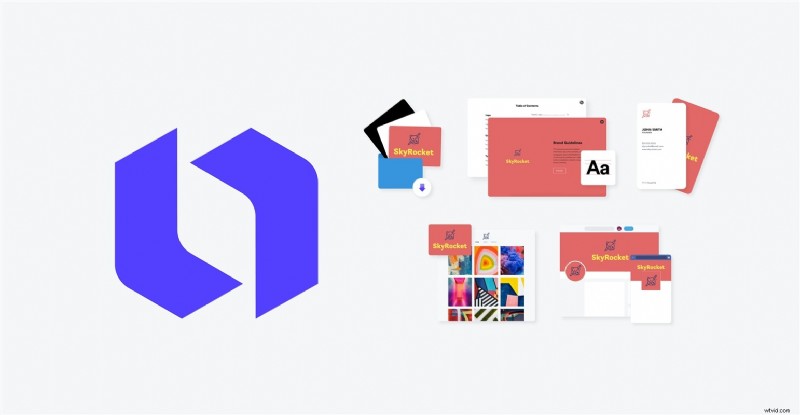
Best for:Entrepreneurs and startups who want a full branding kit quickly.
Operating system:Web-based (compatible with all desktops)
Key Features
- AI-powered logo generation
- Transparent and vector file exports
- Full brand kit builder
- Logo previews on real-life mockups
Pros & Cons
- Fast and automatic branding suggestions
- High-quality exports for multiple platforms
- One-time payment for lifetime access
- Limited manual customization
- No free export option
Pricing Information
- Brand Kit: starts at $96/year
- Logo-only: ~$20 one-time
Official Ratings and Brief Reviews
Why We Recommend It:
Looka takes the guesswork out of logo design. If you need a transparent logo and a full visual identity in one go, this tool is a smart shortcut.
Apowersoft
Apowersoft specializes in background removal and works well as a transparent logo maker for users who already have a logo and want to make it transparent quickly and cleanly.
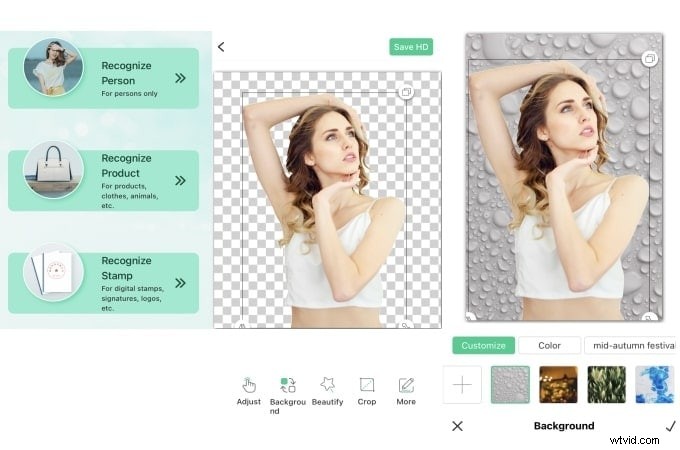
Best for:Removing backgrounds from existing logos.
Operating system:Web, Windows, macOS
Key Features
- Automatic AI background remover
- Batch processing
- Manual enhancement and zoom tools
- No design skills needed
Pros & Cons
- Super fast background removal
- Ideal for logo cleanup
- Supports high-res PNG exports
- Not a full design tool
- Some limits on the free version
Pricing Information
- Pay-as-you-go credits or a subscription
- Starts at $0.20/image
Official Ratings and Brief Reviews
Why We Recommend It:
For quick and clean background removal, Apowersoft does the job well. It's perfect for turning any logo into a transparent version without learning design tools.
Kittl
Kittl is a design platform that focuses on artistic and vintage-style designs. It also works as a transparent logo maker, offering powerful layout tools and support for transparent logo creation.
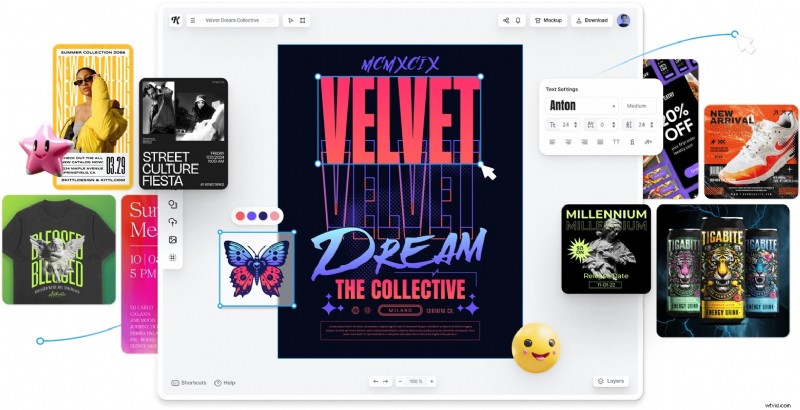
Best for:Creative logos with a handcrafted look.
Operating system:Web-based
Key Features
- Vintage-inspired templates
- High-quality typography tools
- Transparent PNG and SVG export
- Real-time editing and preview
Pros & Cons
- Visually unique templates
- Smooth editing workflow
- Exports high-resolution assets
- The free plan has limited downloads
- Niche style may not suit all brands
Pricing Information
- Free plan with limits
- Pro starts at $10/month
Official Ratings and Brief Reviews
Why We Recommend It:
Kittl is perfect for designers who want their logo to stand out with style. Its transparent export support and stylish templates make it a strong choice for creatives.
Design.com
Design.com offers a simplified logo creation experience and works as a straightforward, transparent logo maker. It's ideal for entrepreneurs who want a basic, transparent logo quickly.
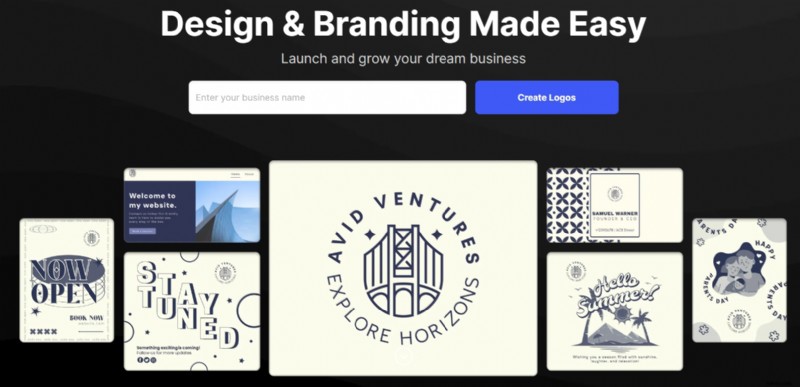
Best for:Simple and quick transparent logo creation.
Operating system:Web-based
Key Features
- Logo templates by category
- Easy color and layout tweaks
- Transparent PNG export
- Vector formats for Pro users
Pros & Cons
- A simple interface
- Quick design process
- Useful brand preview tools
- Limited advanced design options
- Not suitable for animations or detailed editing
Pricing Information
- Free basic logo
- Premium download starts from $19.99
Official Ratings and Brief Reviews
Why We Recommend It:
Design.com is a great transparent logo maker for anyone who needs a quick and hassle-free solution. It gets the job done without unnecessary complexity, especially for startups and personal projects.
LogoAI
LogoAI combines AI and design automation, making it a smart, transparent logo maker to generate polished logos and branding assets with minimal effort.
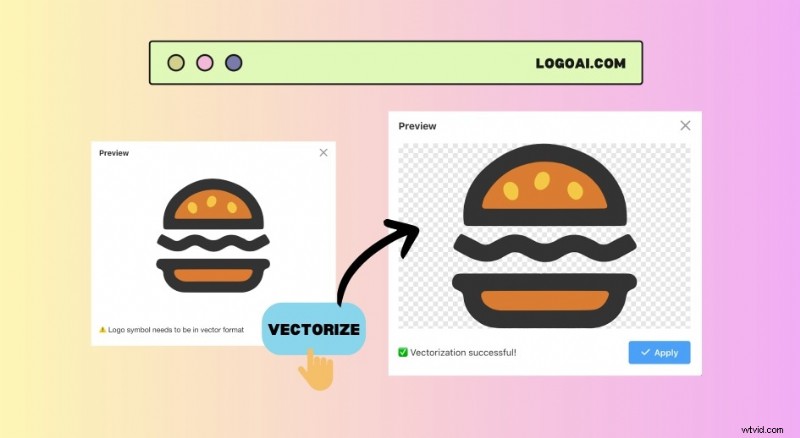
Best for:AI-assisted logo creation and automated branding.
Operating system:Web-based
Key Features
- AI-generated logo suggestions
- Brand mockups and preview tools
- Transparent PNG and vector exports
- Full brand kit available
Pros & Cons
- Quick logo generation
- Simple customization options
- One-time pricing
- Limited creativity compared to manual tools
- Design output may need fine-tuning
Pricing Information
- The basic package starts at $29 one-time
Official Ratings and Brief Reviews
Why We Recommend It:
LogoAI is a solid, transparent logo maker for users who want quick and professional results powered by AI. It's useful for building a complete brand identity from scratch without starting from scratch.
Part 3. Top Transparent Logo Makers on Mobile in 2025
If you're working on the go or prefer editing on your phone, mobile apps for transparent logo makers have come a long way. From full-featured editors to simple background removers, these apps make it easy to create clean, professional logos right from your device. From designing from scratch to refining an existing logo, these mobile tools are powerful, convenient, and easy to use.
Filmora App (Mobile)
Filmora Mobile App is one of the few mobile editors that lets you add motion to logos and export them with transparent backgrounds. If you're creating content for TikTok, YouTube, or Reels, it's a powerful tool to animate your branding on the go.
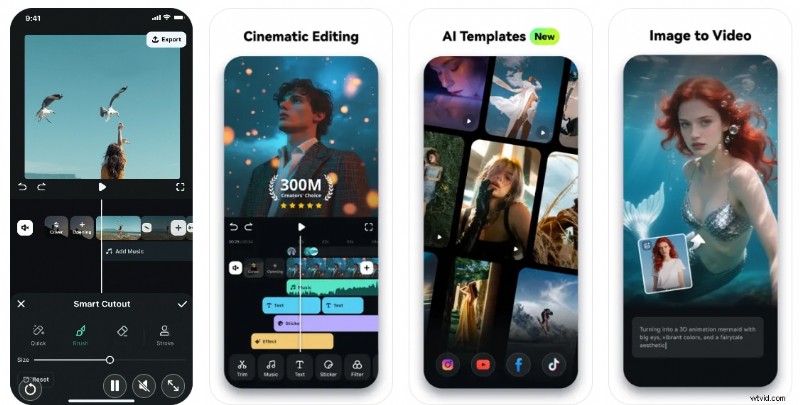
Best for: Animated logo creation and video overlays on mobile
Operating system: iOS, Android
Key Features
- Animated text and logo motion effects
- Customizable templates for intros/outros
- Transparent video and image export support
- Built-in stock assets, stickers, and music
Pros & Cons
- Easy to use even for beginners
- Perfect for social media branding
- It offers logo animation on mobile
- The free version adds a watermark
- Some advanced features require an in-app purchase
Pricing Information
- Free with watermark
- Premium plans from $4.99/month
Official Ratings and Brief Reviews
- ★4.6/5 - Google Play
- ★4.7/5 - App Store
Why We Recommend It:
Filmora App is one of the few mobile editors that lets you add motion to logos and export them with transparent backgrounds. If you're creating content for TikTok, YouTube, or Reels, it's a powerful tool to animate your branding on the go.
Snapseed
Snapseed is ideal for those who want precision and control over their logo edits. It's not a dedicated transparent logo maker, but with careful editing and PNG export, it can generate high-quality results.
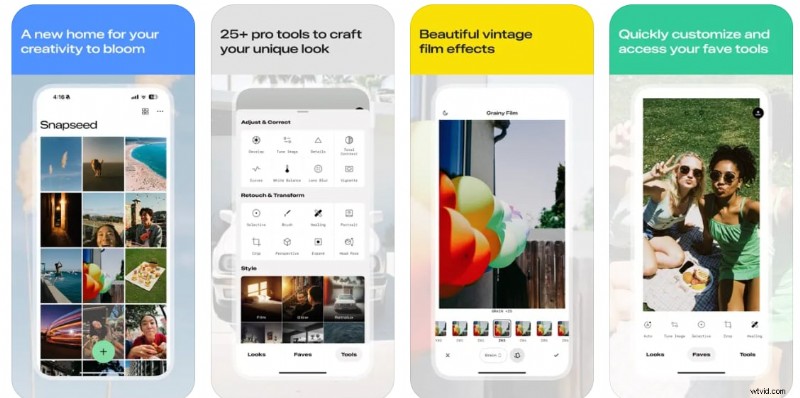
Best for: Manual background editing and fine-tuning logo images
Operating system: iOS, Android
Key Features
- Precision editing tools
- Brush, heal, and cutout features
- PNG export with transparency
- Control over brightness, contrast, and curves
Pros & Cons
- Completely free and ad-free
- Powerful manual tools
- High-quality exports
- No built-in background remover
- The steeper learning curve for beginners
Pricing Information
Free
Official Ratings and Brief Reviews
Why We Recommend It:
Snapseed is ideal for those who want precision and control over their logo edits. It's not a dedicated transparent logo maker, but with careful editing and PNG export, it can generate high-quality results.
Remove.bg
Remove.bg is hands-down one of the fastest tools to turn any logo into a transparent PNG. If you want quick results with zero editing effort, this is a must-try app.
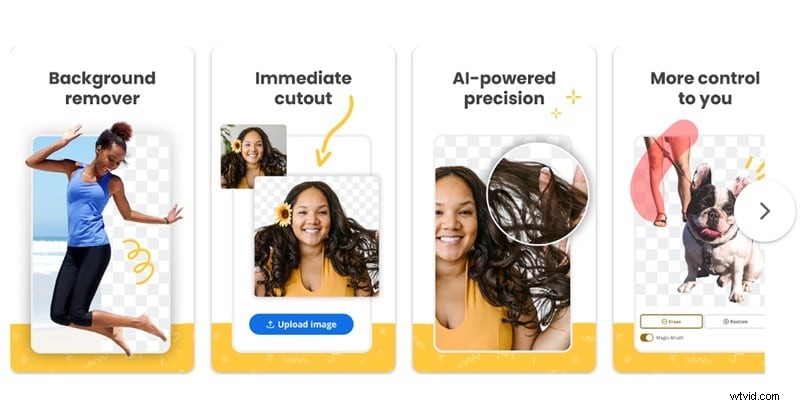
Best for: Instant background removal from logos and images.
Operating system: Web-based (mobile browser compatible), Windows, macOS
Key Features
- AI-powered background remover
- One-click transparent export
- High-resolution PNG download
- Simple drag-and-drop interface
Pros & Cons
- Fast and accurate
- No design skills needed
- Works great for logos, portraits, and products
- Limited free credits
- Mobile browser experience is slightly limited compared to desktop
Pricing Information
- Free with standard resolution
- Premium plans or pay-per-image for HD files
Official Ratings and Brief Reviews
Why We Recommend It:
Remove.bg is hands-down one of the fastest tools to turn any logo into a transparent PNG. If you want quick results with zero editing effort, this is a must-try app.
Background Eraser
Background Eraser is a reliable mobile transparent logo maker for those who want more control. It gives you the tools to clean up edges and enhance the background. It's useful when AI tools miss the mark.
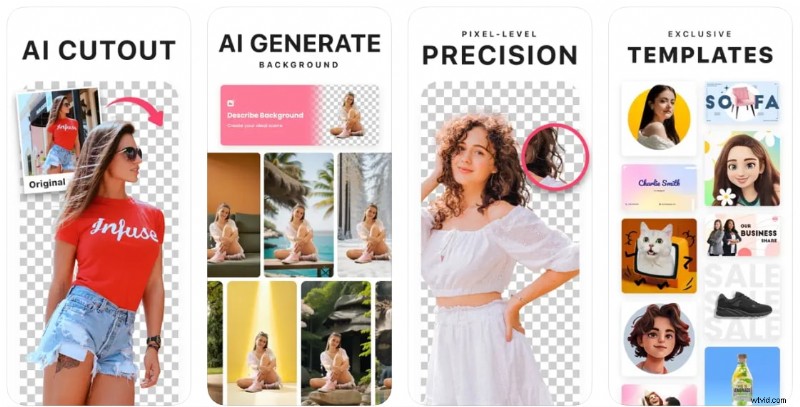
Best for: Manual background removal for transparent PNG creation.
Operating system: iOS, Android
Key Features
- Zoom and Edge Refine tools
- Magic and manual erase modes
- Transparent background export
- Basic photo adjustment options
Pros & Cons
- Good balance of control and automation
- Lightweight and fast
- Works well for logos and product images
- Ads in the free version
- Manual cleanup can take time
Pricing Information
- Free with ads
- In-app purchase to remove ads and unlock HD export
Official Ratings and Brief Reviews
Why We Recommend It:
Background Eraser is a reliable mobile transparent logo maker for those who want more control. It gives you the tools to clean up edges and enhance the background. It's useful when AI tools miss the mark.
Part 4. What to Consider When Choosing a Transparent Logo Creator
With so many tools out there, choosing the best transparent logo maker can feel overwhelming, especially if you're new to design or working on a tight deadline. To help you find the right fit, here are a few key things to consider before you get started:
 Key Things for Choosing a Transparent Logo Creator
Your Needs
Are you starting from scratch, or do you already have a logo and just need to remove the background?
- If you already have a logo and just want to remove the background, a simple background remover like Remove.bg or Background Eraser is enough.
- If you're starting from scratch, go for tools like Canva, Looka, or Kittl that let you design your logo too.
Customization Options
How much control do you want over the design?
Some tools are simple and quick. Others let you tweak colors, fonts, and layouts, or even add animation (like in Filmora). Choose one that matches how hands-on you want to be.
Free vs. Paid Limitations
Many transparent logo makers have free versions, but they usually come with limitations, like watermarks, low resolution, or fewer export options.
If you're working on a quick or personal project, a free tool might be all you need. But for professional branding, it's often worth paying for a plan that lets you export high-quality transparent PNGs and unlock all features. Before you choose a tool, check what's included and make sure it fits both your needs and your budget.
Conclusion
Finding the right logo maker depends on what you need, and it doesn't have to be complicated. Whether starting a new brand, making YouTube videos, or just needing a simple logo for social media, there's a tool out there that fits your needs. Some are great for quick background removal, while others help you design from scratch with full creative control.
If you want to animate your logo, especially with animation or video, Filmora is a great option to try. It's easy to use and works well on desktop and mobile.
In the end, a clean, transparent logo makes your brand look more polished across everything from videos to websites. With the tools available today, creating one is easier than ever.
Filmora
AI Video Editing App & Software
Best tool for making videos anywhere for all creators!
Best for Logo Animation.