
REAPER has long been celebrated for its speed, flexibility, and low cost, making it a staple among audio engineers, producers, and podcasters. As the audio landscape evolves and all‑in‑one editors rise in popularity, the question remains: does REAPER still deserve a spot in 2026?
How We Test
We evaluated the latest release, REAPER v6.82, on Windows, macOS (Intel and Apple Silicon), and Linux. Our assessment focused on real‑world production scenarios that matter to both newcomers and seasoned users.
- Multitrack recording: 24 simultaneous audio inputs with stable latency.
- MIDI sequencing: Flexible piano roll, precise routing, and robust quantization.
- Plugin support: Heavy VSTs like Kontakt, FabFilter, and Valhalla run smoothly with no crashes.
- Real‑time automation: Volume, pan, and FX automation are reliable even during complex playback.
- Cross‑platform stability: Consistent performance on Windows 11, macOS (Intel & M1), and Linux Mint.
What Is REAPER?
Developed by Cockos Inc. since 2005, REAPER is a lightweight, fully‑functional DAW that supports unlimited audio and MIDI tracks. Its core strengths include rapid startup (under 15 MB), deep customization (themes, macros, scripting in Lua, Python, and EEL), and a responsive, keyboard‑centric workflow.
Key Highlights & New Features (v6.x)
- Improved UI readability and accessibility.
- Enhanced MIDI routing and channel mapping.
- Native Apple Silicon builds for better Mac performance.
- Updated Linux builds and expanded community themes.
- Refined scripting APIs and track envelope handling.
Pricing & Licensing
- 60‑day fully functional trial (no feature limits).
- Personal/educational license: $60 (subject to revenue cap).
- Commercial license: $225 for unrestricted use.
System Requirements
- Windows: XP to Windows 11 (32‑bit and 64‑bit).
- macOS: 10.5+ with full native support for Apple Silicon (M1, M2, M3).
- Linux: x86_64 builds (currently experimental but actively maintained).
User Experience
The installer is under 20 MB and launches in seconds. While the interface is clean, it feels plain to first‑time users and lacks guided onboarding. REAPER expects you to craft your own workflow, which is powerful for experienced users but can be daunting for beginners.
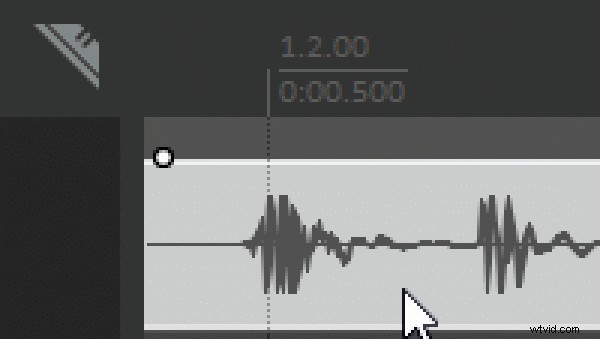
Once familiar, navigation becomes fluid. Right‑click menus, custom workspaces, and comprehensive track automation give you granular control. In our test, a 20‑track session with live drums, DI guitar, MIDI synths, and vocals ran flawlessly.
Performance Testing
- Startup RAM: < 300 MB; mid‑range machine (Intel i5, 16 GB) stays under 40% CPU for a full project.
- Plugin handling: Heavy VSTs such as Kontakt and FabFilter run stably; plugins can be isolated in separate processes.
- Export speed: 5‑minute 24‑bit WAV + MP3 mixdown in < 20 seconds.
- Cross‑OS consistency: No lag or crashes on Windows 11, macOS (Intel & M1), or Linux Mint.
Pros & Cons
- Pros – Affordable, highly customizable, efficient on mid‑range hardware, cross‑platform support.
- Cons – Steep learning curve, limited built‑in instruments, no native video editing, interface feels dated.
Who Should Use REAPER?
REAPER shines for:
- Music producers who value full control over signal flow and automation.
- Podcasters and voice‑over artists needing clean multitrack editing.
- Hobbyists and professionals who want a powerful tool without subscription costs.
Beginners or creators who require quick visual editing may find REAPER overwhelming. For those workflows, an all‑in‑one editor like Filmora can be more approachable.
Alternative: Wondershare Filmora
Filmora offers an intuitive, drag‑and‑drop experience that merges video and audio editing. It’s ideal for creators who need rapid content production with built‑in AI features such as audio denoise, speech‑to‑text, and auto‑generated subtitles.

- Beginner‑friendly UI and templates.
- Powerful audio‑video workflow.
- AI‑assisted editing reduces manual effort.
- Less suited for advanced MIDI or scripting.
Conclusion
REAPER remains a top choice for audio‑centric production, delivering unmatched control, speed, and value. Its lack of video tools and steep learning curve make it less ideal for creators who need a single platform for audio and video. If your focus is pure audio, REAPER is hard to beat; if you want a fast, content‑friendly solution, Filmora offers the convenience you need.