
Content creators, teachers, gamers, and remote workers are seeking easy and reliable screen recording tools for any kind of purpose, such as creating tutorials, recording video calls, or producing content for YouTube and social media.
While there are many tools available, some are too complex or heavy for everyday use. Debut Video Capture offers a simpler solution for users who just want to record their screen quickly and easily.
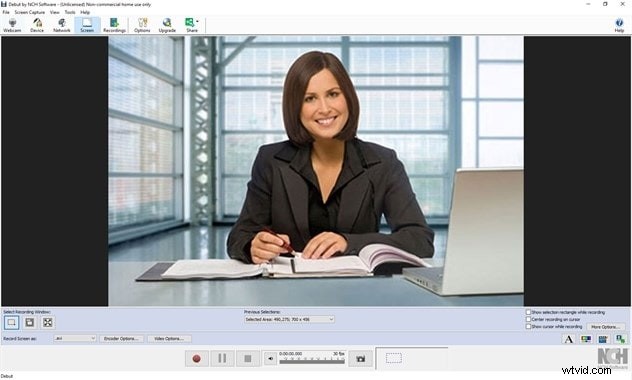
In this review, we'll explore what Debut Video Capture can do, how it performs, its pros and cons, and whether it's still a good choice today. We'll also look at better alternatives if you need more advanced features.
Part 1. What is Debut Video Capture?
Debut Video Capture is a screen recording software developed by NCH Software, known for creating lightweight and easy-to-use multimedia tools. The program is designed to help users record anything on their screen, capture footage from a webcam, or even input from external devices like a VHS player or IP camera.
It's best suited for simple tasks such as creating tutorials, recording presentations, capturing video calls, or saving game footage. Due to its straightforward interface and low system requirements, the app is a popular choice among beginners or anyone looking for a hassle-free screen recorder.
Key Highlights
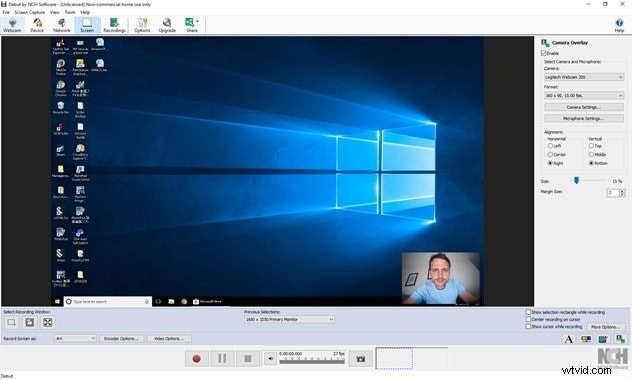
- Records from your screen, webcam, or external devices
- Supports multiple video formats, including AVI, MP4, MOV, and more
- Allows scheduled recordings so you can capture video at a set time
- Includes a green screen tool to replace backgrounds during webcam recording
What's New
The newest version of Debut Video Capture brings a few helpful updates. These include minor interface improvements for a cleaner look, better compatibility with newer file formats, and improved performance during longer recording sessions. While the updates are not major, they help keep the software stable and usable on modern systems.
Pricing
Debut Video Capture offers a free version with limited features, ideal for basic use. For full access, users can upgrade to the Pro Edition, which includes all features and allows for commercial use.
The Pro version is available as a one-time purchase starting at $2,77/month, making it more affordable than many subscription-based tools.
Part 2. Features and Usability
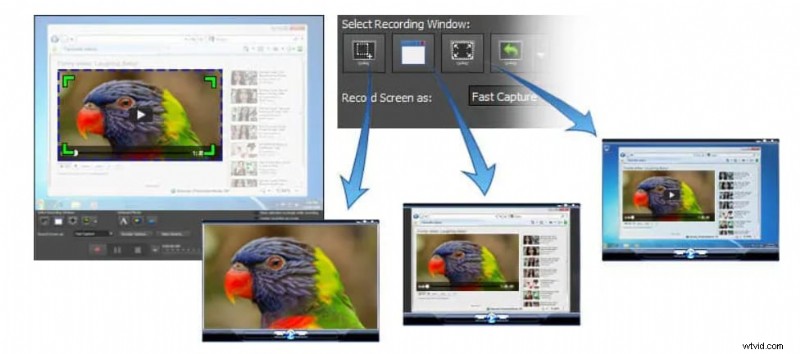
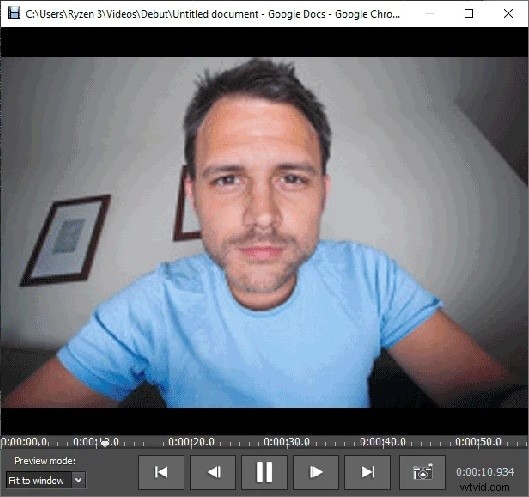
Debut Video Capture comes with the basic tools you need to start recording your screen. You can record your full screen, a selected part of it, or even your webcam. This makes it great for things like tutorials, video calls, or guides.
One helpful feature is the option to choose how you save your recordings. You can select from common formats like MP4, AVI, or MOV, which makes sharing or editing easier. You can also set up scheduled recordings if you want the software to start and stop at a specific time, even when you are away.
Debut also includes small touches that make a big difference, like highlighting your mouse cursor, showing clicks, or adjusting colors and brightness. These are handy for making your videos clearer and easier to follow.
Core Features
- Record your screen, webcam, or both
- Choose a custom screen area to capture
- Save videos in different formats like MP4 or AVI
- Highlight mouse movement and clicks
- Set up recordings to start automatically
- Add basic effects like brightness or color adjustments
Functionality & Workflow
The interface is simple and clear. Everything is easy to find, and you can start recording with just a few clicks. It might not look so modern, but it works well and doesn't take long to learn.
System Requirements
- Works on Windows 11, 10, 8, and 7
- Also available for macOS, but with fewer features
- Needs at least 2 GB of RAM and a basic processor
- Enough free space to store your video files
Part 3. User Experience
Using Debut Video Capture is a mostly smooth and straightforward experience, especially for beginners or users who want to record without dealing with complicated settings.
Hands-On Experience
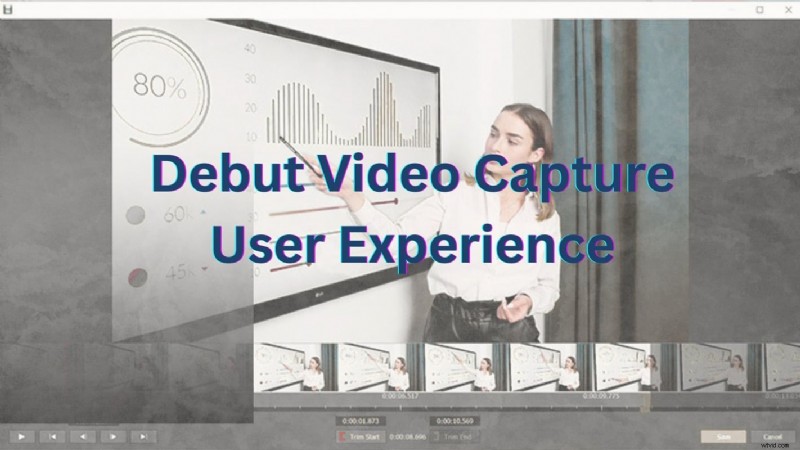
Installing Debut Video Capture is quick and simple. Just download it from the NCH Software site and follow a few easy steps. The interface looks a bit outdated, but it is clear and easy to use. Most users can start recording right away without needing a tutorial.
Performance Testing
Debut handles basic screen and webcam recordings well. It supports HD recording with customizable frame rates and resolutions. Exporting is fast, and file sizes stay manageable. On older computers, performance may drop during longer sessions, but for most tasks, it runs smoothly.
Like any software, Debut Video Capture has its strengths and weaknesses. While it's a solid choice for basic screen recording, it may not meet everyone's needs. Here are the pros and cons of Debut Video Capture:
Pros
- Easy to install and simple to use
- Supports screen, webcam, and external device recording
- Offers flexible format options like MP4 and AVI
- Includes helpful features like scheduled recording and mouse effects
- Lightweight and doesn't require a high-end computer
Cons
- The interface feels outdated and lacks modern design
- Limited editing tools compared to other screen recorders
- Some advanced features are only available in the paid version
- Performance can slow down during long or high-resolution recordings
- The Mac version has fewer features than the Windows version
Part 5. Who This Product is For
Debut Video Capture is designed for users who need a basic and straightforward screen recording tool. It's not packed with advanced features, but it covers the basics well.
Recommended Use Cases
- Recording simple tutorials or guides
- Capturing webcam videos or video calls
- Saving casual gameplay footage
- Creating video presentations or training materials
Target Users
- Beginners who are new to screen recording
- Users who prefer simple tools over complex setups
- Educators and trainers working on a budget
- Anyone who needs a quick and easy way to record without editing
Part 6. Better Alternatives to Debut Video Capture
While Debut Video Capture works well for basic screen recording, some users may need more advanced features or a more modern interface. If you're looking for smarter tools for more than just simple recording, there are better options available.
Wondershare Filmora Screen Recorder - Best All-in-One Option
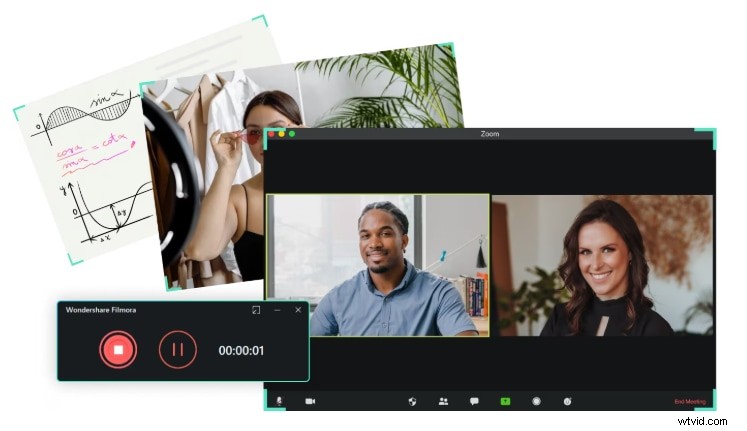
Wondershare Filmora stands out as a top alternative thanks to its smart features and built-in video editing tools. It offers smart screen recording with cursor tracking, AI-generated subtitles, and a seamless editing workflow. This makes it perfect for creators who want to record, edit, and share videos all in one place without needing multiple apps.
 Secure Download
Smart Screen + Webcam Capture with Cursor Effects
Easily record your screen, webcam, or both at once. Add cursor tracking, click effects, and on-screen drawing tools—ideal for tutorials, demos, and presentations.
AI-Powered Tools: Auto Captions & Voice Effects
Use AI-generated subtitles to auto-transcribe your voice, and apply real-time
voice changersto enhance engagement or disguise your voice.
Built-In Editor for Seamless Workflow
Instantly trim, split, annotate, and
add overlaysto your recordings within Filmora's timeline—no need to export to another app.
Flexible Export for Social & Learning Platforms
Export in various formats and aspect ratios (e.g., 16:9, 9:16) optimized for YouTube, TikTok, Reels, or e-learning platforms. Share directly without watermarks (in paid plans).
Pros & Cons
- All-in-one screen recorder and editor—no need for extra apps
- Built-in AI-powered tools (auto subtitles, voice changer, cursor tracking)
- Extremely beginner-friendly UI
- Flexible export formats (MP4, MOV, GIF, etc.) for all major platforms
- Optimized for educational, professional, and creative use cases
Cons
- Some AI-powered tools require a paid plan
- Does not support real-time streaming (e.g. Twitch/OBS-style)
Best For
- YouTubers & Video Creators: Creating reaction videos, software tutorials, walkthroughs, and commentary content
- Educators & Trainers: Recording course modules, step-by-step demonstrations, and adding voiceover or subtitles
- Business Professionals: Making product demos, presentations, UI/UX walk-throughs, and how-to videos
- Gamers (light use): Recording gameplay with facecam commentary for walkthroughs or reviews
Pricing
For more details, please visit the purchase page where various pricing plans are available.
Platform Compatibility
Windows, macOS

Filmora
AI Video Editing App & Software
Best tool for making videos anywhere for all creators!
Record, edit, and share videos - all in one place.
Other Alternatives to Consider
OBS Studio
A free, open-source tool ideal for live streaming and advanced users. Offers powerful custom settings but has a steeper learning curve.

Camtasia
A professional screen recorder with built-in editing. It's a great alternative tool for creating polished tutorials, training videos, and presentations.

Bandicam
It's known for its high performance and low file sizes. It's a good choice for gamers or users who want to record in high resolution with minimal lag.

Conclusion
If you need a simple screen recorder for everyday tasks, Debut Video Capture is a solid choice. It works well for basic tutorials, webcam videos, or casual gaming. But if you're looking for something more advanced and easier to work with, Filmora is a better choice. It offers smart screen recording, automatic subtitles, and built-in video editing tools.
From content creator to teacher or remote worker, Filmora helps you create polished videos faster. It's a great step up for anyone wanting more creative control and functionality.