
Keeping up with social media can be challenging, but the right tools can make all the difference. Later Scheduler is one of the best social media management platforms, helping you to plan, organize, and schedule content easily. Known for its intuitive design and powerful features, it's a go-to choice for marketers, creators, and businesses looking to streamline their social media strategy.
In this article, we'll explore Later Scheduler's ease of use and key features to see if it lives up to its hype. For those of you who are social media professionals or just started, this review will help you decide if Later is the right tool for you. Plus, we'll introduce you to the best video scheduling tool to streamline your content planning!
In this article
Part 1. Later Features and Capabilities
Later scheduler stands out because of its visual-first approach to content planning. Unlike other tools that focus mainly on automation, Later makes scheduling simple with drag-and-drop features, media organization, and Instagram-friendly tools.
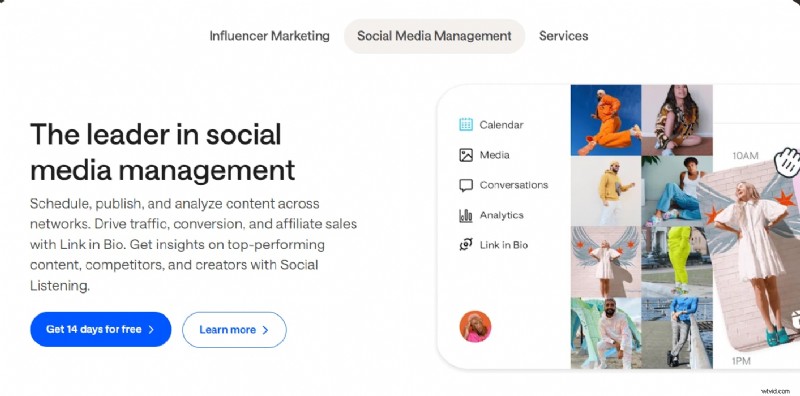
What sets Later apart is its focus on visuals. It a favorite among brands, influencers, and businesses that rely on eye-catching posts. While it originally launched as an Instagram scheduler, it has since expanded to support multiple platforms, including:
- TikTok
- X (formerly Twitter)
- YouTube Shorts
From managing a single brand or multiple accounts, Later's user-friendly dashboard and automation tools help streamline the social media workflow.
Later Key Features
1. Visual Content Calendar: Later's drag-and-drop calendar allows you to easily schedule posts by moving media files to a timeline, providing a clear visual overview of upcoming content.
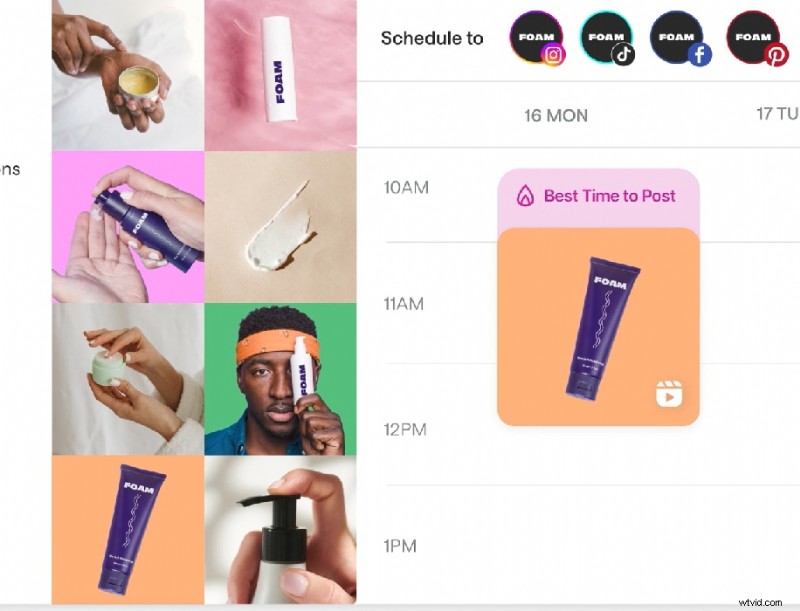
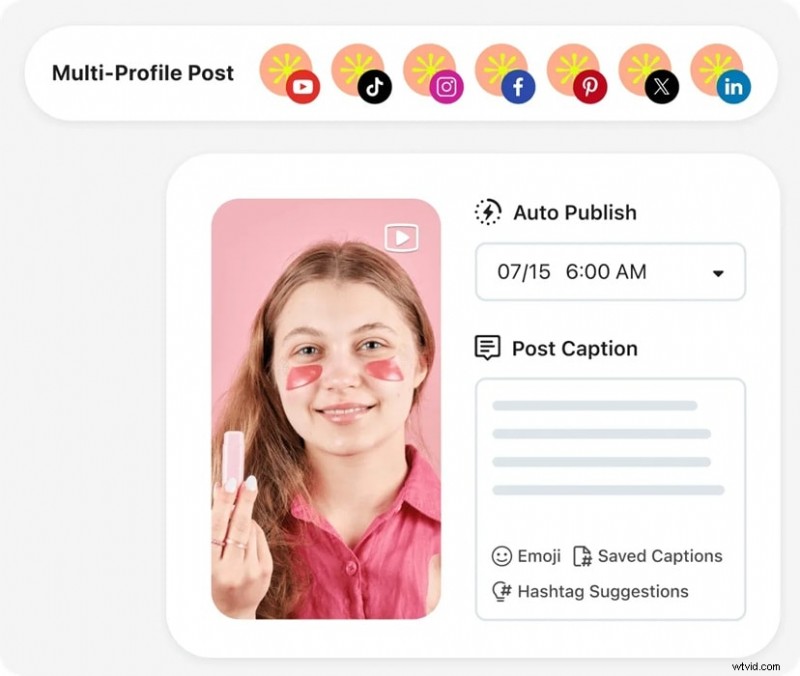
2. Auto-Publishing: The platform supports automated posts for Instagram, TikTok, Facebook, Pinterest, LinkedIn, and X so that you can maintain a consistent posting schedule without manual intervention.
3. Best Time to Post Recommendations: Later analyzes past engagement data to suggest optimal posting times, to help you maximize reach and interaction with your audience.
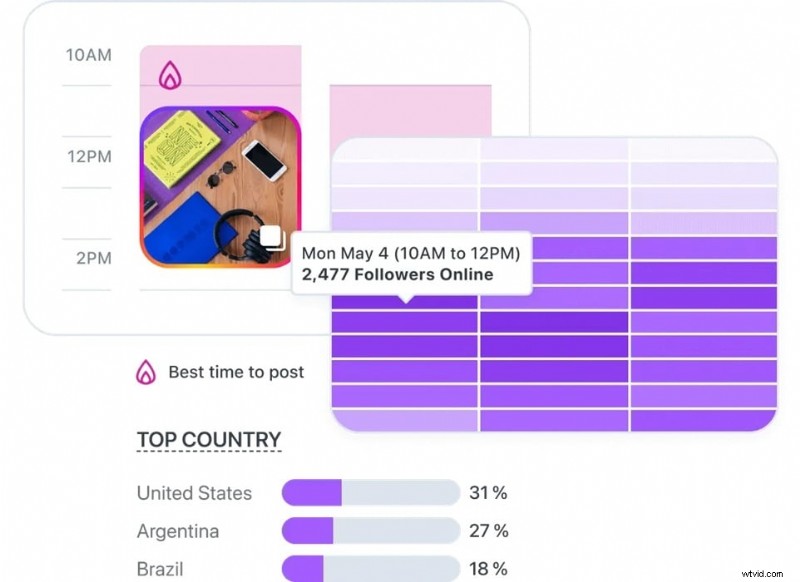
4. Hashtag Suggestions & Saved Captions: The platform offers AI-powered hashtag suggestions to improve content discovery and allows you to save frequently used text, streamlining the posting process.
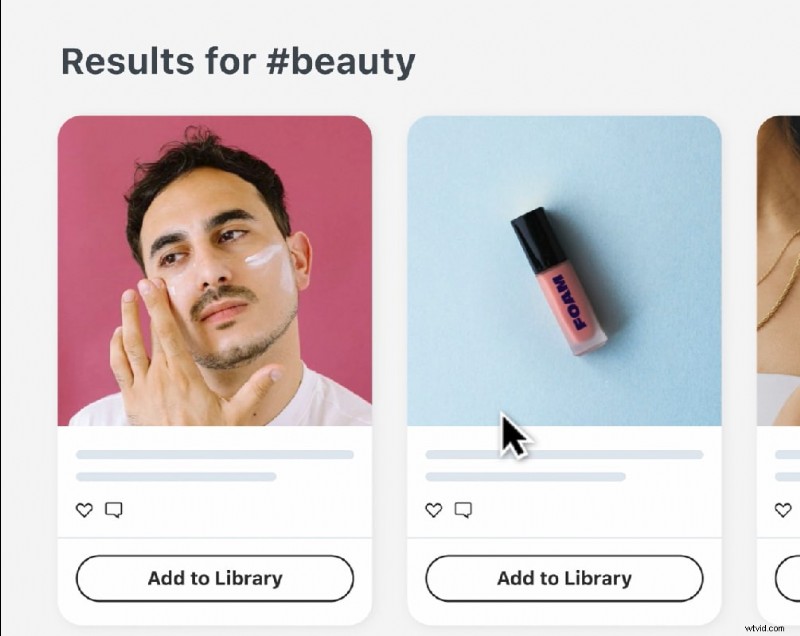
5. Link in Bio (Linkin.bio): Later's Linkin.bio tool turns social media profiles into clickable landing pages, directing followers to multiple links, products, or blog posts, thus driving traffic and conversions.
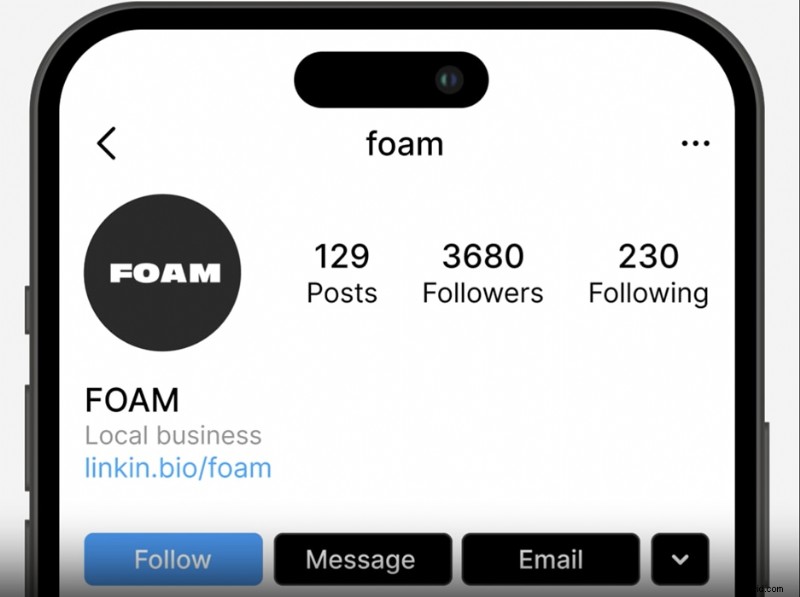
6. User-Generated Content (UGC) Management: Users can easily collect and repost UGC by searching Instagram hashtags or mentioning specific users. This is a great feature for brands leveraging customer content.
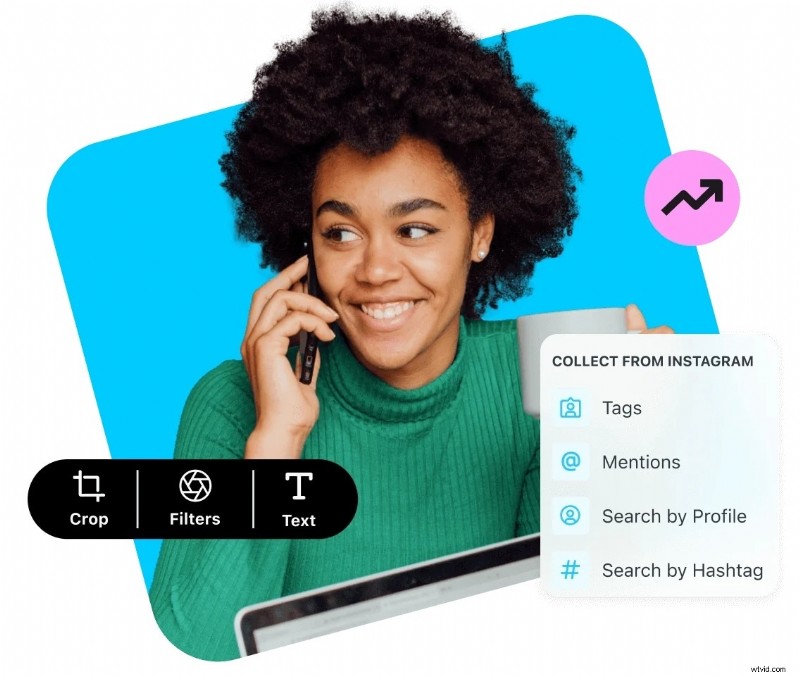
7. Media Library & Team Collaboration: Later offers a media library where teams can store, organize, and share content, making collaboration easy.

8. Analytics & Performance Tracking: The platform offers detailed insights into post-performance, follower growth, and engagement metrics. This helps users improve their content strategy with data-driven choices.
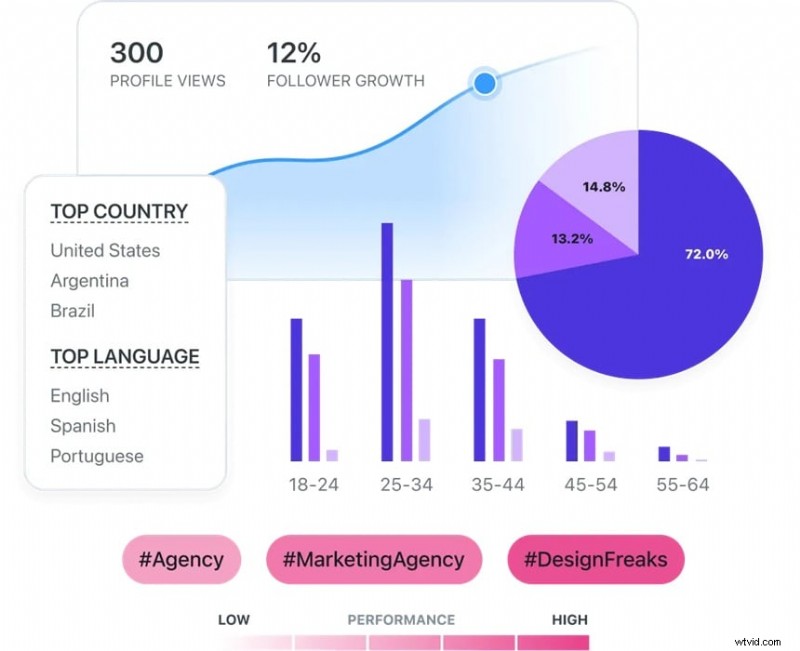
With its powerful features and intuitive design, Later Scheduler helps individuals and businesses grow their social media presence. Next, we'll explore Later ease of use and overall user experience.
Part 2. How to Get Started with Later Scheduler
Starting your social media management journey with Later social media scheduling is easy. Here a guide to help you understand their pricing plans and the steps to start scheduling your posts effectively.
Later offers a variety of plans that are customized to suit different needs. Here is a breakdown of their offerings:
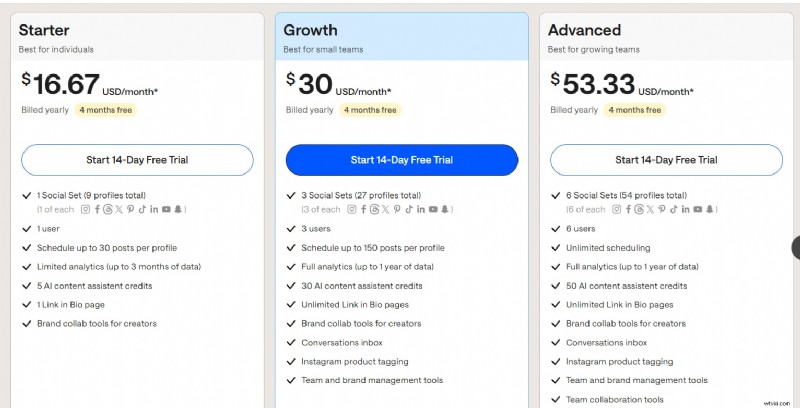
How to Use Later for Social Media Scheduling
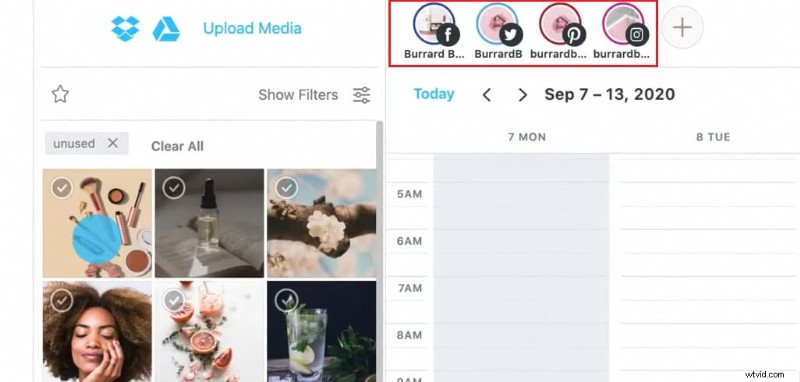
1. Choose the social profiles where you want to post
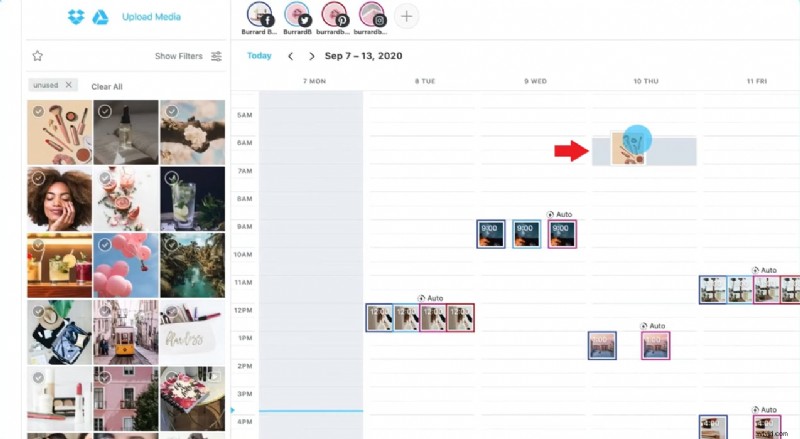
2. Choose a media item from the side library and drag it onto the calendar.
3. Write a caption and include relevant hashtags.
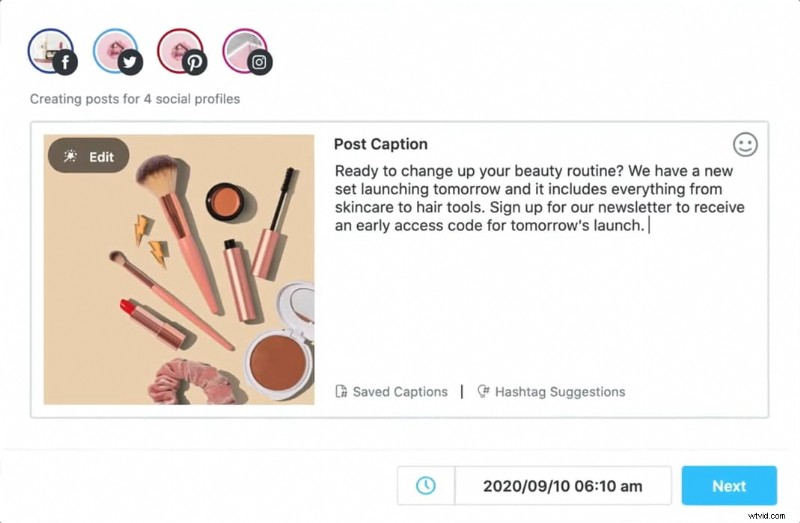
4. Set the date and time for the post.
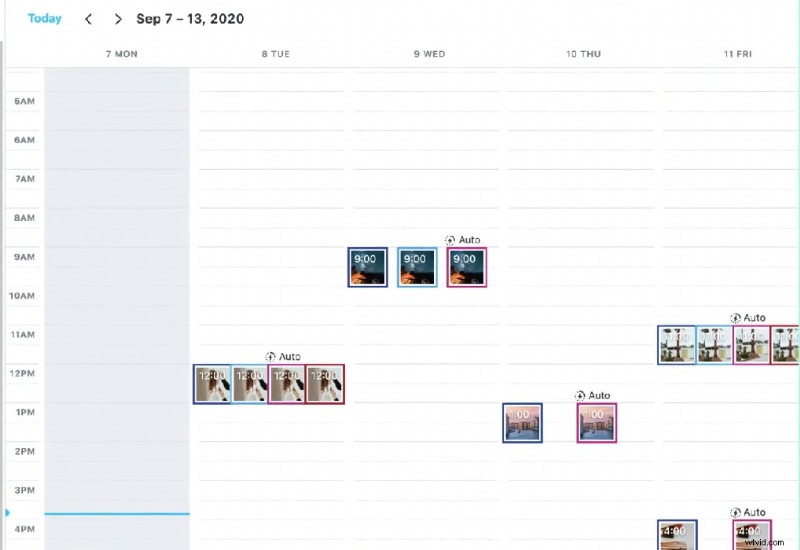
5. Preview the content that has been scheduled on the calendar.
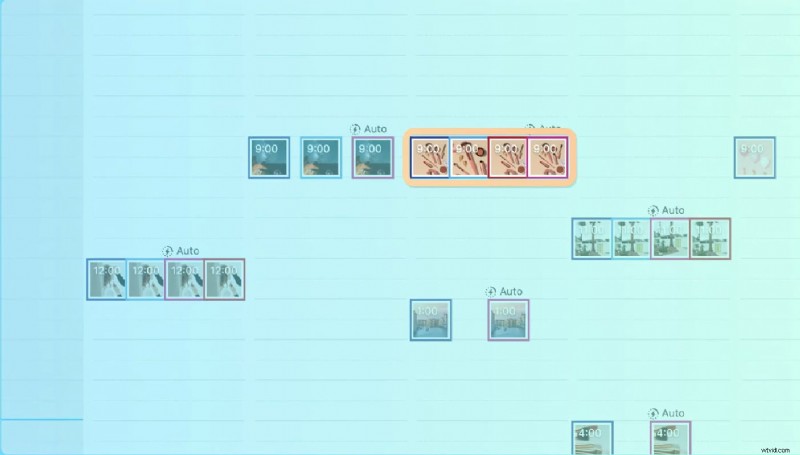
For more tutorials on using Later tools, you might find this tutorial helpful: How to Use Later to Manage Your Social Media Accounts
Part 3. Later Review: What Users Say About the App
Later scheduler gathered a variety of user feedback, which highlights its strengths and areas that need improvement. Here is a summary of what users are saying about the app:
Advantages & Disadvantages
Pros- Optimized for Instagram and TikTok Scheduling
- Easy-to-Use Interface
- Useful Media Library & Hashtag Tools
- Limited Functionality for Other Platforms
- Limitations of the Free Plan
Customer Support Experience
- Some users report great customer support.
- Response times could be improved for others.
Later social media scheduling is a great tool for Instagram and TikTok scheduling, thanks to its visual planner, easy interface, and useful features. However, it has limitations when used for other platforms, limitations on the free plan, and customer service improvement needed.
Part 4: Need Other Options? Try Video Editing Tool with Built-in Scheduler
If you're looking for a powerful alternative to Later scheduler, Wondershare Filmora goes beyond simple scheduling--combines professional video editing with seamless post-planning. For content creators, influencers, or businesses, Filmora helps streamline your workflow by letting you edit, enhance, and schedule videos in one place.
With its Social Video Planner feature, you can easily create, schedule, and auto-publish videos across multiple platforms. 📅✨ This all-in-one tool ensures your content stays consistent and engaging without the hassle of manual posting! 🚀


Key Filmora Features for Social Media Video Creation
- Built-in Video Scheduler📅
Edit and schedule videos directly within Filmora--no extra tools needed.
Streamline your content workflow and post at the perfect time.
Plan to maintain a consistent social media presence.
Effortless Video Editing🎥The intuitive interface makes video creation effortless, even for beginners.
Quickly trim, cut, and add effects with simple drag-and-drop controls.
Perfect for influencers, brands, and content creators.
Royalty-Free Music & Sound Effects🎶Extensive library of background music and sound effects.
Enhance engagement with high-quality, copyright-free audio.
Match soundtracks to your video theme for a professional touch.
AI-Powered Tools🔤AI Scriptwriting generates engaging content ideas quickly.
Auto-subtitles make your video content accessible and boost reach.
AI voiceovers provide high-quality narration without extra effort.
Optimized for Social Media📊Pre-set aspect ratios for Instagram, TikTok, and YouTube Shorts.
Ensures your videos fit platform requirements for maximum visibility.
Export in the best format for each social media site.
Special Effects & Stickers🔥Trendy filters and transitions to make your videos stand out.
A huge collection of social media stickers, including YouTube-style like, subscribe and notification bell animations.
Boost audience interaction and keep viewers engaged.
How to schedule your post with Filmora
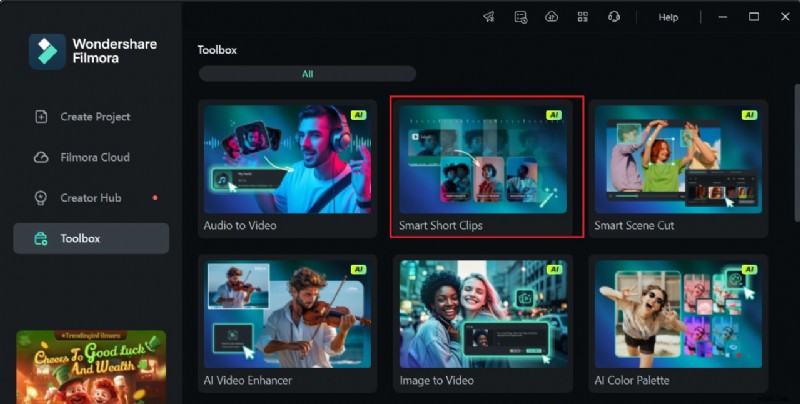
Step 1. Open and launch the Filmora app on your desktop. Then, go to Toolbox and choose Smart Short Clips tools.
Step 2. Once you've created quick and engaging videos with Smart Short Clips for social platforms, click Export to schedule your video for posting.
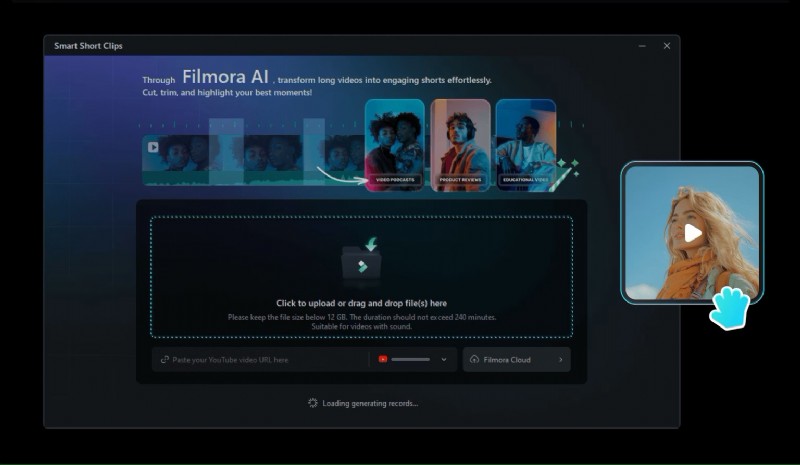
Step 3. Connect your social media accounts and schedule posts for your edited clips. Select the publishing date, time, and platform, and your scheduled tasks will be displayed on the dashboard for tracking and optimization.
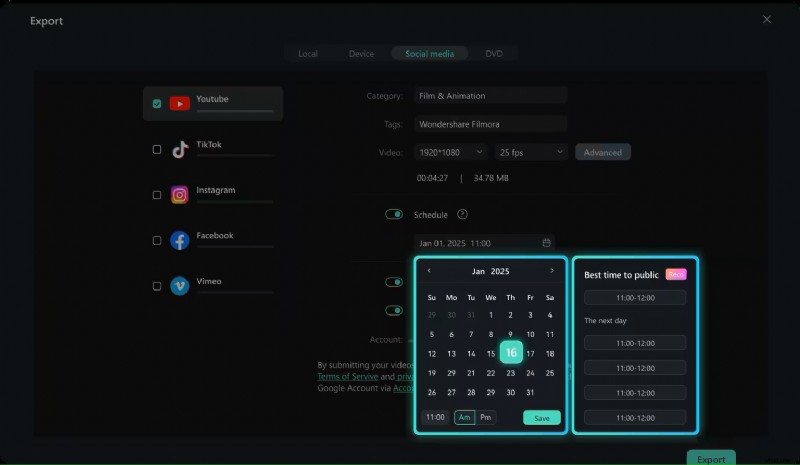
Step 4. Once connected, select a video, set the date and time, and choose where to post it. Your scheduled posts will appear on the dashboard for easy tracking and management.
Conclusion
Later Scheduler is a flexible tool for Instagram and TikTok scheduling, thanks to its drag-and-drop calendar and visual-first interface. However, there are drawbacks, like the lack of post previews and limited features for platforms like LinkedIn and Pinterest.
If you're looking for a complete content creation solution, Filmora is a strong alternative. Filmora combines video editing and scheduling, so you can edit, enhance, and schedule posts all in one place. With its AI tools, media library, and social content planner, Filmora helps creators streamline their workflow and save time.