
Slow‑motion video has become a staple in everything from sports highlights to viral social media clips. Thanks to modern software, you no longer need high‑speed cameras or expensive editing suites to create stunning slow‑motion footage. This guide reviews the five best slow‑motion video editors available for both Windows and Mac, helping you pick the right tool for your skill level and workflow.
How to Choose the Right Slow‑Motion Video Editor
- Platform compatibility – Ensure the editor runs on your operating system (Windows, macOS, or both). For example, Final Cut Pro is Mac‑exclusive, while Sony Vegas Pro is Windows‑only.
- Feature set – Decide whether you need basic speed‑adjustment or advanced time‑remapping, optical flow, and speed‑ramping capabilities.
- Pricing model – Consider subscription versus perpetual licenses. Subscriptions offer continual updates, whereas one‑time purchases give lifetime access.
- Additional tools – Look for frame‑blending, motion curves, and export options that preserve resolution and detail.
Our Top 5 Slow‑Motion Video Editors
1. Wondershare Filmora – All‑rounder for Every User

Filmora balances a user‑friendly interface with powerful slow‑motion controls. It supports both Windows and macOS, offers AI‑powered editing tools, and allows frame‑accurate speed adjustments from 0.01× to 100×.
- Speed Ramping – Smooth transitions between speeds.
- High‑Quality Output – Maintains resolution even at extreme slow‑motion settings.
- Cross‑Platform – Identical features on Windows and macOS.
Pros
- Beginner‑friendly UI
- Affordable plans
- AI enhancements
- Extensive media library
Cons
- Free version includes watermark
2. Adobe Premiere Pro – Professional‑Grade Tool
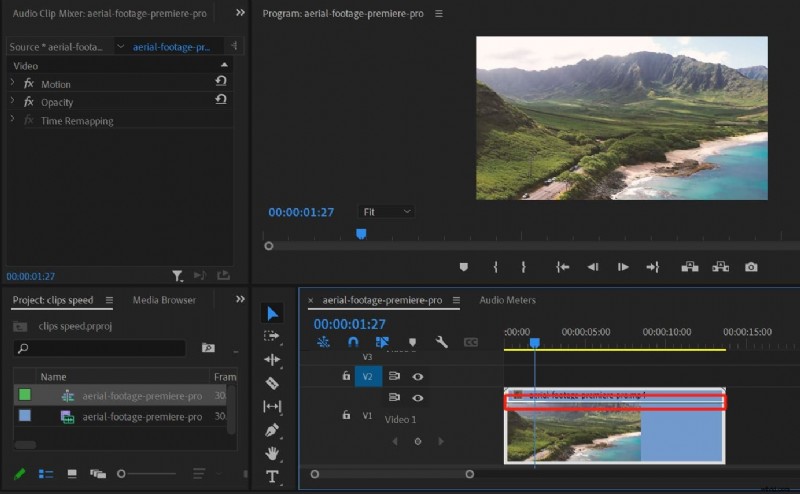
Premiere Pro remains the industry standard for editors seeking precision. Its Time Remapping and Optical Flow features deliver frame‑accurate slow‑motion, and integration with After Effects expands creative possibilities.
- Time Remapping – Detailed, keyframe‑driven speed changes.
- Optical Flow – Generates intermediate frames for ultra‑smooth motion.
- Speed Ramping – Keyframe‑based acceleration/deceleration.
- After Effects integration – Advanced VFX and motion graphics.
Pros
- Industry‑grade control
- Creative Cloud synergy
- Multiple slow‑motion techniques
Cons
- Steeper learning curve
- Higher cost
3. Final Cut Pro – Mac‑Exclusive Powerhouse
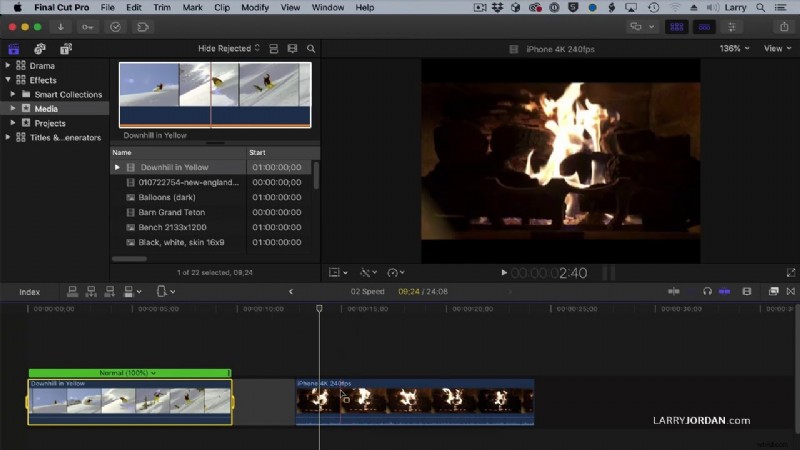
Apple’s Final Cut Pro offers flawless slow‑motion performance with Frame Blending and Optical Flow. The magnetic timeline keeps clips in sync during speed changes, and the one‑time purchase provides lifetime access.
- Frame Blending – Merges frames for smooth motion.
- Optical Flow – Ultra‑slow footage with minimal stutter.
- Real‑Time Playback – Immediate preview of effects.
- Magnetic Timeline – Seamless editing flow.
Pros
- Professional tools
- One‑time license
- Optimized for macOS hardware
Cons
- Mac‑only
- Limited cross‑platform collaboration
4. Movavi Video Editor – Casual Users’ Choice
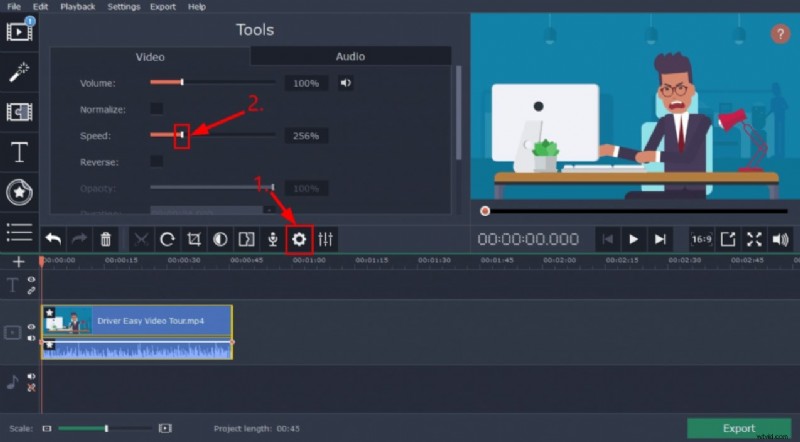
Movavi delivers instant slow‑motion with a single click. Its simple timeline and export presets for social platforms make it ideal for hobbyists and quick projects.
- One‑Click Slow Motion – Immediate speed adjustment.
- Custom Speed Control – Precise increments.
- Export Presets – Optimized for YouTube, Instagram, TikTok.
- Drag‑and‑Drop Interface – Effortless editing.
Pros
- Very beginner‑friendly
- One‑time purchase
- Fast workflow
Cons
- Limited advanced speed tools
- Fewer professional features
5. Sony Vegas Pro – Windows Professional Solution
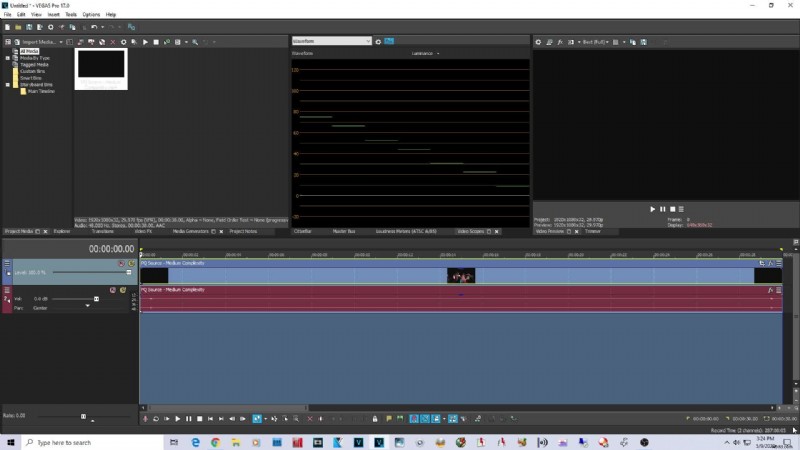
Vegas Pro provides robust slow‑motion capabilities for Windows users. Velocity Envelopes and Frame Sampling/Blending give editors fine‑grained control without a steep learning curve.
- Velocity Envelopes – Dynamic speed adjustments.
- Frame Sampling & Blending – Smooth motion.
- High‑Frame‑Rate Support – Ideal for 120fps+ footage.
- Customizable Shortcuts – Speed up workflow.
Pros
- Strong slow‑motion tools
- One‑time license
- Professional results with modest complexity
Cons
- Windows‑only
- Interface may feel dated
Quick Comparison Table
| Software | Price | Key Features | Ideal For |
|---|---|---|---|
| Wondershare Filmora | From $49.99/year | Speed ramping, cross‑platform, high‑quality output | All skill levels, Windows & Mac |
| Adobe Premiere Pro | $20.99/month | Time remapping, Optical Flow, pro integration | Professional editors |
| Final Cut Pro | $299 (one‑time) | Frame blending, Optical Flow, Apple ecosystem | Mac professionals |
| Movavi Video Editor | From $54.95 | One‑click slo‑mo, easy interface | Beginners, casual users |
| Sony Vegas Pro | From $399 (one‑time) | Velocity envelopes, frame blending | Windows professionals |
Conclusion
Whether you’re a seasoned editor or just starting out, the right slow‑motion software can transform ordinary footage into cinematic highlights. Filmora offers the best balance of usability, affordability, and advanced features across platforms, while Premiere Pro, Final Cut Pro, Movavi, and Vegas Pro each serve niche needs for professionals and casual users alike.
Ready to elevate your videos? Download your chosen editor today and experience the difference slow‑motion can make.