
Sometimes a simple adjustment, like flipping a video, can completely change how it looks. You might need to fix a clip that was recorded upside down or add a mirrored effect to give it a creative touch. In these cases, the option to flip a video online is useful.
In this article, we'll cover the best free online tools that let you flip videos horizontally or vertically, highlight which platforms allow watermark-free exports, and introduce alternative tools as a more advanced option for creators who want professional editing features beyond basic flipping.
Part 1. What is Video Flipping?
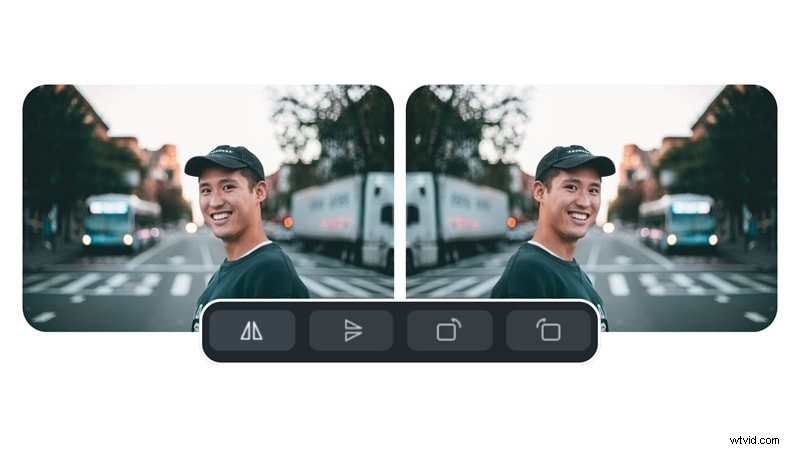
Video flipping is the process of changing the orientation of your video recording horizontally or vertically. A horizontal flip mirrors the video from left to right, while a vertical flip turns it upside down, creating a mirror image from top to bottom.
There are many scenarios where flipping could be useful:
- Fix a video that was accidentally recorded upside down
- Create a mirrored effect for aesthetic purposes
- Align multiple clips more effectively when combining them into a single project

One of the biggest advantages of using flip video online tools is their convenience. Since these tools work directly in your browser, there's no need to install any software. They are accessible from any device, whether a computer, tablet, or smartphone, making it a quick and simple way to adjust your videos on the go.
Part 2. Top Free Online Video Flippers for Horizontal and Vertical Video Flipping
If you only need a quick way to fix the orientation or apply a mirrored effect, online video flip tools are the simplest option. Below are some of the best free platforms that let you flip videos horizontally or vertically. Each platform has unique strengths and drawbacks, so choosing the right one depends on whether you prioritize speed, editing flexibility, or watermark-free exports.
1. Online Video Cutter
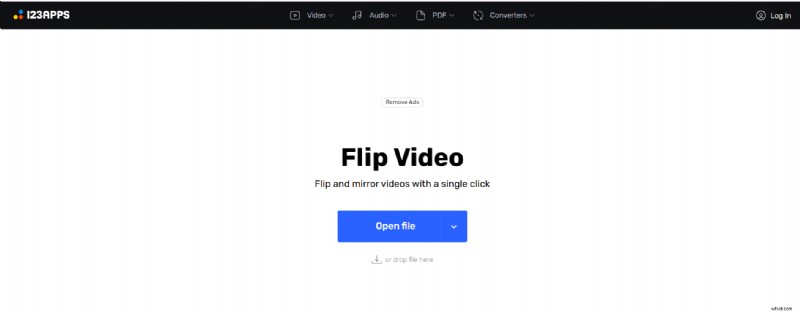
If you are looking for one of the fastest ways to flip a video online, Online Video Cutter is a straightforward choice. It's designed for users who just want to upload a clip, flip it horizontally or vertically, and save the result without unnecessary complications.
Pros & Cons
- Extremely lightweight and fast compared to many all-in-one editors
- No distracting interface clutter, making it beginner-friendly
- Doesn't require you to upload large files for basic flips
- Strict file size limitation makes it unsuitable for longer or high-resolution clips
- The interface feels dated compared to modern editors
Key Features
- One-click horizontal or vertical flipping
- Works entirely in-browser with no sign-up required
- Supports multiple video formats
Pricing information
Free with ads; Premium plans available starting at $6/month
Why We Recommend It
The best choice for a quick tool to flip short clips without the need for login or complicated workflows.
2. Clideo
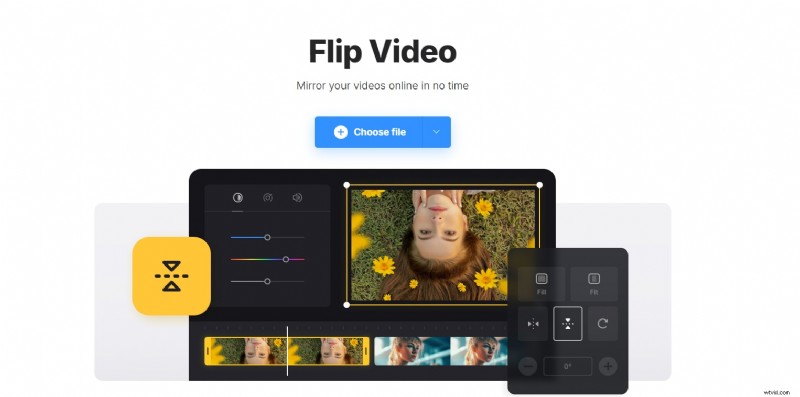
Clideo makes it simple to flip a video online with just a few clicks. It runs entirely in your browser, so you do not need to install any software, and it works on both desktop and mobile devices.
Pros & Cons
- Offers more flexibility than other minimal tools
- Mobile-friendly design works smoothly on smartphones
- Consistent performance even on slower connections, thanks to cloud servers
- Strict file size limitation makes it unsuitable for longer or high-resolution clips
- The interface feels dated compared to modern editors
Key Features
- Free exports come with a watermark unless you upgrade
- Processing speed may be slower for large files
Pricing information
Free with watermark; paid plan starts from $9/month for watermark-free editing.
Why We Recommend It
Clideo is great for users who want a balance between simplicity and more comprehensive features without leaving the browser.
3. Kapwing
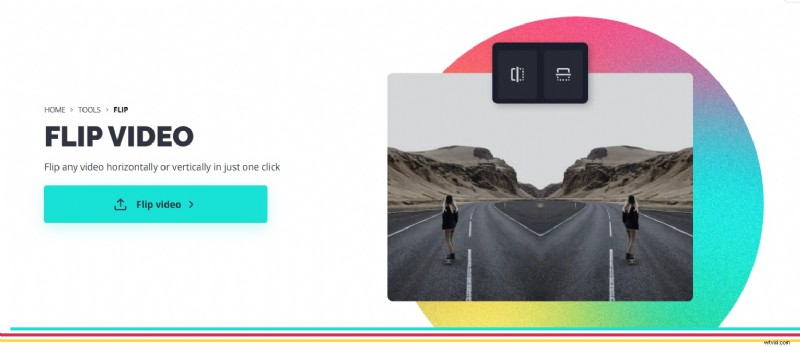
For creators who want more than just the ability to flip a video online, Kapwing is a strong option. It offers a complete online editor where you can flip, trim, add text, and make other creative adjustments to your clips.
Pros & Cons
- More than just a tool, it can function as a mini video editor in the cloud
- Collaboration makes it valuable for content creators working in groups
- Regular updates add modern features like subtitles, memes, and resizing for social platforms
- Watermarks are in free export, and advanced tools are locked behind paid plans
- It can feel overwhelming if you just want to flip through a video quickly
Key Features
- Flip horizontally and vertically with advanced editing options (text, overlays, captions)
- Full online video editor with trimming, subtitles, and more
- Real-time collaboration features for teams
Pricing information
Free with watermark and export limits; Pro plan removes restrictions starting at around $16/month.
Why We Recommend It
Kapwing is ideal if flipping is just one part of your editing workflow and you also need text, resizing, or captions in the same browser-based tool.
4. FlexClip
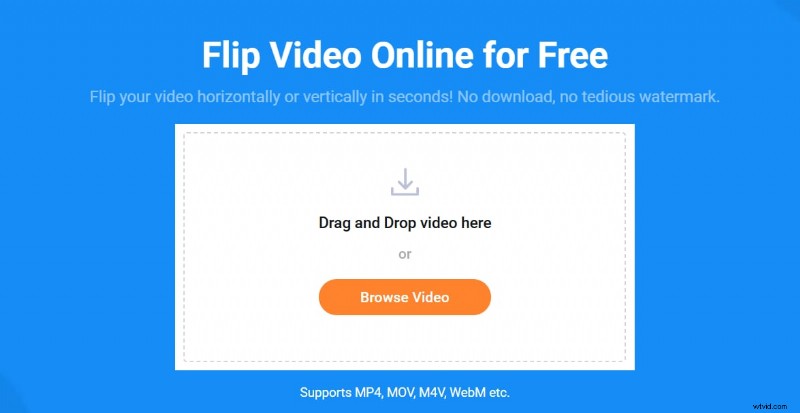
FlexClip is a versatile platform that lets you flip a video online while also providing access to templates, text effects, and stock resources. This platform is useful for content creators who want to enhance their clips for social media.
Pros & Cons
- Strong template library helps create polished videos quickly
- Suitable for social media users who want more than just flipping
- Exports can be customized for aspect ratios like 1:1, 16:9, or 9:16
- The free version limits video length (up to 10 minutes) and video resolution (720p HD downloads).
- The browser-based interface may experience lag when handling large, high-resolution files.
Key Features
- Flip horizontally or vertically with simple controls
- Built-in stock assets like music, photos, and templates
- Cloud-based editing with project autosave
Pricing information
Free with restrictions; paid plans start at $11.99/month
Why We Recommend It
A solid choice for creators who want to combine flipping with professional templates and quick video production.
5. Media.io
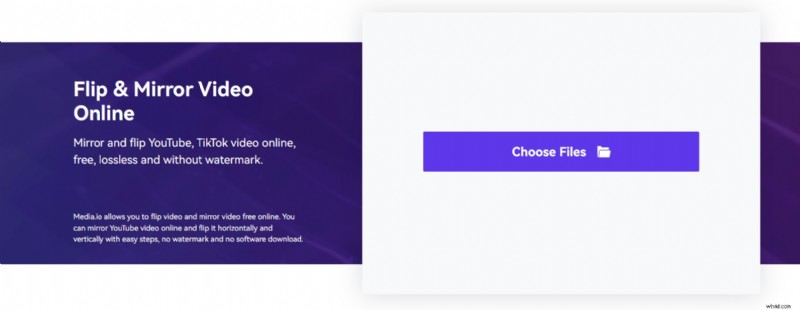
Media.io provides a straightforward and efficient way to upload and flip a video online with minimal hassle. It supports a wide range of video formats, making it ideal for working with different types of footage.
Pros & Cons
- Handles large, high-resolution clips better than most free online video editing applications
- Integrate useful AI features, providing an advantage over simpler editors
- No registration required for basic editing
- Free version includes watermarks on exports
- Processing time varies depending on server load
- Advanced features like AI tools are locked behind premium plans
Key Features
- Flip and mirror videos horizontally or vertically
- Supports large file sizes compared to many free tools
- Provides additional AI-powered tools (noise remover, vocal remover, format conversion)
Pricing information
Free with watermark; premium upgrades available starting at $6.99/month
Why We Recommend It
Best suited for those who occasionally flip videos but also want access to advanced AI-powered enhancements when needed.
Part 3. How to Flip a Video Online Using These Tools
Flipping a video with an online tool is quick and requires no special editing skills. Most platforms work similarly, so once you learn the steps, you can apply them to any tool you prefer. Here's a simple process to follow:
Step 1
Choose an Online Video Flipper
Select one of the tools from the list, such as Clideo, Kapwing, or Online Video Cutter.
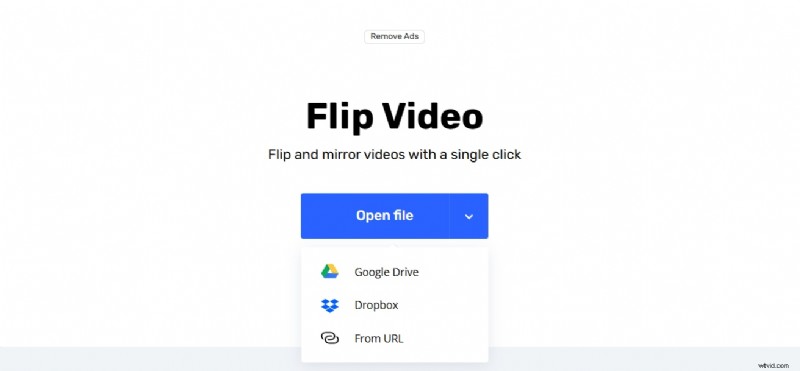
Select your clip from your computer, phone, or even directly from cloud storage (depending on the tool).
Step 3
Select the Flip Direction
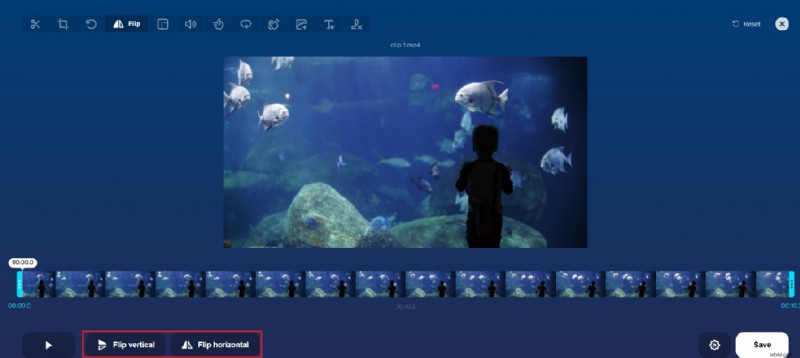
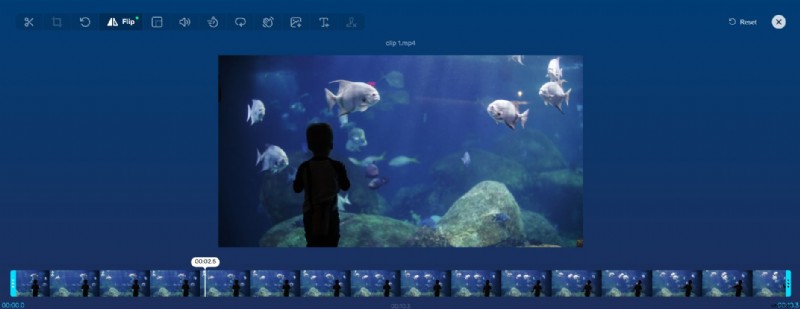
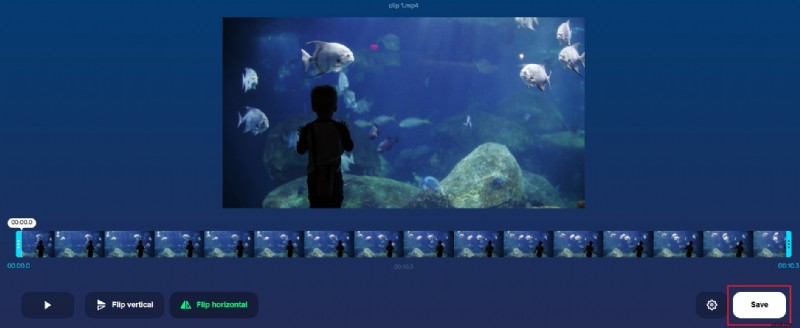
Decide whether you want to flip the video horizontally (mirror effect) or vertically (upside down).
Step 4
Preview the Changes
Most online tools allow you to check your flipped video before saving to ensure it looks the way you want.
Download the final version to your device. Some platforms may also offer the option to save directly to cloud storage or share on social media.
Part 4. A Professional Alternative for Video Flipping
While online video flippers are convenient for quick edits, they often come with a set of limitations that can be frustrating over time:
- Free versions often add watermarks
- Limited file size or format support
- Frequent interruptions from ads
- Privacy concerns when uploading personal or sensitive footage to the cloud
If you only need to flip a video online for short clips or casual use, these drawbacks may not matter much. However, for creators who need consistency, quality, and control, a desktop solution is often the better choice.
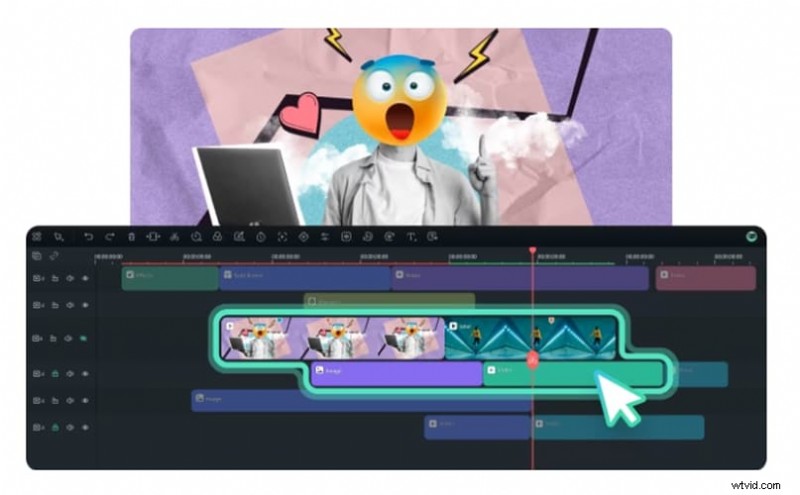
This is where you may want to consider using Wondershare Filmora as a professional alternative. Unlike online tools, Filmora works entirely offline, giving you faster performance and complete privacy.
 Secure Download
In addition to flipping videos horizontally or vertically, you also get access to a full suite of editing features like trimming, effects, audio enhancements, transitions, and even AI-powered tools that help you easily create polished and high-quality content.
Online vs. Desktop Video Flipping Tools: A Quick Comparison
| Category | Online Tools | Desktop Software |
| Flip Options | Basic (horizontal/vertical only) | Full control with additional rotation tools |
| File Size & Format | Often limited to small file uploads | Handles large files in multiple formats |
| Processing Speed | Depends on the internet connection | Local processing, generally faster |
| Privacy & Security | Requires cloud upload | Works offline, files stay on your device |
| Advanced Editing | Very limited outside of flipping | Full toolkit: effects, trimming, audio, AI |
| Batch Processing | Rarely supported | Can flip and edit multiple clips at once |
Step-by-Step: How to Flip a Video with Filmora Desktop
Step 1
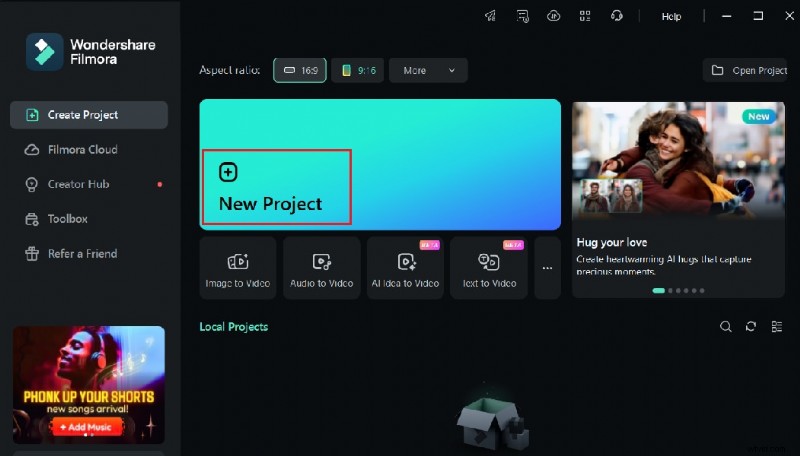
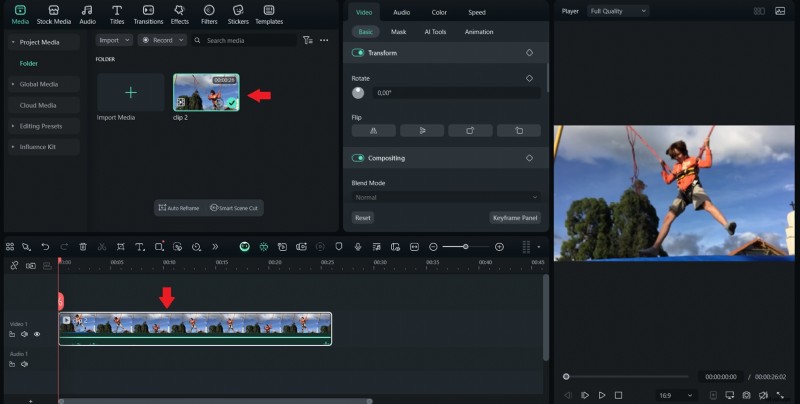
Open Filmora and Create a New Project
Launch the software and drag your video into the media library.
Secure Download
Step 2
Add Your Video to the Timeline
Drag and drop the clip onto the timeline for editing.
Step 3
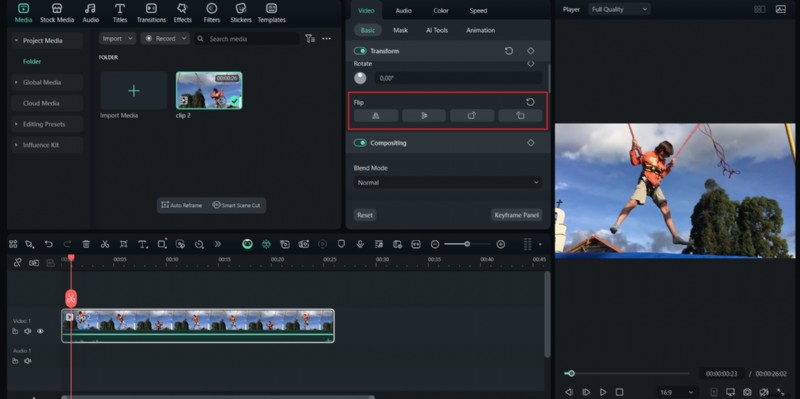
Access the Flip Controls
Head to the Video section, pick Transform, then choose the Flip tool (Flip Horizontal or Flip Vertical).
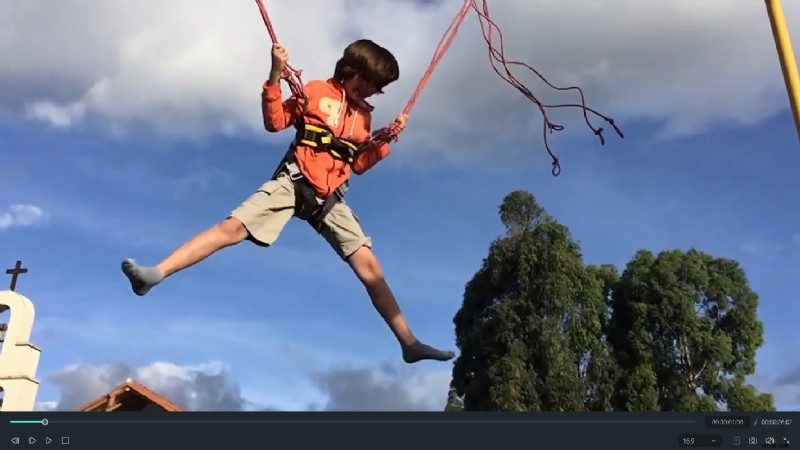
Use the built-in player to check the flipped result.
Step 5
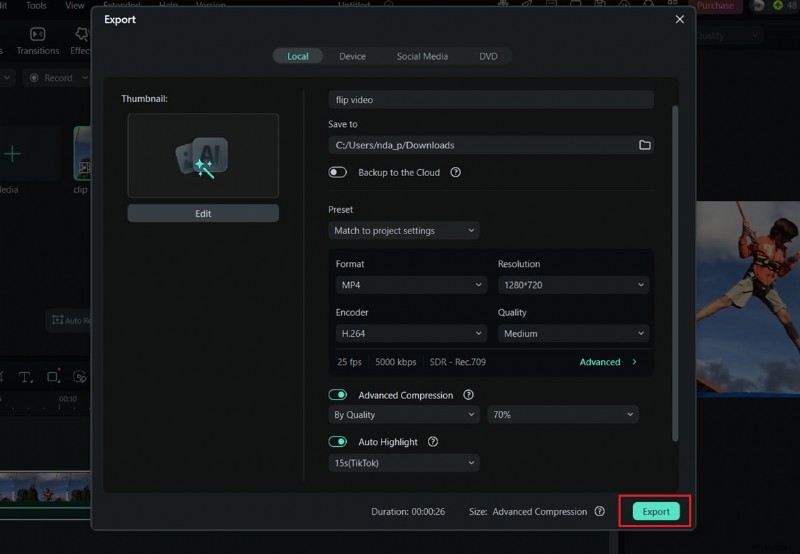
Export Your Project
Save the new version in your desired format.
Check out this video for extra inspiration!
Who Should Use a Desktop Video Editor?
- Content creators who need polished results for YouTube, TikTok, or Instagram.
- Professionals who work with larger files and don't want to risk privacy issues from cloud uploads.
- Educators or businesses who want consistent, high-quality video output without limitations.
- Anyone frustrated with online restrictions like watermarks, ads, or slow upload times.
Conclusion
Flipping a video may sound simple, but it can completely change how your content looks. In this article, we've discussed 5 tools that let you flip video online, so you can easily experiment with flipping your clips. Online tools are a good option if you just need a quick fix since they are fast and easy to use.
Still, things like watermarks, ads, and file size limits can make them less enjoyable over time. If you flip videos often or are concerned about quality and privacy, a desktop editor like Filmora gives you more freedom to work the way you want. It's a reliable way to make sure every video looks polished and ready to share.

Filmora
AI Video Editing App & Software
Best tool for making videos anywhere for all creators!
Need higher quality exports and no upload limits? Get Filmora on your device and enjoy a full-featured video editor for free.