
With increasing movie maker software available on the market, it’s easier than ever before to get started in the world of video editing. However, you may still find it hard to get a proper movie maker for your kids. So we’ve made a list of the top 10 best video editing apps for kids.
In the list, we’ve covered some easy-to-use movie makers for Windows, Mac, Chromebook, and iOS and Android devices as well. In this article, I’ll introduce how to use this handy movie maker for kids Wondershare Filmora to make a video.
Want your kids to be a rising star on YouTube? Download Filmora and make your video today.
Filmora features an easy-to-interpret interface and comprehensive drag and drop support, and your kids will be happy to create a fun movie using their own naivety and creativity. What’s more, this application also helps your kids learn some the basic elements in video editing, so that they can jump onto more complicated apps easily in the future.
This program is cross-platform, download the right software for your operating system, and then install it on your computer. The following guide will concentrate on the windows version. Check it out now.
1Import video by drag-n-drop
Filmora video editor for kids offers a pretty fast and easy way to import your videos: simple drag-n-drop, though it also supports other ways like clicking “Import” to browse your file folder.
When all files imported, they will display as thumbnails in the left pane. Yes, thumbnails instead of a list view is the default settings, so your kids can quickly find the video they want instead of reading complicated titles.
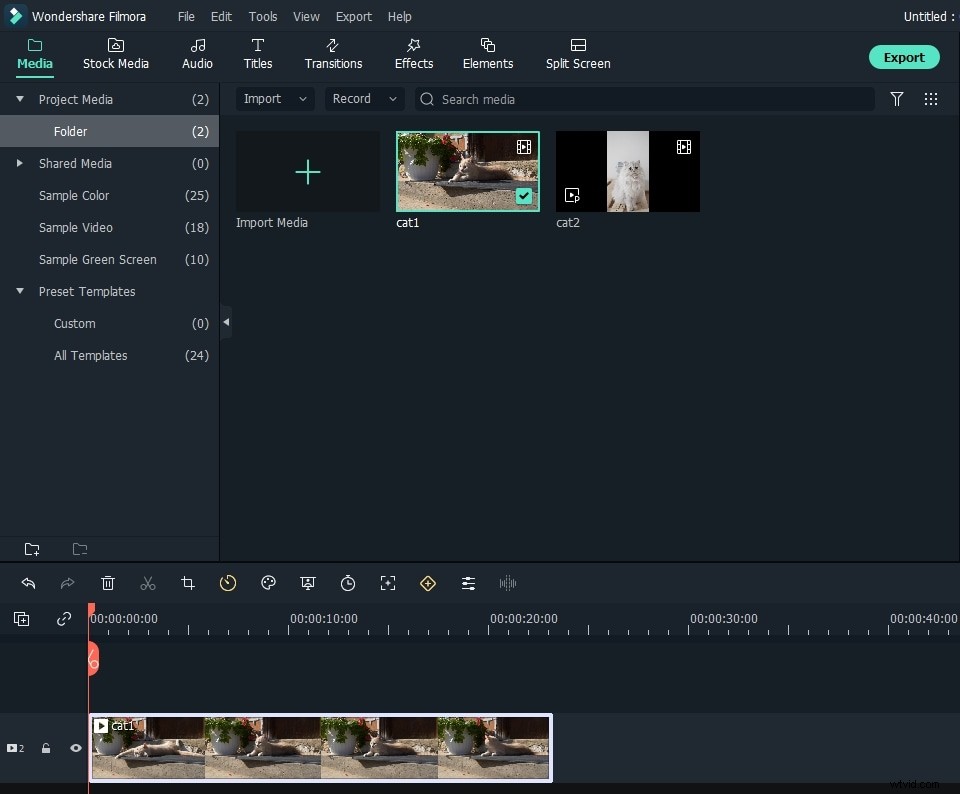
2Edit video using the Timeline and editing panel
Unlike other non-linear video editing programs, which make video editing a boring and time-consuming work, this video maker for kids features very intuitive timeline video editing and side-by-side previewing window. So that your kids can easily focus on what they're making, and what they see is what they get.
Again, in the editing panel, it couldn’t be easier to do video edits like rotating, flipping, cropping, changing volume, adjusting brightness, etc. because it only involves a mouse click or a simple drag-and-drop operation.
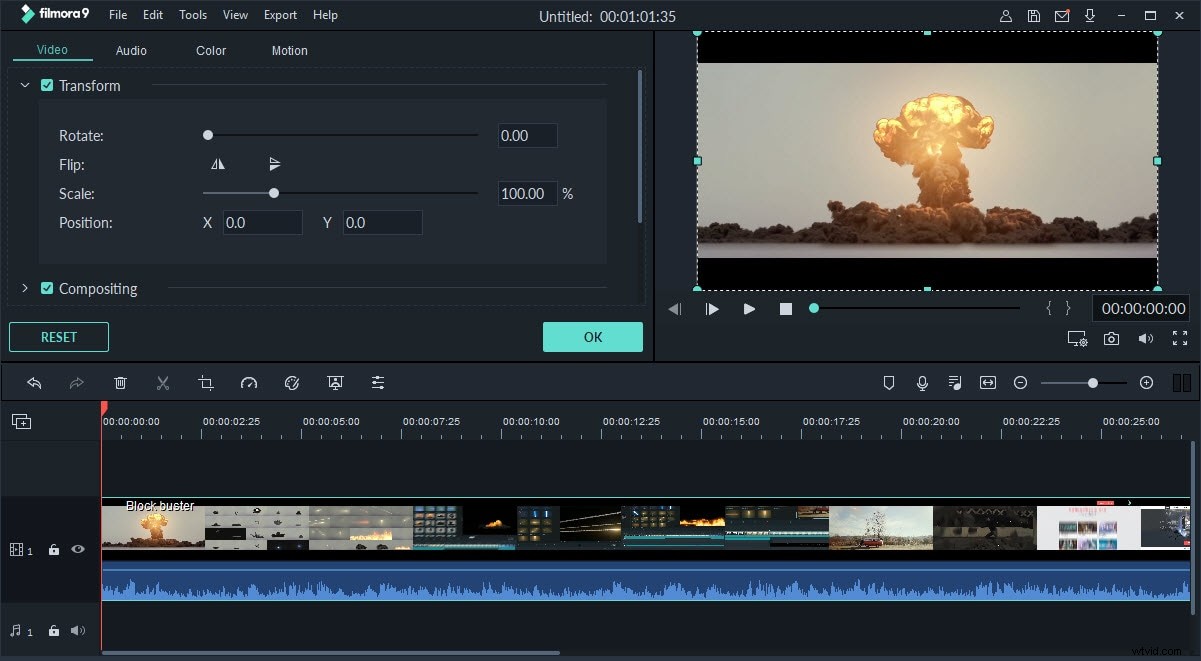
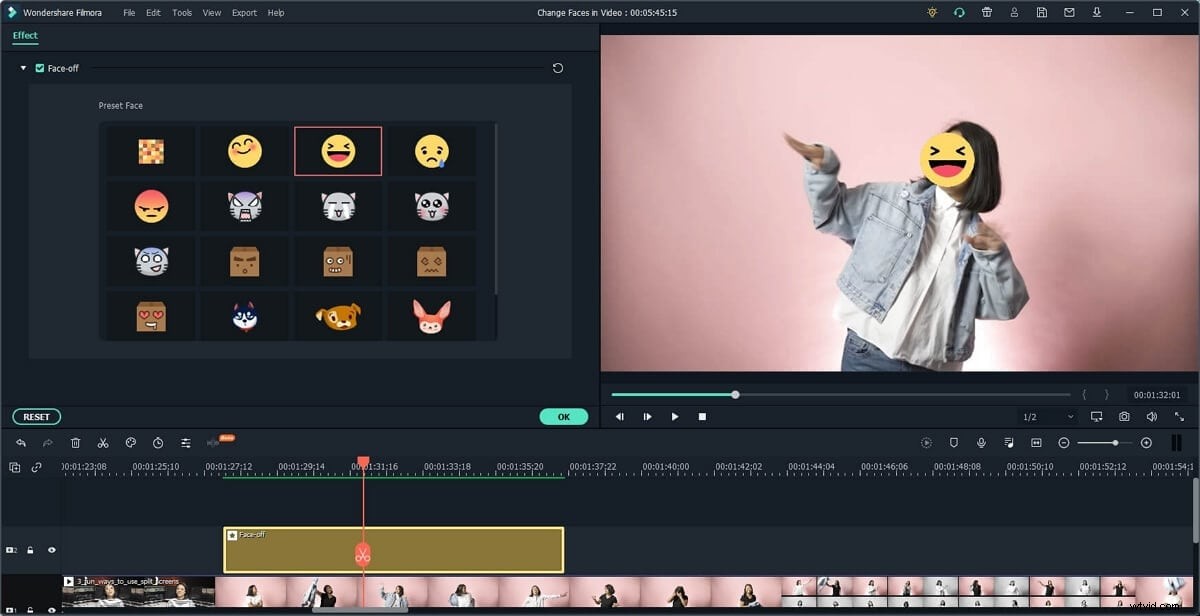
The video editing software for kids even provides hands-on templates to help create colorful and entertaining home movie. To apply a visual effect, simple pick an ideal source in the Effect tab, and drag to the desired clip.
3Add Music, Sound Effects, Voiceover
Filmora features lots of music tracks and sound effects for enhancing video clips. You can listen to the built-in audio in Filmora and pick up the right one to express your emtions.
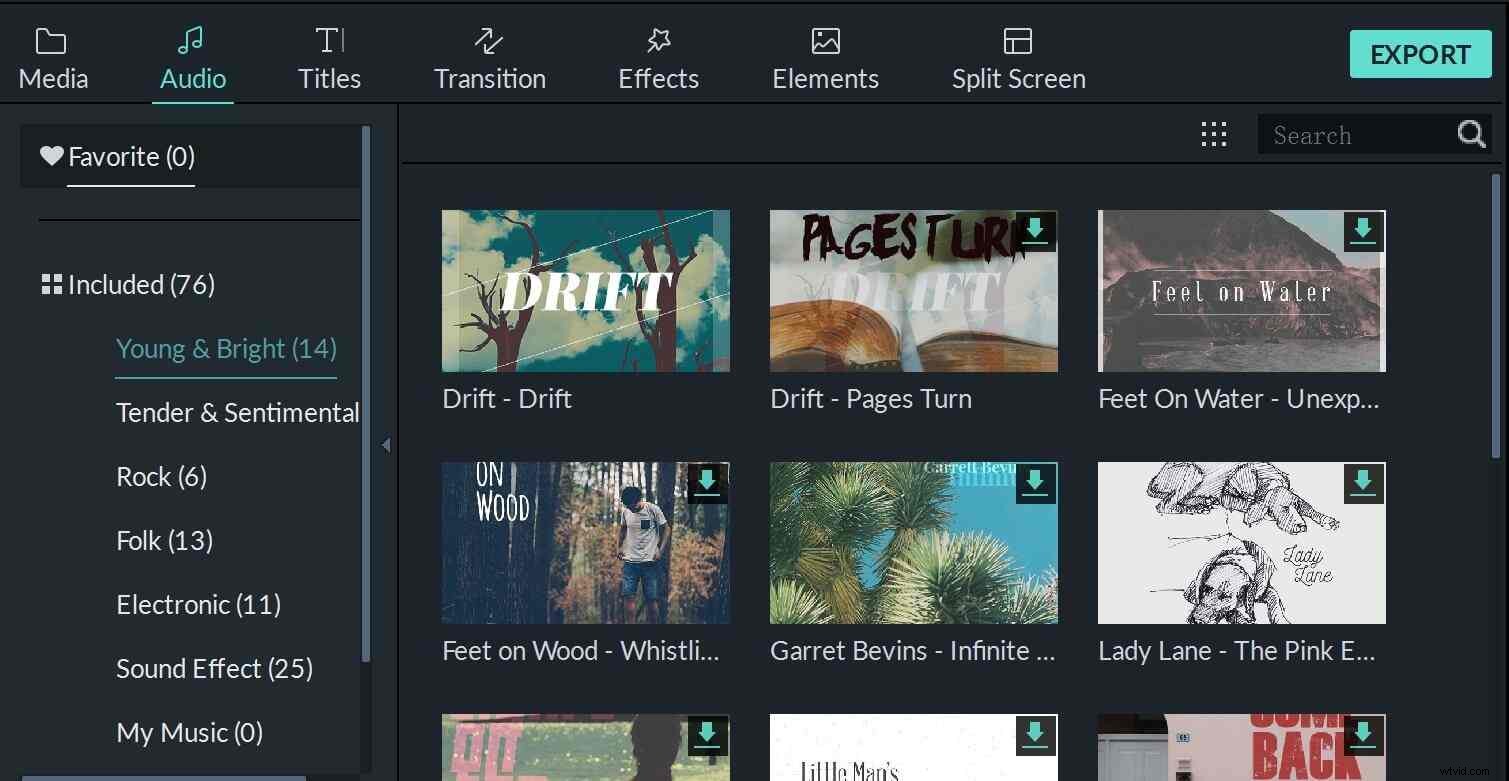
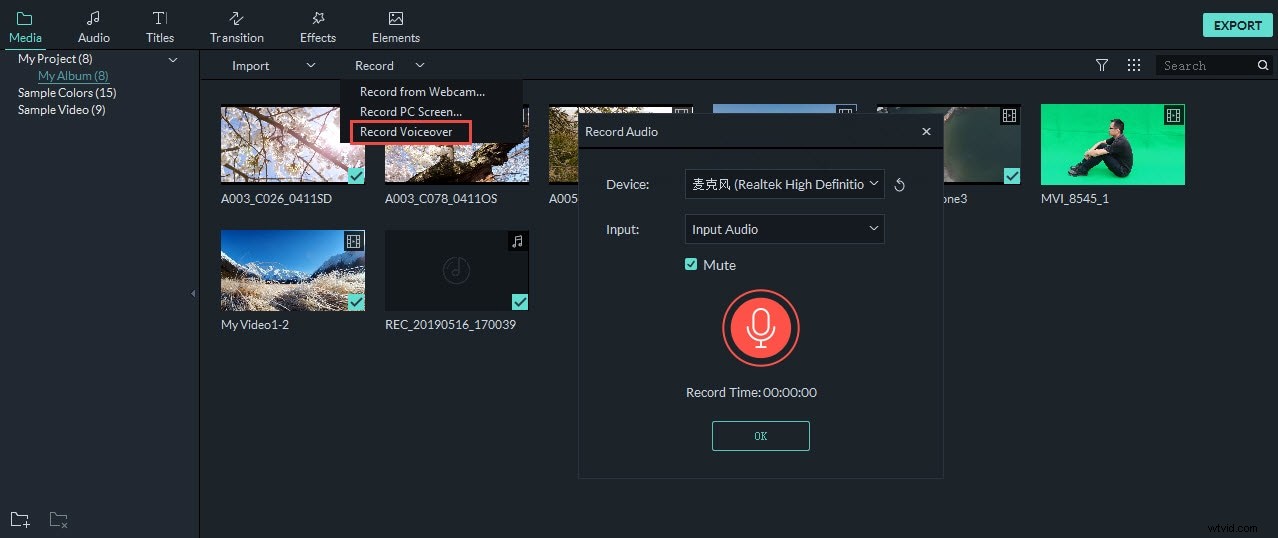
Besides adding background music to video, kids can also record the voiceover directly in Filmora. Just click the Record Voice to start the recording.
4Publish video online
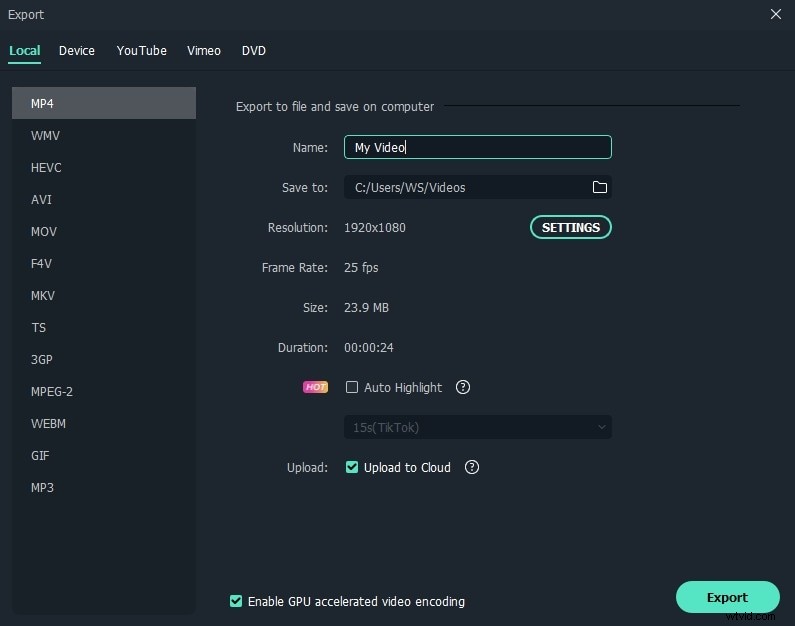
When the video creation finishes, your kids can click “Export” to output the video in various ways. Putting it on YouTube to share with others is a good option and it can be achieved directly from this program
If your kids want to play it on portable devices like iPad, this program saves the hassle of configuring the output to your devices by providing a the preset format directly. It even allows to burn a DVD video in minutes to play on any standalone DVD player or TV.
That’s all for how to create an awesome movie using Filmora video maker for kids.