
Life is beautiful but time flies. To memorize those moments you don't want to forget, making a home movie may be a good idea. The following paragraphs concerns on how to easily make touching DVD movies with Wondershare Filmora. These two programs are award-winning movie maker software with thousands of loyal users. Having universal compatibility with virtually any digital camcorder or file format, they enable you to weave all your favorite photos and video to DVD quickly and easily.
Part 1: Make a Home Movie with Filmora
Wondershare Filmora is a easy-to-use home video editing software with special editing features. With it, you can seamlessly stitch together video clips, music & text, apply effects to get a professional-looking home movie in minutes. Here is how:


1. Import and add media files
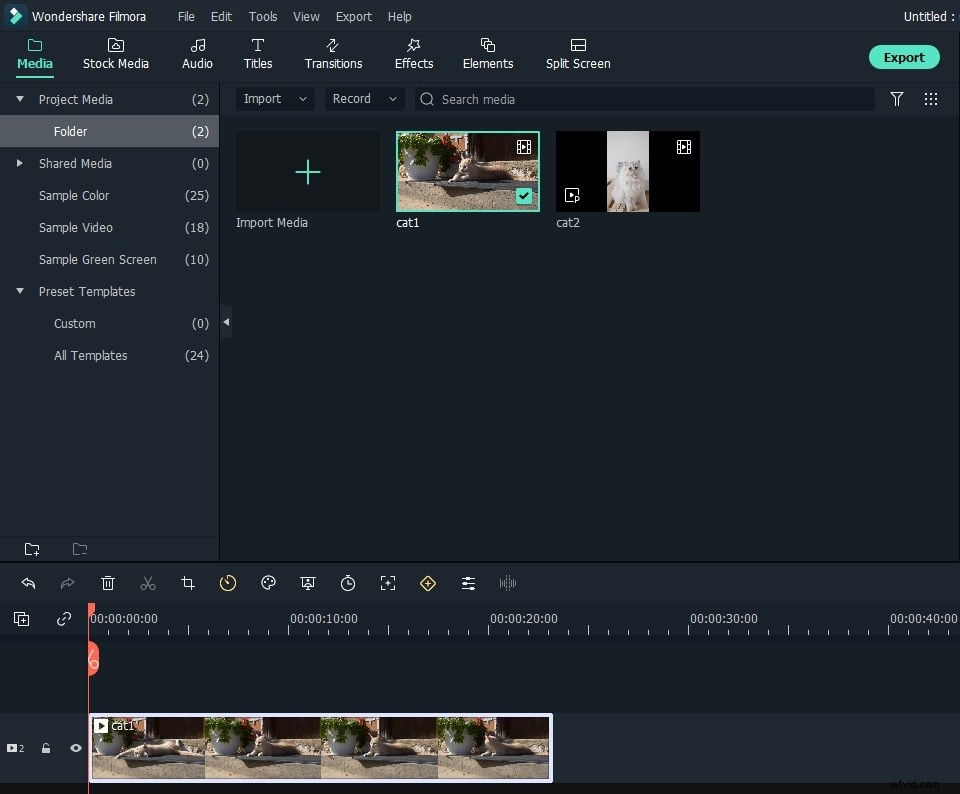
To make a home movie using Wondershare Filmora (originally Wondershare Video Editor), first you need to import videos, photos and audio to the album for later use. After running the software, choose 16:9 or 4:3 ratio, and a window like below will pop up. Click Import to select videos, audio and photos from your computer.
2. Edit and personalize your home movie
Video Editor enables you to easily personalize the movie.
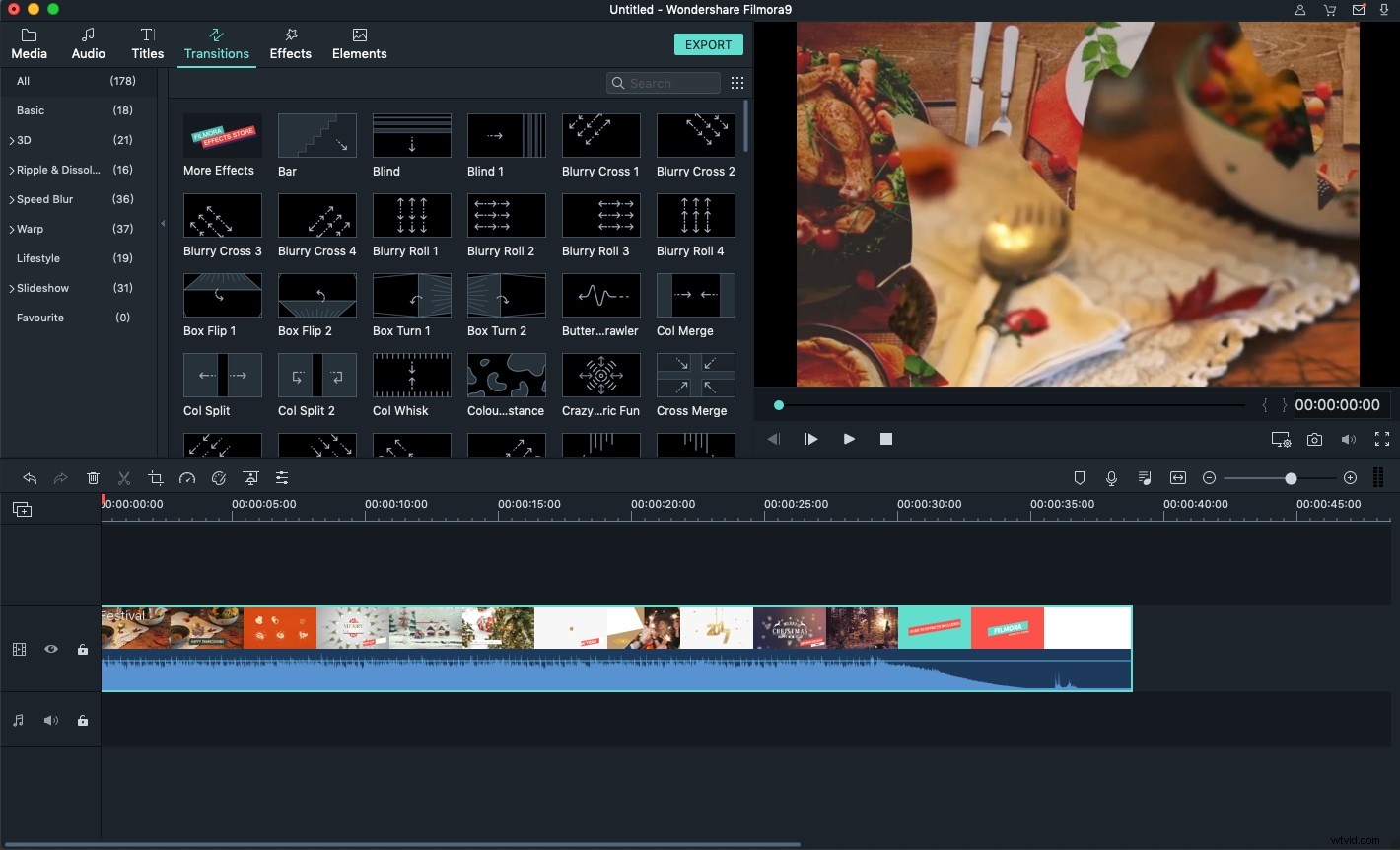
- To customize title, drag and drop a title template to the position you want it to show up and customize it.
- To apply effects, choose from 50+ video effects, select it and apply to your photos/videos instantly.
- To add PIP, choose one from the template or your own photo collection and drag to the PIP Timeline. Here, you can also easily create Picture-in-Picture effect.
- To add transitions, drag and drop a transition template to the video/photo, or right click it to Apply to All.
- To add intro/credit, pick up your desired template, drag it between every two clips.
3. Save and share the movie
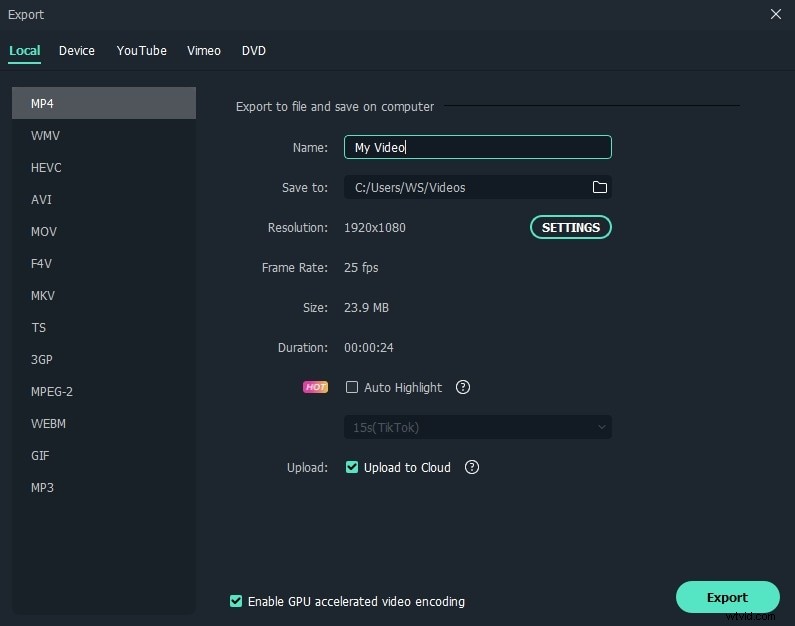
After making the home movie, click the "Export" button on the middle right of the program window, you'll have plenty of options to export the movie. For example, you can save it on your computer or upload to YouTube, as well as burn it to DVD.
You see it's that easy to make home DVD movies with the three DVD movie makers. Choose one according to your need and make a movie right now!
You may also like: Best Free DVD Player Software >>