
Nature doesn’t always cooperate with production schedules. Shift the time of year in your video with this technique.
Filmmakers are constantly manipulating reality to suit their stories. Actors over 30 play teenagers, stories set in New York are filmed in Chicago, scenes set at 8am are shot at 8pm.
However, nature can give away the time of the year with the color of leaves and the presence of wildlife. If your scene or film is set in summer, and the project specifically refers to the time of the year, it may jar your audience to see characters in shorts and t-shirts walking among autumnal leaves.
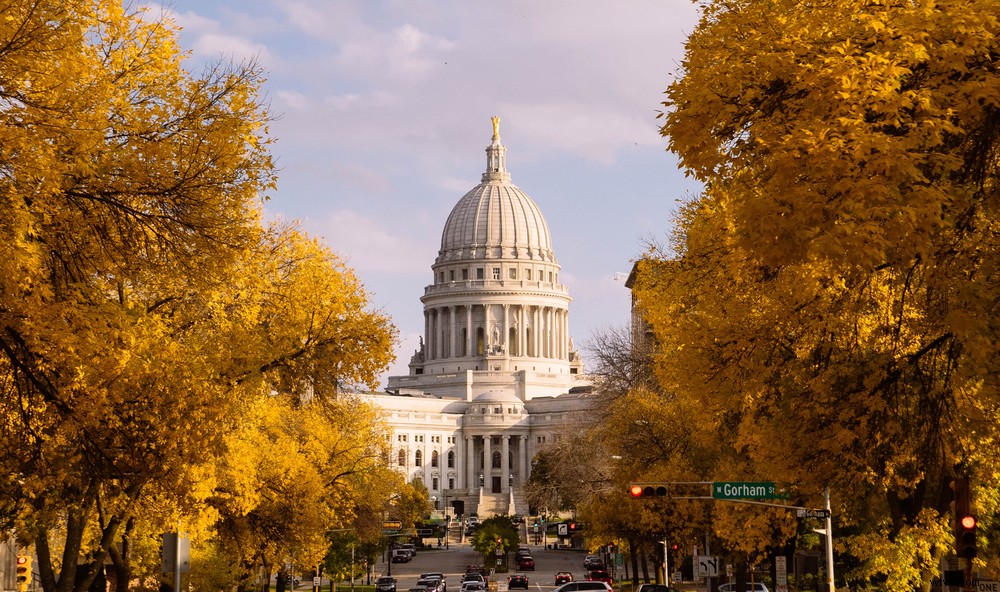
To an extent, DaVinci Resolve can help in this situation. The effect has limitations, of course. If you’re trying to key red leaves against a building with red bricks, and the character walking in front of the building is wearing a dark red shirt, things are going to get a little complicated.
However, let’s have a look at what you can do. Take the following scene; it is a clear example of the beautiful reddish color of autumn.
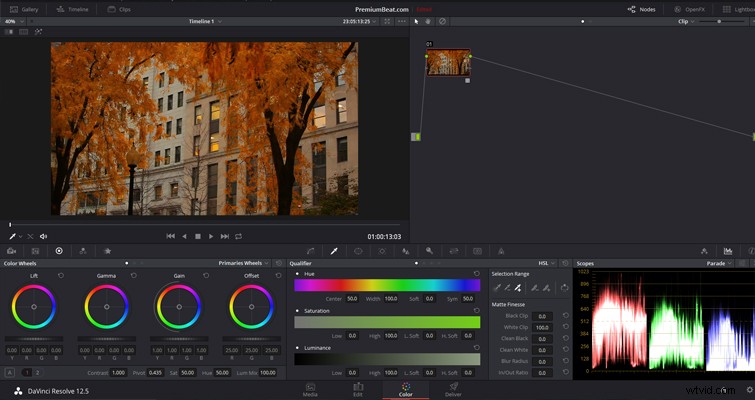
This is how we can turn the scene into summer.
Step 1: Key The Leaves
We’re going to use the HSL qualifier to isolate the colors we want to change. If the only red in your scene is in the leaves, it should be a straightforward key.
Your first instinct may be to shift the entire hue to green. In theory that would change the red autumn leaves to a summer green. However, this is what it does.

It has basically dipped our entire keyed image into a green paint pot. In real life, no two leaves are going to be the exact same color, and by changing the hue, we’ve lost a lot of variation of the tones in the leaves.
Step 2: Correct The Leaves
Instead, we’re going to use the color balance wheels — in this case, lift and gain. I find that by leaving the gamma/midtones where they are, it helps keep the variation of the tones throughout the tree because some of that reddish-yellow stays in the image. If, however, you are having trouble removing that red, you will need to adjust the gamma, too.
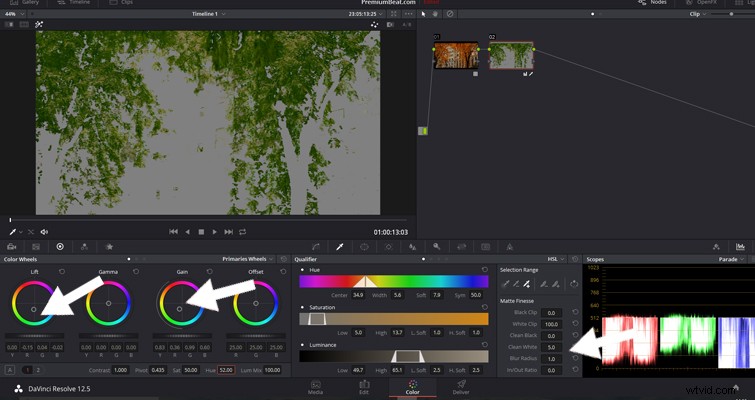
I’ve done several things to this one node. I’ve pushed the lift/shadows towards green, as well as the gain. I’ve increased the Blur Radius, only very slightly, and raised the Clean Whites to 5.0. I’ve also pushed the hue two decimal places to the right (towards yellow). This helps increase the variation of colors among the leaves.
Step 3: Correct The Image
Finally, I’ve corrected some of the basic properties of the image to help the leaves blend that extra bit more. I’ve also lowered the saturation by 15. You can do this on the leaf node or on a separate node if you want it to affect the entire image. When you lower the saturation, it removes the possibility of any autumn color coming through your correction. Out of personal preference, I’ve also given the highlight region a slight boost in the red channels in the curve control to give it a very soft summer glow.
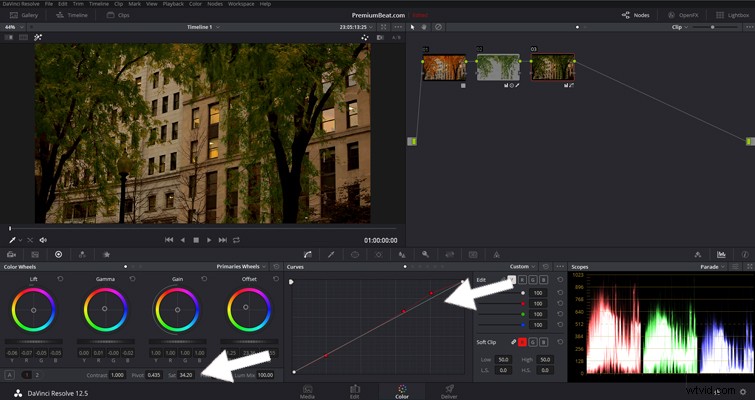
This is the final shot. It’s definitely different than what we started with, and with only two nodes of corrections, it’s not bad. You do, of course, have the glaringly obvious tree with no leaves in the center of the image. But that’s something you can leave for the VFX guys.
Do you know other tips for changing seasons in footage? Let us know in the comments.