
Today, the smartphone becomes the main tool for taking photos or recording videos, but we are used to holding our mobile phone vertically while shooting videos, which causes the wrong orientation while you want to upload it for editing or sharing. Fortunately, there is a way to end your pain. Your video can fit any screen well and be crystal sharp again, without any compromises. So, how to change the video orientation and fix the video format?
We are listing the best video editors that solve that matter.
You May Also Like: Best Vertical Video Editors for PC and Mac >>
5 Best Video Editors That Show You How To Change Video Orientation Easily
Today, we are listing the best PC software programs to change video orientation. So, here are the best video editors you can download and use today.
1. Recommended product: Wondershare Filmora
Wondershare Filmora allows you to rotate your video to any angle you want. What's more, you can zoom or corp the unwanted parts in the video with ease. It also offers you with preset aspect ratios like 16:9, 9:16; 4:5, 1:1, etc to help you easily find the perfect aspect ratio for YuoTube, Instagram, etc. Let's see how to change video orientation in Filmora.
How to change video orientation with Filmora
Step 1: Import the video file to Filmora, and then drag-drop it to timeline.
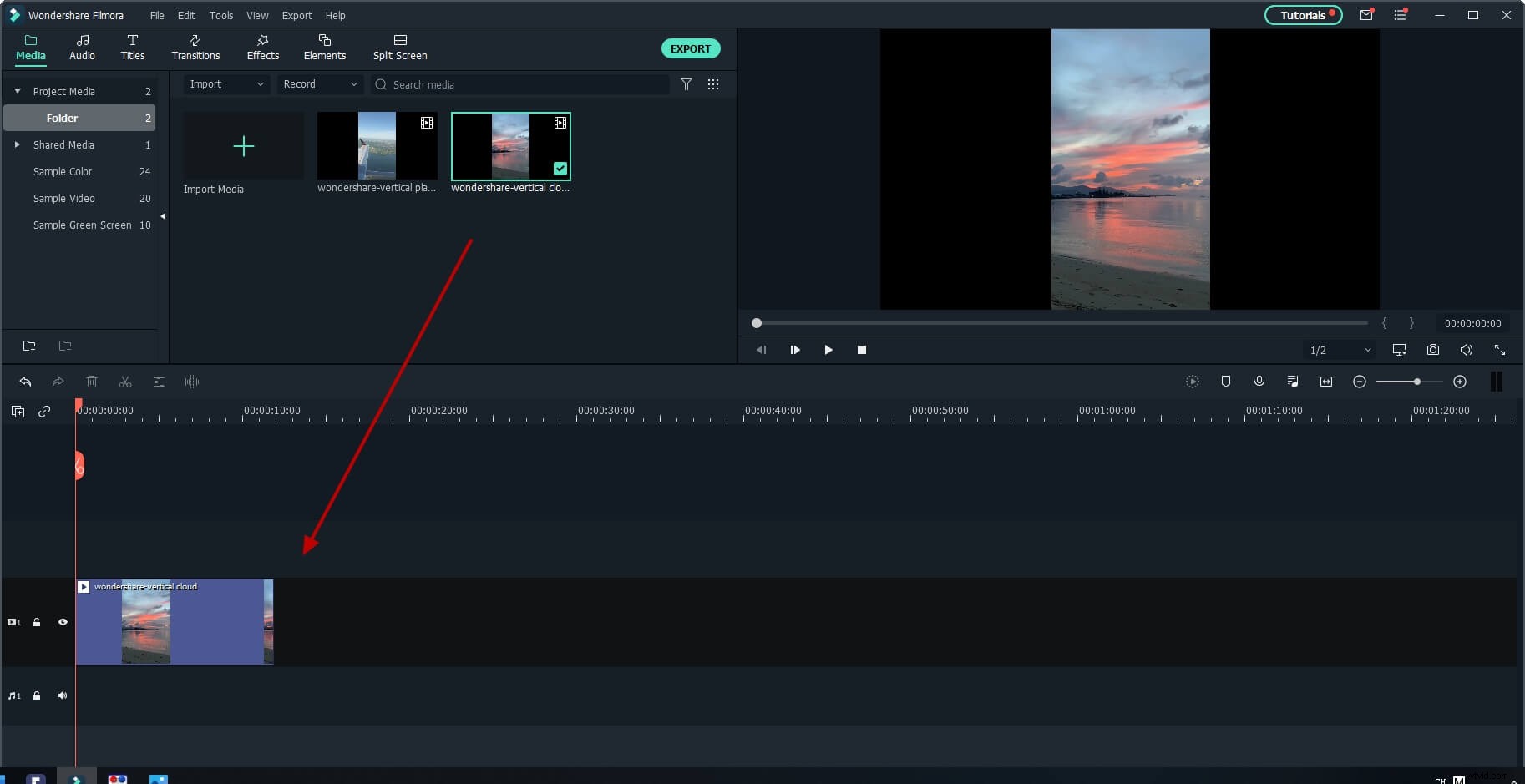
Step 2: Double-click on the video clip in the timeline to enter the video editing panel. Expand the "Transform" menu, and find the "Rotate" option. You can drag the slider or enter a specific number to adjust the rotation value. You can rotate up to 360 degrees. For example, if you want to rotate this clip 90 degrees, enter "90" in the box, then the video clip will be rotated.
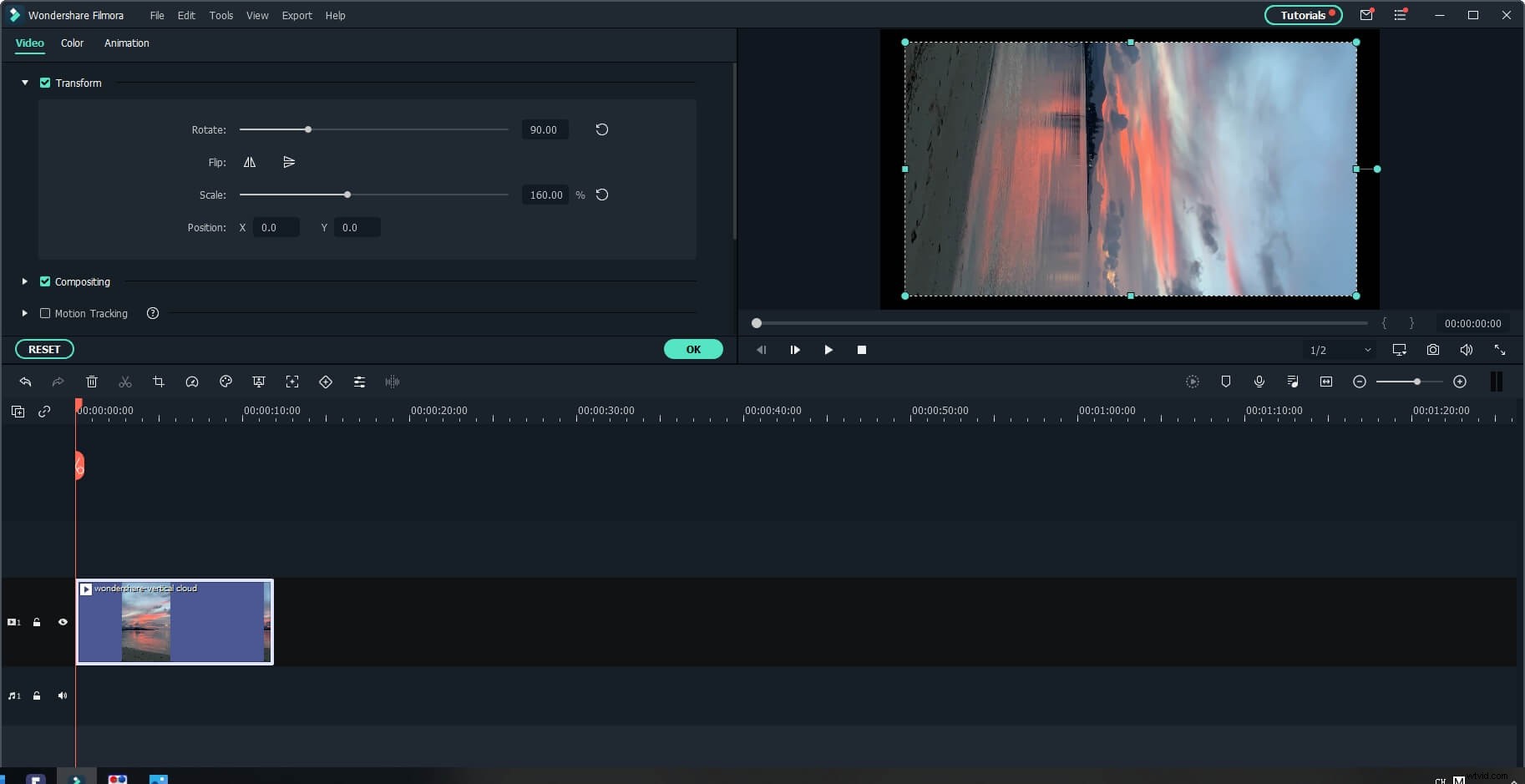
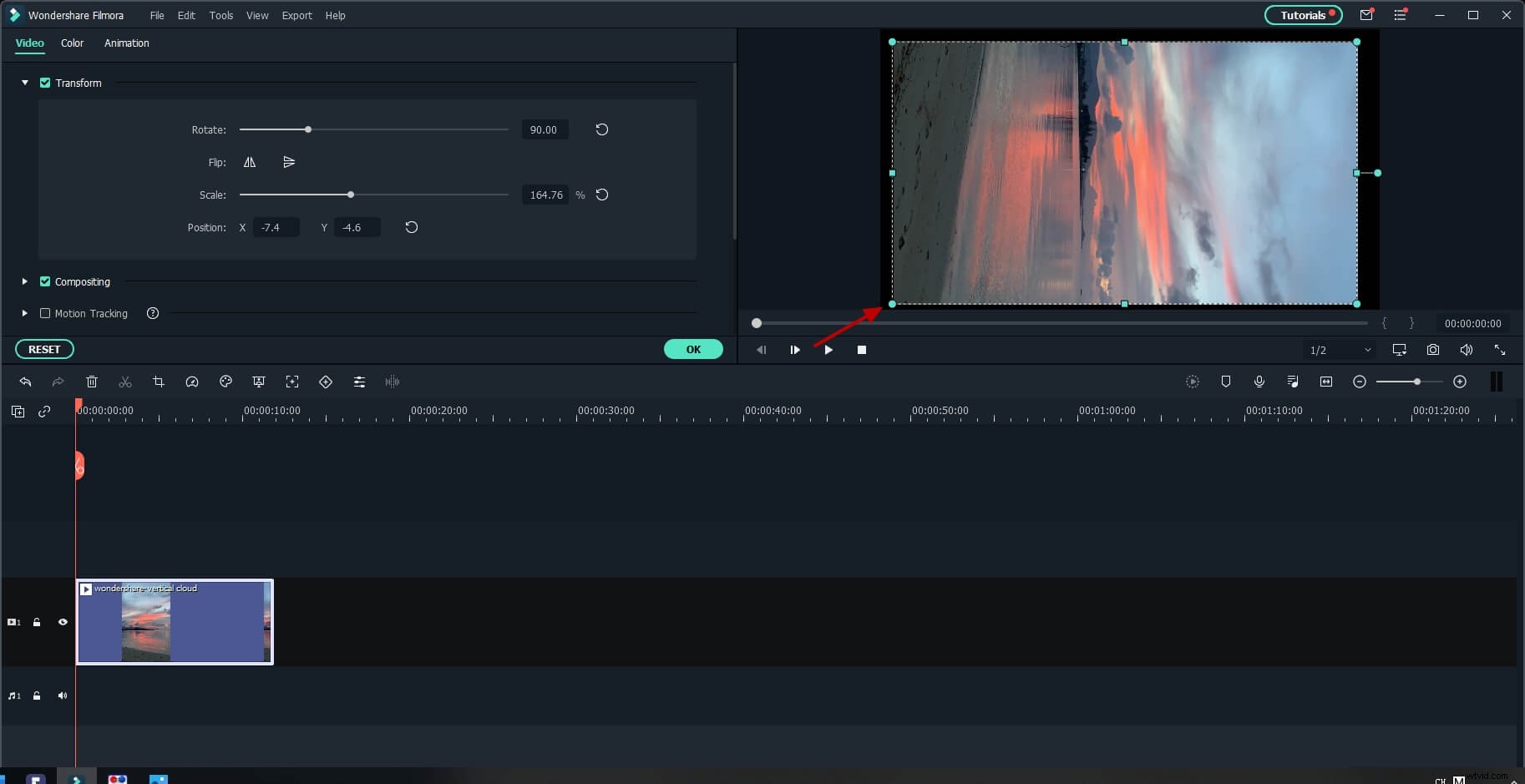
Drag the "Scale" slider to make the image full screen, or you can directly adjust the position, size, shape, etc, in the Viewer panel.
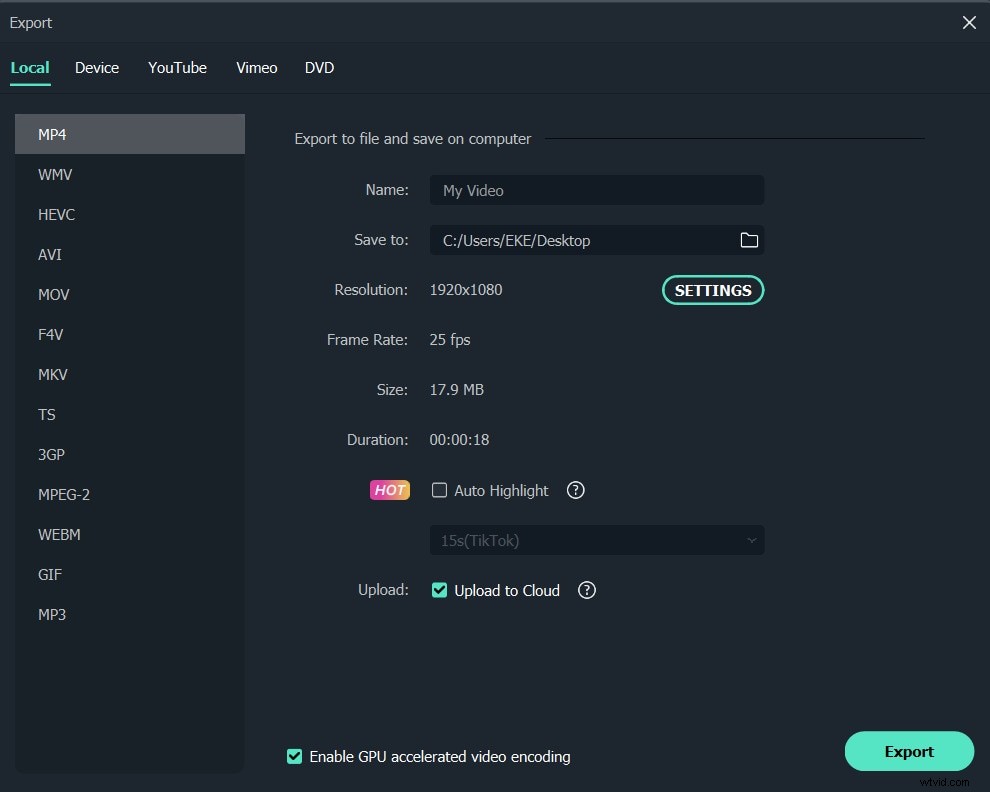
Step 3: After you are satisfied, click export. You can change format directly here, or share your work to YouTube.
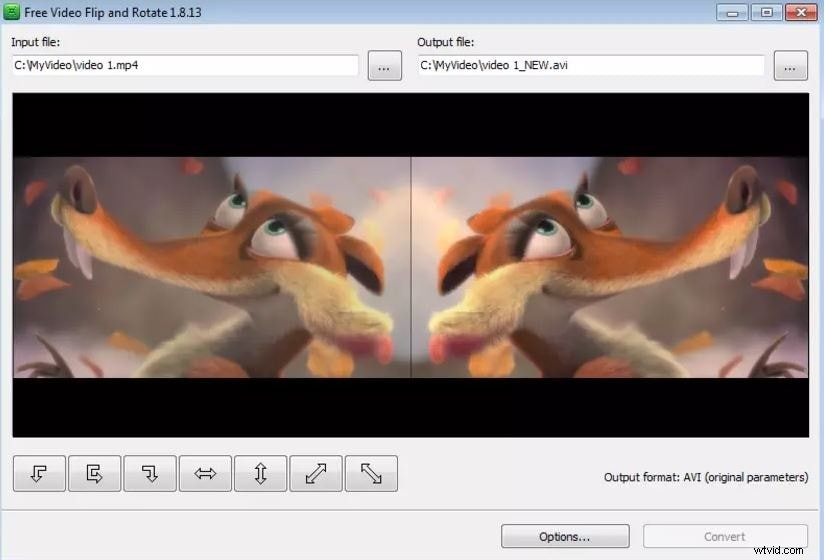
2. Free Video Flip And Rotate
This software lets you change video orientation as easy as A-B-C. Its features help you rotate the video into the different predefined angles so that it fits the horizontal format. Your video can be even rotated by 90 - or 180 degrees in each direction!
With Free Video Flip And Rotate, your video can also be flipped vertically and horizontally. This can especially help when correcting the original video and changing the video orientation. The only disadvantage of this program is that it offers you to install a browser toolbar, but you can un-check that option while installing it.
3. Video Rotator
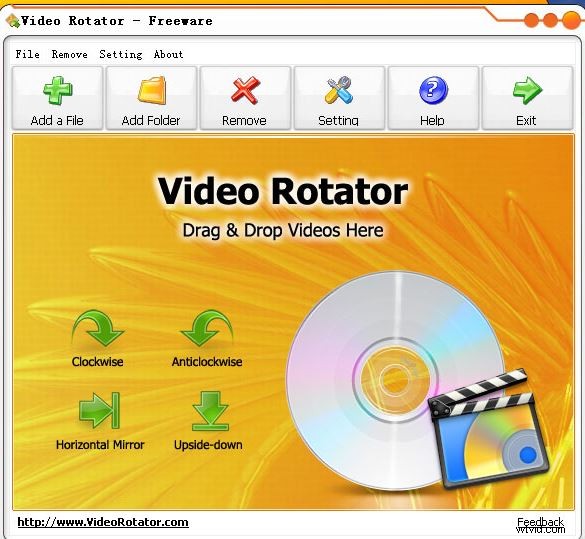
Video Rotator also lets you rotate and flip the orientation of your videos, therefore letting you change video orientation in an easy way. The great thing about this editor is that it supports many popular formats including MP4, MOV, AVI, MPG, FLV. So, whatever format your phone uses - it is probably supported by the Video Rotator.
The best thing about this program is its simple interface, helping everyone understand every feature. However, the program may lack some advanced features, which can position it as the best one in the market.
4. VLC Media Player
Who knew that VLC Media Player, a program we use for watching movies and other video formats - can also be a tool to change video orientation?
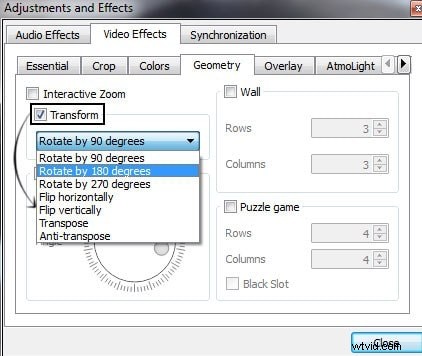
Yes, VLC media player can be used to change video orientation - without installing any extra special software. You simply go to the 'Tools Menu', then choose 'Effects and Filters', then choose 'Video Effects' and select 'Geometry'. Here, you should tick the option named 'Rotate' to activate the new format since it is grayed out by default.
The best thing about this player is that you can rotate the video as you want without binding it to any angle. Also, you don't have to install any additional software. On the other side, this process may be a bit too much for the non tech savvy users.
5. RotateMyVideo.net
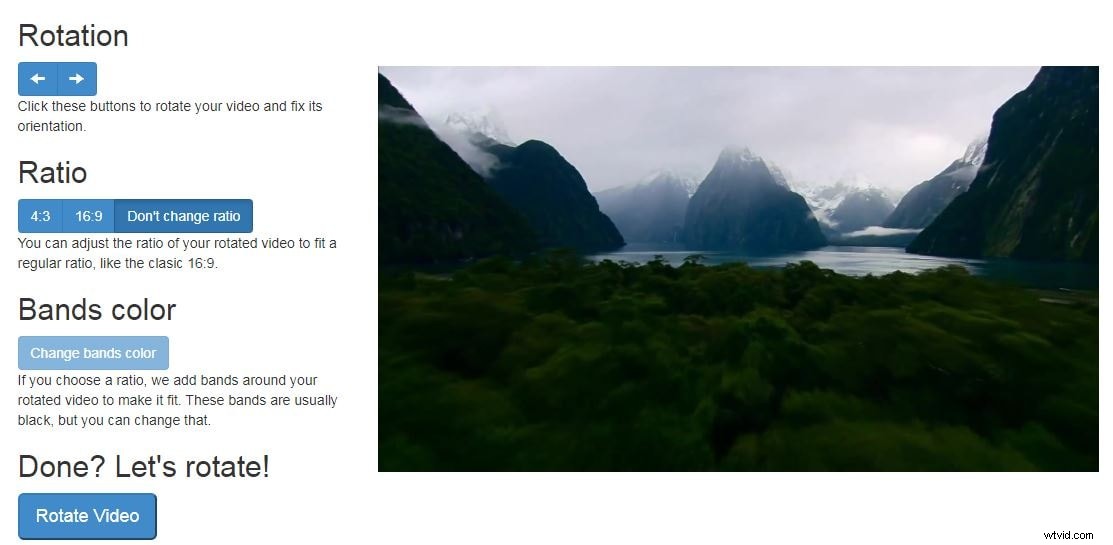
Last but not least, is the Rotate My Video tool. The best thing about it is that it is not a program - but a simple link!
You can upload your video straight away on rotatemyvideo.net and rotate it as you wish. The only down side may be the time lost when uploading it - and then once again, downloading it on your drive.
Conclusion
Besides rotate video manually, you can also create a video with rotation effects. Below is a super easy rotating video effect tutorial video, keep creating.