
In this article, we are going to explain a little about Vignette effect and offer you the best way to add vignette effect to your video.
Vignette Effect is the level of brightness or saturation at the center of a video or photo compared to the outer edges. The word vignette comes from the same root as the word and is most times used to describe the decorative border in books. After photographing was popularized, the term was used to describe the darker border for a photo. The reason that many people use vignette effects is to create focus in a video.
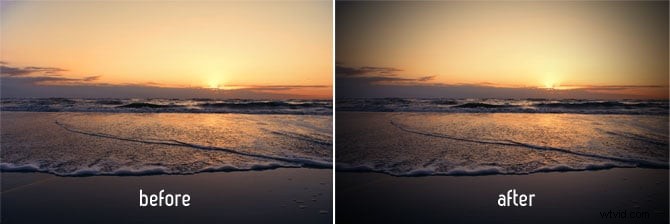
image source:psdbox.com
How to Add Vignette Effect to Your Video
Video Editing Software Recommended – Wondershare Filmora
Wondershare Filmora is one of the simplest and most intelligent ways to apply vignette effect to your video. Wondershare Filmora is an easy to use while powerful video editor for beginners. It can help you make homemade videos look like a Hollywood film by applying special filter/color effects to the video.
How to add Vignette Effect with Wondershare Filmora
1. Import media files
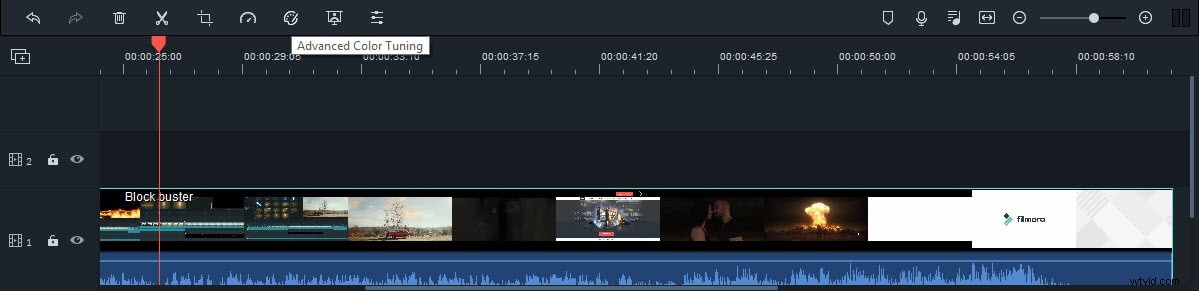
Simply import the video clip that you want to add the effect to, by dragging and dropping the video into the timeline.
2. Apply Vignette effect
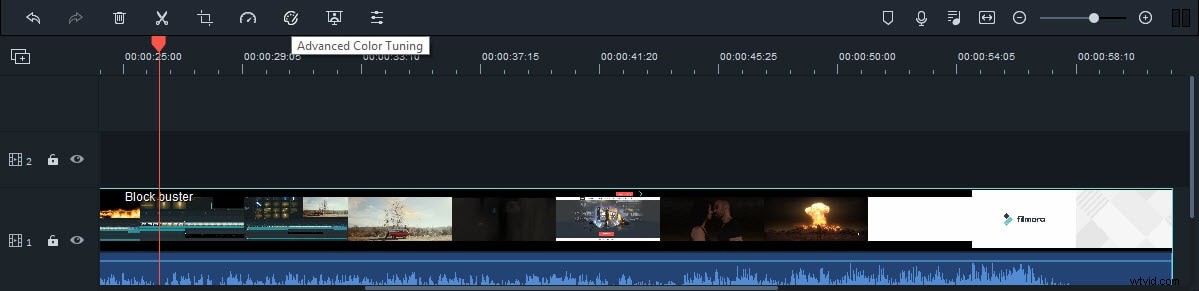
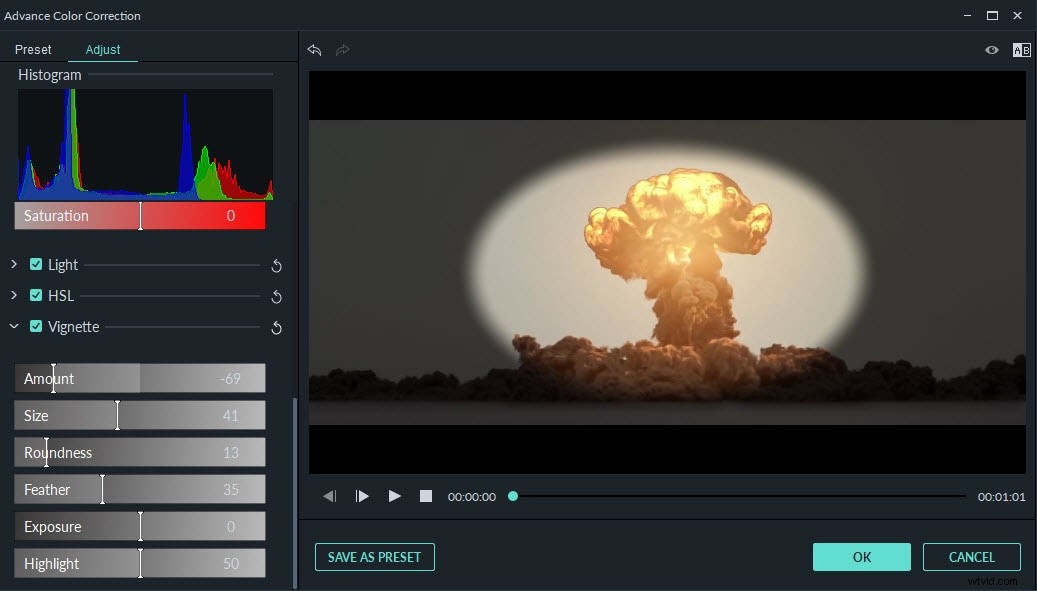
Then click on the Advanced Color Tuning option, which is located in the tool bar above the timeline. Click on the Vignette on the Advanced Color Tuning, and then you can add the vignette effect to your video.
You can also adjust the vignette’s size, roundness, feather, exposure, and highlights. Once you are happy with the results, you can click the preset button to save the setting, so you can use it in the future. Click OK to finish editing the video.
If you want to know more about color grading, please read this article to learn more:
Color grading and color correction in post video creation>>
Conclusion
The vignette effect is commonly used in photos and videos to bring attention to the center of the image. Adding the vignette effect to your video makes your video more attractive, and it only takes a few minutes to do so.