
As a content creator, reaching viewers who don’t speak your native language is crucial. Subtitles bridge that gap, enabling global engagement, accessibility, and higher watch times. This guide walks you through every step—from understanding what subtitle translation entails to executing a flawless, AI‑powered workflow with SubtitleBee.
What Is Subtitle Translation?
Subtitle translation is the process of converting on‑screen text from one language into another. It’s more than a literal word‑for‑word swap: the translation must preserve timing, match reading speed, and adapt cultural references so the viewer can follow along naturally. Remember, transcription captures spoken audio in the original language, while translation renders that text into a target language. In most workflows, you first transcribe the video to generate the original subtitles, then translate those subtitles.
Why Translate Your Subtitles?
- Global Reach: Reach non‑native speakers without reshooting content.
- Accessibility: Support the deaf and hard‑of‑hearing community and non‑native listeners who prefer written language.
- Higher Engagement: Viewers on mute platforms (e.g., TikTok, Instagram) rely on subtitles to stay hooked.
- Language Learning: Dual‑language subtitles become a valuable resource for learners.
Step‑by‑Step Subtitle Translation Workflow
1. Upload Your Video or Subtitle File
Head to SubtitleBee’s upload page. The platform accepts a wide array of video and subtitle formats, so no conversion is needed.
2. Generate Original Subtitles
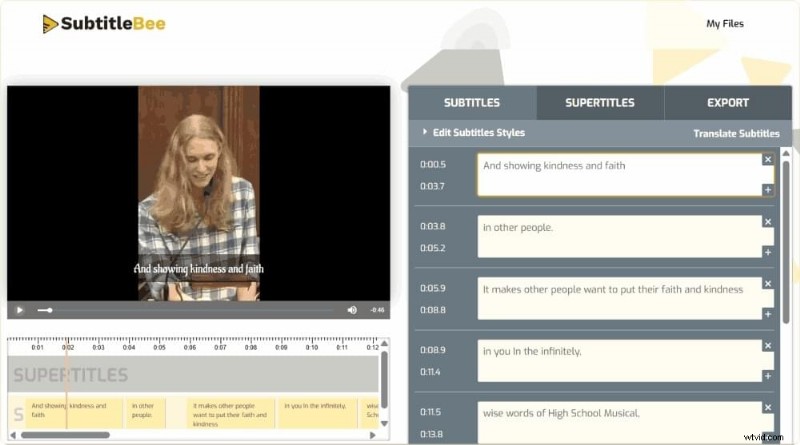
If your video lacks subtitles, SubtitleBee’s AI will create them with up to 99% accuracy in minutes. You’ll receive a clean set of original‑language captions ready for translation.
3. Choose Your Target Language
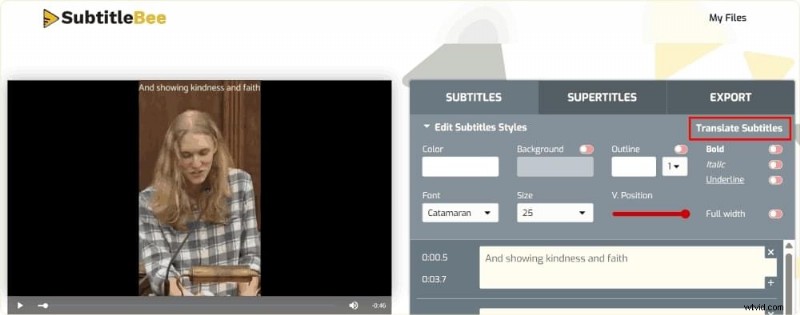
Select any of the 120+ supported languages—Spanish, Arabic, Japanese, Hindi, Korean, Chinese, and more.
4. Review and Edit for Accuracy
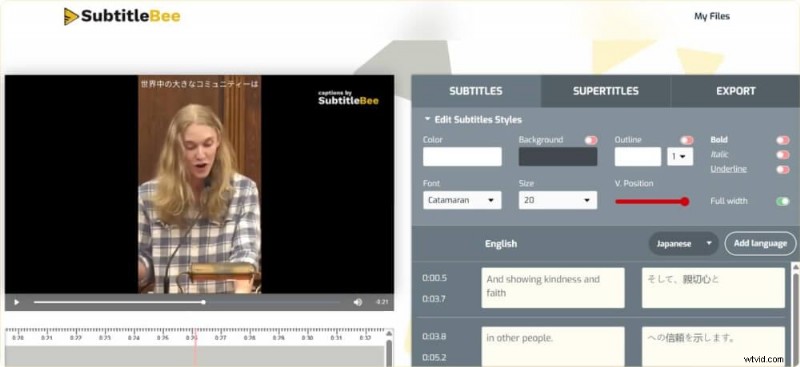
Proofread the AI‑generated translation. Minor edits—such as proper names or idiomatic expressions—can improve quality.
5. Style and Export
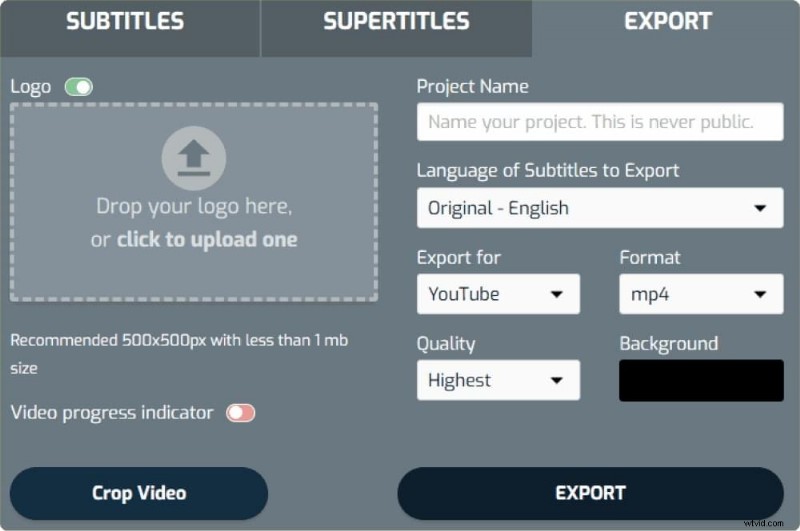
Adjust font, size, color, and positioning to match your video’s aesthetic. Export the subtitles as an embedded track or a separate file for use elsewhere.
AI Subtitle Translation vs. Manual Translation
Both approaches have strengths. Manual translation adds a human touch—capturing nuance and cultural context—but can be costly and slow, especially for multiple languages. AI translation, on the other hand, delivers rapid, cost‑effective results while maintaining accurate timing and formatting. The best practice for creators is a hybrid workflow: let AI do the bulk of the translation, then conduct a human review to polish the final product.
Translating Existing Subtitle Files
When you already have an SRT file, simply translate the text while preserving timestamps. SubtitleBee can handle SRT, VTT, and ASS formats automatically, so you won’t need to re‑sync the subtitles.
Platform‑Specific Considerations
YouTube
YouTube’s native tools offer limited quality. Translating your subtitles externally and uploading the finished file results in a more professional appearance.
TikTok & Short‑Form Video
With a majority of short‑form viewers watching on mute, translated subtitles are essential for cross‑lingual reach.
Movies & Long‑Form Content
For feature‑length projects, precise timing and consistent translation are critical. Translating from an original subtitle file guarantees synchronization from start to finish.
Special Language Pairs
- Arabic (right‑to‑left) – consider text direction and character support.
- Spanish – one of the most requested pairs for global audiences.
- Japanese to English – requires handling of kanji and different writing systems.
- Hindi to English – high demand in South Asian markets.
- English to Korean – popular for K‑content fans.
- Chinese to English – critical for the world’s largest language markets.
Tips for Accurate Subtitle Translation
- Context Matters: Translate full thoughts, not isolated words, to maintain narrative flow.
- Readability: Keep line length within the viewer’s reading speed; trim where necessary without losing meaning.
- Idioms: Adapt cultural references rather than translating literally.
- Sync Check: Verify that translated lines still match the audio; most AI tools preserve timing automatically.
- Proofreading: A final review catches subtle errors that automated systems may miss.
Try SubtitleBee for Free
SubtitleBee simplifies subtitle translation: upload your video, select languages, review the AI output, and export—all in a few minutes. With support for 120+ languages and up to 99% accuracy, it’s the go‑to solution for creators looking to expand globally.
FAQs
How do I translate subtitles?
Upload your video or subtitle file to SubtitleBee, generate original subtitles if needed, choose the target language, review the translation, and export.
Are subtitle translators free?
SubtitleBee offers a free tier and trial. Upgrade for additional languages and features.
How do I translate a subtitle file?
Copy the text (excluding timestamps) into a translation tool or use SubtitleBee’s dedicated workflow for maximum accuracy.
Can you translate subtitles automatically?
Yes—SubtitleBee provides automatic translation across 120+ languages. A human review is recommended for final polish.
How long does subtitle translation take?
AI translation completes in minutes, even for longer videos. Manual translation may take hours or days.
Is AI subtitle translation accurate?
AI tools reach up to 99% accuracy. Human review ensures consistency of names, idioms, and technical terms.
Which subtitle translator is the best?
SubtitleBee stands out with an intuitive dashboard, extensive language support, accurate timing, and flexible export options.