
SSubtitles, the universal captions of the entire digital world. We see them everywhere, from YouTube to Netflix or TikTok. Yes, everyone uses them, but how many actually understand them?
That block of text at the bottom of your screen does far more than just transcribe audio or translate. It helps you catch every word, every nuance, whether you watch a YouTube video, movie, tutorial, clip, Reel, or podcast.
But not all subtitles are created equal. From SRT and VTT to SSA, STL, and more, the format you choose can make or break accessibility, timing, and even the entire look of your video. This guide breaks down the 9 most important subtitle file formats so you'll know exactly which subtitle format to use, when, and how to avoid the headaches of "Oops, this subtitle format isn't supported."
Text-Type Subtitle Formats
These types of subtitles are plain text that you can edit with any video or text editor. They're used in online videos or offline players and are easily accessible. They are extremely popular because they take up minimal space, are easy to edit in any text editor, and are widely supported by most media players, streaming platforms, and editing software.
1. SRT (SubRipper)
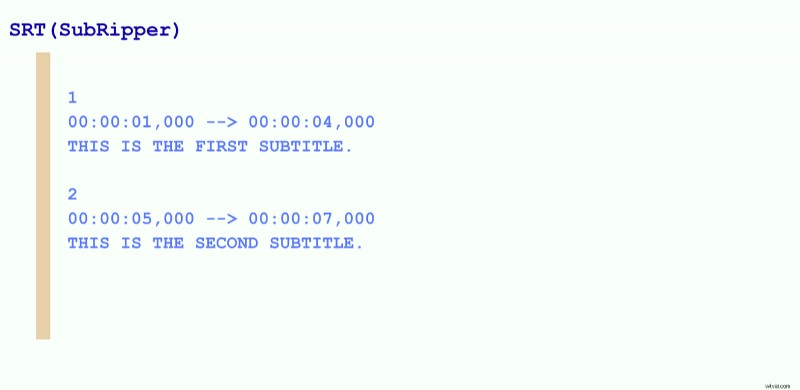
SRT is by far the most commonly used format across various platforms and devices. Facebook, YouTube, Netflix, VCL Media Player. You name it, and SRT will fit it.
How it works: Each subtitle part is numbered sequentially, with a start and end timestamp followed by a subtitle text block.
Why use it:
- Widespread and universal compatibility with all sorts of media players, video editors, and online platforms.
- Its small size makes it easy to share and upload.
- Supports basic line breaks but no advanced text styling.
Limitations: It doesn't support advanced editing like font styles, background color, or font size.
2. VTT(WebVTT or Web Video Text Tracks Format)
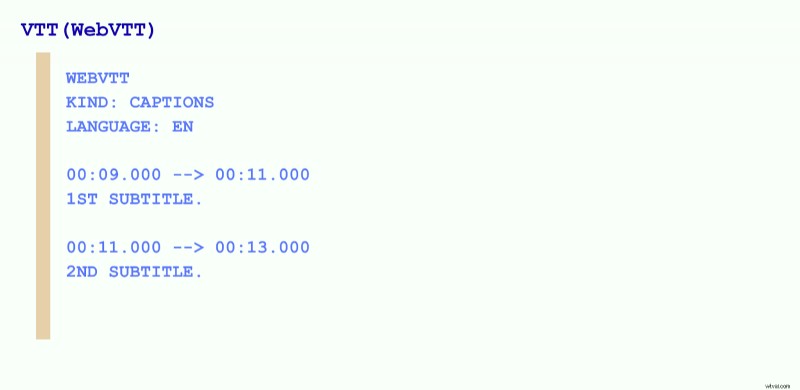
It has built its irreparable place in the web-based content world. It's like the upgraded version of SRT, created with HTML5 videos in mind and for platforms like Vimeo.
Why use it:
- It can support various text formatting.
- You can position it on different parts of the screen.
- It includes metadata and annotations that are time-aligned with audio or video. This type of subtitle format can deliver chapters that help navigate contextually rich audio or video content.
Limitations: It was designed for web-based content, so it's less compatible with offline media players.
3. SSA and ASS (SubStation Alpha and Advanced SubStation Alpha)
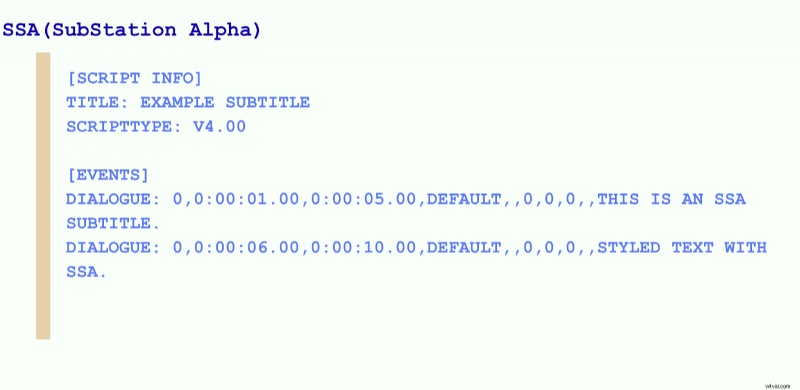
You've probably seen them used in anime, gaming, or fan-made translations. These subtitle formats have some of the most advanced subtitle styling options.
Why use it:
- It allows you to customize fonts, colors, and animations.
- You have full control over positioning the subtitles on the screen.
- It is mainly used in professional editing software and in fansubbing communities.
Limitations: It is not widely supported across standard media players. Editing it manually becomes a complex job.
4. SBV ( SubViewer or The YouTube Caption Format)
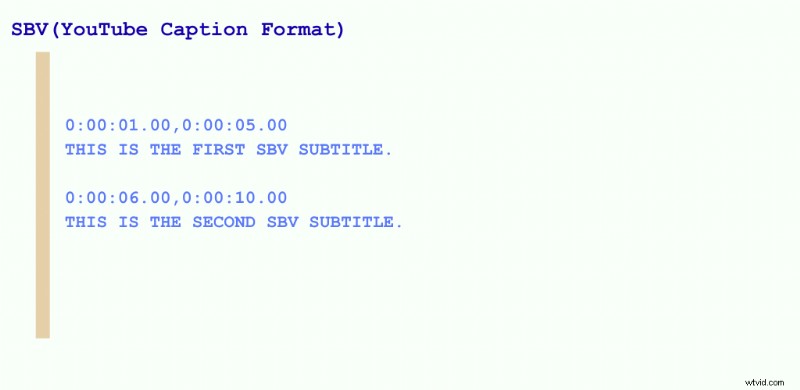
It's a simple YouTube caption file format, similar to SRT, but it uses a different timecode format.
Why use it:
- It's a simple text-based format, and it's directly uploadable to YouTube.
Limitations: It works wonders with the YouTube platform, but it's incompatible with most media players.
5. LRC(Lyric Subtitle Format)
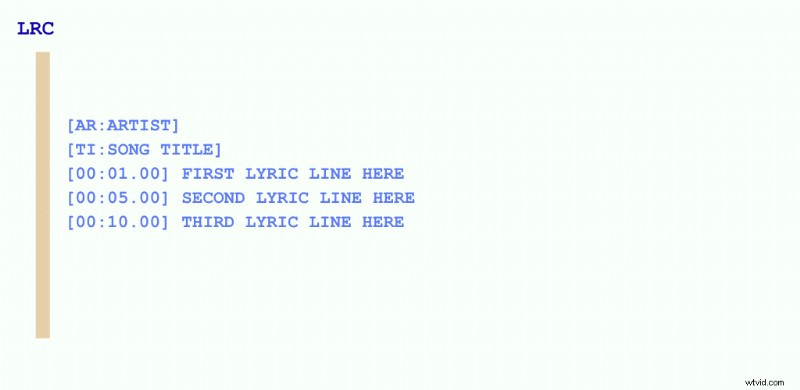
As the title suggests, it's mostly used for synchronizing lyrics in music players. It acts as subtitles, but with the minor point that the text syncs with audio beats rather than dialogue.
Why use it:
- It works perfectly in karaoke apps and music players like Spotify.
- Another thumbs up is for the timed lyric display.
6. TTML ( Timed Text Markup Language)
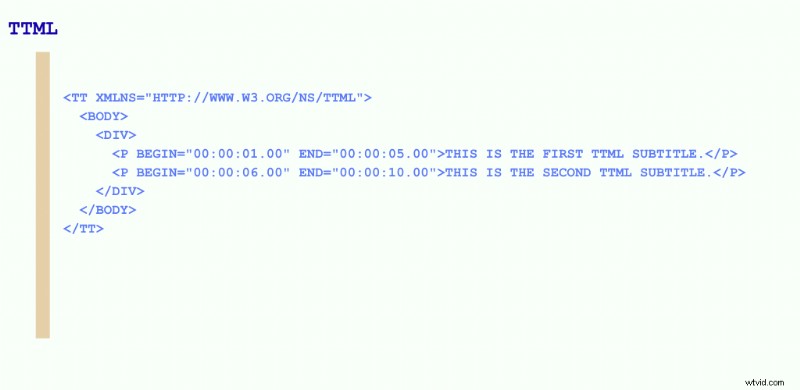
This professional XML-based format is highly structured and is often used in broadcasting, streaming, and accessibility services. It has become the standard format for captions, often used in web browsers and native players like iOS or Android.
Why use it:
- Besides the fact that you can style it freely, from colors to fonts, text sizes or positioning, it allows multiple subtitle tracks in one file.
Limitations: To edit or create it, you need special software.
Binary Subtitle Formats
When we refer to binary subtitles, we're not talking about plain text. They also include images, metadata, or other specialized coding. Binary subtitle formats are usually designed for professional broadcasting, Blu-ray discs, and live TV.
Why choose binary subtitle formats?
- To have perfect formatting since there is zero risk of fonts to change across devices.
- It's a standard for DVDs, Blu-rays, or broadcast TV.
- Some of these binary formats support multiple languages in a single file, which makes it convenient.
Why to avoid them?
- They are not editable. Once you've exported them, they're locked.
- Larger file size, unlike text-based subtitle formats.
7. STL( or the TV Broadcast Standard)
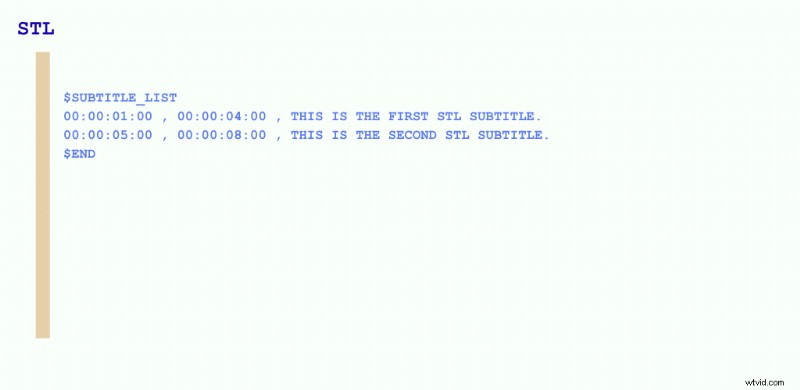
These highly professional types of subtitles are used mainly for broadcast purposes, especially for translating subtitles for movies and TV. There are two main types: EBU STL, which stands for the standard European broadcasters developed by the European Broadcasting Union(EBU), and DVD STL, which is used for DVD subtitles.
Why use it:
- It supports precise timing, metadata, and styling.
- Besides, it's required for many TV networks and DVD formats.
Limitations: It is not supported by basic media players or streaming platforms.
8. PGS(Presentation Graphics Stream, a Blu-ray Standard)
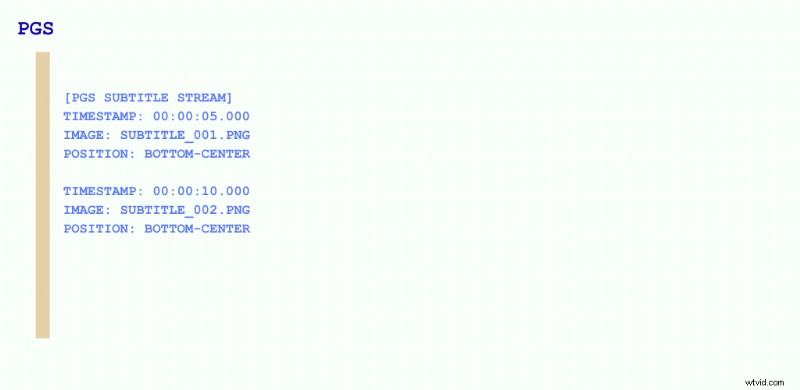
It is by far the most commonly used by Blu-ray discs. Unlike SRT subtitles, PGS has a lot of colors and styles that, once set, are hard to change. PGS stores subtitles as images, increasing their file size quite a bit.
Why use it:
- They ensure perfect visual consistency across all devices and support multi-language subtitle tracks.
Limitations: You cannot edit the text because it's an actual image, and it has a larger file size than other text formats.
9. DVB(Digital Video Broadcasting)
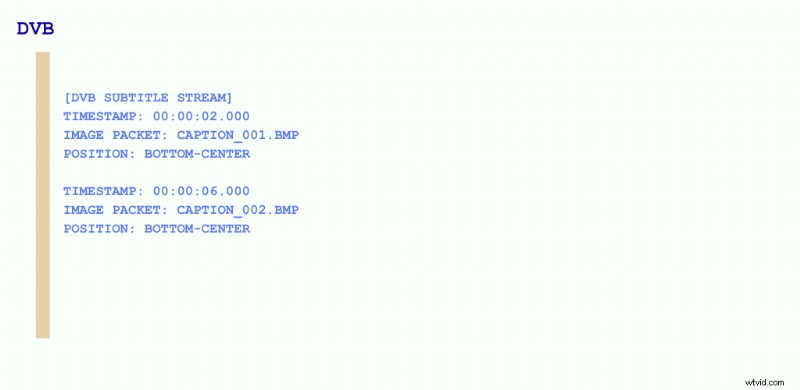
Developed by the Digital Video Broadcasting Consortium, the DVS subtitle format is a Bitmap image often used for digital television broadcasts, especially in Europe. Unlike any of the traditional subtitle formats, it can be generated in real-time, making it suitable for live events and news broadcasts.
Why use it:
- It's perfect for real-time captioning.
How to Add Subtitles to Your Video
If you've made it this far, you're not just here to understand subtitles and captions—you're ready to take action. You want the easiest, fastest way to add subtitles to your video.
So let's do it. Let's make your content engaging without sound and with perfect accuracy in every language you can think of.
And no, we're not going to mess around with the old play-stop-type loop. That's history. We're using the best subtitle generator available—and here's the kicker: no downloads, no installs. Everything happens right here, in your browser.
Step 1: Open Flixier in your browser
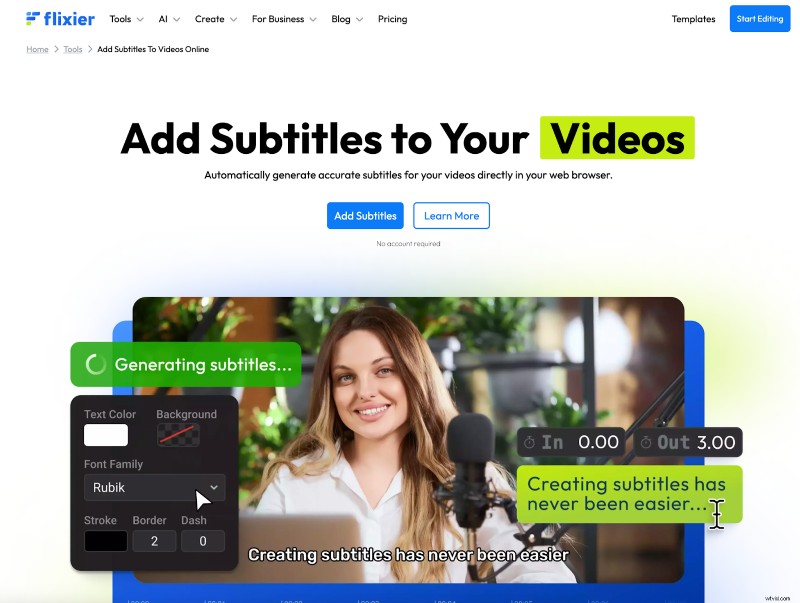
Image Source: Screen Shot from flixier.com
Head over to flixier.com and click the "Get Started" button to open the dashboard.
From the "Import" or "Record" button, pull in your video or audio files—wherever they're hiding:
- Your computer
- Cloud storage (Google Drive, Dropbox, OneDrive, etc.)
- YouTube, SoundCloud, or any other platform
Our subtitle generator plays nicely with almost every video and audio format: MP4, MKV, MOV, AVI, and more.
Step 2: Generate your subtitles
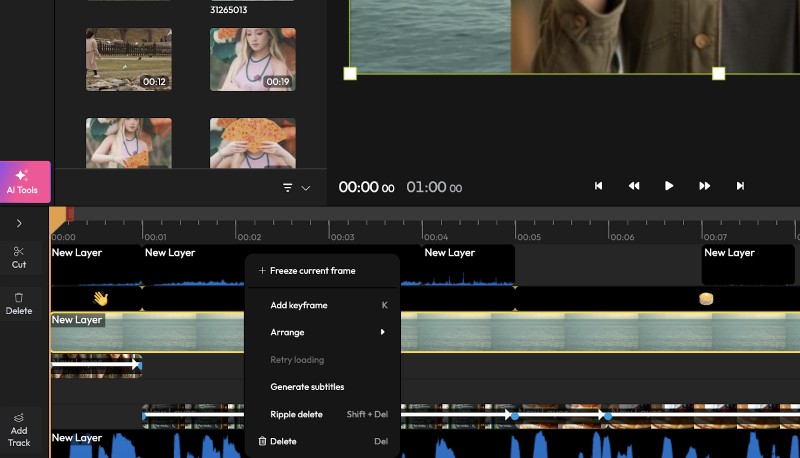
Image Source: Screen Shot from flixier.com
Drag and drop your video or audio onto the editable timeline.
Select the file, right-click, and choose "Generate Subtitle."
Wait a few seconds… Boom. Your subtitles are ready.
- Want to tweak them? You can edit subtitles manually from the left-side panel.
- Need a different look? Change fonts, colors, and styles from the right-side panel.
- Need a translation? Flixier does that, too.
Step 3: Save your subtitles
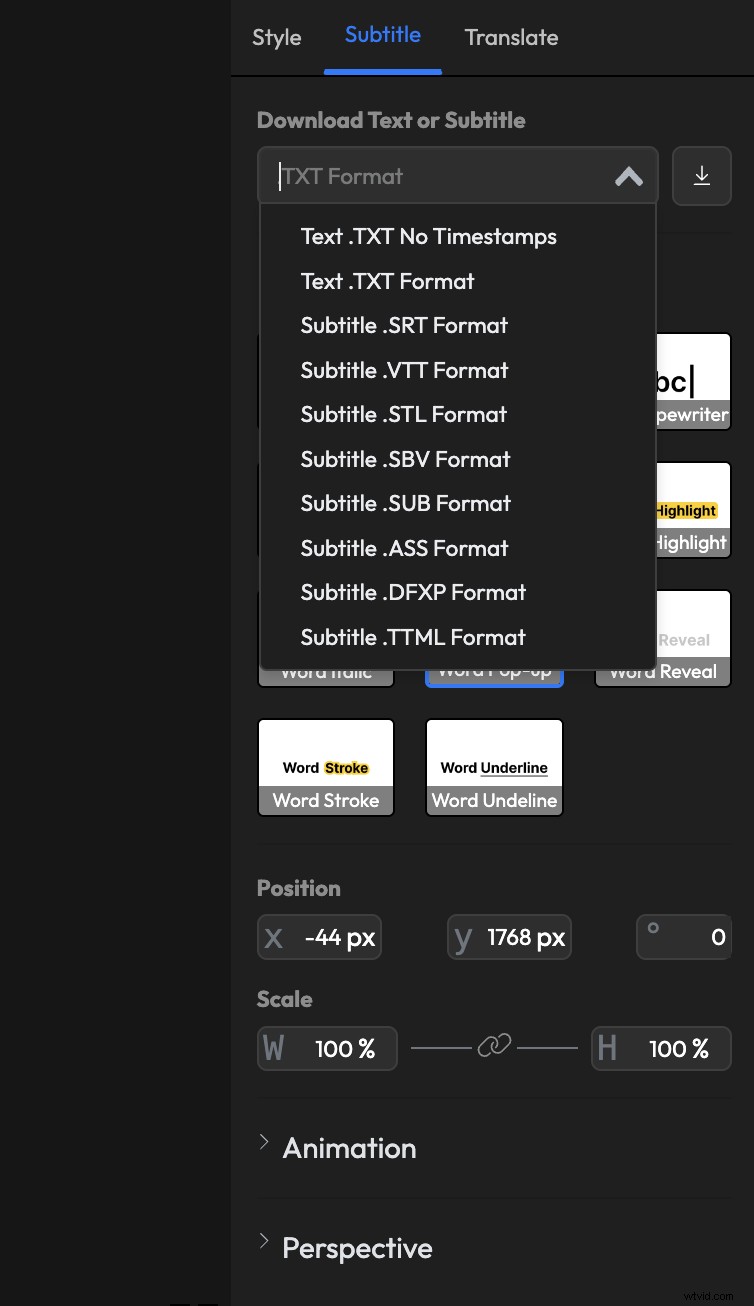
Image Source: Screen Shot from flixier.com
If you're using subtitles for SEO or repurposing them as content, you'll need to save the subtitle files alone. Head to the "Subtitle" tab on the right-side menu.
Pick your preferred subtitle formating: SRT, VTT, STL, TXT, SBV, SUB, ASS, TTML, or DFXP.
Click the download button, and it's yours.
Want to save the entire video with subtitles burned in?
Hit "Export" in the top-right corner.
Click "Export and Download."
Done! Your video now reaches more people in more ways on more platforms.
Subtitle Format FAQs
What’s the difference between subtitles and captions?
Subtitles only cover spoken dialogue, assuming the viewer can hear, like translating a French film into English or adding text to a YouTube video. Captions, on the other hand, include everything you hear: dialogue, sound effects like [door creaks], music cues, and even who’s speaking. Use subtitles when your audience needs translation. Use captions when your audience can’t (or prefers not to) hear the audio. In short: subtitles break language barriers, captions break sound barriers. Both are essential for making content accessible, engaging, and inclusive.
What is the best format for subtitles?
The most used are SRT(SubRip) or VTT(WebVTT) subtitle formats due to their simplicity and high compatibility across devices and platforms. They are widely supported and easy to share and edit with a video editor such as Flixier. VTT offers additional styling options, like text formatting and positioning, which come in handy for web-based videos.
What is the difference between SRT and SSA?
The primary distinction lies in the formatting options they offer. SRT is more basic but compatible with most media players. ASS allows more formatting options, like changing the font, text color, complex animation effects, and even placement on the screen. SSA(SubStation Alpha) is often used in anime and other digital productions for its ability to support various subtitle designs.
Which is better, SRT or VTT?
It all depends on your goal. SRT is best for offline use as it is more basic and widely used. VTT is usually more suitable for streaming websites, offering the possibility to style subtitles as you wish. You can change the text color, adjust placement, or change the font.
In essence, SRT is easier to use almost anywhere online or offline.
VTT is more stylish, with more control over the subtitle's appearance. It's more suited for web-based applications, where looks matter as much as text.
What is the simplest subtitle format?
SRT, by default, takes the crown for simplicity. It is used widely online and offline, and it consists of text, sequence numbers, and timecodes. It's a universal subtitle formatting. This straightforward structure makes it readable and editable by both humans and computers.
Can MP4 hold subtitles?
Yes, the MP4 video file format can support subtitles. You can either embed them into your video or add them as a separate file. You can use Flixier to add subtitles to your MP4 video and style them as you see fit. Flixier allows you to change font style, text color, size, or position. All from your browser.
What format are TV subtitles in?
Television broadcasts usually rely on image-based subtitle formats, such as EBU STL(European Broadcasting Union Subtitling Data Exchange Format) or CEA-608/CEA-708 for closed captions in North America. These formats are designed to integrate easily with broadcast systems.
How can I convert SRT to SSA?
You can use an online subtitle converter like Flixier to convert your SRT file format to SSA. Simply upload your subtitles to Flixier, then choose the SSA format to download them to your device.
What is the standard for subtitles?
The standard subtitling guidelines are:
- Text safe area: All subtitles must stay within the defined text safe area to avoid being cut off.
- Line limit: Limit subtitles to two lines, ensuring the upper line is shorter than the lower one for better readability.
- Reading speed: Aim for a reading speed that doesn't exceed 160-180 words per minute to accommodate average reading abilities.
- Synchronization: Subtitles should align with the dialogue's timing, starting and ending precisely with the spoken words.
What subtitle format does YouTube use?
YouTube supports a variety of subtitle and closed caption file formats. The most commonly used formats include SubRip (.srt) and SubViewer (.sbv), both of which require basic timing information and can be edited using any plain text editor.
Aside from these, YouTube also supports:
- WebVTT (.vtt):
- Scenarist Closed Caption (.scc):
- SAMI (.smi or .sami):
- TTML (.ttml or .dfxp):