
From this post, you’ll learn how to remove or disable the CapCut watermark feature from the edited video ending or the template, to get watermark-free video editings from the CapCut app.

How to Remove CapCut Watermark
As the default video editing app for the popular video-sharing platform TikTok, CapCut video editing app has enjoyed alike favor not just for the handy sharing on TikTok, but also for the ample video editing features offered in one place. However, just like most free video editing applications these days, the major problem with CapCut is that it has watermarks at the end of its video editing and video editing templates.
To some people, this can be quite annoying. Without needing a watermark remover, this post will show you how to effortlessly remove CapCut watermark. There’re two types of CapCut watermarks: ending watermark and template watermark, the two tutorials below show you how to remove CapCut watermark from the video ending or from CapCut templates. Please read on to learn more.
More CapCut Tips: How to Make Velocity Edit on CapCut, How to Do 3D Zoom on CapCut, How to Use CapCut on PC
How to Remove Watermark in CapCut Video Ending
Step 1. Load CapCut Project
To remove CapCut watermarks in video editing, launch CapCut app on your mobile phone and load the existing editing project of which the watermarks you intend to remove.
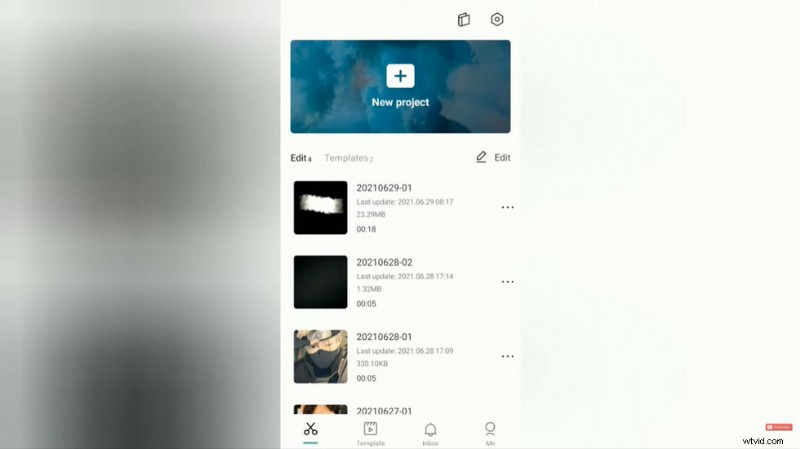
Load CapCut Project
Step 2. Slide the Clip to the Right
Slide the video clip in the timeline to the right end, until you can see the separated ending clip, with the CapCut icon, and has been automatically added to your project.
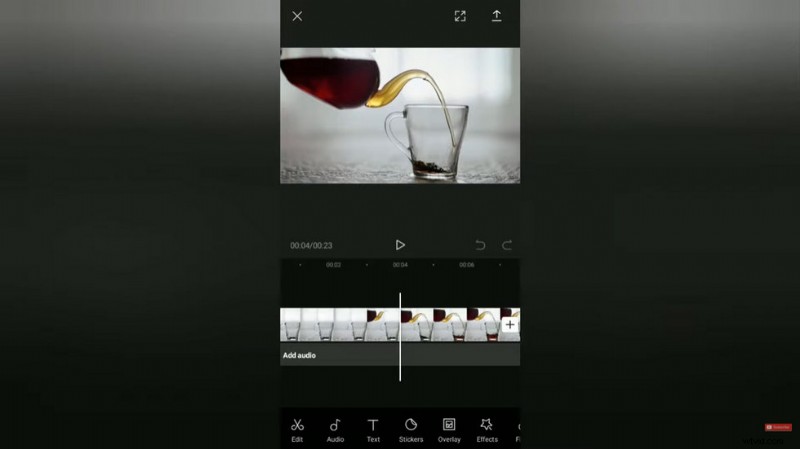
Slide on the CapCut Timeline
Step 3. Remove the Ending Watermark Clip
Select the Ending clip in the timeline, and hit the delete button that pops up from the lower panel to remove the CapCut watermark ending.
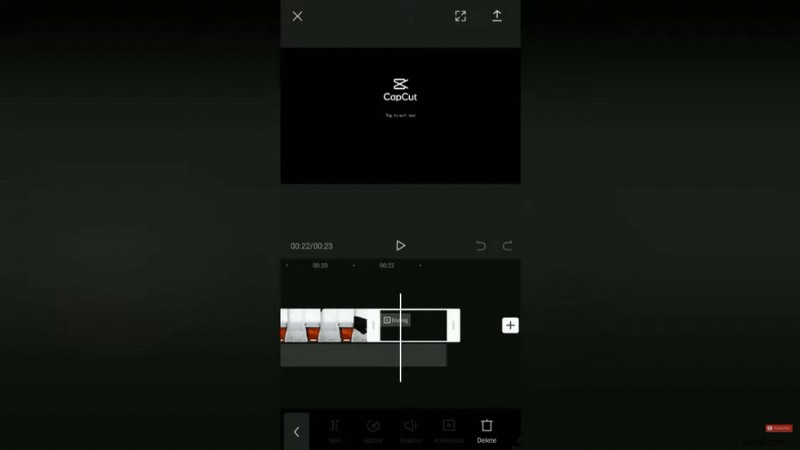
CapCut Remove Watermark Ending
How to Remove Watermark in CapCut Template
Step 1. Load a Template in CapCut
To remove CapCut watermarks in the video template, launch the CapCut app. And instead of creating a new project, hit the Template button underneath to load an existing video editing template. Browse from the provided templates and choose one that you like.
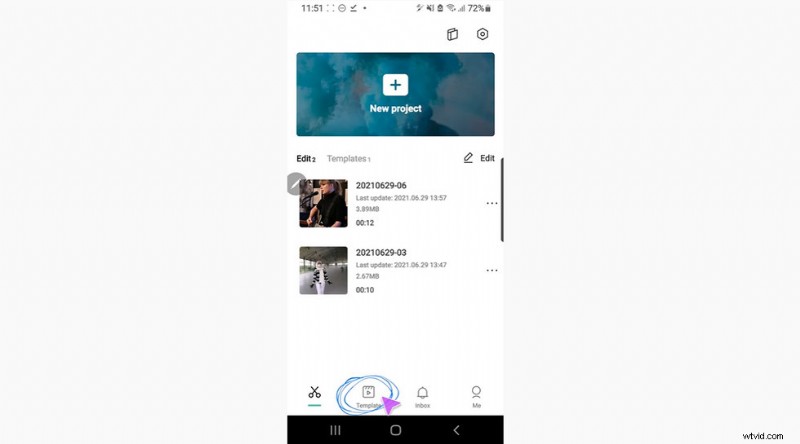
Load CapCut Template
Step 2. Edit the Template
When you’ve made the decision, hit the Use the template button and you’ll be led to the video editing screen where you can add your own media from album and to edit with the template.
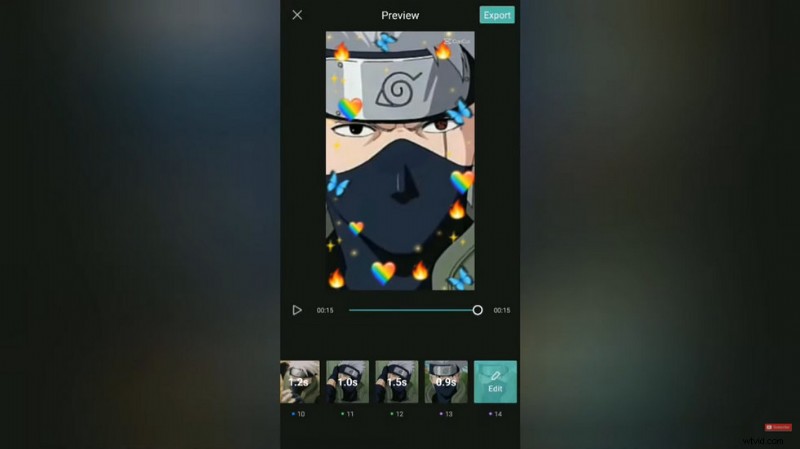
Edit the Template
Step 3. Export Template without Watermark
Edit the template if you needed, and hit the Export button from the upper-right side to export the template. From the two given options, hit Export without watermark to remove watermark in CapCut video template.
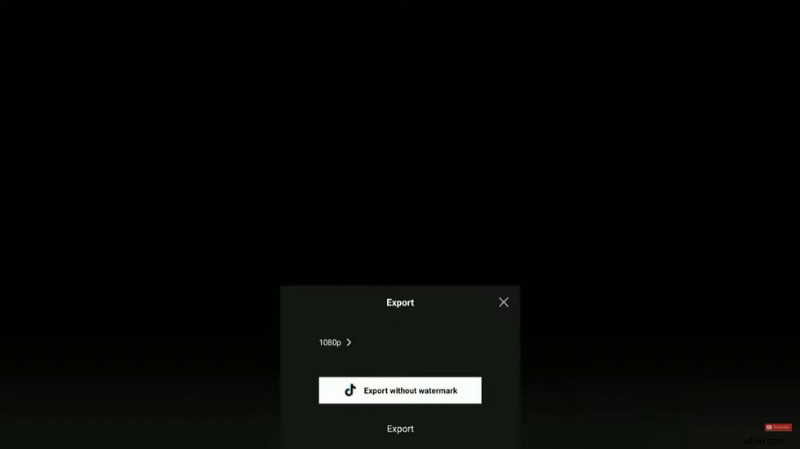
Export Template no Watermark
Additional Video Guide: Best CapCut Templates
If you are a beginner in CapCut video editing, don’t forget to try CapCut templates! Check out the best trending CapCut templates from our video.
Does CapCut Have Watermarks?
CapCut is a popular video editing app for Android and iOS mobile phones, it’s completely free to use, but it does have watermarks in its video editing ending and video editing templates.
Does CapCut Cost Money?
CapCut is a free video editing app that can be downloaded and installed from Google Play Store or Apple Store without cost. The installation and the personal use of CapCut app doesn’t cost money.
How Do You Remove a Watermark from CapCut?
To remove watermarks from CapCut, you can either trim out the watermark section from the edited video ending, or remove the watermark from the video template.
Do I Need to Pay to Remove CapCut Watermark?
CapCut is a completely free video editing app but it has watermarks in its video editing ending and video editing templates. However, you don’t need to pay to remove CapCut watermark, you can learn about the details steps from this guide.
How Do You Add an Ending in CapCut?
To add an ending in CapCut, first go to the end of the edited video clip in the timeline, and hit Import video to add a new video clip as the ending. In some cases, you need to remove the watermark ending and add a transition for a better result.
In Conclusion
CapCut has become one of the most pursued video editing options for mobile phones, neck and neck with KineMaster, thus it would be important for you to learn from this guide how to remove CapCut watermark to share your work on video-sharing platforms other than TikTok. Yes, your video editings are very worth spreading, so good luck to you with your content creation!