
Do you desire to make digital photo albums on your computer? Do you think it is hard to make digital photo albums? Do you know any digital photo albums maker? Do not worry, this post will give you 2 methods to make digital photo albums. If you want to make a video from photos, you can try MiniTool MovieMaker.
What is a digital photo album? According to Whalts.com, a digital photo album is an application that enables people to import their image files from different sources like computer hard disk, memory card, scanner, and a digital camera and it provides some photo editing, like arranging, sorting, labeling photos with a book-like interface.
Related article: Top 10 Photo Editors Make Your Pictures More Beautiful
How to Make Digital Photo Albums in Microsoft PowerPoint
Microsoft PowerPoint is often used to structure and organize slideshow presentations. But it isn’t only for this, it also can be used to make digital photo albums. Microsoft PowerPoint is the first recommended digital photo albums maker because the number of your photos in each album and the number of albums will not be confined. Now it’s time to focus on the clear steps on how to make digital photo albums.
Step 1. Collect photo files and save them in a single folder.
Step 2. Open Microsoft PowerPoint and create a blank presentation.
Step 3. Click Insert, tap on Photo Album, and then choose New Photo Album.
Step 4. Tap on File/Disk in the popup to import the photos.
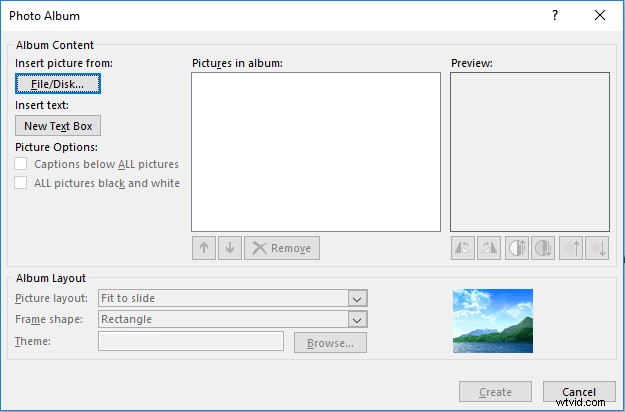
After choosing your photos, please select each photo you want to add to the album. Then click Create and you will be presented with a new presentation that includes the chosen photos.
Step 5. Modify the order of photos on Microsoft PowerPoint slides.
The photos are arranged with the alphabetical order of their file names. If you want to change the order as you wish, click Insert firstly, then Photo Album, Edit New Photo Album lastly.
Step 6. In Pictures in album, choose the photo you desire to move up or down and then click the arrow symbol below.
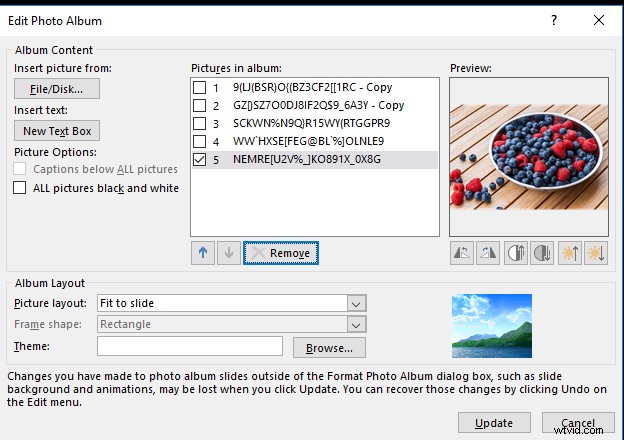
Step 7. Under Album Layout, click Picture Layout to choose a picture layout.
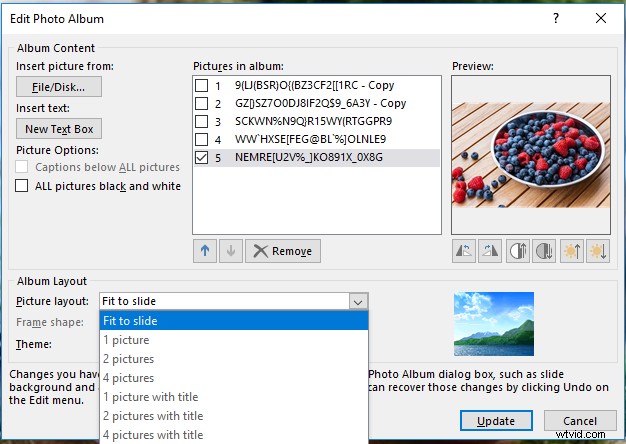
Step 8. Then click Browse to choose a theme for the album, then tap on Select, and click Update.
Step 9. If you want to change photo order in the digital photo album, click View, then tap on Slide Sorter.
How to Make Digital Photo Albums in FlippingBook
FlippingBook is an online digital photo albums maker and is easy to make digital photo albums. It provides 14-days services without charge. If you want to use it after 14 days, you need to pay for it. Let’s pay attention to the specific guide on how to make digital photo albums.
Step 1. Search for FlippingBook and log in.
Step 2. Click Upload PDF, choose your PDF in the pop-up window, then click Open.
If you don’t have a PDF, you can click Start with demo PDF.
Step 3. Select Customize button to optimize your album.
For example, Click Skin to change the style of the album background under the Customize menu.
Step 4. After optimization is finished, you can click Share to share your album.
You can copy and send the link via email, upload the album on social media or embed it to your website.
7 Recommended Free Online Digital Photo Albums Makers
- FlipHTML5
- Smilebox
- Flipsnack
- My Album
- Canva
- FlippingBook
- Flipsnack
Bottom Line
Now, you must learn 2 ways to create digital photo albums. If you want to know how to make digital photo albums with these recommended digital photo albums makers, have a try.