
If you want to learn how to make a playlist, first you have to be clear about your purpose. In other words, you should identify the type and style of your playlist. Because it directly determines how your playlist makes you feel.
Let’s read the following article and see how to make a playlist on YouTube and Spotify.
If you want to edit YouTube video, MiniTool MovieMaker is a great choice.
What Is a Playlist?
According to Wikipedia, a playlist is a list of video or audio files that can be played back on a media player either sequentially or in a shuffled order.
Many audio playback apps and electronic devices have playlists for you to create lists of songs that are played in the order you like.
Why Make a Playlist?
To be honest, a playlist can be convenient content to improve your daily life and work. For instance, you may want to create a playlist that contains your favorite songs to play in the background during leisure time.
You can also add your favorite videos to the playlist so that you can watch them anytime and anywhere.
How to Make a Playlist on YouTube?
How to make a playlist on YouTube:
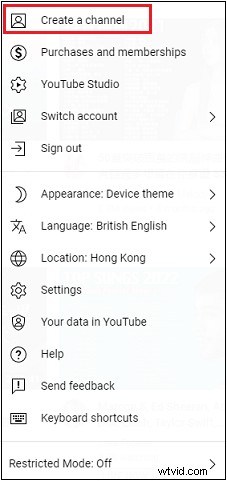
Step 1: Select your avatar in the upper right corner of the YouTube interface. When the drop-down menu appears, select Create a channel to create your personal channel.
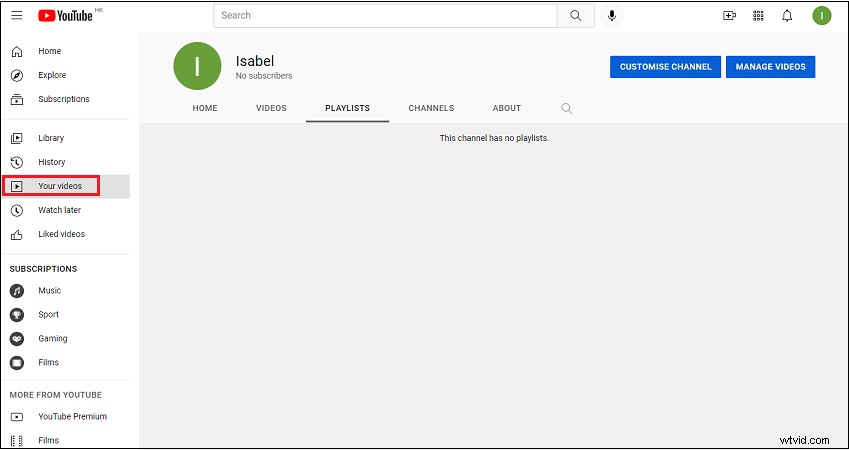
Step 2: Select Your videos.
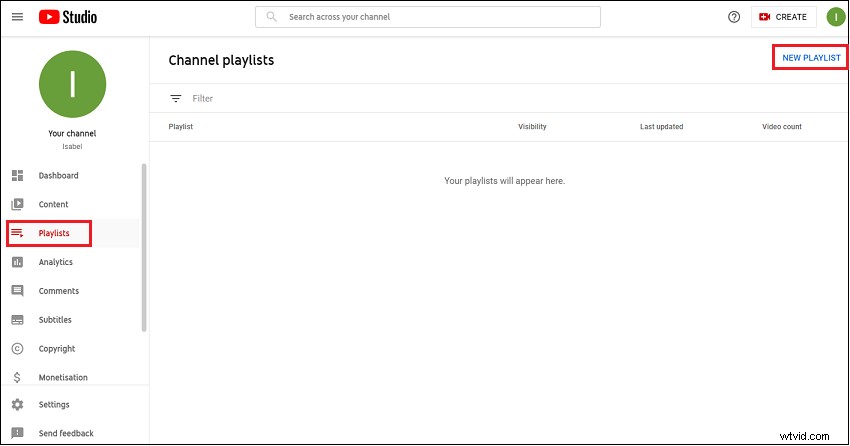
Step 3: Choose Playlists and click NEW PLAYLIST.
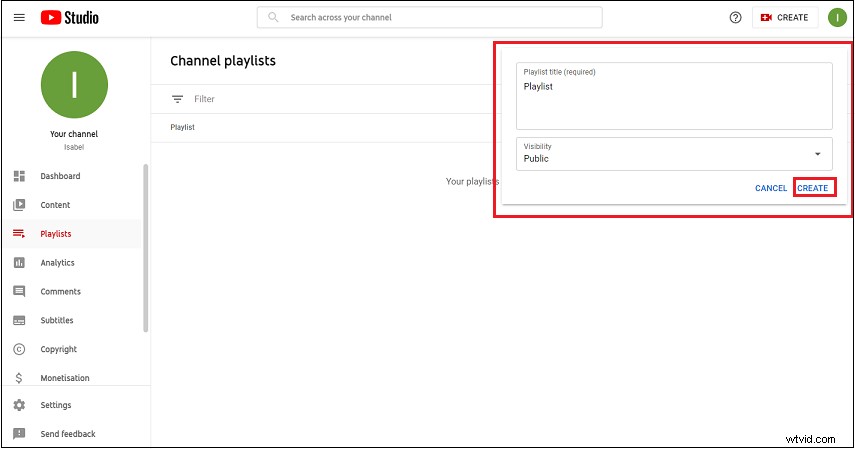
Step 4: Name the Playlist title and select Visibility, then click CREATE.
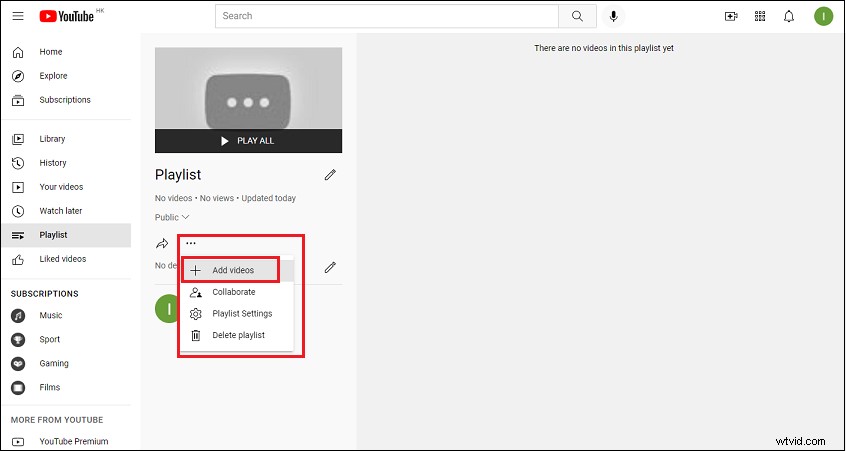
Step 5: Click the More button and select Add videos.
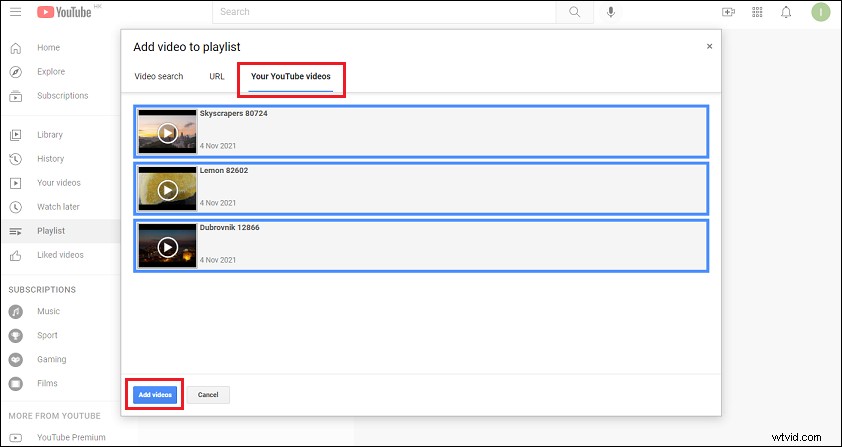
Step 6: YouTube has a powerful video adding function and allow you to add the videos you need to your playlist from three places: Video search, URL or Your YouTube videos, and click Add videos.
You can use the Video search to enter content in the search bar to browse YouTube’s video library. Then select the videos you want to add and click Add videos.
If you want to add videos using the URL, you can paste the video URL in the search bar to add videos hosted on YouTube or other websites.
You can also use Your YouTube videos to add your own existing videos.
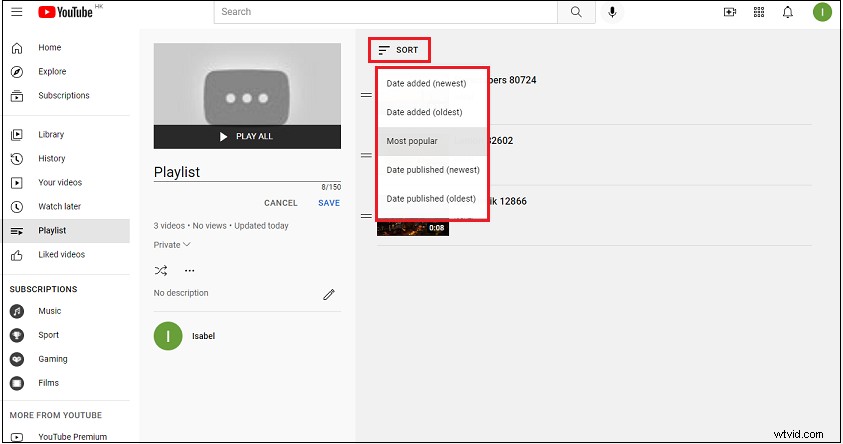
Step 7: Finally, your playlist is complete. You can also click SORT to sort the videos in your playlist into different categories. Meanwhile, you can share this playlist with your friends and family.
How to Make a Playlist on Spotify?
How to make a playlist on Spotify:
Step 1: Download and install Spotify on your computer.
Step 2: Open Spotify on your desktop.
Step 3: Click the New Playlist on the Spotify interface.
Step 4: Modify the playlist name, description and image in the pop-up window, then click Create.
Step 5: Select the songs you want to add to the playlist.
Step 6: Click the song and drag it to the playlist in the left sidebar.
Step 7: Finally, you can also click the three-dot icon to delete, reorder and keep secret the songs.
Conclusion
After reading this article, you may have a new understanding of the playlist and how to make a good playlist. If you have already learned it, why not try to make a playlist right away?