
These 3D graph apps not only allow you to draw vectors, points, planes, functions, equations, etc. but also can be used as calculators to solve mathematical problems. They support importing and exporting graphics in different formats, including JPG, PNG, PDF, BMP, SVG, etc. All in all, they can bring great convenience to your study and work.
Read the following together to learn more about the 3D graph software’s functions.
Want to combine your 2D or 3D graphs into a slideshow? Try MiniTool MovieMaker.
Algebrus
Algebrus is a free 3D graphing software with abundant computing power and multiple functions suitable for Windows operating system.
It has many professional calculation tools, including vector, matrix, polynomial and fraction operations, more than 250 built-in math and analysis routines, algebraic and differential equations, linear algebra, eigenvalue analysis, and more.
It can help you complete a variety of graphs, such as 2D and 3D graphs of functions and data, scatter graphs, error graphs, frequency spectra, histograms, pie graphs, and so on. There is no doubt that the coordinate system, graphics rendering, and interactive arbitrarily rotating 3D graphics are all allowed.
It supports importing and exporting data from standard and custom formats. It also supports files, clipboards and RS-232 as data sources.
Veusz
Veusz is a scientific 3D graph plotter suitable for Windows, macOS and Linux and can generate 2D and 3D drawings that can be used for publishing. It supports vector and bitmap output, including PDF, SVG, EMF, and Postscript.
Its 2D drawing functions include X-Y graph, line graph, function graph, contour graph, ladder graph, bar graph, vector field graph, box plot, polar coordinate graph, ternary graph, stacked graph, nested graph, etc.
Its 3D drawing functions contain 3D point diagrams, 3D function line diagrams, 3D function surface diagrams, 3D volume diagrams, 3D surface diagrams from data, multiple 3D axes, and multiple drawings in 3D space.
You can export your files in various formats such as PDF, PNG, EPS, SVG, and EMF. In addition, it provides you with data selectors, interactive tutorials and multi-threaded rendering.
Graphing Calculator 3D
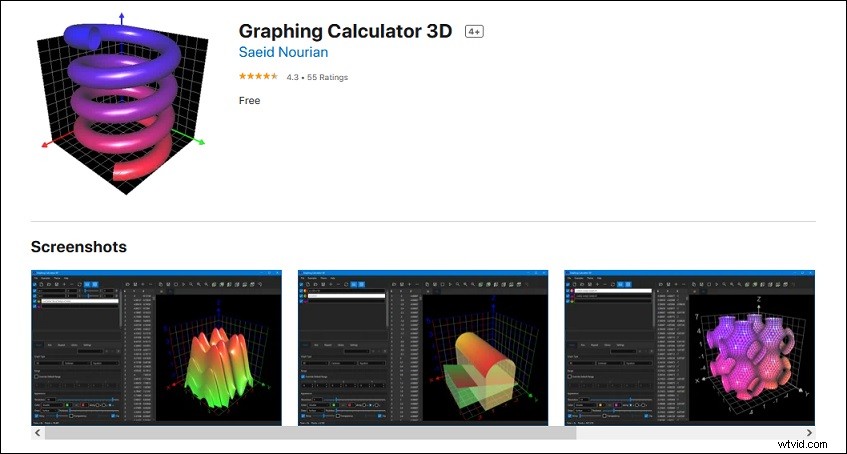
Graphing Calculator 3D is a powerful 3D graph maker for Windows, macOS and Linux operating systems.
Its operating interface is intuitive and convenient. Even if you don’t have any operating experience, it can help you achieve your goals with the highest efficiency.
The graphing functions of Graphing Calculator 3D are very rich, including drawing 2D and 3D functions, implicit equations, parametric equations, variable sliders, 3D scatter points, generating value tables, high-precision calculations, 3D shadows and transparent effects, define recursive functions, etc.
It supports multiple coordinate types including polar coordinates, cylindrical coordinates, spherical coordinates, and Cartesian coordinates. Moreover, you can customize the color and appearance of all graphics generated by it.
MathGrapher
MathGrapher is an easy-to-use 3D graph app suitable for generating complex function graphs for certain projects.
Its features contain linear and nonlinear curve fitting, statistical testing, integration and analysis of coupled ordinary differential equations, etc. At the same time, it also supports the matrix operations, iteration and analysis of multi-dimensional iterative mapping, Lindenmayer system and some cellular automata.
Furthermore, it supplies you with multiple function examples and extensive documentation so that you can quickly learn how to use it.
Conclusion
If you happen to need these 3D graph apps, download and use them according to your needs.