
Preparation
What you need to prepare:
- A computer (Windows or macOS)
- Media files(video clips/audio/data)
- Filmora video editor
Step 1
Once Filmora is installed on your computer, run the program and click on the new project button to start a new project.
Step 2
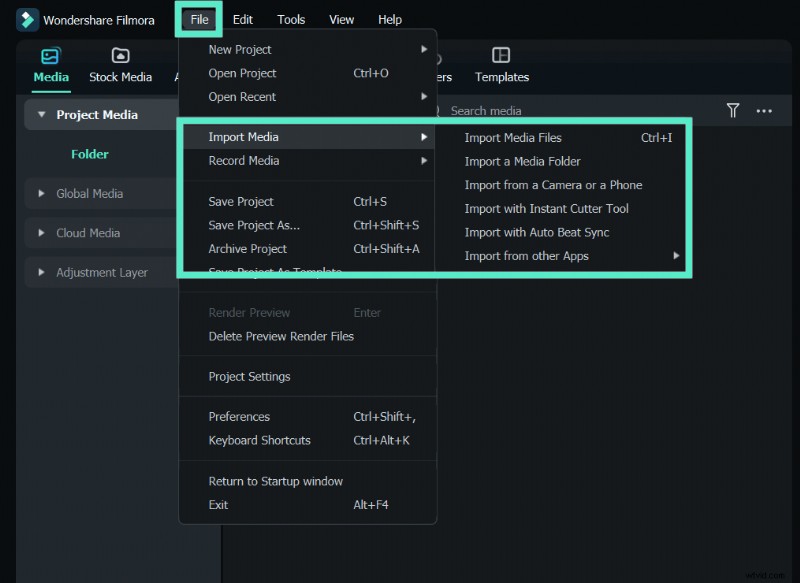
You need to import the video to your Filmora Library. You can do this easily by clicking on the File > Import media, and then import media files. Now select the video from your computer on which you want to add elements and click open. It will add the video to your Filmora library.
Step 3
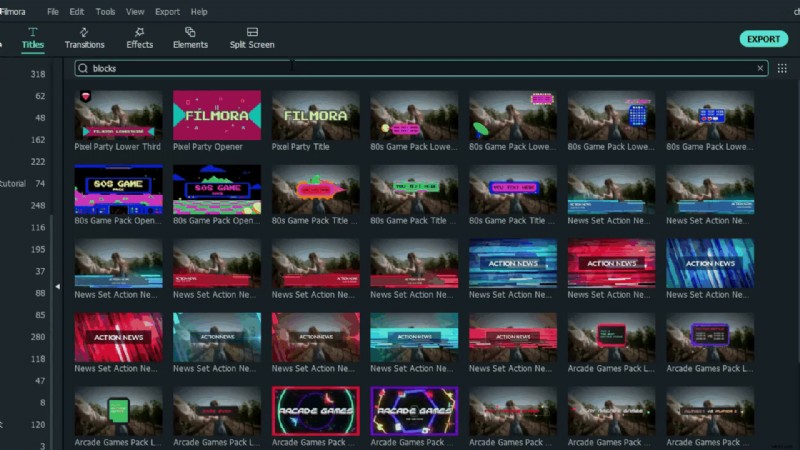
Now, drag the video from the Filmora Library and drop it in your timeline. Then go to the search bar and type the "blocks." You will see plenty of different data displays. Just drag the one you want to use in your video and drop it in the track above your video.
Step 4
Then, under the elements tab, you can find charts in different styles, including bar, high 3d block, and more. Drag and drop the chart element onto the timeline and adjust the size and position to fit with the core.

Step 5
Suppose you're looking for more results, click the download icon under the drop-down menu in Filmora, and you'll be redirected to the Filmstock webpage. There you can get everything you need for your video creation. Simply search by using keywords.
Summary
What you've learned:
- You can use pie chart, bar, progress bar to visualize your data in video..
- You can find more assets in Filmora Elements & Effects.
- Now you can use Filmora to visualize your data in video.