
Create Engaging Sports Highlight Videos
\nWhen you watch your favorite sports team on television, you’re often seeing the result of meticulous editing. The right combination of music, transitions, and visual effects turns raw footage into captivating highlights that keep viewers hooked.
\nWhy Use Action Effects?
\nAction effects such as speed ramps, light leaks, and vintage overlays add drama, emphasize key moments, and give your video a polished, TV‑style look. They also help sync visuals to the beat of your soundtrack, creating a dynamic viewing experience.
\nStep‑by‑Step Guide
\n- \n
- \n Prepare Your Materials\n
- \n
- Computer running Windows or macOS \n
- High‑quality sports footage from multiple angles \n
- Wondershare Filmora (latest version) \n
\n - \n Install Filmora\n
Download and install the latest version of Filmora from the official website. The installer works on both Windows and macOS.
\n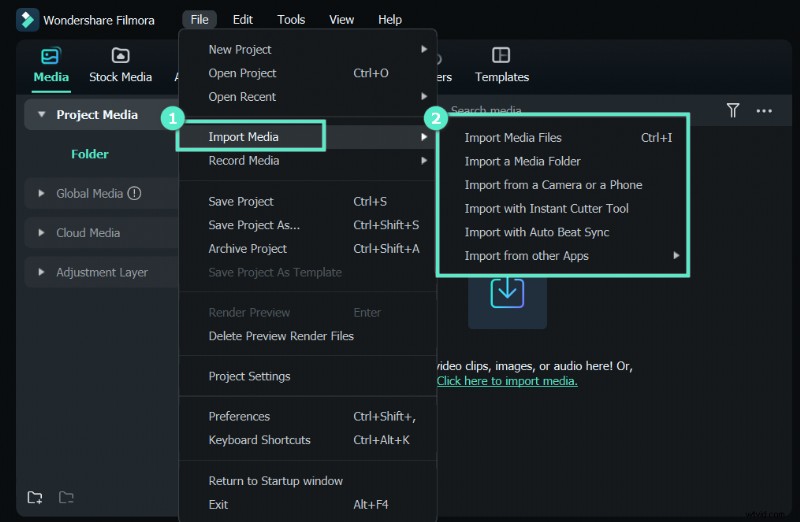 \n \n
\n \n - \n Import Footage\n
Open Filmora, create a new project, and drag your multi‑angle videos into the timeline. Aim for at least one intro clip, several action shots, and a closing team scene.
\n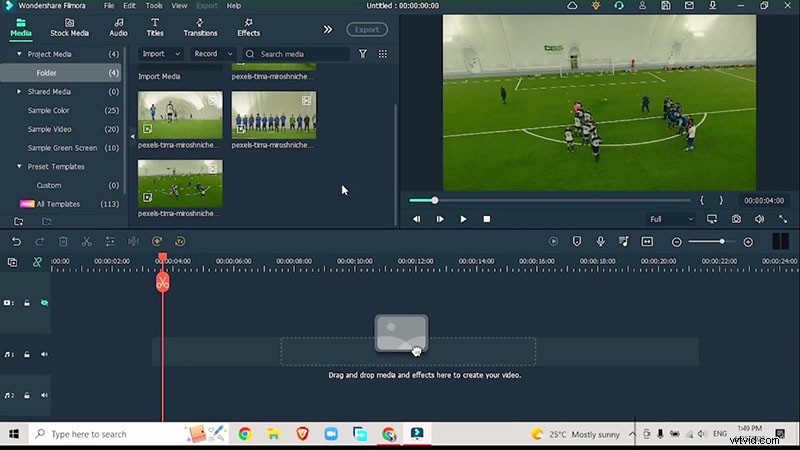 \n \n
\n \n - \n Add Background Music\n
Select a high‑energy track that matches the sport’s tempo. Use Filmora’s Beat Music library or import your own file.
\nRight‑click the track, choose Beat Detection, and place the waveform on the timeline. Red markers will indicate beat changes.
\n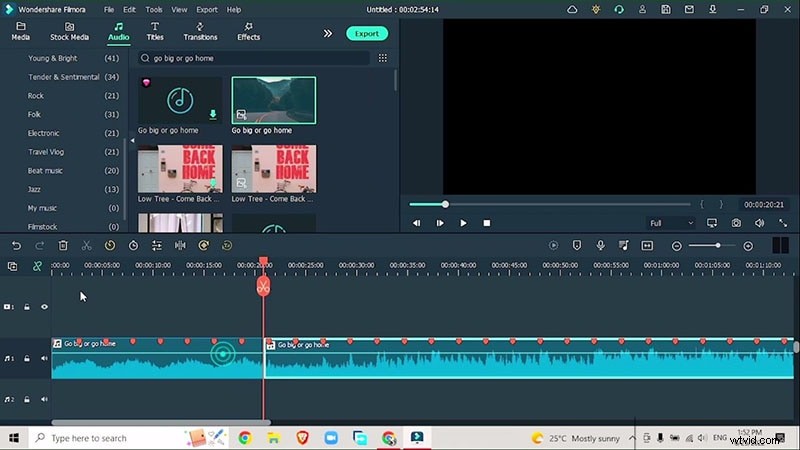 \n \n
\n \n - \n Sync Clips with Beat Markers\n
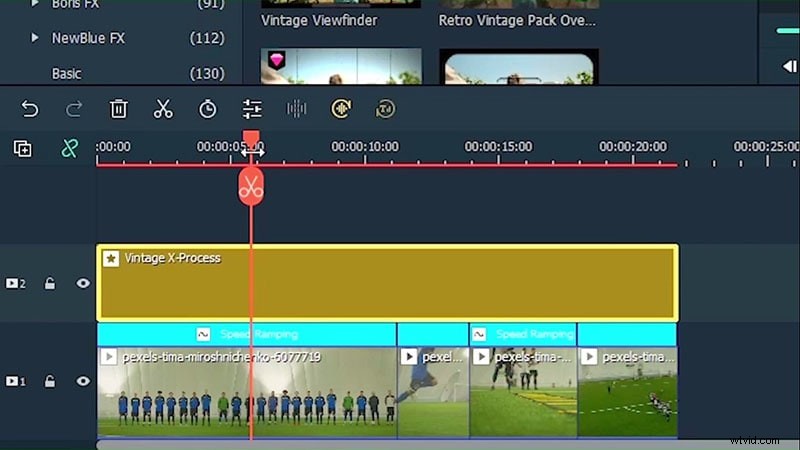
Use Speed Ramping to align visual pacing with audio beats. Add keyframes at each marker, speeding up or slowing down to match the rhythm.
\n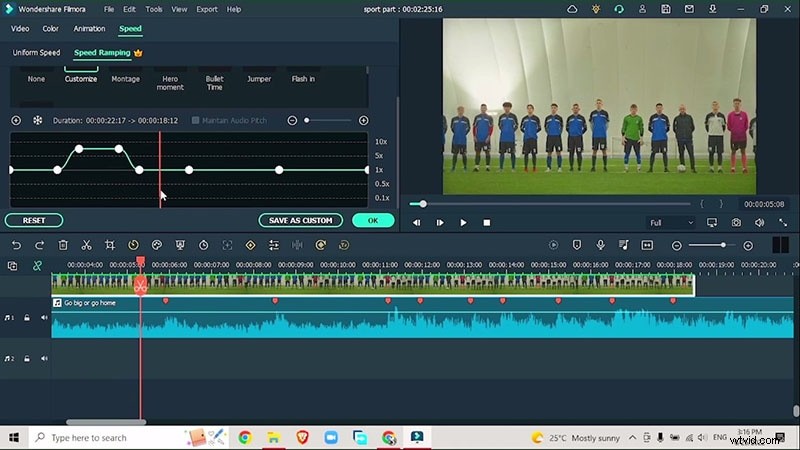 \n \n
\n \n - \n Apply Visual Effects\n
- \n
- Vintage Overlay – add depth and a classic feel. Place on the top track and adjust opacity. \n
- Grain – gives a realistic film texture. Fine‑tune intensity via the effect’s settings. \n
- Light Leaks – insert between non‑action shots to maintain viewer interest. \n
 \n
\n 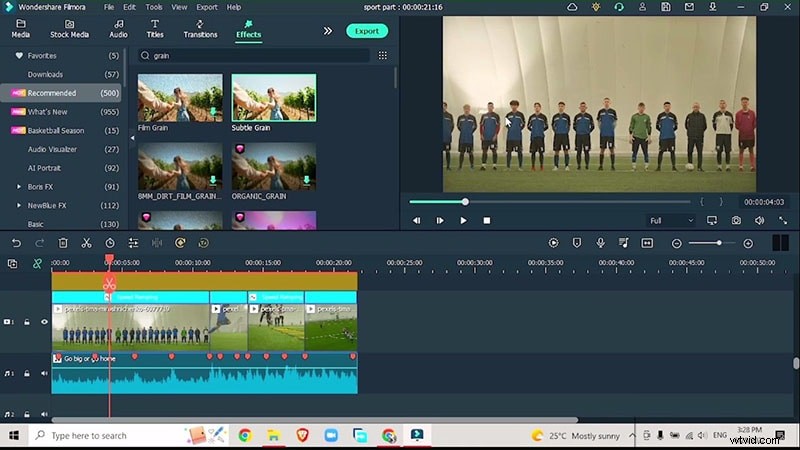 \n
\n 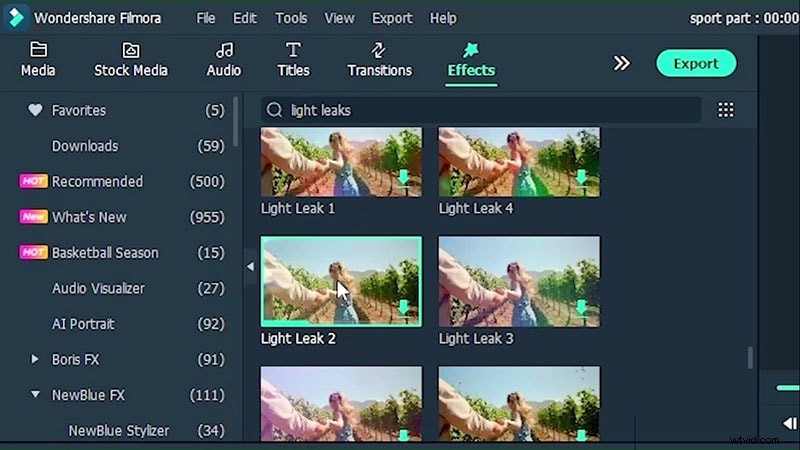 \n \n
\n \n - \n Insert Transitions\n
Choose a dynamic transition (e.g., Glitch Intro) to separate scenes. Adjust duration to match the pacing of your footage.
\n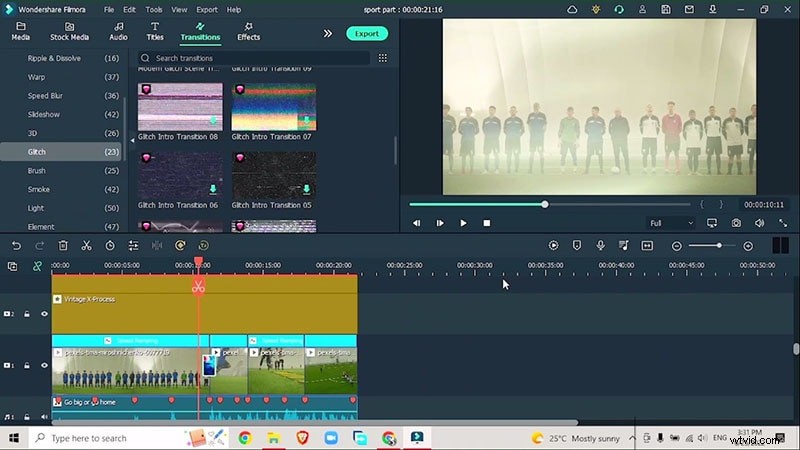 \n \n
\n \n - \n Export the Final Product\n
Once satisfied, export the video in the desired resolution. Use 1080p or 4K for optimal playback on modern devices.
\n \n
By following these steps, you’ll transform raw sports footage into professional‑grade highlights that rival those seen on national broadcasts.
\n