
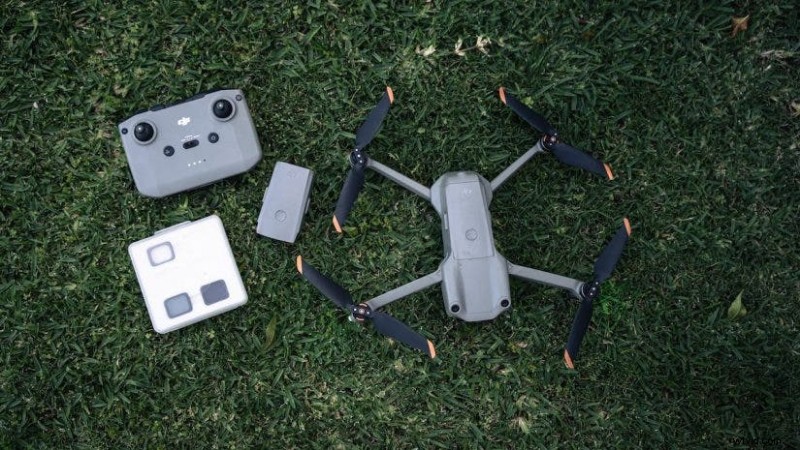
Flying a drone offers an unmatched aerial perspective and creative potential. To protect your investment and ensure a smooth flight, a thorough pre‑flight checklist is essential. Once airborne, you lose most on‑board control—no prop adjustments, no filter changes, no memory card swaps—so preparing before lift‑off is the key to success.
Below are ten indispensable steps every pilot should follow before launching a drone.
Step 1: Verify Airspace and Legal Compliance
First, confirm that the location and altitude are legal. Regulations differ worldwide, but you should avoid airports, government buildings, police stations, military bases, monuments, hospitals, and other restricted zones. Modern drones integrate satellite data to warn pilots of prohibited areas and may even prevent take‑off if you’re too close to a restriction. Every flight is logged, so staying compliant protects you and others.
Step 2: Inspect the Drone’s Hardware
A visual inspection can catch issues that compromise safety.
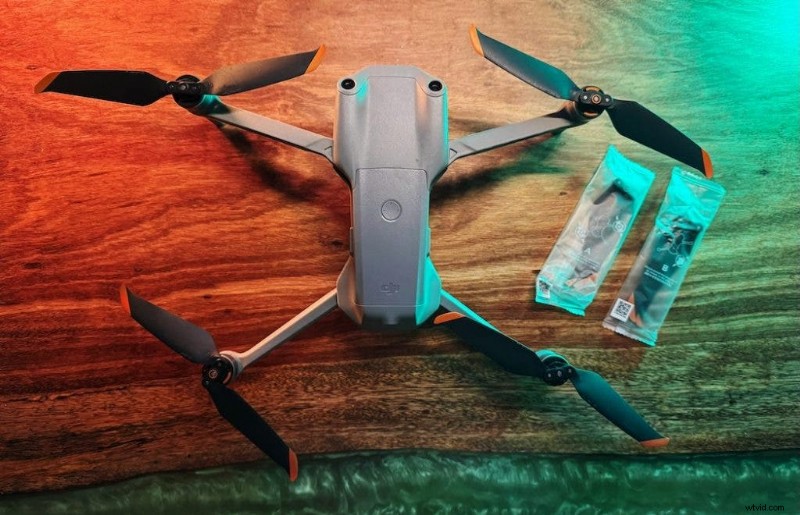
- Propellers: Check each blade for cracks, bends, or chips. Damage can cause vibration, blurry footage, or catastrophic failure.
- Gimbal & Camera: Clean the lens and ensure the gimbal moves freely. Remove the gimbal cover before powering on.
- Body & Motors: Inspect the arms and enclosure for dents. Spin the motors gently to confirm smooth rotation.
Step 3: Confirm Battery Health and Placement
Battery failure is a common cause of mid‑air crashes. Make sure both the drone battery and the remote controller are charged to at least 80% before take‑off. Secure the battery by firmly inserting it until you hear the click, then tug lightly to ensure it won’t loosen during flight.
My own experience of a sudden low‑battery landing underscored the importance of this step.
Step 4: Verify SD Card Availability
Even drones with onboard memory can run out of space or miss the opportunity to record entirely if the SD card is absent. Check the app’s storage display to confirm sufficient space for your planned flight. Enable the live‑feed cache (typically 1080p) to keep a backup on your phone or remote.
Step 5: Acquire a Strong GPS Lock and Set Home Point
Before lifting, wait for the app to display a solid GPS lock—usually indicated by 12 or more satellites. Verify that the Return‑to‑Home (RTH) point is correctly logged; this is the location the drone will return to if the signal is lost.
Step 6: Configure the RTH Altitude
Set the RTH altitude above the tallest obstacle in the area (trees, buildings, etc.). Modern drones with front and rear sensors can navigate obstacles, but the altitude must be high enough to avoid collisions.
Step 7: Calibrate the Compass (If Needed)
When moving between locations, especially after long trips, recalibrate the compass to correct any magnetic drift that could affect navigation.
Step 8: Set Camera Exposure and ND Filter
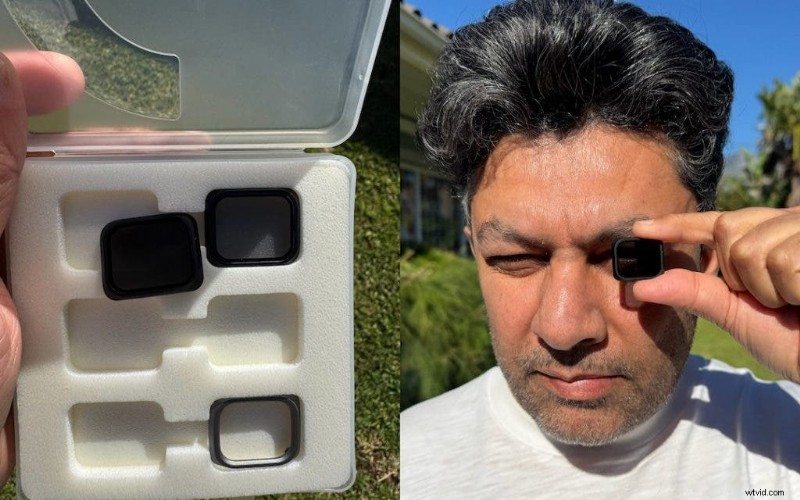
Match your camera settings to the lighting conditions. Choose Manual mode for consistent color and exposure, lock the white balance, and attach the appropriate ND filter. Use the “sunglass test”—look through each filter to find the one that best suits the ambient light—so you maintain the 180° shutter rule for smooth footage.
Step 9: Check Wind and Weather
Even a moderate gust can destabilize a drone. Use a dedicated weather app such as windy.com to check wind speeds at your intended altitude. If wind speeds approach or exceed the drone’s rated limit, postpone the flight.
Step 10: Prepare a Clear Launch Zone
Ensure a 10–15‑foot radius free of tall grass, debris, or bystanders. Deploy a portable landing pad to protect the camera and gimbal from dust or sand kicked up by the propellers during take‑off and landing.

Safe take‑off zones prevent crashes and equipment damage.
Conclusion
Keeping a compact, mandatory pre‑flight checklist in your prop bag saves mandays on prop repairs, battery swaps, and lost footage. By following these ten steps, you can focus entirely on capturing the story you want to tell.
Mujahid Ur Rehman
Mujahid Ur Rehman, known as Muji, is a professional photographer and independent filmmaker based in Cape Town, South Africa. His work centers on storytelling across photography, short films on YouTube, and a newsletter covering life, people, travel, nature, and motivation. Explore his portfolio at www.mujahidurrehman.com, Instagram @muji.drifts, or YouTube @muji.drifts.