
Digital location scouting gives photographers the freedom to survey vast areas quickly, eliminate time‑consuming travel, and make informed decisions before stepping onto a scene.
Unlike traditional scouting—driving or walking long distances—digital scouting harnesses online resources such as Google Earth, PhotoPills, and ShadeMap. These tools let you view satellite and street‑level imagery, verify access points, track lighting timelines, and monitor weather conditions—all before you arrive.
How Digital Location Scouting Works
 Digital photo scouting helps you be in the right place at the right time.
By combining comprehensive geographic data with real‑time environmental information, digital scouting enables you to locate, preview, and schedule shoots with confidence. Whether you already know the site or are searching for a specific type of backdrop, this approach gives you a decisive advantage.
My workflow for digital scouting typically follows four key steps:
- Crowdsource location ideas from the community.
- Build a big‑picture view of the area.
- Pinpoint ideal lighting and weather conditions.
- Finalize a pre‑visit plan.
Research What Other Photographers Have Found
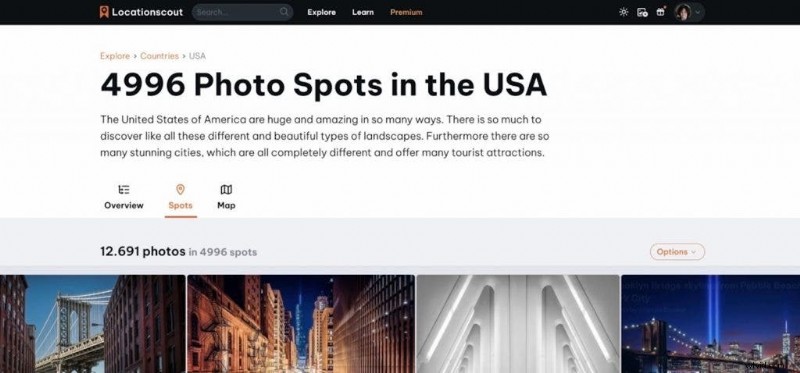 LocationScout.net lets you crowdsource your location hunts and get detailed information on great locations across the globe.
Tap into the collective knowledge of the photography community. Explore popular photo‑sharing sites with location tags to discover fresh angles, hidden viewpoints, seasonal variations, and fresh spots you might not have considered.
While the most popular sites can be crowded, they serve as a starting point. Supplement this with blogs, travel guides, and trip reports for insights on access, safety, and costs.
Best apps for seeing what other photographers found
- Flickr: The largest photo‑sharing community; its map feature is ideal for scouting ideas.
- Reddit: Search location‑based subreddits and ask for local tips.
- YouTube VR: Use VR tours for 360° walkthroughs of tourist hotspots and off‑beat locations.
- Instagram: Location tags still provide a wealth of shots, despite limited searchability.
- LocationScout.net: A curated platform offering detailed info on shooting locations and conditions.
Start With a Broad Location Scan
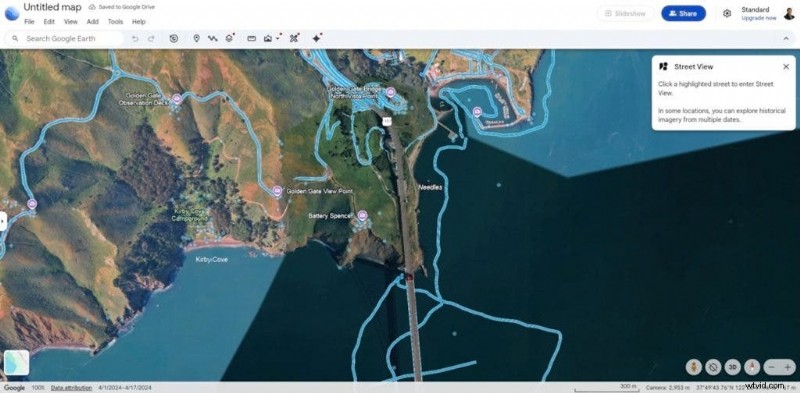 Google Earth offers street views and photo spheres, featuring user‑submitted images of points of interest.
Begin with a wide‑angle perspective: satellite imagery, terrain overlays, and aerial photos give you a macro view of terrain, water features, open fields, rooftops, and abandoned structures. From there, narrow your focus using street‑level imagery to evaluate parking, property boundaries, and potential obstructions.
For instance, if you’re heading to a remote dark‑sky area, satellite images can pinpoint likely viewpoints, while street‑level views confirm parking options and private property lines—saving you a nighttime drive.
Best apps for broad scan photo scouting
- Google Earth: Multiple images per location at different times; check image recency and look for 360° photo bubbles where street‑view isn’t available.
- Skywatch: Offers recent aerial shots—often within a month—both free and paid options.
- Mapillary: Similar interface to Google Earth but with richer satellite coverage in remote regions.
- Local tax assessor websites: Reveal property ownership and boundaries, helping avoid trespassing and identify access contacts.
Study Light, Time, and Conditions
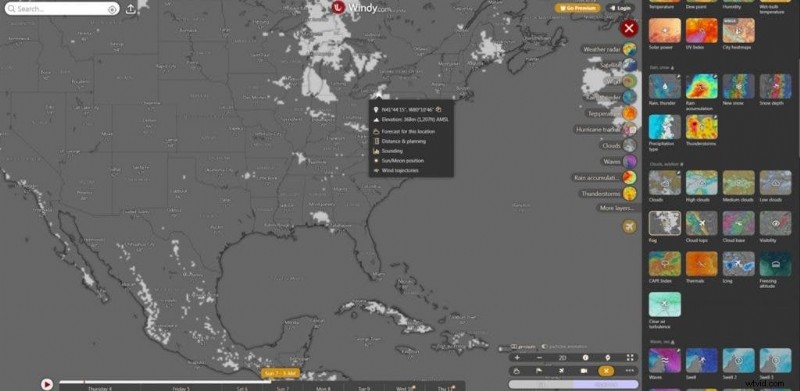 Windy.com features fog and other detailed weather forecasts that help photographers plan for conditions including lighting, waves, and wind.
After mapping a location, the next step is timing. Without the right light or weather, even the best spot can disappoint. Digital tools now let you plan for celestial events, cloud cover, wind, fog, and more.
I first review sky‑maps and celestial apps to ensure the sun, moon, or stars align with my composition. If fog or wind is critical, I consult a detailed weather app. I always check forecasts for shade, cloud cover, wind, and fog ahead of the shoot and re‑confirm just before departure.
Best apps and programs for light and timing your photo shoot
- ShadeMap: Visualises how trees, buildings, and terrain shade a location on specific dates and times—my go‑to for prop‑mandated lighting.
- Stellarium: Free planetarium software that shows celestial positions by date, time, and location.
- PhotoPills: Mobile‑only app that aligns sun, moon, and Milky Way with terrestrial features; includes AR overlays.
- The Photographer’s Ephemeris: Desktop and iOS tool for sun, moon, and starlight; offers eclipse simulations.
- SunsetHue: Provides cloud‑propagation data for sunrise/sunset predictions and alerts.
- Windy: Not a generic weather app—delivers fog, cloud height, wave, snow depth, and multiple forecast models.
Build a Simple Pre‑Visit Plan
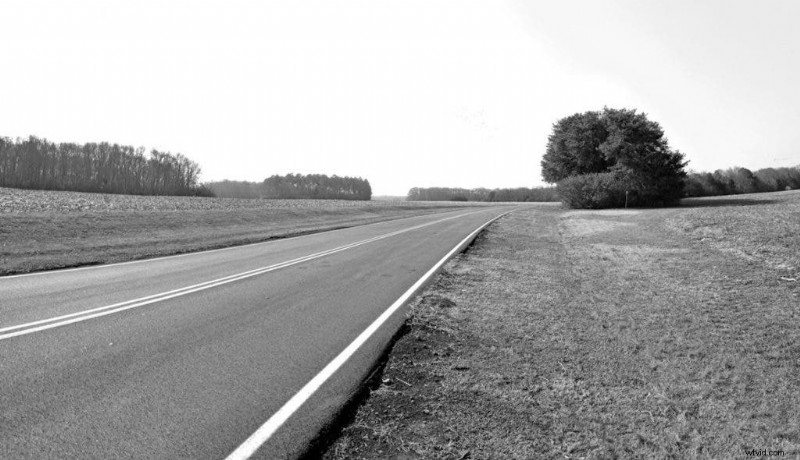 I always build in extra time for shoots in case of accidental bonus location finds, like this lone tree in the middle of recently cut fields.
My final step is to assemble a shoot‑day checklist: gear selection (zoom vs. wide), tripod choice, access routes, and a timeline. I always leave buffer time for serendipitous discoveries along the way.
Apps like Mapstr help compile personal location lists and store all pertinent data. Update the notes on site—no amount of pre‑scouting can replace the surprises you’ll encounter.
Have a backup plan, stay flexible, and embrace on‑the‑spot adjustments for the best results.
Overcoming 3 Challenges When Working On Location | Level Up With Ab Sesay

Liz Masoner
Liz Masoner has viewed the world through a lens for over 40 years. As a professional photographer and dedicated mentor, she shares her experience with students worldwide, emphasizing the importance of witnessing moments and nurturing a love for photography. From everyday scenes to historic events, she believes every moment deserves attention and that anyone can capture extraordinary images.