The Hook
At 4:30 AM on the Maid set, a $50,000 cinema rig fell silent because the audio never hit record. The DP was livid, the AD reset 40 background actors, and the sound mixer shrugged, “That’s why I always run a backup.”
That lesson stayed with me. Five years later, while shooting a short film on an iPhone 16 Pro in Stanley Park at sunrise, I heard the lead deliver a powerful line, but playback was silent. The cheap wireless mic had lost signal behind a tree.
Over three months I tested every iPhone mic available—from $70 budget lavs to $400 professional wireless systems—on windy beaches, crowded coffee shops, and quiet hotel lobbies where I work as a doorman. I deliberately pushed each rig to failure.
The conclusion: in 2026, the best iPhone microphone isn’t defined by brand or price, but by how well it aligns with your workflow. Most filmmakers are still buying the wrong setup.
The Disclosure
Quick note: Some links in this article are affiliate links. If you purchase through them, I earn a small commission at no extra cost to you. I only recommend gear I actually use and will tell you if it’s garbage, regardless of commission.
The Problem
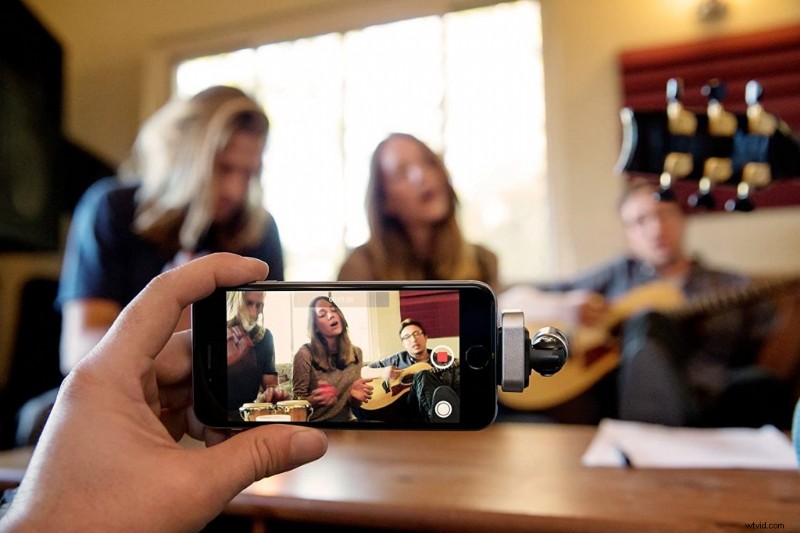
iPhone microphones fail for three main reasons:
- Compatibility trap. A mic that worked on an iPhone 14 may need adapters or dongles after upgrading to an iPhone 16 Pro.
- Workflow mismatch. TikTokers need invisible, fast gear; YouTubers need long battery life; indie filmmakers need 32‑bit float and timecode sync. Articles that recommend the same three mics for all use cases are misguided.
- False “pro” label. In 2024, “wireless” equated to professional. In 2026, a mic that can’t record 32‑bit float or sync with an external SSD isn’t truly professional—only “almost” professional, which doesn’t earn festival spots.
Bad audio is the fastest way to make a pro shot look amateur. It’s one of the most overlooked techniques that actually work, as I learned on the set of Blood Buddies.
The Underlying Cause
The shift began when Apple introduced USB‑C with the iPhone 15 in 2023, forcing all Lightning mics to use adapters. The real game‑changer was the iPhone 16 Pro’s 2025 launch, adding ProRes Log 4K 60fps recording and external SSD support.
This upgrade turned the iPhone into a bona fide cinema camera, but many filmmakers still use 2024‑era audio gear that can’t keep up.
- 32‑bit float is now non‑negotiable. It captures a wide dynamic range, preventing clipping whether an actor whispers or shouts.
- External SSD workflows create new challenges. A hub must supply power and bandwidth for both the SSD and microphone; many cheap hubs cause interference or insufficient power.
- Environmental Noise Cancellation (ENC) is essential. Modern mics that algorithmically separate voice from background noise dominate the market; those that don’t are already obsolete.
The Solution
The best iPhone microphone for 2026 depends entirely on where your footage will live. Match gear to your workflow.
🎥 The Indie Filmmaker (The “Pro” Workflow)
If you’re shooting a short film or high‑end commercial on an iPhone 16 Pro, you’ll likely record in ProRes Log. You need audio that matches that dynamic range.
Must‑Have Feature: 32‑bit float internal recording to avoid clipping.
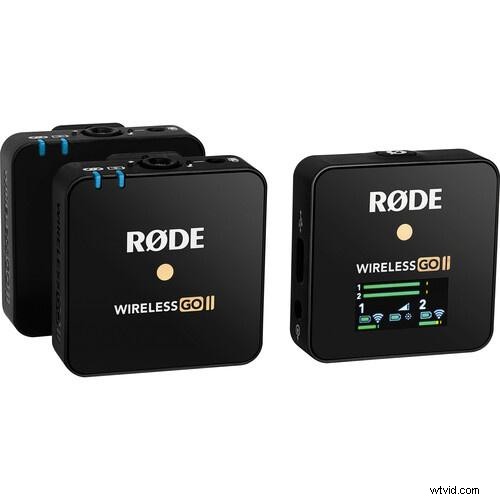
Top Pick: RØDE Wireless Pro ($399)
I used this system on a narrative short where the lead delivered emotional dialogue while walking through a crowded market. Timecode sync locked the iPhone footage to a second‑unit Blackmagic Pocket Cinema Camera with no drift—no manual alignment in DaVinci Resolve.
The onboard 32 GB storage recorded 40+ hours of 32‑bit float audio as a backup. When the actor hit an emotional peak that clipped the iPhone’s input, the RØDE’s internal recording preserved a pristine track. The audio was flawless when pulled from the transmitter later.
Downside: The receiver is bulky; on handheld shots without a cage it feels awkward. Firmware updates require the RØDE app—without it you’re locked out of new features.
Who shouldn’t buy it: Vloggers who need instant, grab‑and‑go setups. This rig takes about two minutes to assemble.
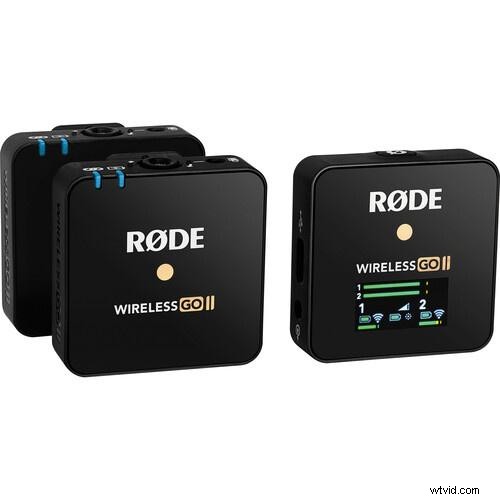
Best for Professional Audio
RØDE Wireless PRO Compact Wireless Microphone System
Next‑generation wireless audio with 32‑bit float onboard recording, timecode integration, and series IV 2.4 GHz digital transmission. Broadcast‑grade sound straight to camera—ideal for interviews, documentaries, and any production where audio quality is non‑negotiable.
Check RØDE Wireless PRO Price →
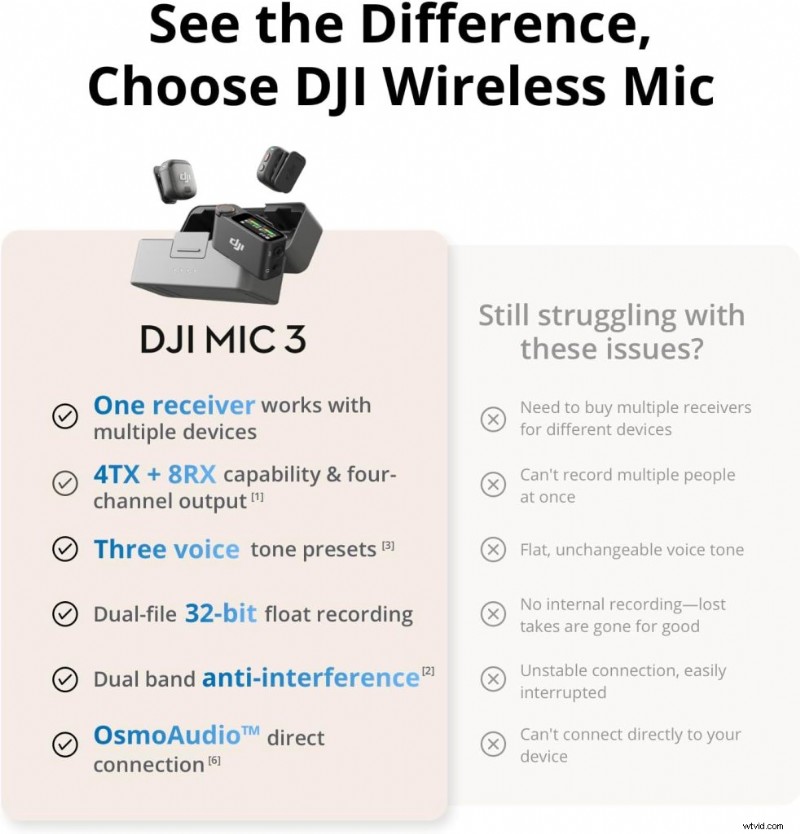
Runner‑Up: DJI Mic 3 ($350)
The safety‑track feature records a second audio file at ‑6 dB, so if the main track clips you still have a clean backup. I tested this by deliberately setting the gain too high and shouting into the mic—safety‑track recovered perfectly.
The touchscreen receiver allows faster adjustments than the RØDE, but it lacks timecode sync, which matters for multi‑camera setups.
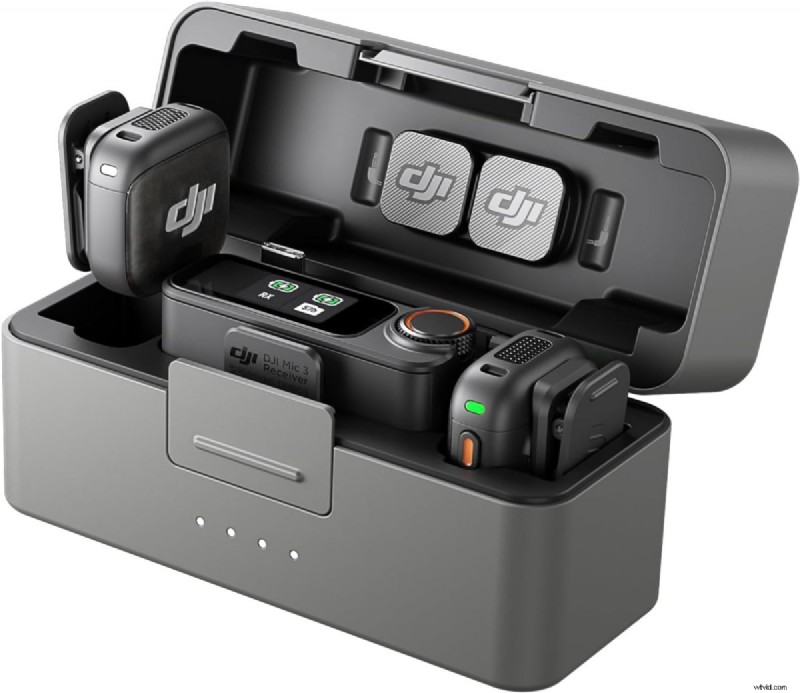
Best for Wireless Freedom
DJI Mic 3 (2 TX + 1 RX + Charging Case)
DJI’s latest wireless microphone system delivers crystal‑clear audio with intelligent noise cancellation and a 250‑meter transmission range. The charging case offers up to 18 hours of battery life, and the touchscreen receiver simplifies settings. Compatible with iPhone, cameras, and Android devices.
Check DJI Mic 3 Price →
If you’re using a bulky receiver like the RØDE Wireless Pro, ensure your stabilizer can handle the offset weight. See my guide on the Best Smartphone Gimbals 2026 for rigs that play nice with external audio gear.
🔴 The YouTuber (The “Reliable” Workflow)
YouTubers need consistent audio for long talking‑head segments or sit‑down interviews. Battery life and high‑fidelity vocals matter; timecode is optional.
Must‑Have Feature: Charging case and gain assist. The mic should stay charged for a 4‑hour shoot and automatically adjust volume to prevent quiet takes.
Top Pick: DJI Mic 3 ($350)
I recorded a 90‑minute interview in a hotel conference room. The charging case gave 18 hours of runtime; transmitters never dropped below 40 % battery. The receiver’s live monitoring caught a rustling jacket noise mid‑interview before it ruined the take.
The magnetic attachment was strong enough that the subject could lean back without the mic sagging. I’ve had $200 lavs fall off mid‑sentence—this one didn’t.
Downside: Wind muffs are mediocre. On a beach scene, the built‑in foam was overwhelmed by ocean breeze; I had to add a deadcat, which made the setup less discreet.
Who shouldn’t buy it: Filmmakers who need professional‑grade EQ control. The DJI app is simple, which is great for speed but limiting for audio purists.
Best for Wireless Freedom
DJI Mic 3 (2 TX + 1 RX + Charging Case)
Same as above—crystal‑clear audio, intelligent noise cancellation, 250‑meter range, 18‑hour battery life, touchscreen receiver.
Check DJI Mic 3 Price →
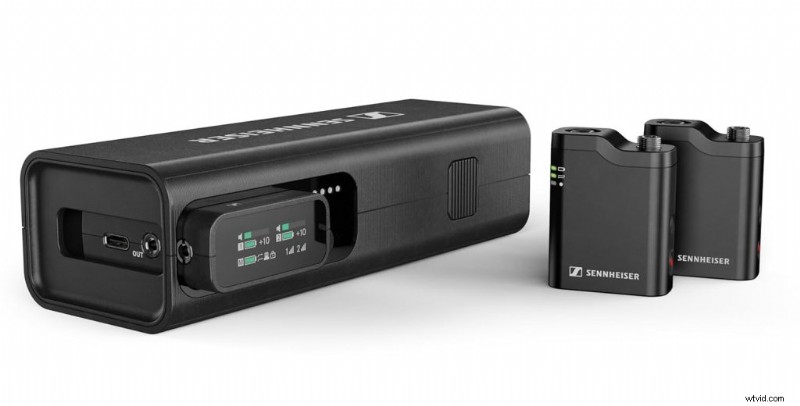
Runner‑Up: Sennheiser Profile Wireless ($280)
This delivers the most natural vocal tone out of the box. I compared it side‑by‑side with the DJI Mic 2 in a quiet room; the Sennheiser sounded warmer and less processed. For podcast‑style interviews where you’re not adding music or heavy editing, it wins on pure audio quality.
Battery life is weaker (5 hours vs DJI’s 16), and the case design is clunky. It doesn’t fit in a small camera bag.
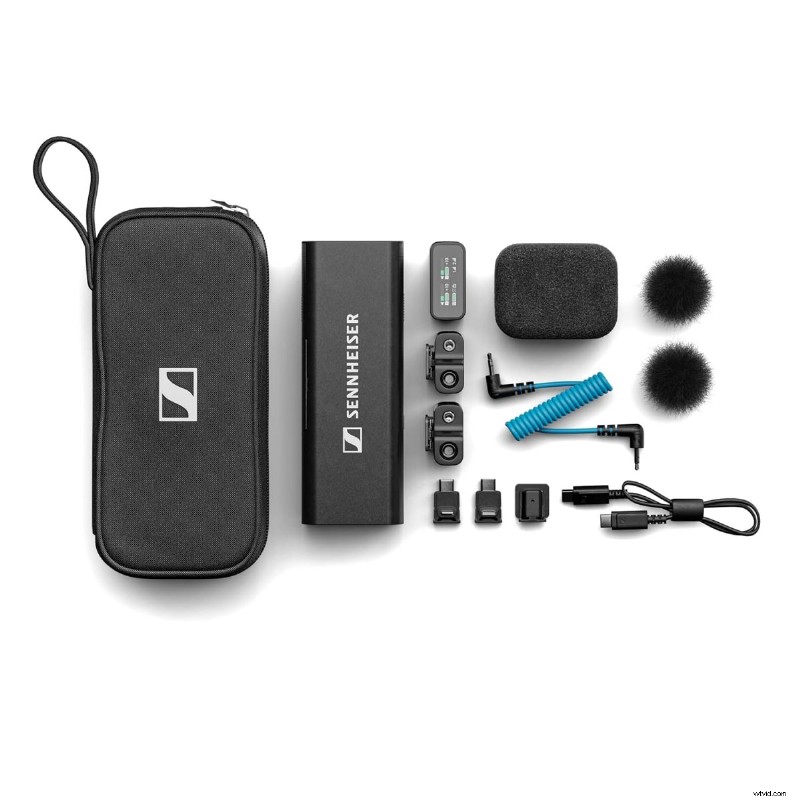
Best for Broadcast Sound
Sennheiser Profile Wireless
Sennheiser’s entry into the compact wireless mic category brings legendary broadcast audio quality to content creators. Features dual‑channel receiver, onboard recording backup, and intelligent charging case—perfect for filmmakers demanding the same audio heritage as professional news and film sets.
Check Sennheiser Profile Price →
📱 The TikToker / Reels Creator (The “Invisible” Workflow)
For social media, speed and aesthetics are everything. A bulky mic is a distraction. You need a mic that disappears.
Must‑Have Feature: Magnetic attachment and ENC. Snap onto a thin t‑shirt without sagging, and algorithmically suppress background noise in coffee shops or busy streets.
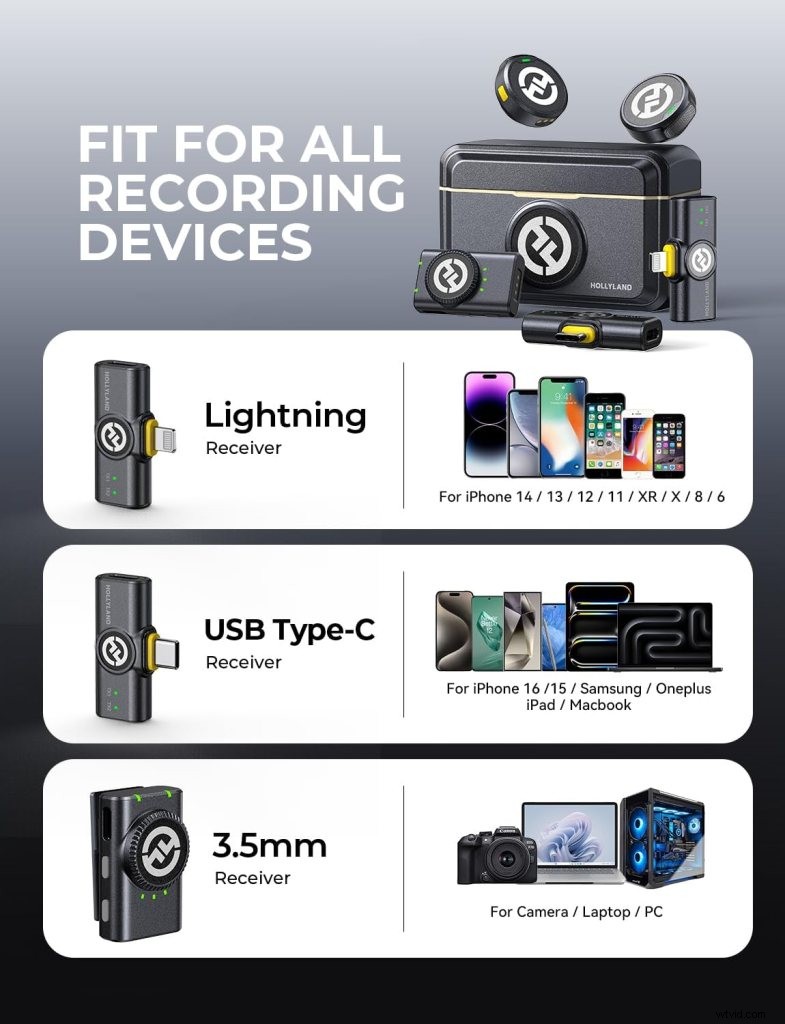
Top Pick: Hollyland Lark M2 ($120)
At 10 g, it’s the size of a large button. I wore it under a thin jacket during a walk‑and‑talk video through downtown Vancouver—no one noticed. The magnetic clip is so small it looks like a designer pin.
The ENC is aggressive. I recorded dialogue next to a construction site—jackhammers, trucks— and the Lark M2 ducked background noise without making my voice sound robotic. There’s a slight “underwater” effect at extreme noise levels, but for social media it’s unnoticeable.
Downside: No 32‑bit float or onboard recording. If the Bluetooth connection drops, your audio is lost—once I walked behind a concrete pillar, the link cut for two seconds.
Who shouldn’t buy it: Anyone shooting in high‑RF environments (concerts, convention centers). The 2.4 GHz signal struggles with hundreds of other wireless devices nearby.
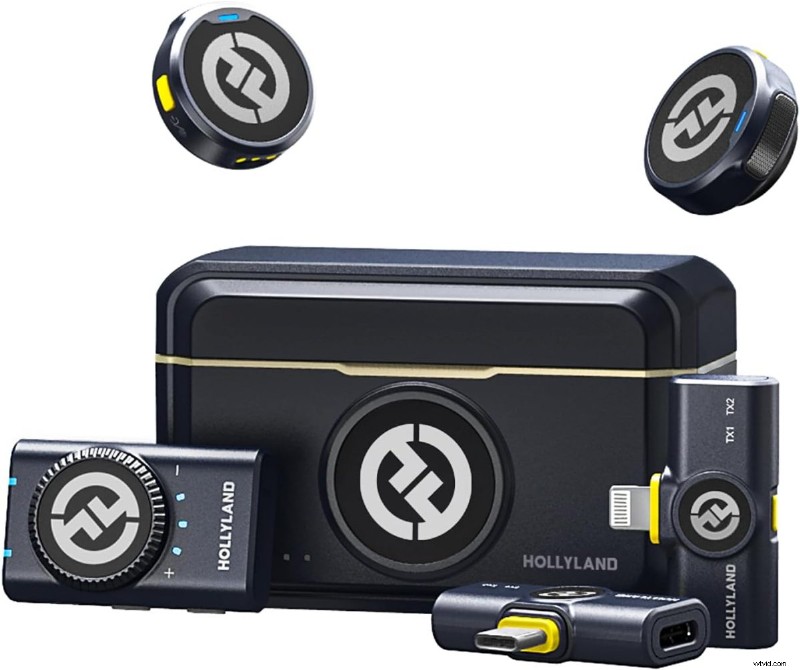
Best for Ultra‑Compact Design
Hollyland Lark M2 Wireless Microphone
One of the smallest and lightest wireless mic systems: each transmitter weighs 9 g, delivers 48 kHz/24‑bit audio, 300 m range, and 10‑hour battery life with the charging case—ideal for creators who want professional audio without bulk.
Check Hollyland Lark M2 Price →
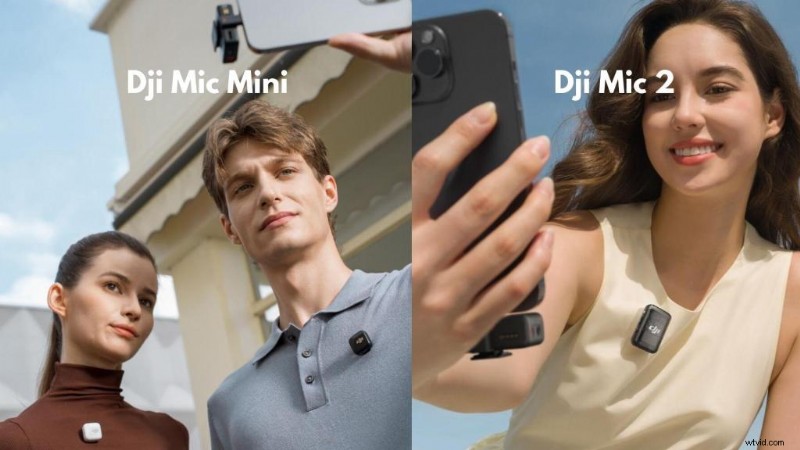
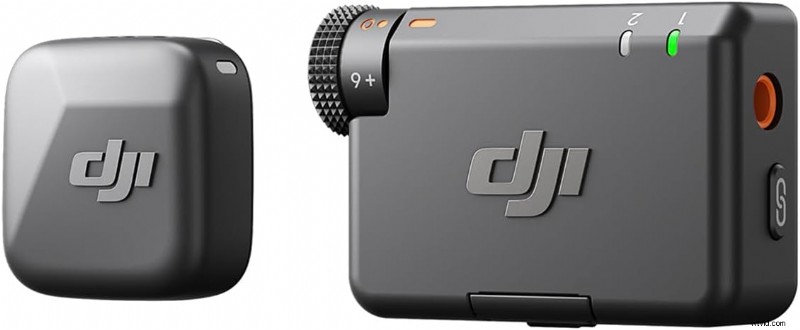
Runner‑Up: DJI Mic Mini ($170)
It’s slightly larger (13 g) but offers better range (400 m vs 200 m). I used it on a hiking vlog where I needed to be 100 ft away from my phone. The signal stayed solid even when I turned my back to the camera.
Wind rejection is excellent—no deadcat needed even in moderate wind. Battery life is shorter (10 hours total vs Lark M2’s 30 hours), so bring the charging case for all‑day shoots.
Best for Everyday Creators
DJI Mic Mini
DJI’s most compact wireless microphone system delivers intelligent noise cancellation, magnetic attachment, and up to 15 hours of battery life with the charging case. Plug‑and‑play simplicity for iPhone, cameras, and Android devices.
Check DJI Mic Mini Price →
Once you’ve nailed dialogue with the Lark M2, learn how to shoot and edit B‑roll like a pro to fill visual gaps.
Implementing the Solution
The “SSD Hub” Problem (And How to Solve It)
If you’re recording iPhone video to an external SSD—such as the SanDisk Creator or Samsung T7—you only have one USB‑C port. A hub is needed to connect both the SSD and your microphone.
What I discovered after testing nine hubs on real shoots:
- Interference is common. Cheap $15 Amazon hubs caused audible crackling. The SSD’s high data throughput corrupted the mic signal. A 20‑minute interview ended up with a half‑second dropout every 30 seconds—unusable.
- Power Delivery (PD) at 60 W minimum. Without proper PD, the iPhone’s battery drains in 30 minutes while recording 4K 60fps ProRes. A 30 W hub showed “charging” but lost 40 % battery after an hour.
- Bandwidth matters. ProRes 4K 60fps writes roughly 200‑300 MB/s to your SSD. A USB 2.0 hub (480 Mbps) bottlenecks. You need USB 3.2 Gen 2 (10 Gbps) at minimum. Check the hub’s spec sheet—look for “10 Gbps” or “USB 3.2.”
The two hubs that worked reliably:
- Anker 564 USB‑C Hub ($50) – Clean audio, no dropouts, 60 W PD. I recorded a 45‑minute interview with the DJI Mic 2 plugged in. Zero interference. Ports are slightly tight, so bulky receivers barely fit next to the SSD.
- Belkin Connect USB‑C Hub ($65) – Slightly more expensive but more reliable with high‑bitrate 4K recording. Ports are spaced wider, so bulky receivers don’t block the SSD. Supports 100 W PD, allowing faster charging while shooting.
Critical iOS Troubleshooting: The “Mic Powers On But iPhone Ignores It” Bug
When the mic’s LED shows it’s connected and the hub’s LED shows power, but the Camera app still uses the built‑in mic, the fix is simple:
- Check Privacy & Security. Go to Settings > Privacy & Security > Wired Accessories and set to Always Allow. iOS sometimes blocks USB‑C audio devices as a security measure.
- Plug devices in the correct order. Connect the hub first, wait 3 seconds, then the SSD, then the mic. Reversing the order confuses the phone’s power management.
- Format your SSD to APFS, not ExFAT. APFS is more stable for ProRes workflows. I had random failures on ExFAT; reformatting to APFS stopped them.
- Check your cable. Not all USB‑C cables support data transfer. If the cable says only “charging” or lacks “USB 3.2/10 Gbps,” it won’t work.
- Restart with everything plugged in. If all else fails, restart the iPhone with the hub, SSD, and mic all connected.
The Real Cost of the SSD + Mic Workflow
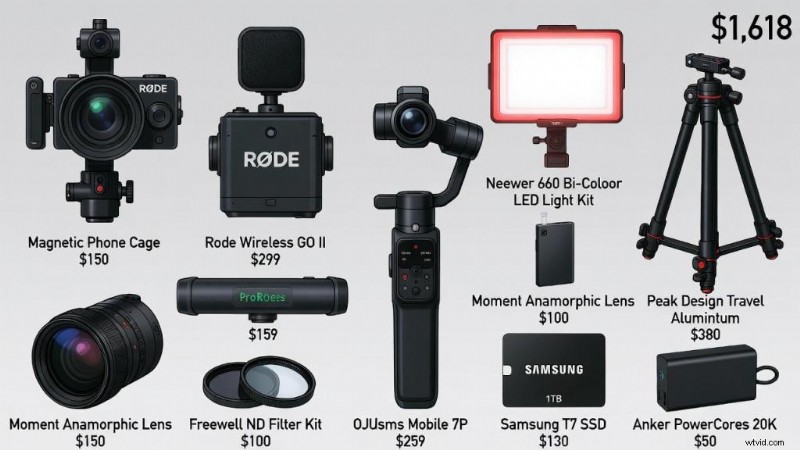
Here’s the real cost:
- iPhone 16 Pro: $1,000+
- External SSD (1 TB): $100‑150
- USB‑C Hub (reliable): $50‑65
- Wireless Mic System: $170‑400
- Proper USB‑C cables (2×): $20‑30
- Total: $1,340 – $1,645
That’s almost the cost of a used Blackmagic Pocket Cinema Camera. However, most people already own an iPhone, dropping the real cost to $340‑$645. It fits in a pocket, eliminates permits and insurance for discreet shooting, and—when paired with the right mic—produces festival‑ready audio.
FAQ
Can I Record 32‑Bit Float Audio Directly Into an iPhone?
No. The native Camera app maxes out at 24‑bit/48 kHz. To get 32‑bit float, you need a mic that records internally—like the RØDE Wireless Pro or DJI Mic 2’s safety track. The iPhone records the standard 24‑bit track; the mic’s transmitter records a 32‑bit backup to its internal memory. After the shoot, you pull the audio file off the transmitter via USB‑C and sync it in post.
Does the iPhone 16 Pro Require a Special Microphone for ProRes Video?
No, but if you’re recording ProRes to an external SSD, the iPhone treats the SSD as the priority device. A mic that causes power draw or bandwidth conflicts will disconnect to protect the video. DJI Mic 2, RØDE Wireless Pro, and Sennheiser Profile Wireless all work flawlessly in this scenario.
How Do I Use a USB‑C Microphone While Charging My iPhone?
Use a USB‑C hub with Power Delivery. Plug your charger into the hub’s PD port, your mic into one USB‑C port, and (optionally) your SSD into another data port. Use a 60 W or higher charger; anything less will drain the battery even while “charging.”
Is a Shotgun Mic Better Than a Lavalier for iPhone Filmmaking?
It depends on control. Shotgun mics (e.g., RØDE VideoMic Me‑L) are better when you can keep the mic pointed at a single person and reduce side/rear noise. Lavalier mics (e.g., DJI Mic 2, RØDE Wireless Pro) are better when the subject moves or you need consistent levels regardless of head turns. For narrative shorts, lavs are more reliable; for crew‑supported shoots, shotguns sound more natural.
What Is the Best Way to Prevent Wind Noise on iPhone Microphones?
Use a deadcat (furry windscreen), not just foam. I tested DJI Mic 2’s foam muff at 20 mph wind speed—wind noise dropped ~30 %. Adding a Rycote Mini Windjammer cut wind noise by 80 %. For serious outdoor work, use double‑layered protection and a high‑pass filter at 80 Hz in post.
How Do I Record Two People on an iPhone?
Use a dual‑transmitter wireless system. Most professional kits (DJI Mic 2, RØDE Wireless Pro) support two transmitters paired to one receiver, recording both channels as a stereo track. Split the stereo track into two mono tracks in DaVinci Resolve. Budget option: Movo EDGE‑DI‑DUO ($180) – works for low‑budget projects but has weaker range and bulkier transmitters.
How Do I Fix an iPhone Mic That Isn’t Recognized Over USB‑C?
Checklist:
- Restart the iPhone with the mic plugged in.
- Check mic firmware—outdated firmware can prevent recognition.
- Test with a different USB‑C cable—ensure it supports audio.
- Disable Low Power Mode.
- Check for physical debris in the port.
If it still fails, test the mic on another device; if it fails there too, the mic is faulty.
The Verdict (Keep It Real)
The microphone landscape shifted hard in 2026. Using Lightning mics or 24‑bit‑only wireless systems limits your production. These limitations show up in your final export.
For indie filmmakers: The RØDE Wireless Pro is the only system I’d trust on a professional shoot. The timecode sync alone justifies the $400 price tag—no manual sync in post.
For YouTubers: The DJI Mic 2 is the sweet spot. It’s $50 cheaper than the RØDE, almost as good, and faster to set up. The safety track has saved me twice when subjects got unexpectedly loud.
For TikTokers and Reels creators: The Hollyland Lark M2 is the only mic that truly disappears. In social media, aesthetics matter; a visible, chunky mic draws attention away from content.
For everyone on a budget: The DJI Mic Mini ($170) punches way above its price. I’ve used $300 mics that sound worse.
The mics I wouldn’t buy:
- Godox WES2 – The 50 Hz frequency response floor cuts too much bass. Voices sound thin.
- RØDE VideoMic Me‑L – Wired, defeats iPhone filmmaking, and requires a pricey Lightning‑to‑USB‑C adapter.
- RØDE SmartLav+ – Great in 2020, obsolete in 2026.
Microphones are just one piece of the puzzle. If you’re building your entire mobile studio from scratch, head over to my Complete Guide to Smartphone Filmmaking for lighting and lens recommendations.
Wrap‑Up
I’ve shot on RED and ARRI cameras, worked on a Netflix series with a full sound department, and filmed TikToks in my hotel lobby with just an iPhone and a $120 mic.
The truth is, audio quality matters more than your camera. I’ve seen iPhone footage with clean audio get festival selections; ARRI Alexa footage with bad audio gets rejected.
If you’re serious about iPhone filmmaking in 2026, treat your microphone as seriously as your camera. Buy once, buy right.
Quick decision guide:
- Multi‑camera shoots or narrative work? → RØDE Wireless Pro
- YouTube or long‑form content? → DJI Mic 2
- Social media or vlogging? → Hollyland Lark M2 or DJI Mic Mini
- Budget under $100? → RØDE SmartLav+ with adapters (but expect frustration)
And if you’re recording ProRes to an external SSD, don’t cheap out on your USB‑C hub. Trust me.
If you’re looking for more gear to round out your kit—or the perfect present for a fellow creator—check out my list of the Best Gifts for Filmmakers, featuring several of the audio tools mentioned here.