
The Hook
Midnight on the set of Married & Isolated, I was wrestling a SmallRig cage onto an iPhone 12 at 2:47 AM. We were filming a breakup scene in a cramped space with only a single practical lamp, and I needed that classic horizontal flare without blowing out the actor’s face.
The 1.33x lens I’d been using all week was back at base camp, so I slid on a backup Sandmarc from the PA’s bag. The flare color was off—gold instead of the expected blue. I shot it anyway because the light was slipping away, and in post the warm streak actually saved the scene, adding a vintage texture that matched the emotional beat better than my planned aesthetic.
That’s the truth about anamorphic phone lenses: sometimes the “wrong” choice works better. You just need to understand the why, not just the price.
The Disclosure
Standard disclaimer: I link only to gear I’ve personally tested. If you purchase through those links, I receive a small commission from Amazon, B&H, or Adorama. It doesn’t cost you extra, and it keeps this site running. I recommend only gear that has solved a real problem on set or saved a shoot. If something falls short, I’ll be honest about it.
| Lens | Squeeze | Flare Color | Weight | Best For | Price |
|---|---|---|---|---|---|
| Moment T‑Series 1.55x | 1.55x | Blue | 105g | Narrative shorts, music videos | $199 |
| Moment 1.33x | 1.33x | Blue | 85g | Run‑and‑gun, vlogging | $149 |
| Sandmarc 1.33x | 1.33x | Gold | ~90g | iPhone users, budget‑conscious | $130 |
| SmallRig 1.55x | 1.55x | Blue | 113.5g | Android, universal rigs | $140–$160 |
🏆 Winner: Moment T‑Series 1.55x (best image quality)
💰 Best Value: Sandmarc 1.33x (excellent quality at a lower price)
🔄 Most Versatile: SmallRig 1.55x (works with any T‑mount cage)
The Problem
Many reviews of anamorphic phone lenses are spec sheets paired with footage shot in ideal conditions. They rarely address the realities of shooting handheld at 3 AM, balancing a 105g lens on a gimbal, or dealing with autofocus confusion caused by asymmetric glass.
What matters most is understanding how squeeze ratios and flare colors affect your frame. A 1.33x squeeze means you’re more likely to capture the actor’s forehead; a 1.55x squeeze may crop it. Knowing this before you invest can save you $200.
The Underlying Cause
Short answer: most people don’t need anamorphic lenses on phones for everyday content.
For talking‑head YouTube videos or Instagram reels, the 2.40:1 aspect ratio and horizontal flares add little narrative value and impose a post‑production workflow (de‑squeeze, color grading, extra crop) that’s overkill for a 6‑inch screen.
Anamorphic lenses truly shine in narrative shorts, music videos, and spec commercials where widescreen framing and lens character support the emotional tone. In Going Home (selected for the 2024 Soho International Film Festival), we used the Moment T‑Series on all exterior shots. The 2.76:1 frame isolated the protagonist, and the blue flares on headlights added a cold, lonely texture. Interiors were shot with a standard phone lens for tighter framing and speed.
Rule of thumb: If you’re chasing a cinematic look, buy an anamorphic lens. If you’re chasing cinematic storytelling, invest that money in better lighting or audio.
Lens Breathing & Autofocus Issues (Often Overlooked)
Anamorphic glass disrupts a phone’s autofocus because the lens is asymmetrical. Modern iPhones rely on LiDAR and phase‑detection AF, both of which assume spherical optics. The squeeze ratio creates two different focal distances—horizontal and vertical—leading to focus hunting.
In practice, you’ll see the lens pulsing in and out, especially in close‑ups or when the subject moves through a flare zone. On Dogonnit (2022), the Sandmarc gold flare looked gorgeous, but every movement caused visible focus breathing. Switching to manual focus in Filmic Pro and pulling focus by hand resolved the issue, but it added 10 minutes to every setup.
Lesson: if you’re not comfortable with manual focus, avoid anamorphic lenses. Phone autofocus will fail at the worst moment, and post‑production won’t fix it.
Weight Penalties for Gimbal Users
Many reviewers claim these lenses work with gimbals—untrue. Anamorphic lenses shift the phone’s center of gravity. Without rebalancing, motors strain, batteries drain faster, and the gimbal can fail.
- DJI OM 5 / Zhiyun Smooth 5: Handles 85–105g. Moment 1.33x, T‑Series, and Sandmarc are fine. SmallRig 1.55x (113.5g) is borderline—test before shooting.
- Budget gimbals (<$100): Struggle with anything over 90g. Stick to Moment 1.33x or Sandmarc.
- Handheld stabilizers (Freefly Movi): No issue; they’re built for DSLR rigs.
Rule: If your gimbal costs less than your lens, something’s wrong. Buy counterweights or accept handheld shooting.
Quick Specs
Below is a concise comparison of the top four anamorphic phone lenses.
| Feature | Moment 1.33x | Moment T‑Series 1.55x | Sandmarc 1.33x | SmallRig 1.55x |
|---|---|---|---|---|
| Squeeze Ratio | 1.33x | 1.55x | 1.33x | 1.55x |
| Final Aspect Ratio | 2.40:1 | 2.76:1 | 2.40:1 | 2.76:1 |
| Mount Type | M‑Series bayonet | M‑Series bayonet | 17mm thread/clip | T‑mount (17mm) |
| Weight | 85g | 105g | ~90g | 113.5g |
| Glass Elements | 4 | 6 | Multi‑element | 3 HD elements |
| Filter Compatible | Yes (62mm) | Yes (67mm) | Yes (43mm outer) | Yes (67mm) |
| Flare Color | Blue | Blue | Gold | Blue |
| Field of View | ~105° | ~110° | 113° | 130° |
| Recommended App | Moment Pro | Moment Pro | Blackmagic Camera | Filmic Pro / Moment |
| Price Range | $149 | $199 | $130 | $140–$160 |
| Best For | Run & gun vlogging | Narrative shorts | iPhone users on budget | Universal rig setups |
← Swipe horizontally to see full specs →
The Solution/Implementation
Choosing the Right Lens for Your Workflow
I’ve tested all four lenses across multiple projects. Below is a practical breakdown without marketing fluff.
Moment T‑Series 1.55x – The “Don’t Screw This Up” Option
Ideal for: Narrative work where image quality is non‑negotiable—music videos, spec ads, festival submissions.
With six glass elements, the lens delivers edge‑to‑edge sharpness even when shooting wide open in low light. Flare control is excellent: strong enough to read on camera but not overpowering. At 105g, it’s the second‑heaviest lens; a DJI OM 5 or Zhiyun Smooth 5 will need careful balancing. The 2.76:1 frame is aggressive—ensure headroom or crop in post.
On Married & Isolated (2022), I used it for a slow push‑in on a parked car at dusk. The ND8 and Black Pro‑Mist filters stacked on the 67mm thread yielded a cinematic look, and the flare from the streetlight added emotional depth. I’ve used it on three other projects with no issues.
Not for vloggers or travel shooters who need speed and portability. The bayonet mount locks you into Moment’s ecosystem, and a missing case requires a $30 replacement.
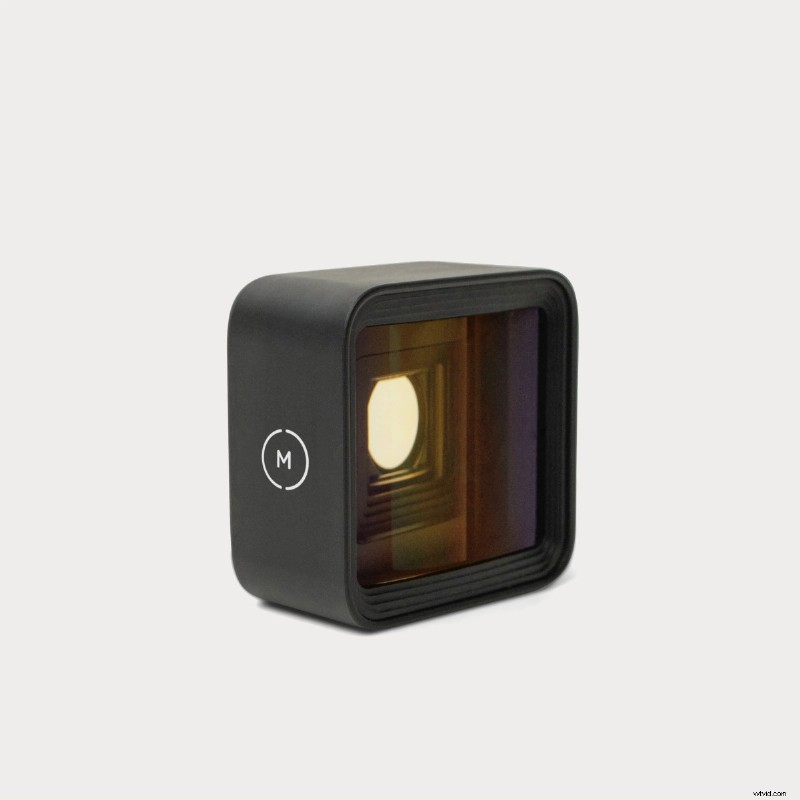
Moment 1.33x – The Run‑and‑Gun Workhorse
Ideal for: Fast shooting, run‑and‑gun, vlogging.
Its bayonet mount is a two‑second twist‑and‑click. Weighing 85g, most gimbals handle it without rebalancing. The 2.40:1 ratio is forgiving; you’re less likely to crop heads. Blue flares can be a stylistic choice, but they may clash with warm tones. You can color‑correct them, but it adds extra work.
Used on a corporate talking‑head project, the 1.33x gave a cinematic feel without feeling “too sci‑fi.” Handheld shooting was smooth, and the lens balanced perfectly. No complaints.
Not ideal if you need a dramatic widescreen look or warm flares. Also, if you don’t already own a Moment case, the lens plus case cost $179—consider the T‑Series instead.
Sandmarc 1.33x – The Gold Flare Wildcard
Ideal for: iPhone users on a budget, music video directors, sunset or golden‑hour shoots.
Gold flares give a distinct, warm look that stands out on YouTube. At $130, it’s the best value‑per‑dollar. The 17mm thread mounts on most cages, but Sandmarc’s own cases are iPhone‑specific. Upgrade the phone, and you’ll need a new case.
In Married & Isolated, the gold streaks added an unplanned warmth that saved the scene. In a later music video, the warm flare matched the late‑afternoon light, creating a nostalgic vibe without extra grading.
Not for those who want blue flares or sharp edge detail. The corner softness is noticeable compared to Moment. Android users can use it with a universal cage, but SmallRig offers a better solution.
SmallRig 1.55x T‑mount – The Universal Adapter
Ideal for: Android users, frequent phone changers, filmmakers who already use phone cages.
The T‑mount system is universally compatible with SmallRig, Ulanzi, Beastgrip cages. At $140–$160, you get the 2.76:1 frame for half the price of Moment’s T‑Series. The 130° field of view is the widest tested here—great for dramatic shots.
Only three glass elements, so sharpness is good but not as high as the T‑Series. At 113.5g, it’s the heaviest lens; gimbals under $100 will struggle.
Used on a Samsung S23 Ultra interview series; the lens swapped quickly, and the blue flares were clean. No surprises.
Not for iPhone users locked into Moment’s ecosystem, or for those demanding the absolute highest sharpness.
De‑Squeeze Workflow (No Surprises in Post)
To properly de‑squeeze anamorphic footage, follow these steps:
- Import squeezed footage.
- Right‑click → Clip Attributes → Pixel Aspect Ratio → Custom → Enter the squeeze ratio (1.33 or 1.55).
- Create a new timeline with a custom resolution:
- 2.40:1 (1.33x) → 2560×1080
- 2.76:1 (1.55x) → 3840×1391
- Drag the clip onto the timeline. It’s now de‑squeezed and ready to edit.
- Export at the timeline resolution.
Skipping the custom timeline causes letter‑boxing or cropping, which is unacceptable for festival submissions. I used this workflow on Going Home to deliver a 3840×1391 master for DCP.
Premiere Pro (The “Good Enough” Method)
- Import squeezed footage.
- Right‑click → Modify → Interpret Footage → Pixel Aspect Ratio → Conform to: Custom → Enter squeeze ratio.
- Edit as usual. Export in 4K with black bars or a custom resolution.
- Optional: Apply a Transform effect and scale Horizontal to 133% (1.33x) or 155% (1.55x).
It works but is labor‑intensive for multi‑clip projects.
Mobile Editing: LumaFusion vs. CapCut
For on‑the‑go editing, LumaFusion (iOS/iPadOS, $29.99) is the only app that handles 1.33x de‑squeeze natively. For 1.55x, you must manually scale clips to 155% horizontally.
CapCut (iOS/Android, free) is great for social content but lacks native de‑squeeze support and is tailored to vertical video.
Filmic Pro / Moment Pro (The “Skip Post” Option)
Both apps offer live de‑squeeze preview. The exported file is already stretched, saving time. However, resolution may drop slightly due to in‑app processing. For client or festival work, shoot squeezed and de‑squeeze in post.
Getting Flare That Looks Intentional
Horizontal flares are the hallmark of anamorphic lenses but easy to mishandle. Follow these guidelines:
- Light source angle: 45–90° from the lens axis. Straight‑on lights cause veiling; side lights produce crisp streaks.
- Intensity:
- Strong flare: point directly at a bright source.
- Subtle flare: place the light just outside the frame.
- Kill the flare: use a lens hood, hand, or black wrap.
- Rotation: The front element on most anamorphic lenses is rotatable. Align it horizontally for clean flares.
- Example: On Dogonnit, I angled a car headlight 60° off‑axis and rotated the front ring until the flare was perfectly horizontal. The setup took 90 seconds.
- Overhead lights produce vertical streaks, breaking the illusion. Flag or reposition indoors.
Gimbal Balancing (The Critical Step)
Rebalancing is essential to avoid motor strain.
- Power off the gimbal.
- Mount the lens.
- Adjust the horizontal arm until the phone stays level without power.
- Adjust the vertical tilt until the lens doesn’t tip forward or backward.
- Power on and test. Rebalance if motors struggle.
Weight thresholds (tested):
- DJI OM 5 / Zhiyun Smooth 5: Handles 85–105g. Moment 1.33x, T‑Series, Sandmarc are fine. SmallRig 1.55x (113.5g) is borderline.
- Budget gimbals (<$100): Struggle with anything over 90g. Stick to Moment 1.33x or Sandmarc.
In an early test shoot for Beta Tested (2018), mounting a heavier third‑party lens on a $60 gimbal caused motors to overheat after three takes. Lesson: if your gimbal costs less than your lens, something’s wrong.
The Verdict (No‑BS Summary)
Moment T‑Series 1.55x: Best for narrative work where image quality is paramount.
Moment 1.33x: Best for vlogging and run‑and‑gun shooting.
Sandmarc 1.33x: Best value for iPhone users on a budget.
SmallRig 1.55x: Best for Android users or those who switch phones often.
Before buying, rent or borrow a lens to test the workflow. Anamorphic lenses demand a dedicated post‑production routine (de‑squeeze, grading, gimbal balancing). If you’re not sure you need this look, keep shooting with your native lens and save $200.
Wrap‑Up
Anamorphic phone lenses are powerful tools, but they’re not magic. They offer wider framing, horizontal flares, and oval bokeh, but they require manual focus, de‑squeeze in post, and careful gimbal balancing. If you’re chasing a specific cinematic aesthetic for narrative work, they’re worth the investment. If you’re not, they add friction and cost.
The Moment T‑Series is the benchmark lens. Sandmarc offers the best value, and SmallRig provides the most versatility. Pick based on your shooting needs, not on which lens looks coolest in B‑roll footage.
If you’re still undecided, shoot your next project with your phone’s native lens. If the 16:9 frame feels limiting and you keep craving horizontal flares, then buy an anamorphic lens. If you don’t miss it, you’ve saved $200.
📊 At a Glance: Top Anamorphic Lenses Compared
Quick summary of key specs and best use cases for each lens.
Moment 1.33x
Best for Vlogging – 1.33x (2.40:1), blue flare, 85g, M‑Series bayonet, $149.
Moment T‑Series 1.55x
Best Overall – 1.55x (2.76:1), blue flare, 105g, M‑Series bayonet, $199.
Sandmarc 1.33x
Budget Pick – 1.33x (2.40:1), gold flare, ~90g, 17mm thread, $130.
SmallRig 1.55x
Universal Fit – 1.55x (2.76:1), blue flare, 113.5g, T‑mount, $140–$160.
Quick Pick Guide: 🎬 Moment T‑Series for cinematic quality • 🎥 Moment 1.33x for lightweight vlogging • 📱 Sandmarc for budget iPhone setup • 🔧 SmallRig for universal rig compatibility
Buying Guide & FAQ
Which anamorphic lens should I buy?
Moment T‑Series 1.55x: Narrative shorts, music videos, commercial work, high budget, blue flares, 2.76:1.
Moment 1.33x: Run‑and‑gun, travel vlogging, fast shooting, 2.40:1, blue flares.
Sandmarc 1.33x: iPhone users on a budget, gold flare aesthetic, 2.40:1, $130.
SmallRig 1.55x: Android users, frequent phone changes, universal T‑mount, 2.76:1, $140–$160.
Do anamorphic lenses work on all phones?
Yes, with the right mounting system. iPhones pair best with Moment’s bayonet via their cases. Android phones require universal cages with filter threads (SmallRig, Ulanzi, Beastgrip). Proper alignment over the main wide camera is essential.
Can I use anamorphic lenses with phone gimbals?
Yes, but you must rebalance after attaching the lens. Lighter options (Moment 1.33x, Sandmarc 1.33x) work well with standard phone gimbals like DJI OM 5 or Zhiyun Smooth 5. Heavier lenses may exceed gimbal limits. Test balance before critical shoots and disable digital stabilization.
How do I get anamorphic flares on a phone?
Point the lens toward strong light sources (sun, practicals, LEDs) at 45–90° angles. Adjust the front ring to rotate the flare horizontally. Use focus peaking in the app to fine‑tune light positioning.
What’s the difference between 1.33x and 1.55x squeeze?
1.33x yields a 2.40:1 aspect ratio, similar to Hollywood widescreen—easier to frame and more forgiving for handheld work.
1.55x creates a 2.76:1 ratio, akin to 70mm epics—more dramatic but requires careful headroom and offers more pronounced flares and bokeh.
Are cheap anamorphic phone lenses worth it?
Generic < $50 options often suffer from softness, chromatic aberration, and flimsy mounts. The cheapest reliable choice is the Ulanzi 1.33x PRO ($89–$119), which delivers usable quality. For professional work, invest in Moment or Moondog Labs.
Do I need special apps to shoot anamorphic?
Not strictly, but they’re highly recommended. Native camera apps record squeezed footage but lack live de‑squeeze preview and manual controls. Recommended apps:
- Moment Pro Camera – live de‑squeeze preview, LOG recording.
- Filmic Pro – industry‑standard manual controls and anamorphic presets.
- Blackmagic Camera (iOS) – free, professional controls, RAW recording.
You can shoot squeezed and de‑squeeze later in editing software.
Will anamorphic lenses work with my phone case?
Moment lenses require Moment cases with built‑in bayonet mounts. Sandmarc offers iPhone‑specific cases sold separately for iPhone 13–16 Pro models with 17mm threading. SmallRig works with universal T‑mount cages that clip or screw onto any phone, allowing you to keep your existing case. Choose based on speed (Moment), cost (Sandmarc), or versatility (SmallRig).
How do I clean anamorphic phone lenses?
- Use a rocket blower to remove dust (never wipe dry glass).
- Apply 1–2 drops of lens cleaning solution to a microfiber cloth (never directly on lens).
- Wipe gently in circular motions from center outward.
- Use a lens pen for stubborn smudges.
- Store in a protective case when not shooting.
Never use paper towels, shirts, household cleaners, or compressed air cans.
Can I stack filters with anamorphic phone lenses?
All four lenses accept screw‑on filters:
- Moment 1.33x – 62mm threads.
- Moment T‑Series 1.55x – 67mm threads.
- Sandmarc 1.33x – 43mm outer threads.
- SmallRig 1.55x – 67mm threads.
Recommended filters: Variable ND (2–5 stops) for outdoor, polarizers for glare, diffusion filters (1/8 Black Pro‑Mist) for softer highlights. Be aware that multiple filters can cause vignetting; test before critical shoots.
What’s the difference between blue and gold flares?
Blue flares (Moment, SmallRig) give a cooler, sci‑fi aesthetic—think Blade Runner 2049 or Dune. Gold flares (Sandmarc) produce a warmer, vintage look reminiscent of 70s‑80s anamorphic cinema. Choose based on your project’s mood.

The “PeekatThis” Bio & Closing
Fine print: Peekatthis.com participates in the Amazon Services LLC Associates Program, earning a commission on purchases via our links. This helps keep the site running. We also partner with B&H, Adorama, Clickbank, and other trusted retailers.
About the Author
Trent Peek is a director, producer, and actor who spends most of his time staring at monitors. He’s comfortable with high‑end glass from RED and ARRI, yet he still loves the Blackmagic Pocket and indie filmmaking’s “duct tape and a dream” spirit.
His recent short Going Home was selected for the 2024 Soho International Film Festival, proving that on‑the‑ground lessons pay off.
When not on set, Trent travels (often forgetting at least one essential pair of shoes), falls asleep two pages into a book, or brainstorms film ideas that probably never see the light of day. It’s messy, but that’s his mess.
P.S. Writing this in the third person felt weird.
Connect with Trent:
- Watch: YouTube | Vimeo
- Credits: IMDB | Stage 32
- Social: Instagram @trentalor | Facebook @peekatthis
- Podcast: Check out his guest spot on the Pushin Podcast discussing the director’s role in indie film.
Business inquiries: trentalor@peekatthis.com