
REC

Recommended: Video Production, Editing & Gear Maintenance Guide

 WTVID >> WTVID >  >> video >> Video production

Master Jump Cuts in Adobe Premiere Pro: Speed Up Sequences Without Losing Key Moments

Jump cuts are an effective way to speed up a montage or a sequence in Adobe Premiere Pro — without deleting any key moments.

The jump cut is a great way to move through a sequence without playing back everything you’ve actually recorded. They come in handy for music videos, event coverage, or other projects that can benefit from some extra movement on the screen. In this video tutorial, we’ll take a look at how to create an effective jump cut sequence — as well as where and when to use it.


Step 1
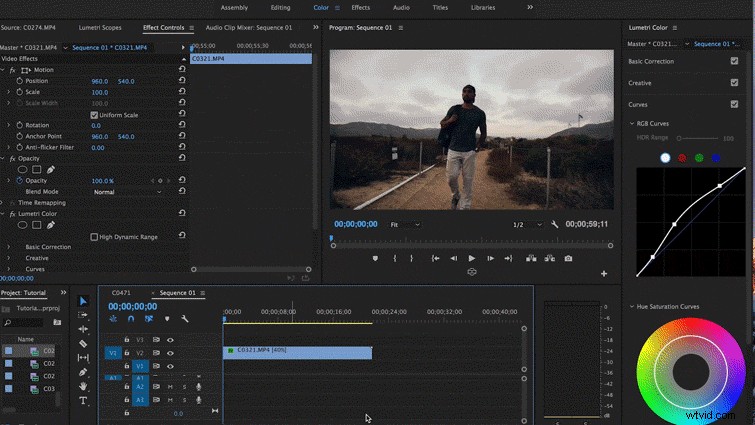
Master Jump Cuts in Adobe Premiere Pro: Speed Up Sequences Without Losing Key Moments

Find the shot to which you want to jump cut then drop the entire clip into your timeline.

Step 2
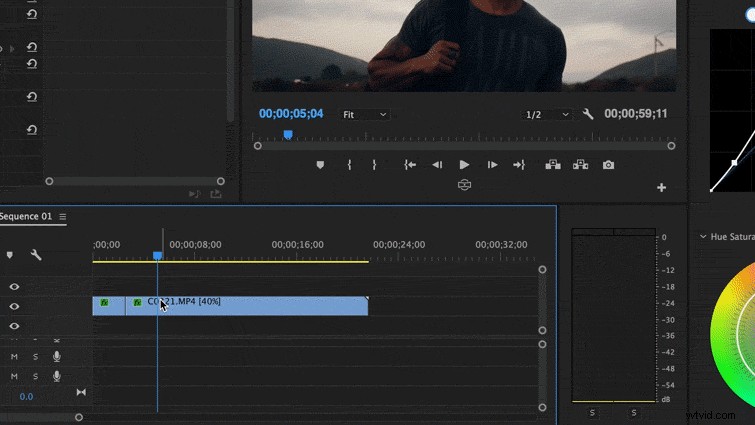
Master Jump Cuts in Adobe Premiere Pro: Speed Up Sequences Without Losing Key Moments

Find several key moments you like in the shot, then splice them into 2-3-second chunks.

Step 3
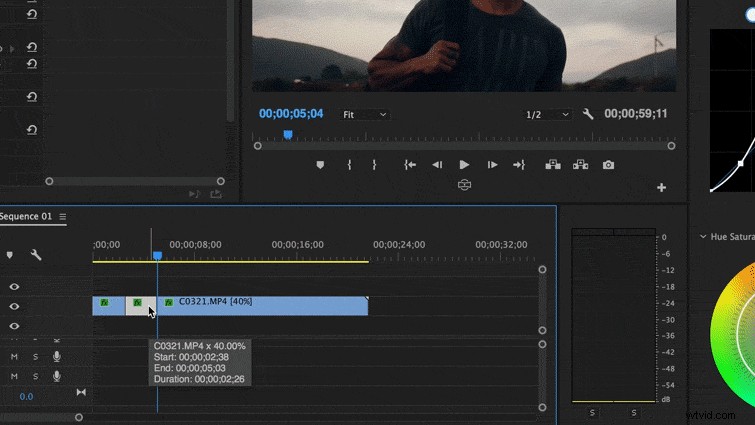
Master Jump Cuts in Adobe Premiere Pro: Speed Up Sequences Without Losing Key Moments

Ripple delete (Shift-Delete) parts you don’t want. I call this trimming the fat.

Step 4

Master Jump Cuts in Adobe Premiere Pro: Speed Up Sequences Without Losing Key Moments

Play out your sequence. You can use the Slip tool (S) to make fine-tuned adjustments on your clip.


  1. Effortlessly Share Your Music Worldwide: Master Video Uploads with Pro Tips

  2. Master the Art of Bouncing Light: Elevate Your Cinematography Effortlessly

  3. Streamline Photo Editing: Proven Lightroom Workflow for Maximum Speed

  4. Secure Documentary Funding: IDA's Comprehensive Grants List

  5. Master Insert Shots: Clarify Cuts and Elevate Your Video Editing

Video production
  1. Podcast Distribution Guide: Launch Your Show on Apple, Spotify & More

  2. How to Fix Jump Cuts: Essential Guide to Common Video Editing Problems

  3. Adobe Project Rush: Streamline and Accelerate Your Video Editing Workflow

  4. How to Stabilize Shaky Video in Final Cut Pro: Step-by-Step Guide

  5. Filmmaking Lessons: Why the Iconic Bus Jump in 'Speed' Captivates Audiences

  6. Elevate Your Videos: Master Creative Scene Transitions for Standout Footage

  7. Secure Funding for Your Short Film: Apply to the SHIFT Creative Fund

  8. Expose to the Right: Master the Technique for Superior Landscape Photos