
Adobe is changing the game for video content creators with Project Rush — a unified workflow solution integrating the Creative Cloud anywhere you need it.
If you’re a new content creator, you have a plethora of choices when selecting an editing application. Programs like DaVinci Resolve, Media Composer, Final Cut Pro, and Premiere Pro offer professional tools for video creators. Most of these applications, however, have a steep learning curve. Adobe has addressed this problem with a new tool — Project Rush.
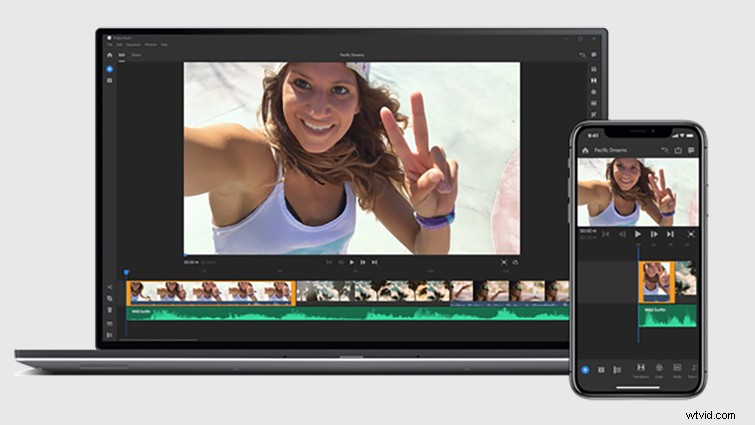
Introducing Project Rush
Available later this year, Project Rush is the first all-in-one, cross-device video editing app that makes creating and sharing online content easier than ever. This integrated desktop and mobile solution automatically syncs all your projects to the cloud, allowing you to work anywhere, on any device.
Harnessing the advanced power of Adobe Creative Cloud apps like Premiere Pro and After Effects, Project Rush delivers a streamlined and intuitive user experience. Simplified editing, color, audio, and titling are at your fingertips, while Adobe Stock integration and editable motion graphics templates allow you to get up and running quickly with endless ways to customize projects. Project Rush’s direct sharing functionality — optimized across all your favorite channels — makes it possible to share on social even faster.
Announcing at VidCon
Adobe is offering a sneak preview of Project Rush at VidCon 2018. Get the very first look at the new tool in action during a product demo session with Maya Washington, also known as Shameless Maya, on June 23, starting at 11:30 am in Room 260.
Throughout the show, Adobe will be showcasing how Creative Cloud video tools such as Premiere Pro, After Effects, and Audition help creators take their videos to the next level through a series of product workshops and panels:
- Crash Course: Creating Content with Adobe Creative Cloud — June 21st 11:30-12:30 pm Room 260
- Create Videos That Actually Grab Attention (with Project Rush) — June 22nd 1-2:00 pm Room 260
- Color Makes your Content POP with Premiere Pro — June 22nd 4-5pm Room 255
- Up Your Graphics Game with Premiere Pro — June 23rd 1-2:00 pm Room 255
If you can’t make it out to VidCon this year, never fear. Adobe will be streaming interviews with top creators on FacebookLive throughout the show. These include the Gregory Brothers of schmoyoho and Laurie Shannon of The Icing Artist. Stay tuned to the Adobe Premiere Pro Facebook page to watch live.