
Capture powerful images with a signature look. In this write-up, we’ll look at how a graduated ND filter can make your shots look amazing.
Shooting landscapes and beautiful, wide-open spaces is a really powerful way to situate your narrative. The difficult part is that, even at dusk, the sky is several stops brighter than the ground it illuminates.
Now, you can try dealing with this by adding a gradient in post-production and bringing down the exposure of the sky over time. This works if you’re shooting raw and have a lot of control over the latitude. However, if the sun is at all visible, or you have bright clouds, you’ll generally end up with blown-out highlights, which is the opposite of cinematic.
Another solution would be to shoot two exposures by locking off your camera, then combine in post. The issue with this technique is that, unless you match your camera movements exactly, you’ll get stuck with a static shot.
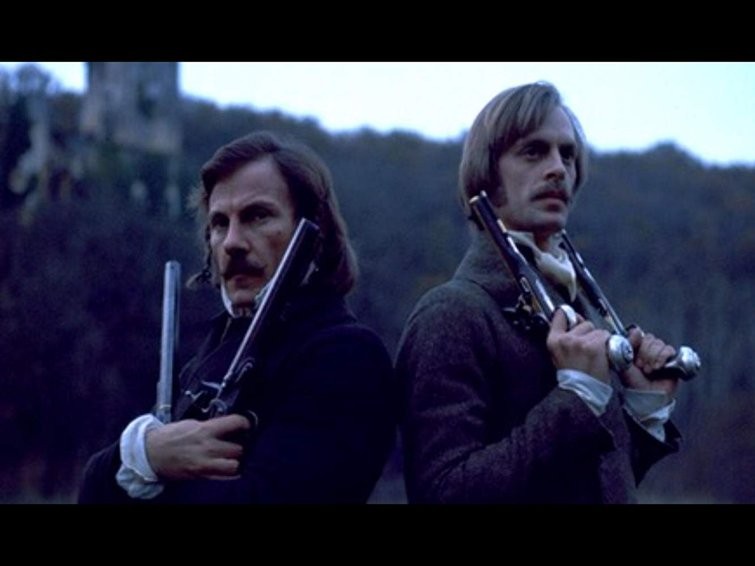
There’s a way to capture remarkable skies that aren’t too bright in your established location via landscape cinematography, and it’s been around for fifty years. Ridley Scott, a master of cinema, has used this technique since his first feature film — The Duellists.
Neutral density filters are like sunglasses for your lens, or your camera. There are different ways you can apply them. The C200 has an internal ND, as does the Alexa, meaning that there’s a tiny piece of plastic or glass that comes down in front of the sensor, which you can vary from 4-6-8 stops. You can also get ones that screw on the front of your lens, or ones that drop into a Matte Box.
So, how do you ND the sky without ND-ing the ground? The solution is the Graduated Neutral Density Filter. You can get these in different gradients or different strengths, as well as in tinted blue, orange, or straw.
First, you need a Matte Box, where you typically have one filter that slides in and a second one that rotates. You need to load the filter into the filter tray and drop it in. You’ll notice that the top of the image has more ND than the bottom of the image. You can adjust this by sliding it in or out, or rotating the filter around to get different effects, customizing where the ND appears or where the gradient appears, depending on what you want your shot to be.
If you’re shooting on a Super 35 camera like the C200, you’ll have more flexibility since the camera only uses the middle part of the lens. This means that you can get no ND, all ND, or something in-between.
This allows you to capture amazing, deep, brooding skies at the same time as exposing your ground and subject correctly. You can also pan (or sometimes tilt), while still keeping the sky dark and the subject bright.
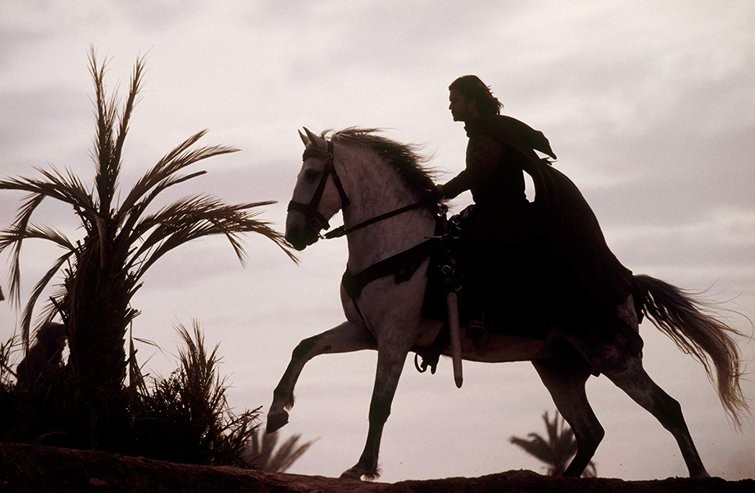
One shot in Ridley Scott’s film Kingdom of Heaven uses ND on a diagonal forty-five degree angle. It travels across the frame, making some of the actors look too dark; however, in the greater scheme of things, you don’t notice it.
Graduated ND is a really good tool for thinking about your image in zones — and how to expose different parts of the image at different values. You can even use it vertically to correctly expose an interior and exterior. You don’t necessarily need to nail the perfect exposure in both zones. You just need to bring the highlights down into the range of the camera so they aren’t blown out and there’s information you can recover in post.