
Infographics and animations quickly gain more attention and take your business next level. Just as the animated infographics videos are taking center stage of visual representation of data, they can convey complex and concrete information effortlessly in a simple, engaging, and direct way.

Image Board: Animated Infographic
This article will show you how to turn your old static infographics into a stunning animated infographics video. Let's get the ball rolling.
Also Read: Animated YouTube Intro | How to Make a YouTube Intro Animation >
Part 1 Static Infographic Vs. Animated Infographic (Video)
The static infographic is a way of visualizing information using a combination of graphics, charts, maps, and other visual elements to present concepts or ideas.
An animated infographic is exactly what it sounds like - an infographic that features animation. It is excellent to help illustrate stories, demonstrate tutorials, break down concepts, etc.
 Static Infographic
 Animated Infographic Video
How about an animated infographic video? An animated infographic video is a brief video that contains animated infographics to convey a concept or idea in a simple, engaging, and direct way. It is entertaining and informative.
Part 2 Make the Static Infographic an Animated Infographic Video
Picking the right tool can help you make an animated infographic video in a snap. FlexClip's online animated infographic video maker is your best helper that provides you with different ways to create your own animated infographic video.
Add Motion Graphics
You can pick up motion graphics from FlexClip's Overlay library and use them to make your infographics more attractive, colorful, and fun. FlexClip offers several beautiful and stunning motion graphics available to suit your infographic. Just turn to FlexClip online video editor and try it free now.
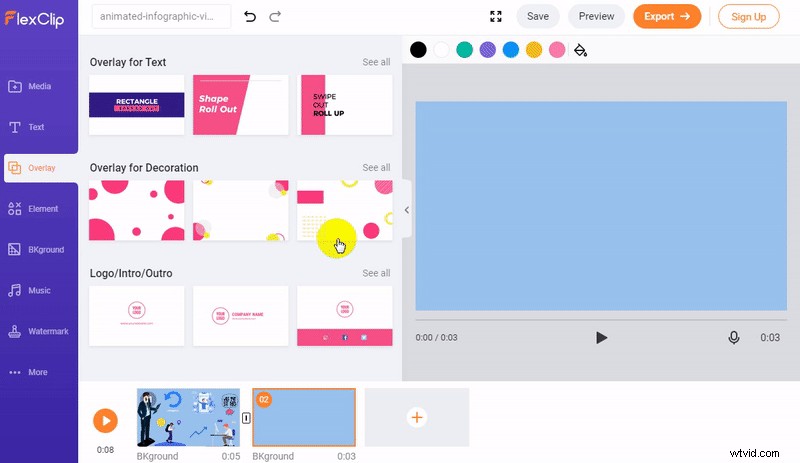
Image Board: Add Motion Graphics
Add Animated Elements
Another easy way to turn to static infographic into an animated one is to add some animated elements. At FlexClip, you will find an extensive Elements library offering millions of elements, including animated infographic elements, flat icons, animated graphics, etc.
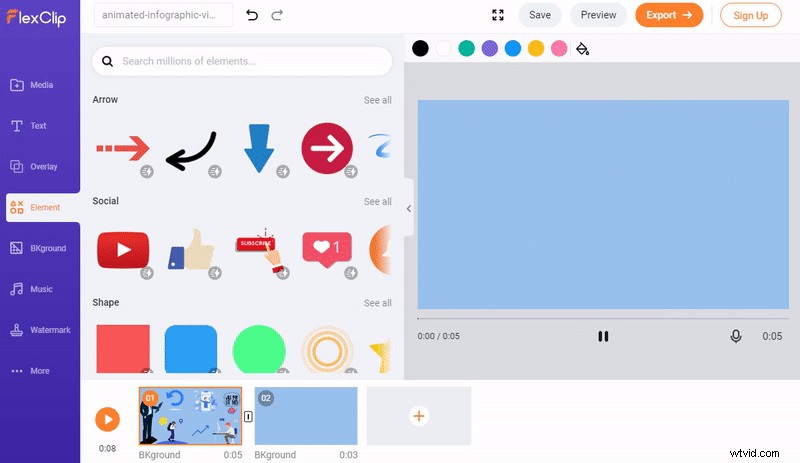
Image Board: Add Animated Elements
Add Animated Text
Besides, FlexClip also has a handpicked collection of stunning free text animations, and you can use them to highlight and clarify your information. To add animated text to your animated infographic video, simply turn to FlexClip video editor, focus on the Text option to pick your desired text animation style, and then customize it on the font, color, and more.
Image Board: Add Animated Text
While you're in the editor, you can make more edits to your animated infographic video:
- Add background music, transition effects, filter effects, etc;
- Add speech bubbles, like buttons & subscribe buttons;
- Add your logo image, emoji stickers, and more;
Part 3 Killer Tips for Great Animated Infographic Videos
Here are some killer tips to help you make your animated infographic video more engaging and compelling. Check out now.
√ Keep it short. Those infographic videos always pass out an idea really quickly, in less than 90 seconds.
√ Maintain consistent visual elements. When you pick & customize the visual elements, try to use the same colors, shades, and graph elements, so your content looks organized and consistent.
√ Use animated characters wisely. Pick some animated characters to add a good dose of humor, emotion, and personality to the whole video.

Cute Animated Characters from FlexClip Element Library
√ Pay attention to the target audience. Those infographic videos always are based on the audience itself and their specific needs.
√ Include your branding colors. It's advised to include the colors of your brand's identity in the backgrounds, which can help you generate quick brand recognition.
Final Words
Ready to get started creating your own animated infographics video? Turn to FlexClip's online animated infographic video maker and start playing with all of the features, elements & special effects available to you and create your own animated infographic video masterpiece.

Sandy
/

Has year of professional photographing experience. Very much into recording every detail of life. She is passionate about all things related to video production, and loves to exploring tips and tricks about it.