
Give the action sequences in your next film or video project a flashy bang with these tips and tricks for a compelling shoot-out.
If John Wick has taught us anything, it’s that audiences will still flock to action movies. In today’s digital filmmaking age, working on action projects has never been easier — thanks in part to some great digital tips, tricks, and assets.
Such is the case with the team at The Film Look, who recently put together an flashy shoot-out for their last short film project. So, when you’re firing up your next explosive gun fight sequence, follow their advice (and use these awesome resources) to give your project that actiony kick.
Safety First
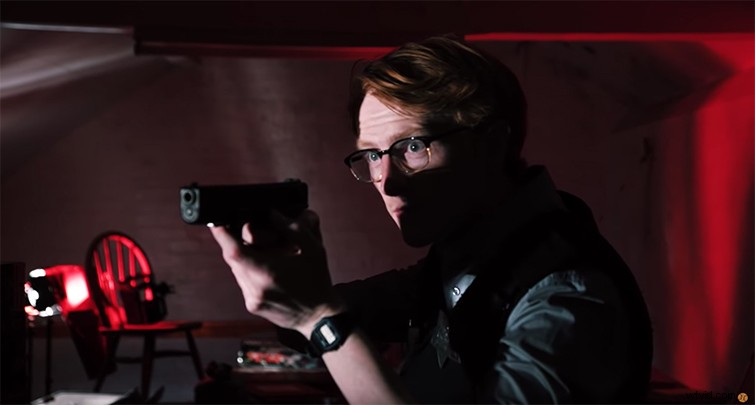
Before we dive in, we have to reiterate that the number one rule for any action film, scene, or sequence is safety first. This is especially true when explosions, stunts, or firearms (even prop ones) are involved. Safety should be your number one priority — not just for your actors but also for your entire crew and the environment around you.
The Action Elements Pack
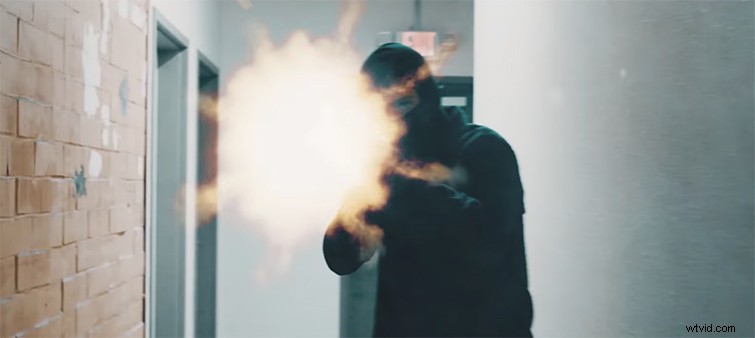
Once you’ve covered safety, you can address the other fundamental principle of action filmmaking — the VFX elements. Yes, using practical effects can be very authentic and a lot of fun, but the majority of action sequences — specifically those featuring gun blasts — are easier, cheaper, and safer in post-production.
In the short film by The Film Look, you can see that some of the elements are from the Ricochet action element pack from RocketStock. (It features over 450 elements authentically captured with real weapons and 19 types of guns and caliber variations.) As a bonus, you can also get started with this FREE ACTION PACK, which has everything from muzzle flashes to smoke, fire, and explosions — plus some helpful tutorials on how to use them.
Get the Right Sound
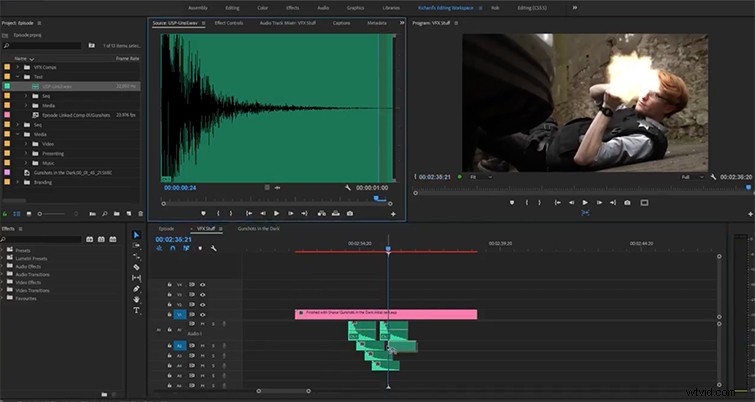
The first part of an action shoot-out The Film Look examines is how to get the right sound effects synced correctly. If you’re just starting out, it may be helpful to work with one gun on-screen, shooting fewer times to determine the best spots to line up your sound effect with the action. Once you get the hang of it, you can try some different audio effects and work with multiple gun shootouts when you’re ready.
(Also from The Film Look, here’s a quick tutorial on working with your gunshot audio bites.)
Adding Light Flash in Post

Once you have your sound effects lined up, you need to create all the elements of the muzzle flash. As you can see in The Film Look’s first example, when working in a daylight setup, they were able to digitally create a flash effect on the subject’s face to correspond with the elements around the gun’s barrel. This is a pretty straightforward process in Adobe After Effects that involves some simple masking and keyframing.
Light Flashes On Set
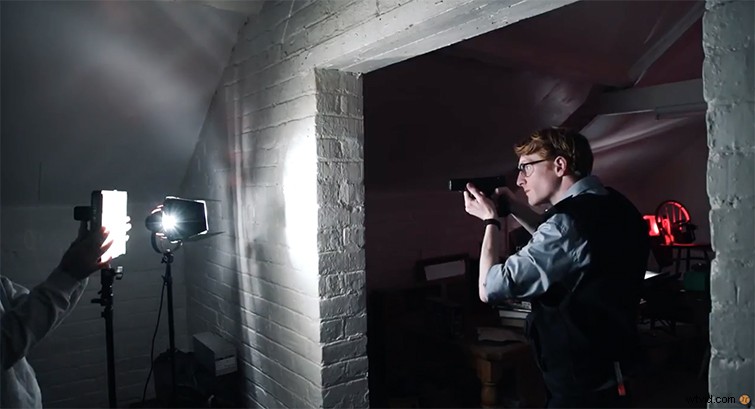
While the above technique will work in the majority of your shoot-out setups, as The Film Look found out in their film, it gets a little tricker for in dark scenes and settings. Like the filmmakers before them who have worked through similar problems, the Film Look filmmakers had to try out several different methods, working with everything from photography flashes to flashlights to intercutting LED lights. While the final method by The Film Look worked for their project, it’s an open-ended problem, and different filmmakers will need to find their best solutions based on their own experiences.
BONUS: A Look Behind the Scenes!
While The Film Look is hard at work on their short shoot-out film, they’ve had to creatively work through some other production elements and setups. Stay tuned to their YouTube channel and website for more filmmaking tips and tricks as they continue to create action-packed online content.