
As a solo filmmaker, one of your biggest obstacles will always be sound. In this tutorial, we’ll cover the importance of audio monitoring and mic placement.
Narrative filmmaking by nature is collaborative. So, working as a solo narrative filmmaker is an uphill battle. There’s a reason why the credits of a film are inundated with names. When I create a narrative short film by myself, it’s not a choice, but more as a means to make the short film, rather than leaving the film collecting dust.
Sometimes, I may only have the budget to bring the actors in for a day, and with that, I either need to raise extra funds for crew or find people who don’t mind working for free. Of course, with the free work route, I often run into scheduling conflicts, and by then, it’s just easier to do it myself.
Out of every element of making a film by yourself, managing sound is inherently the hardest. You might simply think you should put a microphone on top of the camera.
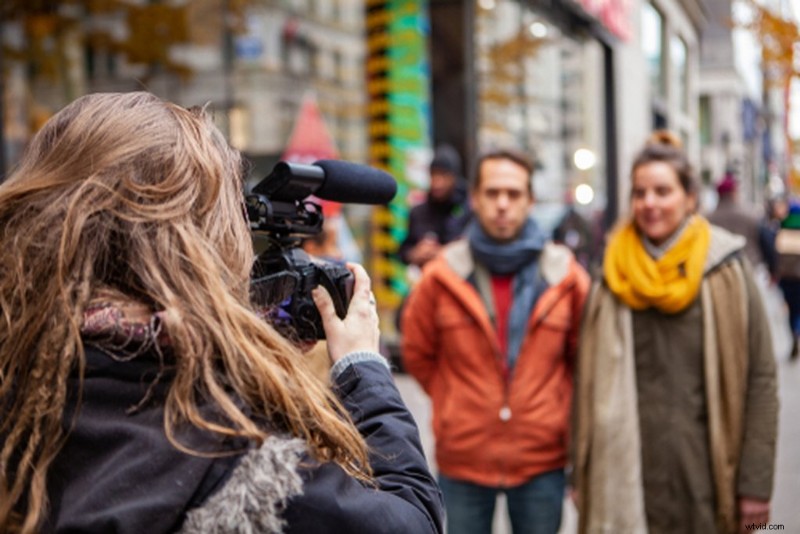
This certainly works well for documentary and news, but for narrative films, it’s not always practical. If you’re filming with a telephoto lens, or your camera is far from the actor, you’re not going to get great audio.
You might also consider using lavalier microphones. However, I would assert that if you can purchase two lavalier microphones of the same quality as a shotgun mic, and also acquire the additional radio equipment, I’d say you’re probably in a position to hire a sound recordist. Still, it’s not practical in most narrative circumstances due to lavalier and wire placement. Therefore, we’re back to using a typical shotgun microphone.
Audio Monitoring and Mic Placement
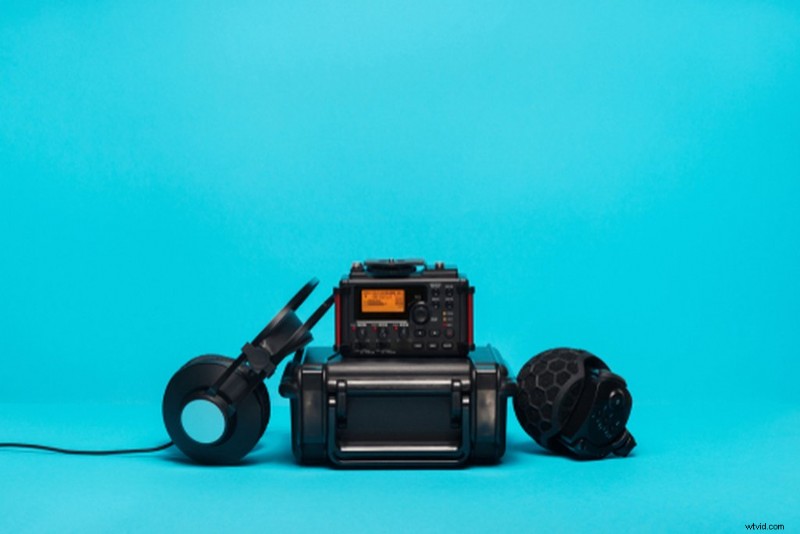
Your primary fight is going to be with getting a clear audio signal when you can’t boom the mic. As such, your first step is to acquire audio equipment that pushes those levels for you. A lot of mid-range cameras don’t necessarily have great audio functions, in the way of preamps and clipping limiters. Likewise, it’s just not practical to adjust the camera’s audio functions when filming handheld. Initially, I was working with a separate field recorder and mixer — the field recorder to record my sound and the mixer to take advantage of its preamp to throttle the noise.
All electronic devices emit noise, and in the case of a microphone, you’ll be pitted against a signal-to-noise ratio.
The closer your microphone is to the actor, the greater the signal, the less the noise, creating better sound.
The further away your microphone is from the actor, the weaker the signal strength, the greater the noise.
However, a preamp will improve the signal of your microphone, allowing you that extra reach — it’s essential for a solo filmmaker.
Monitoring
Initially, I had a mixing bag — one of these.
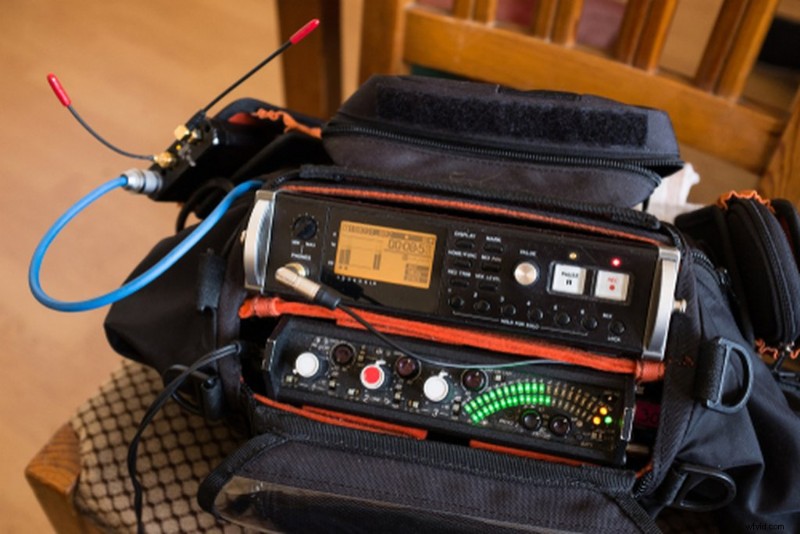
So, I could sling my audio kit on my side, but there’s a dilemma. If I’m focused on the shot composition and what’s going on with the actor, I can’t see what’s going on with the audio and adjust if necessary.
I’m sure there are less expensive variations on the market. Still, I opted for a MixPre-6, which is a combination of the two previous devices. It has a 1/4-inch thread on the top, so I can mount the mixer underneath my camera cage, mount that to the tripod, and monitor and adjust the audio without turning away from the camera or touching the camera itself — clean audio, clear monitoring.
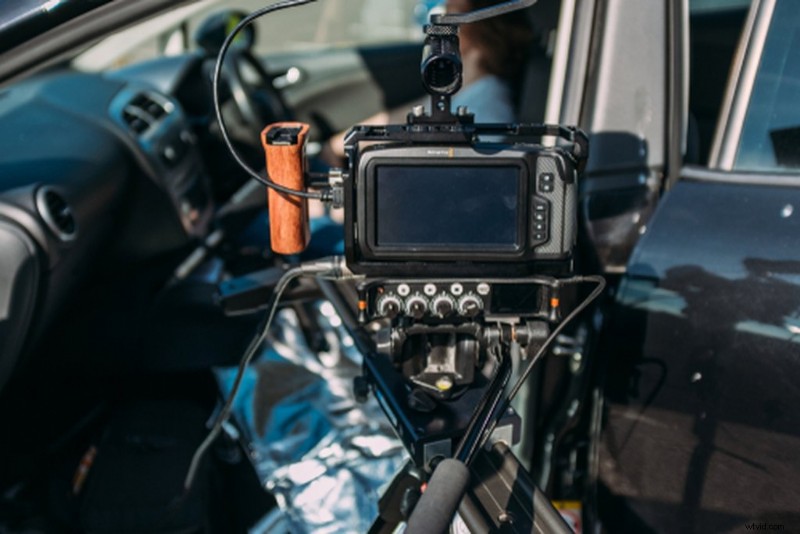
In short, you’re going to want to bring any mixing and recording device on top or under your camera, so you can monitor the levels along with your footage, as recording audio without monitoring the levels is going to be like trying to frame your shot without looking at the monitor. Doable, but not practical.
Microphone Placement
If you’re behind the camera pulling focus or moving the camera, it’s completely impractical to think you’re also going to be operating a boom.
Therefore, look at investing in a variety of different tools that can help you position the mic by itself. Of course, a microphone stand is a given, but there are also several tools that can allow you to clamp the mic into place, on any given surface, such a desk clamp with a boom arm.
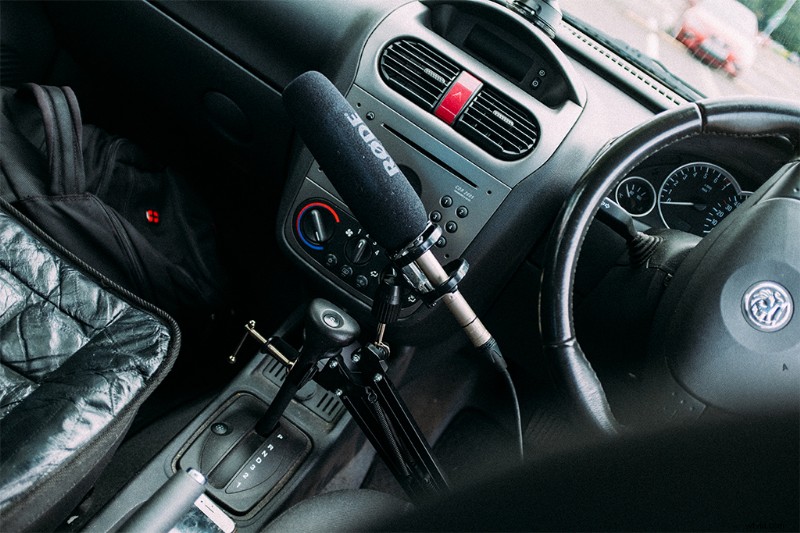
I used the desk clamp in my short film “The One with The Ferris Wheel.” The film takes place in a car, and I was able to clamp the mic onto the gear stick and position the mic straight up to the actor, allowing me to record audio while I sat behind the camera freely.
You’ll need to place your microphone in the stand and position it as close to the actor as you can. Run through the entire shot to work out the average falloff for your sound levels. You want to hit -12db to -15db for your actors’ dialogue.
Write for Your Limitations
When you start any new project, at first, the sky is the limit. But, before you even put pen to paper, it’s worth scrutinizing your expectations when operating at minimal capacity. I know if I’m going into a short where there’s no budget and I’ll be doing everything myself, I’m not going to write extravagant content. Usually, it’ll be a conversational piece because I know I can manage that. If you’re taking down these notes about condensing your equipment and picking up tools to allow you to place mics anyway, and then you try to film a moving one-shot like Fincher, you’re going to run into issues.
Fixing Audio in Post
A few years ago, I set out to create an apocalyptic short film-turned-web series, called The Vagabond. I was unable to finish the series because I stupidly decided to change the end of the series while filming, which resulted in a concoction of merged narratives. However, another factor that put a nail in its coffin was the extended post-pre-production process, because of sound.
As I wanted my character to be moving and for there to be action, and I knew I couldn’t aptly achieve that, we decided to film entirely without sound. For the most part, it was myself and a single actor, and the plan was to recreate all of the sound after production had completed.
The efficiency of filming like this was unparalleled. We could film next to roads, in windy conditions, with planes nearby — fast and efficient. Replicating the sounds in post was not.
If you refer to the video, you can see the layers of sound involved in this sequence, where the main character steps on a mirror shard. Several layers of audio, most of which we recorded raw — as opposed to a sound library — just for a small, twenty-second sequence. I think this is an entirely practical way for a solo filmmaker to film something elaborate without a sound recordist. Nevertheless, it’s important to acknowledge that it’s also very intensive, especially when you realize that this has to be done for every shot of every scene.
So, these tips are all for the filmmaker with no sound recordist and no boom operator. If you do have an extra set of hands, then, of course, delegate the boom to that person. I will state, however, that I’ve been on many shoots where boom operating has been transferred to someone who hasn’t done it before, and the results aren’t that great. Boom operators are sorely underrated — there’s a lot more than just holding a pole over the actors. While handing someone a boom pole may be a much better option than everything listed above, it still has setbacks.
Interested in the tracks we used to make this video?
- “Business Calling” by Immersive Music
- “Nature Is Calling” by Immersive Music
- “The New Girl” by Francesco D’Andrea
- “Mr Fragranza” by Francesco D’Andrea
Looking for more on working with audio? Check out these articles.
- Learn Music Video Playback From An Audio Professional
- Video Tutorial: How to Run Audio on Set by Yourself
- Tutorial: How To Clean Up Noisy Audio In Under A Minute
- Premiere Pro Tips for Editing Audio, Music, and Sound Effects
- Fix It In Post: Correcting Footage and Audio in Final Cut Pro
Cover image via AS photostudio.