
Staying productive is a problem every creative person faces. These simple productivity tips for video editors will help you stay on track by properly focusing your attention on the right details — not the little details.
1. Rough Cut > Fine Cut > Final Cut
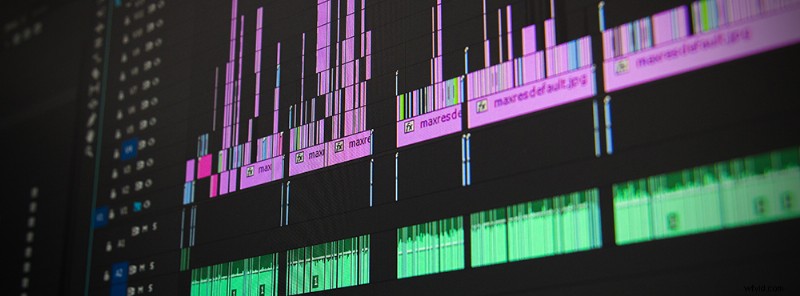
They’re called rough cuts for a reason: When you are first organizing your timeline, don’t attempt to get the cuts in exactly the right place or to add any transitions. Just start by organizing your footage into a sequence that tells the story.
Once you get into actual edits, you will begin fine cutting the video. This is where you trim all the clips and sync the music. You can also start adding placeholders for text, as well as adding markers or notes on clips that will need extra attention.
By the final cut all of the transitions will be in place, all text finalized, and color grades applied. By tackling each step individually, you will keep yourself from becoming too focused on minor details that don’t make a major impact on the final video.
2. Use Keyboard Shortcuts and Make Your Own

Every single NLE has their own set of keyboard shortcuts. By memorizing these shortcuts, your editing time will decrease tremendously. If you have particular tasks you always find yourself doing, you may consider creating your own shortcuts.
If you are quicker with a mouse, consider purchasing a gaming mouse that has programmable buttons, allowing you to program those keyboard shortcuts into a simple mouse click.
Here are a few keyboard shortcuts for Premiere Pro, Final Cut Pro X, and Avid.
3. Listen to Curated Playlists from Music Licensing Sites

Searching for your video’s soundtrack can take a long time, especially considering the extensive collections of stock music at your fingertips. One of the best ways to cut down on this time is to take advantage of the curated collections within these stock collections. These are organized by genre or mood, and they’re a great way to dive into a particular sound without spending hours on search. Check out this playlist of Happy and Uplifting tracks from Shutterstock Music, or this collection of Editor’s Picks from PremiumBeat.
4. Schedule Your Breaks

Instead of checking Facebook or Instagram every 10 minutes, set aside a specific time you are allowed to check social media, emails, and text messages. Checking your phone is like the modern smoke break. It’s ok to reset your mind, just don’t do it constantly.
Be sure to limit these breaks by avoiding going over 10 minutes. Otherwise you’ll fall into an unproductive state, where you end up wondering where all your time went.
Top image by Alex Brylov