
Looking to add a splash of fun and nostalgia to your content? The iconic SpongeBob SquarePants voice can elevate your videos, delighting audiences of all ages. In this guide, we’ll walk you through the best AI‑powered tools for generating a SpongeBob‑style voice and show you how to polish it with Wondershare Filmora.
Why SpongeBob AI Voice Works
- Humor & Energy: The character’s bubbly, high‑pitched delivery brings instant humor.
- Instant Recognition: A familiar voice instantly ties your content to childhood memories.
- Universal Appeal: SpongeBob’s tone resonates across demographics, encouraging laughter and engagement.
Top AI Voice Generators for SpongeBob
1. FakeYou
FakeYou is a popular online platform that offers a vast library of voice styles, including animated characters. Users appreciate its intuitive interface and quick turnaround.
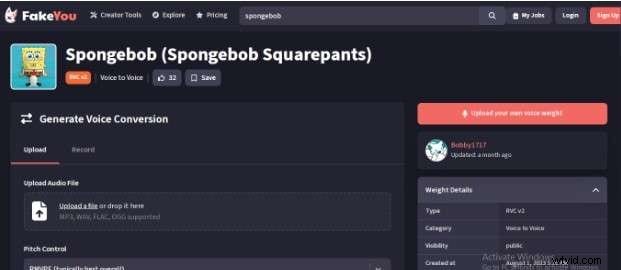
- Extensive categories: anime, games, movies, cartoons, and more.
- Fast text‑to‑speech conversion.
- Customizable tone, pitch, and speed.
- High‑quality output suitable for publishing.
Pros
- Easy to use.
- Wide range of voice styles.
Cons
- Advanced features require a paid plan.
- Some voices may sound slightly synthetic.
Pricing
- Free tier with basic features.
- Premium plans start at $7/month.
2. iMyFone VoxBox
iMyFone VoxBox combines real‑time voice recording with a vast selection of AI voices, making it a versatile choice for creators who need more control.
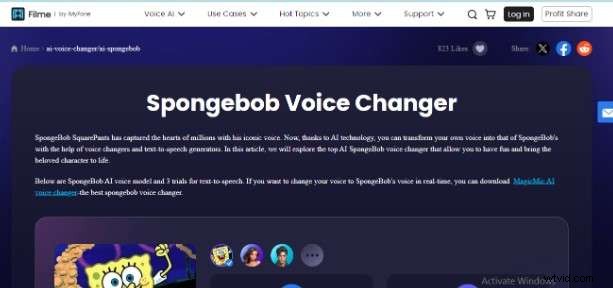
- Real‑time voice recording capability.
- Offers roughly 3,500 voices in multiple languages.
- Supports various output formats.
Pros
- Powerful text‑to‑speech engine.
- Multilingual support.
Cons
- Limited customization compared to some competitors.
- Steeper learning curve for beginners.
Pricing
- Free version with limited features.
- Premium plan around $7/month.
3. Uberduck.ai
Uberduck.ai specializes in voice cloning, enabling you to replicate famous voices—including SpongeBob—in a few clicks.
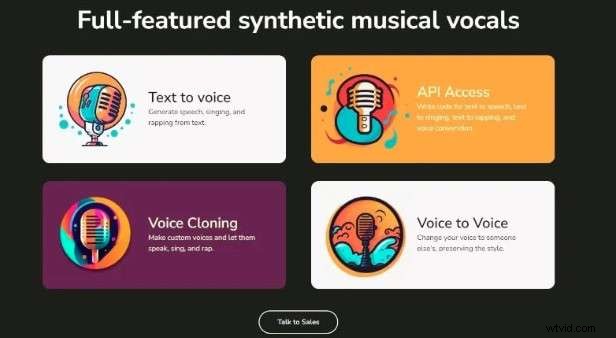
- Clone celebrity, gamer, and cartoon voices.
- Custom voice creation for a personalized touch.
- Multilingual support.
Pros
- High‑quality output.
- Supports multiple languages.
Cons
- Quality depends on the underlying AI algorithm.
- Customization options are limited.
Pricing
- Free plan with restricted features.
- Creator plan at $10/month.
Editing Your SpongeBob AI Voice with Wondershare Filmora
Once you’ve generated the SpongeBob voice, refining it with professional editing can make the difference between a good and great video. Wondershare Filmora’s AI Toolbox offers a straightforward, beginner‑friendly workflow.
Here’s a quick step‑by‑step guide:
- Download and install Wondershare Filmora.
- Open the program and navigate to the “AI Toolbox.”
- Select “AI Voice Cloning.”
- In the Text‑to‑Speech dashboard, paste or type your script.
- Choose the desired voice clone or record your own voice for a custom sound.
- Adjust voice parameters—pitch, speed, and tone—to match the SpongeBob style.
- Export the audio file and import it into your video timeline.
- Fine‑tune the audio levels and sync with on‑screen action.
Filmora’s intuitive interface ensures even novices can produce professional‑grade voiceovers quickly.
Conclusion
Creating a SpongeBob AI voice has never been easier. By leveraging top AI voice generators and polishing the result with Wondershare Filmora, you can produce engaging, memorable content that stands out. Start experimenting today and watch your audience’s reactions soar.
Frequently Asked Questions
- What is a SpongeBob AI voice? A digital recreation of SpongeBob’s distinct voice generated via AI text‑to‑speech technology.
- How can I create a SpongeBob AI voice for my videos? Use tools like FakeYou, iMyFone VoxBox, or Uberduck.ai to convert your script into the SpongeBob voice.
- Can I add SpongeBob AI voices to my existing videos? Yes—import the AI‑generated audio into a video editor like Filmora, then sync it to your footage.