
Text‑to‑speech (TTS) technology has transformed audio content creation by converting written text into natural‑sounding speech. For Hindi‑speaking creators who need high‑quality voices without hiring voice actors, choosing the right TTS tool is essential.
Below is a comprehensive guide that covers the best paid and free Hindi TTS converters, organized by premium and free options, plus a side‑by‑side comparison to help you pick the right tool for your project.
Premium Hindi TTS Converters
Premium solutions typically offer a richer set of voices, advanced customization, and better Hindi pronunciation support. The standout choice for professional‑grade output is Wondershare Filmora, which combines a robust TTS engine with a full video‑editing suite.
Why Wondershare Filmora is Ideal for Hindi TTS
- More than 40 high‑quality voices, including natural‑sounding Hindi options
- Adjustable pitch, speed, and tone for fine‑tuned delivery
- AI copywriting to auto‑generate subtitles and scripts
- Supports 33+ languages, breaking down linguistic barriers
- Seamless integration with video editing tools for quick publishing
How to Create a Hindi Voiceover in Filmora
- Open Filmora and start a new project.
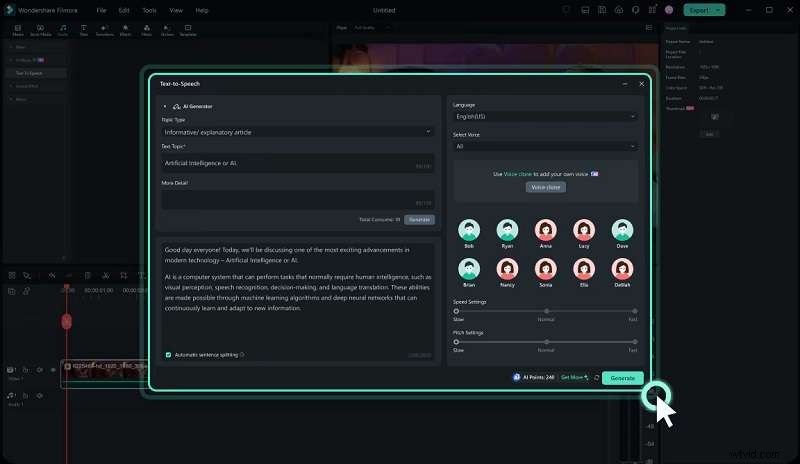
- Navigate to Audio > Text to Speech and click “Start.”
- Paste or type your Hindi text, or use the AI copywriting feature.
- Select Hindi from the language menu and choose your preferred voice.
- Fine‑tune speed and pitch, then click “Generate” or “Try Free” for a trial.
- Export the finished video in your desired format.
Free Hindi TTS Converters
Free tools can still deliver impressive results, though they often come with limits on voice variety, character count, or customization depth. Here are five free options that excel in Hindi voice generation.
1. Listnr AI
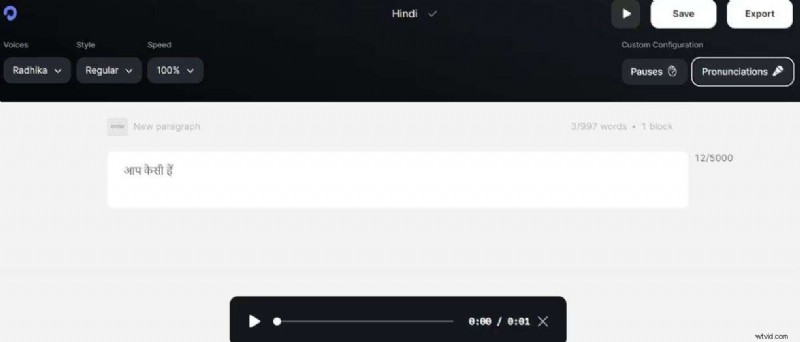
Listnr AI transforms text into lifelike speech using advanced neural networks. It supports Hindi and allows you to input word pronunciations for greater accuracy.
- Natural‑sounding Hindi voices
- Wide range of AI voices and styles
- Supports pre‑input pronunciations
Limitations: 1,000 Hindi words per month on the free plan; may lack emotional nuance.
2. PlayHT
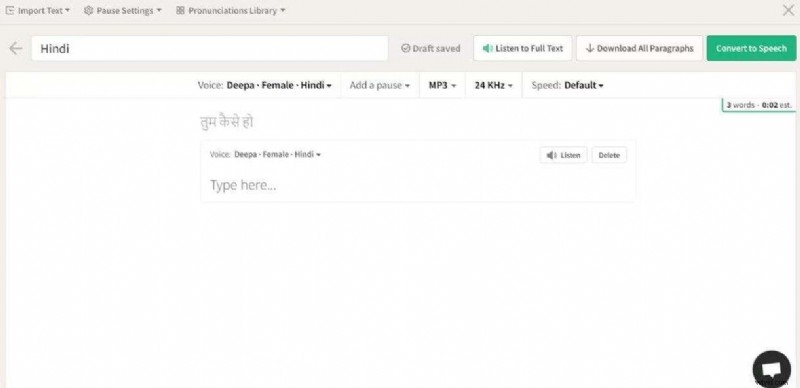
PlayHT offers expressive Hindi voices with realistic emotions, suitable for podcasts, e‑learning, and more. It supports over 147 languages.
- Highly natural and expressive voices
- Adjustable pitch, tone, and speed
- Downloadable audio files per paragraph
Limitations: Free plan restricts voice options and text volume; paid plans can be pricey.
3. Narakeet
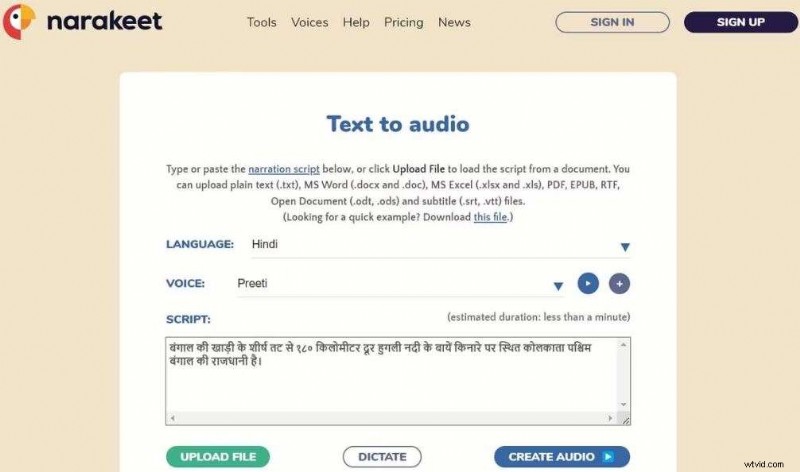
Narakeet delivers high‑quality Hindi narration with over 600 AI voices. It can batch‑produce audio and create multi‑language videos via APIs.
- Natural speech with Hindi support
- Convert presentations into narrated videos
- Batch audio export and markdown‑based video creation
Limitations: Hindi scripts capped at 10 MB; fewer advanced options compared to premium tools.
4. Murf AI
Murf AI is known for its lifelike voices and customizable emotion settings. It offers a straightforward workflow: upload a script, pick a voice, tweak parameters.
- Adjust pitch, tone, and speed
- Strong data protection and support
- Free plan allows media uploads but no voice downloads
Limitations: Pitch adjustment range is limited; may not fully match brand‑specific tones.

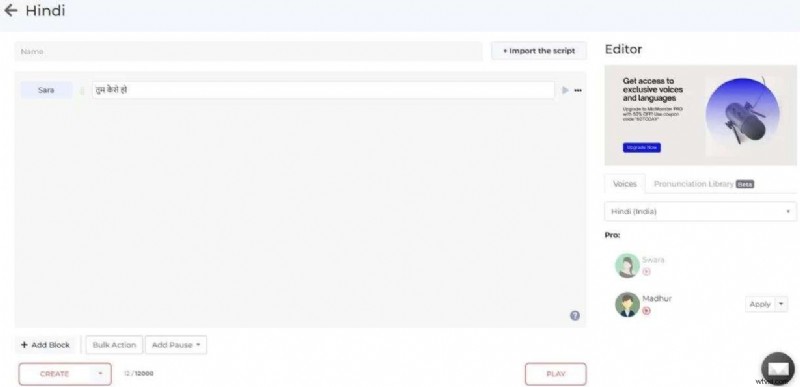
5. MicMonster
MicMonster supports 129 languages, including Hindi, and lets users add music and customize voice style.
- Comprehensive language support
- Detailed voice editor for customization
- Commercial license available
Limitations: Fewer Hindi voice options; cloud‑only platform; free plan capped at 50,000 characters per month.
Premium vs. Free Hindi TTS: Quick Comparison
| Free | Premium | |
|---|---|---|
| Quality | Decent, may sound robotic | High‑quality, human‑like |
| Voice Options | Limited | Full customization |
| Ideal For | Casual users, small projects | Professionals, high‑end content |
| Customization | Basic controls | Advanced voice settings |
While free tools like Listnr AI and Murf AI provide valuable features, premium solutions such as Wondershare Filmora offer unmatched realism and editing flexibility. For projects that demand polished, professional voiceovers, investing in a premium TTS converter is a worthwhile decision.
Conclusion
Your choice between free and paid Hindi TTS depends on project scope and quality expectations. Free converters are excellent for experimentation and low‑budget content, whereas premium tools deliver the depth, realism, and control required for commercial or high‑production projects.
By leveraging the right TTS platform, you can produce compelling Hindi voiceovers that resonate with your audience and elevate your content quality.