
Whether making a hit song or fixing a rough vocal, a pitch correction plugin is a must-have tool for music creators. It helps fix off-key notes and can even create the famous “Auto-Tune” sound. With the right plugin, your vocals can sound cleaner and more polished.
In this article, we've rounded up the 10 best pitch correction plugins, carefully chosen for their ease of use, real-time correction, advanced features, and overall vocal quality.
In this article
- Our Top 3 Pitch Correction Plugin Picks
- Pitch Correction Plugin Comparison Chart
- Top 10 Pitch Correction Plugins
- How to Choose the Right Pitch Correction Plugin
- Bonus: Apply Pitch Correction Plugin in Your Video Project
Our Top 3 Pitch Correction Plugin Picks
Auto-Tune Pro X
Paid | 4.7 • 561 Ratings
The industry standard with deep correction modes and real-time processing.
View More Details From Here
MeldaProduction MAutoPitch
Paid | 4.6 • 492 Ratings
A simple, clean, beginner-friendly plugin with surprisingly powerful results.
View More Details From Here
Waves Tune Real-Time
Free | 4.5 • 374 Ratings
Delivers instant pitch correction while keeping your vocals natural and transparent.
View More Details From Here
Part 1. Pitch Correction Plugin Comparison Chart
With so many pitch correction plugins available, it can be tough to know which one suits your needs best. That's why we've put together a quick comparison chart to help you choose the right tool for your workflow, skill level, and budget. Whether you're a beginner looking for something simple or a pro who needs advanced features, this chart gives you a clear snapshot of the top options out there.
Here's a breakdown of the top 10 best pitch correction plugins, including their ideal user level, key features, price range, and best use case:
| Plugin Name | Skill Level | Key Highlight | Price | Best For |
|
Auto-Tune Pro X |
Intermediate–Pro | Industry standard, real-time & graphical modes | $229,50/one-time | Professional vocal production |
|
MAutoPitch |
Beginner | Simple UI with automatic tuning & stereo support | Free | Quick fixes and beginners |
|
Waves Tune Real-Time |
Intermediate | Real-time correction with great vocal transparency | $199/one-time | Live performance and fast studio work |
|
GVST GSnap |
Beginner–Intermediate | Basic pitch correction + Auto-Tune effect | Free | Learning pitch correction and experimentation |
|
NewTone (FL Studio) |
Intermediate | Integrated FL Studio tool with precise editing | $99,00 (FL add-on) | FL Studio users who need detailed control |
|
ReaTune (Reaper) |
Intermediate | Comes with Reaper, supports auto/manual modes | Free (with Reaper) | Reaper users looking for built-in tools |
|
Melodyne Essential |
Intermediate–Pro | Note-based editing with excellent audio quality | $99/one-time | Studio recording and detailed pitch work |
|
Graillon 2 by Auburn |
Beginner–Intermediate | Pitch shifting and tuning with vocal effects | $29,00/one-time | Creative vocal effects and tuning |
|
KeroVee |
Beginner | Lightweight, Auto-Tune style plugin | Free | Simple pitch correction on a budget |
|
Voloco VST |
Beginner | Real-time tuning with built-in vocal effects | Free | Quick vocal edits and playful sound design |
Part 2. Top 10 Pitch Correction Plugins
Now that you've seen the full comparison chart, it's time to dive deeper into each pitch correction plugin. We'll guide you through the key features, pros and cons, ideal users, pricing, and a quick summary of each option. This will help you make a smart choice before downloading or buying anything.
Whether you need real-time tuning for live performances or detailed editing for studio vocals, there's a plugin here for every type of music producer.
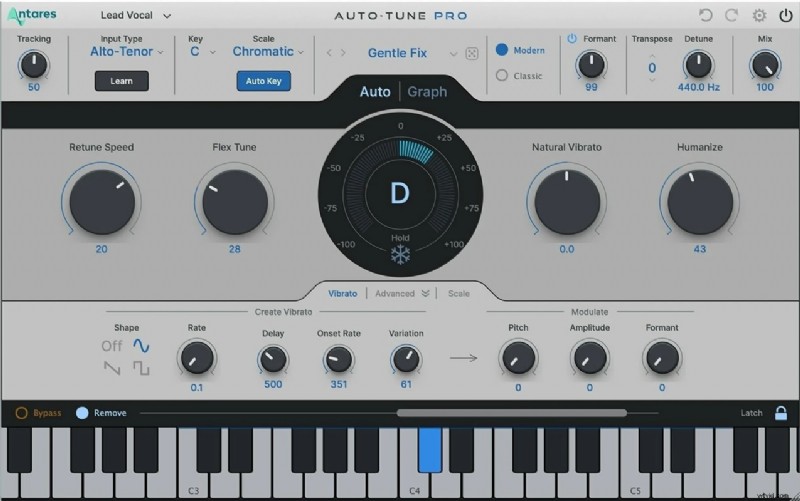
1. Auto-Tune Pro X
 Pros
Pros
- Industry-standard for pro vocal tuning
- Great for both subtle correction and heavy FX
- Reliable and widely supported in big studios
- It might be expensive for beginners
- It can be overwhelming if you're new to pitch correction
Key Features:
- Real-time and graphical pitch correction
- Classic "Auto-Tune" effect with Flex-Tune and Humanize options
- Formant and throat modeling
- ARA2 support for faster workflow in compatible DAWs
Target Users and Use Cases:
It's a perfect choice for professional producers, engineers, and artists who need top-level pitch correction and flexibility. Ideal for studio work, pop vocals, and creative effects.
Pricing:
- $33.30/month
- $166.50/year
- perpetual license for $229.50
Official Ratings and Reviews: Auto-Tune Pro X is widely praised for its precision, ease of integration, and industry relevance. It remains the go-to tool for many chart-topping vocal productions.
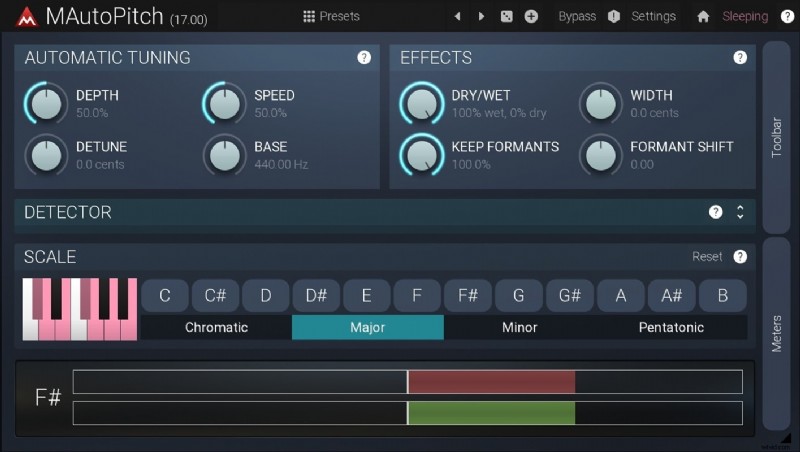
2. MAutoPitch
 Pros
Pros
- Beginner-friendly and easy to set up
- Lightweight and works smoothly on most systems
- Includes creative vocal effects
- Less control compared to premium plugins
- Visual design can feel outdated
Key Features:
- Automatic tuning with formant shift
- Stereo expansion and dry/wet mix controls
- Simple and intuitive interface
- Part of MeldaProduction's free MFreeFXBundle
Target Users and Use Cases:
Great for beginners or hobbyists who need a quick pitch fix or want to experiment with vocal effects. Also useful for producers on a budget.
Pricing: Free
Official Ratings and Reviews: Praised for its simplicity and value. Ideal as a first pitch correction plugin.
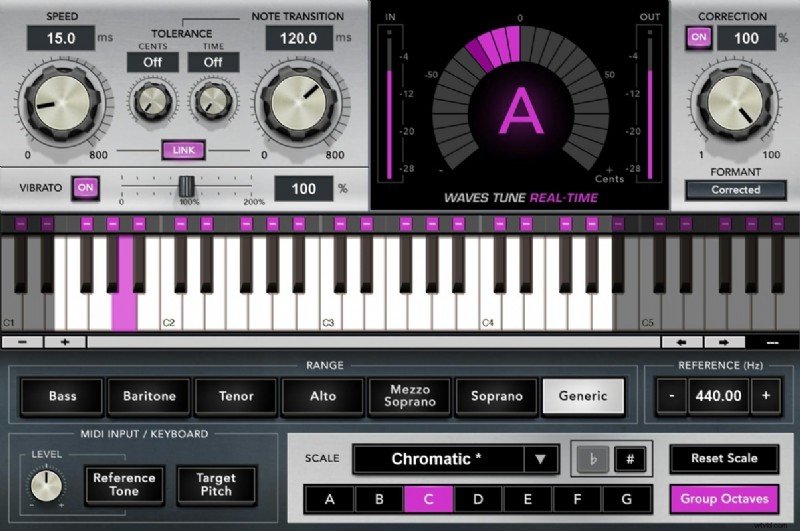
3. Waves Tune Real-Time
 Pros
Pros
- Excellent for live use and fast studio workflows
- Natural vocal tone when settings are dialed in
- Trusted by professionals
- The interface looks dated
- Not ideal for deep manual edits
Key Features:
- Instant pitch correction with low latency
- Scale and key control
- Built-in formant correction
- Compatible with live performance setups
Target Users and Use Cases:
Best for singers, streamers, or producers who need reliable real-time tuning without sacrificing vocal quality.
Pricing: Often discounted (Regular price around $199)
Official Ratings and Reviews: Highly rated for transparency and speed. Top choice for many live vocalists.
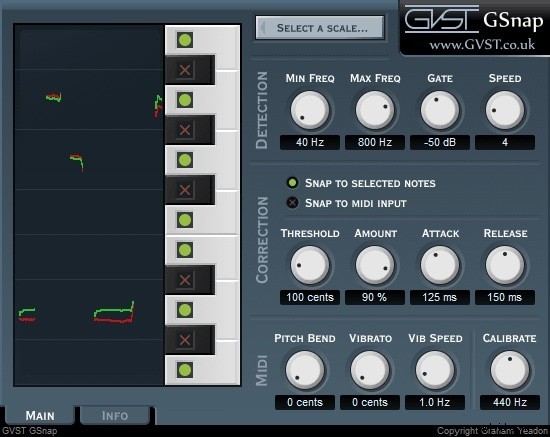
4. GVST GSnap
 Pros
Pros
- Fully free and lightweight
- Easy to use for pitch-based experiments
- It can create robotic or natural results
- No formant control
- Basic interface and features
Key Features:
- MIDI control and auto-tuning modes
- Simple pitch graph display
- Supports VST format
Target Users and Use Cases:
Ideal for students, beginners, and creators who want to try Auto-Tune-style effects without spending money.
Pricing: Free
Official Ratings and Reviews: A solid entry-level plugin that can still be used for casual use.
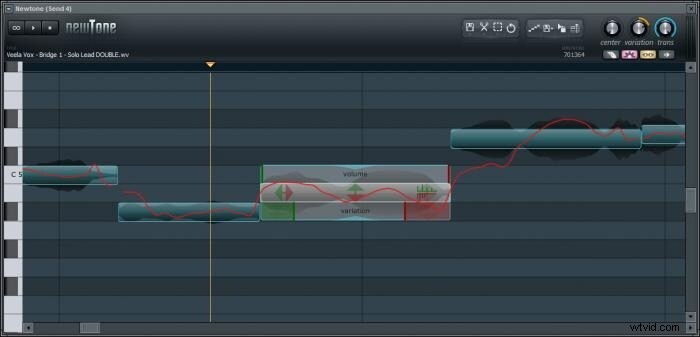
5. NewTone (FL Studio)
 Pros
Pros
- Excellent integration with FL Studio
- Easy-to-use pitch graph
- Precise timing adjustments
- Only available in FL Studio
- It doesn't work in real-time
Key Features:
- Precise pitch and time editing
- Integrated within FL Studio
- Visual drag-and-drop workflow
- Compatible with MIDI export
Target Users and Use Cases:
Ideal for FL Studio users who require detailed pitch correction, especially in vocal editing and remixing.
Pricing: ~$99 as an FL Studio add-on
Official Ratings and Reviews: Highly praised by FL users for its intuitive workflow
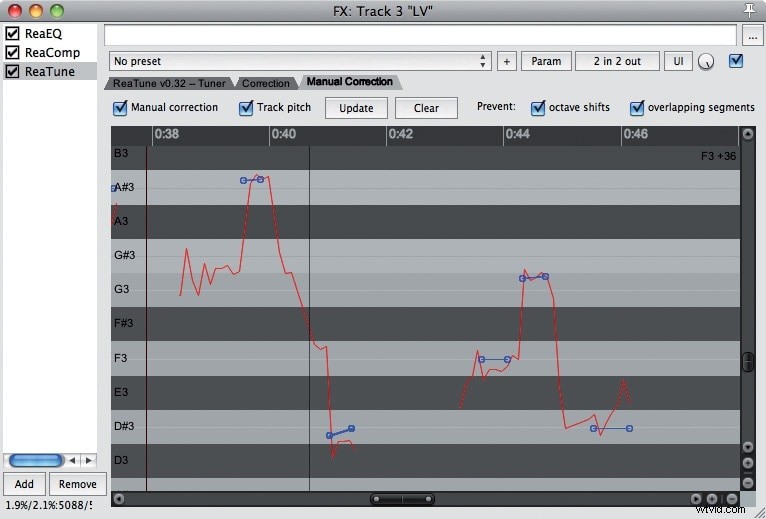
6. ReaTune (Reaper)
 Pros
Pros
- Free for Reaper users
- Offers both real-time and graphical editing
- Light on CPU
- Basic UI
- Limited to Reaper DAW
Key Features:
- Comes free with Reaper
- Manual and automatic correction modes
- Pitch correction, tuning, and analysis
Target Users and Use Cases:
A good deal for Reaper users who need built-in pitch correction without third-party plugins.
Pricing: Free (included with Reaper)
Official Ratings and Reviews: Reliable and flexible for the price (free). Not flashy, but it gets the job done.
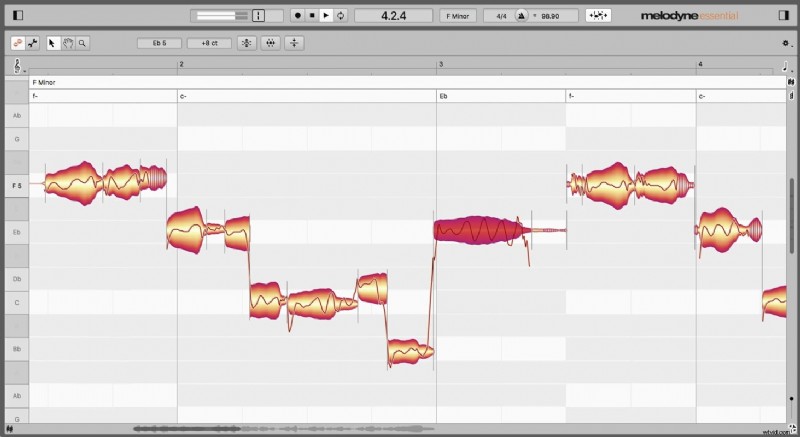
7. Melodyne Essential
 Pros
Pros
- Industry-level quality
- Excellent for smooth, transparent tuning
- Clean and musical edits
- No real-time correction
- The learning curve for first-time users
Key Features:
- Note-by-note pitch and time correction
- Powerful DNA (Direct Note Access) engine
- Natural-sounding results
- ARA integration for a fast workflow
Target Users and Use Cases:
Perfect for studio professionals needing detailed editing and precise control over vocal performance. Filmora users can access Melodyne (VST3) directly within the editor for advanced, non-destructive pitch tuning.
Pricing: ~$99 for the Essential version (more for advanced versions)
Official Ratings and Reviews: Critically acclaimed. A favorite for detailed studio work.
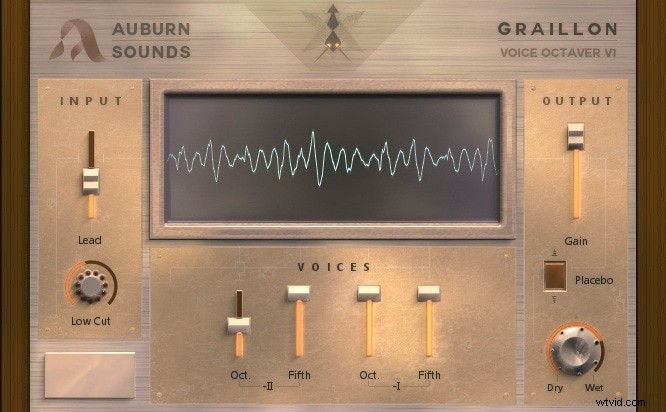
8. Graillon 2 by Auburn
 Pros
Pros
- Creative sound design options
- A simple interface
- The free and Pro versions are available
- Limited tuning accuracy in the free version
- More for effects than pitch correction
Key Features:
- Pitch correction with pitch-shifting
- Bitcrusher and robotic voice effects
- Vocal doubling and formant controls
Target Users and Use Cases:
It's suited for electronic music producers or artists who want basic pitch correction and vocal FX.
Pricing: Free version / ~$29 for Pro
Official Ratings and Reviews: Users rate its creative features and good value. A favorite for indie artists.
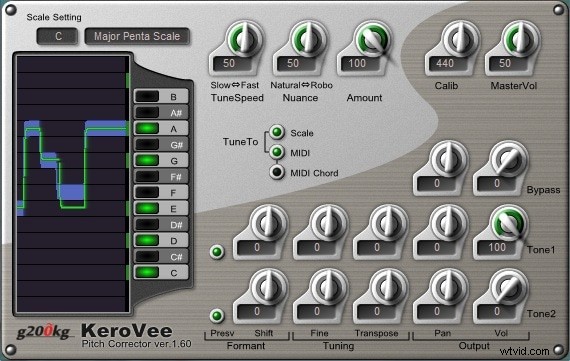
9. KeroVee
 Pros
Pros
- Free and straightforward
- Good for robotic effects
- Highly low system impact
- Outdated interface
- Windows only
Key Features:
- Auto-tune style pitch correction
- Scale and key setting
- Lightweight and low-latency
Target Users and Use Cases:
A great choice for beginners looking for Auto-Tune sounds on a zero budget.
Pricing: Free
Official Ratings and Reviews: Still used by many hobbyists. A niche but a dependable tool for basic correction
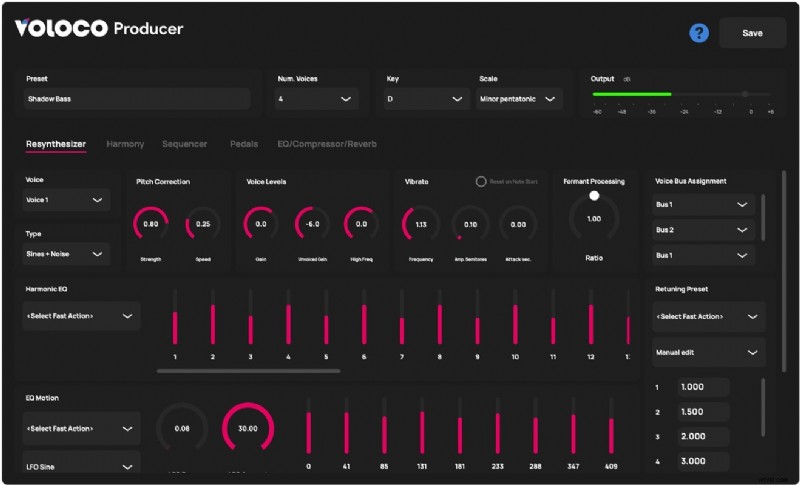
10. Voloco VST
 Pros
Pros
- Fast and easy to use
- Ideal for social content creators
- Built-in styles and FX
- Less control over detailed settings
- Not designed for pro-level studio use
Key Features:
- Real-time pitch correction
- Built-in vocal effects and presets
- Based on the popular mobile app
Target Users and Use Cases:
Perfect for creators making TikToks, YouTube Shorts, or casual vocal tracks with fast results.
Pricing: Free
Official Ratings and Reviews: Loved for simplicity and speed. Great for fun and creative vocal tweaks.
Part 3. How to Choose the Right Pitch Correction Plugin
There are so many pitch correction plugins out there, how do you know which one to choose? The answer depends on your goals, skill level, workflow, and the type of sound you want. Before choosing a plugin, here are some important things to consider:
- Real-Time vs Manual Editing: Do you need instant tuning for live vocals or more control for studio sessions?
- Formant and Time-Shifting Options: Some plugins let you adjust vocal tone and timing without affecting pitch.
- Compatibility: Ensure the plugin works with your DAW (VST, AU, AAX, etc.).
- Ease of Use: Beginners often prefer simple interfaces and helpful presets.
- Creative FX or Transparent Correction: Do you want a robotic effect (like T-Pain) or a clean, natural vocal sound?
Quick Recommendations Based on Your Needs
- If you're live-streaming vocals: Try Waves Tune Real-Time or Voloco VST for fast, clean correction.
- If you're correcting podcasts or voiceovers: ReaTune or MAutoPitch offers smooth tuning with minimal interference.
- If you're just starting out: MAutoPitch, GSnap, or Graillon 2 Free are easy and free to try.
- If you're aiming for creative vocal effects: Go for Auto-Tune Pro X, Graillon 2 Pro, or KeroVee.
Bonus: Apply Pitch Correction Plugin in Your Video Project
After you figure out how to choose the right pitch correction plugin, why stop at just audio production? If you edit music videos, vlogs, podcasts, or any video content with vocals, applying pitch correction directly in your video editor can instantly improve audio quality and make your content sound smoother and more professional.
One powerful tool for this is Wondershare Filmora, which now supports VST plugins, including pitch correction effects. This means you can fix pitch issues or add vocal effects without needing to switch between multiple software platforms.
How to use Pitch Correction Plugins in Filmora:
- Install your VST plugin (such as MAutoPitch, GSnap, or Graillon) on your computer.
- Open your video project in Filmora.
- Select your audio clip, then go to Audio > VST Effects.
- Click Add VST Plugin, and locate the plugin file on your system.
- Once loaded, apply the plugin and adjust the settings to correct pitch or add creative effects.
Conclusion
Pitch correction plugins are powerful tools for anyone working with vocals. The good news is that video editors like Filmora now support VST3 plugins natively, including top choices like Melodyne. Filmora enables creators to leverage professional audio suites like iZotope Ozone 11 and FabFilter directly within their video projects. Try Filmora and instantly boost your audio quality with these best pitch correction tools.

Filmora
⭐⭐⭐⭐⭐
The Best AI-powered Video Editing Software and App