
Audio distortion is a cornerstone of modern sound design, adding emphasis, humor, and tension to any project. Below, we examine five industry‑trusted tools that give you precise control over the distortion process, followed by a practical workflow using Wondershare Filmora to apply these techniques to high‑quality royalty‑free tracks.
Table of Contents
1. Adobe Audition
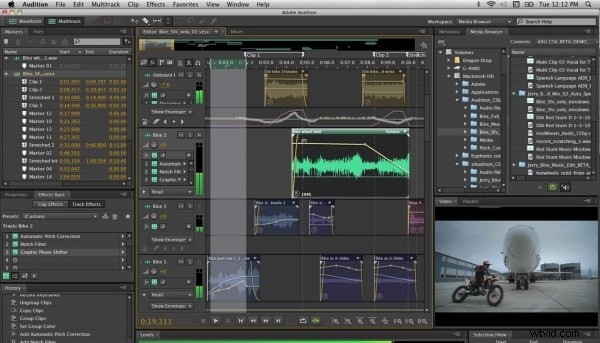
Adobe Audition remains the industry standard for high‑fidelity audio editing. Its intuitive multi‑track interface, AI‑driven noise reduction, and advanced spectral editing make it ideal for both mastering and creative distortion. Audition supports a wide range of formats, including WAV, OGG, CAF, MP3, AIFF, FLAC, and PCM, and also handles common video files such as AVI, MP4, MOV, and FLV.
2. Audacity
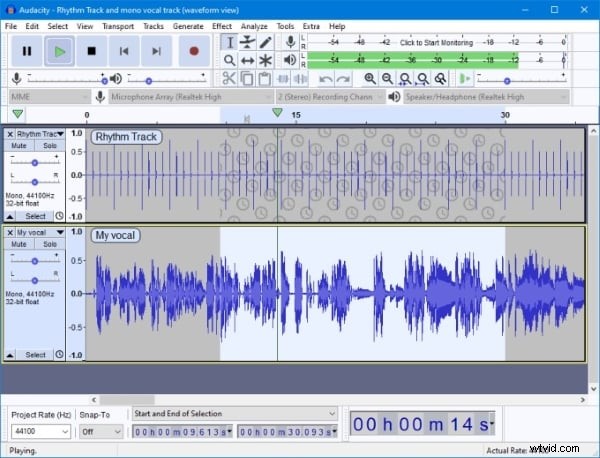
Audacity is the go‑to free, cross‑platform audio editor for producers, podcasters, and hobbyists alike. Its robust suite of effects—bass/treble adjustments, noise removal, and dynamic compression—enables users to shape sound with precision. Audacity also offers a comprehensive set of analysis tools, such as beat detection, silence detection, and spectrum analysis, all of which accelerate the creative process.
3. WavePad
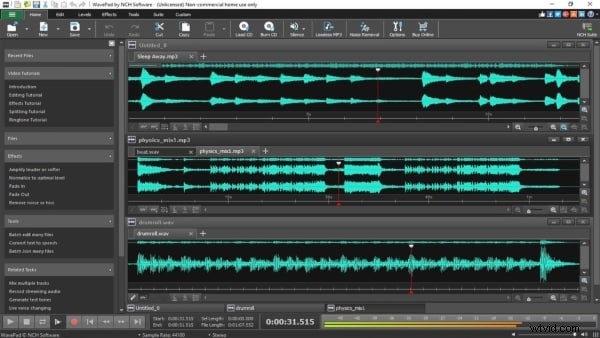
WavePad balances simplicity and power, providing essential editing tools like cut, trim, amplify, split, and normalize, as well as advanced functions such as equalization and batch processing. Its user‑friendly interface makes it suitable for musicians and video editors who need quick, high‑quality audio manipulation.
4. Ardour
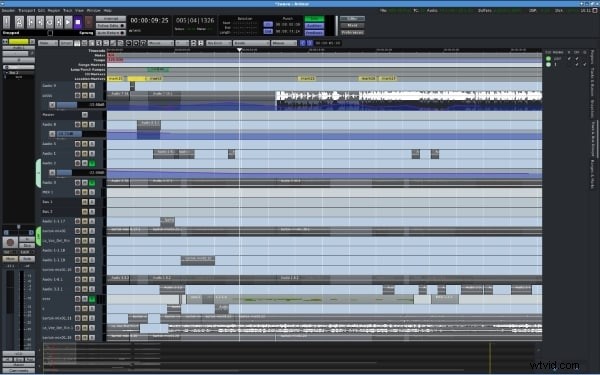
Ardour is an open‑source DAW that excels in recording, editing, and mixing. It offers a full suite of features—quantization, cross‑fading, time‑stretching, and extensive plugin support—while maintaining a low resource footprint. Ardour’s robust session management is ideal for musicians who require complete control over their audio production workflow.
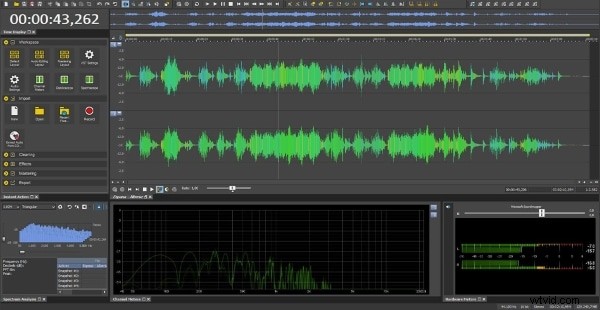
5. Sound Forge
Sound Forge, developed by Magix, delivers professional audio restoration and mastering tools. The Pro edition includes multi‑track recording, voice activity detection, and AI‑enhanced noise reduction. Sound Forge’s user interface is streamlined for Windows and macOS, allowing producers to focus on creative decisions rather than technical hurdles.
From Theory to Track: A Filmora Workflow
To bring your distortion ideas to life, you’ll need clean source material. Wondershare Filmora offers a built‑in library of royalty‑free tracks and a suite of intuitive audio effects that make applying distortion straightforward. Below are a few sample tracks you can download and experiment with:

Phonk Uplifting Pissed Off – 01:39




Phon Aggressive Slap – 01:32
As The World Spins On – 03:43
With Filmora’s drag‑and‑drop workflow and preset audio effects, you can apply distortion to these tracks in seconds, hear the impact immediately, and refine your sound in real time.
Conclusion
Whether you’re a seasoned audio engineer or an aspiring producer, the tools outlined above provide the technical foundation for creative distortion. Adobe Audition and Audacity offer granular control, while WavePad, Ardour, and Sound Forge deliver specialized workflows for different production environments. For an integrated experience that combines a vast royalty‑free library with intuitive editing, Wondershare Filmora is an excellent starting point. Download the free trial today and begin sculpting your unique sonic signature.
Get Started for Free (Win 7 or later, 64‑bit) | Get Started for Free (macOS 10.14 or later)