
Creating voice‑overs for videos traditionally demands time and the engagement of professional talent. Today, advances in Text‑to‑Speech (TTS) let you generate high‑quality, natural‑sounding narration directly from text—just a few clicks away.
Whether you’re editing on PC, mobile, or online, a TTS solution can be integrated directly into your video editor, turning written scripts into polished voice‑overs without scheduling sessions or recording equipment.
In this guide we’ll evaluate the best video‑editing software that supports built‑in TTS for PC users, demonstrate how the technology works, and share practical tips to maximize your workflow.

Table of Contents
- Part 1. The Role of Text‑to‑Speech in Video Editing
- Part 2. The Best Video‑Editing Software with Text‑to‑Speech Feature
- Part 3. Tips When Using Text‑to‑Speech in Video Editing
- Conclusion
Part 1. The Role of Text‑to‑Speech in Video Editing
Text‑to‑Speech has revolutionized how editors approach narration. By converting scripts into speech within the editing timeline, TTS eliminates the need for lengthy recording sessions, accelerates revisions, and reduces costs—especially valuable for tight budgets.
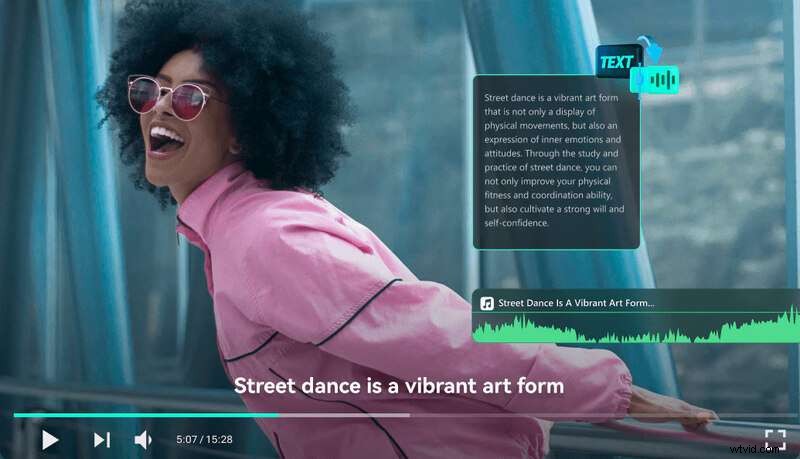
Key benefits of TTS for video production include:
- Time Efficiency: Create voice‑overs instantly, bypassing scheduling and studio setup.
- Consistency: Maintain a uniform tone, speed, and quality across multiple videos.
- Quality & Clarity: Modern TTS engines produce crystal‑clear audio that syncs smoothly with visual pacing.
TTS is ideal for educational videos, tutorials, and promotional clips where rapid, reliable narration is essential.
Part 2. The Best Video‑Editing Software with Text‑to‑Speech Feature
Below are the top five Windows‑compatible editors that incorporate robust TTS capabilities, each offering unique strengths to fit different workflows.
1. Wondershare Filmora [Recommended]
Filmora’s intuitive interface and integrated TTS engine make it a top choice for beginners and seasoned editors alike. With natural‑sounding voices and adjustable parameters, you can produce professional voice‑overs without external plugins.

Key Features
- Built‑in Text‑to‑Speech engine with multiple voices and languages.
- On‑screen voice‑recording for custom narration.
- Voice‑changer effects for character or thematic voices.
- AI audio denoise and vocal remover to enhance clarity.
How to Create Voice‑Overs with Filmora
- Open Filmora and start a new project.
- Navigate to Audio > Text to Speech > Start to open the TTS window.
- Enter your script in the text box.
- Select language and voice, then adjust speed and pitch.
- Click "Try Free" (or generate directly in the paid version) to preview.
- Insert the generated audio into your timeline.
2. PowerDirector
PowerDirector’s AI Voice Generator supports eight languages and a range of voices, with fine‑tuned control over tone and pace. Its integrated subtitle and audio‑ducking tools help blend narration with background music seamlessly.
Key Features
- AI Voice Generator (TTS) with multi‑language support.
- Exportable SRT subtitles with customizable styling.
- Speech enhancement to reduce background noise.
- Audio ducking for balanced dialogue and music.
3. CapCut
CapCut brings AI‑generated narration to both desktop and mobile, offering a straightforward interface that’s great for quick edits and social‑media content.

Key Features
- Realistic TTS voices with speed and effect adjustments.
- Comprehensive audio toolkit, including music library and sound effects.
- Auto‑caption and batch text editing for efficient workflow.
- Chroma‑key background removal.
- Custom filters and transitions.
4. VEGAS Pro
VEGAS Pro caters to advanced editors, offering detailed audio editing, magnetic snapping, and a robust TTS engine that supports multiple languages.
Key Features
- High‑fidelity TTS with adjustable voice effects.
- Comprehensive audio editing and mixing tools.
- Wide array of transitions for smooth storytelling.
- Magnetic snapping and auto‑ripple for precise timeline alignment.
- Animated text and title capabilities to complement narration.
5. Microsoft Clipchamp
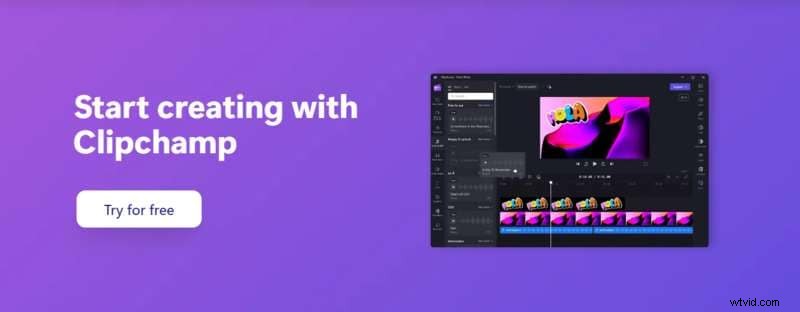
Clipchamp offers an expansive library of over 400 voices across 170 languages, making it a versatile choice for creators seeking diverse vocal styles.
Key Features
- Extensive TTS voice catalog with pitch, mood, and accent customization.
- Text & audio overlays for captions and background music.
- Clip trimming and splitting to match narration timing.
- Audio track management for volume balancing.
Author’s Verdict
For editors prioritizing ease of use, Wondershare Filmora stands out with its user‑friendly interface and versatile TTS options. PowerDirector excels in customization, while CapCut offers cross‑device flexibility. VEGAS Pro delivers depth for advanced audio workflows, and Clipchamp provides an impressive voice library for diverse projects.
Regardless of your level of experience, each tool can produce polished TTS voice‑overs directly on your PC, streamlining production and enhancing consistency.
Part 3. Tips When Using Text‑to‑Speech in Video Editing
To elevate the impact of your TTS narration, consider the following best practices:
- Choose the Right Voice and Tone: Match the voice’s character to your content’s purpose—professional tones for education, casual voices for marketing.
- Refine Naturalness and Clarity: Tweak speed and pitch for realistic delivery; preview to ensure pronunciation accuracy and highlight key phrases.
- Integrate Seamlessly with Other Audio: Layer background music and sound effects, use audio ducking to keep narration clear, and balance volumes for a cohesive soundscape.
Applying these strategies will help you deliver engaging, clear voice‑overs that resonate with your audience.
Conclusion
Text‑to‑Speech has become an indispensable asset for video editors, offering convenience, cost savings, and consistent quality. By selecting the right software and following proven workflow tips, you can embed professional narration into your projects with minimal effort.
Try the top five editors highlighted here to streamline your voice‑over process and elevate your video production today!