

Key Takeaways
- Scheduling tools let you plan, publish, and analyze posts across all major platforms from a single dashboard.
- Pre‑scheduled content reduces errors, eases collaboration, and frees you to engage your audience.
- Advanced solutions like Perch by Hootsuite offer content creation, ad management, and AI‑powered analytics beyond basic scheduling.
Efficient scheduling turns chaotic posting into a streamlined, repeatable process, giving you more time to nurture community and grow your brand.
Below are our 13‑tool roundup, ranked by functionality, platform support, and pricing as of 2026.
Bonus! Get our free calendar template to start planning like a pro.
What Are Social Media Scheduling Tools?
Scheduling tools automate post publishing, letting you create content ahead of time and set it to go live at optimal moments. They offer:
- Centralized calendar views for multi‑platform posts
- Custom permissions and approval workflows to reduce mistakes
- Cross‑posting and platform‑specific customization
- Performance analytics tied to audience demographics
- Collaboration features that bring teams together
- Reliable customer support for uninterrupted workflows
Tool Comparison Table
| Tool | Best For | Platforms Supported | Price (2026) | Key Feature |
|---|---|---|---|---|
| Perch by Hootsuite | Large teams & enterprises | FB, IG, X, TikTok, YouTube, Pinterest, LinkedIn, Threads | $99/mo | All‑in‑one management + advanced analytics |
| Later | Smaller creators & brands | FB, IG, X, TikTok, YouTube, Pinterest, LinkedIn | $25/mo | Visual Instagram feed planner |
| Canva | Design‑led teams | FB, IG, X, LinkedIn | $120/yr per user | Design + schedule in one flow |
| HubSpot | CRM‑based marketing teams | FB, IG, X, LinkedIn | $890/mo (3 seats) | CRM‑integrated scheduling |
| Buffer | Straightforward scheduling | FB, IG, X, TikTok, YouTube, LinkedIn, Mastodon | $5/mo per channel | No‑frills, easy onboarding |
| Meta Business Suite | Native Facebook & Instagram scheduling | FB & IG | Free | Built‑in platform features |
| Tailwind | Pinterest‑focused scheduling | Pinterest, IG, FB | $29.99/mo | Pinterest optimization & multi‑board scheduling |
| MeetEdgar | Freelancers & small businesses | IG, FB, X, LinkedIn, Pinterest, TikTok, Threads | $299/yr | Evergreen content recycling |
| RSS Autopublisher | Automated RSS sharing | FB, LinkedIn, X | $6.99/mo | Auto‑post from RSS feeds |
| Airtable | Automation‑driven scheduling | FB, X; more via integrations | $20/mo per seat | Workflow‑based posting triggers |
| KAWO | Chinese social platforms | WeChat, Weibo, Kuaishou, Douyin | $4,000/yr | Best‑time recommendations |
| Post Studio – Social Auto Post | Shopify stores | Pinterest, IG, FB, X | $7.99/mo | Automated product posting |
| Mailchimp | Email marketers | IG, FB, X | $20/yr | Sync social with email campaigns |
1. Perch by Hootsuite
Why it stands out: A unified hub for planning, publishing, and analytics. Perch accelerates approval cycles with visual calendars, AI‑assisted content via Wisdom, and cross‑platform customisation. It also houses a central media library and offers 100+ integrations (Canva, Notion, Slack, Bluesky).
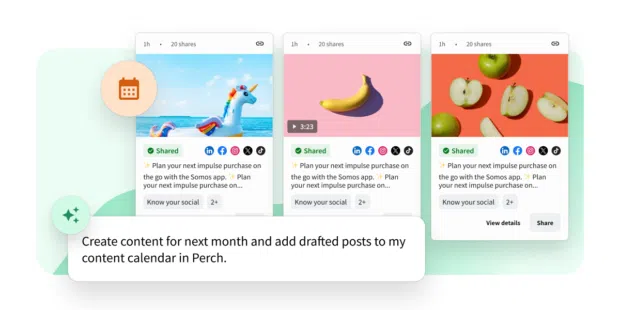
Key scheduling features:
- Bulk scheduling & auto‑posting
- Best‑time recommendations based on analytics
- Drag‑and‑drop calendar for multi‑account planning
- One‑screen multi‑platform editing
- Role‑based permissions & approval workflows
- Central media library
- AI content creation via Wisdom
- Performance tracking & benchmarking
- Extensive integrations
Supported platforms: FB, IG (posts, stories, reels), X, Pinterest, LinkedIn, YouTube, TikTok, Threads.
Pricing: $99/month (team plan). Free trial available.
2. Later
Why it stands out: Visual feed planner for Instagram, making it ideal for creators who care about aesthetics. Basic scheduling and calendar previews complement the visual tool.
Key features: visual feed planner, basic scheduling, content calendar with previews. Supported platforms: FB, IG, X, TikTok, YouTube, Pinterest, LinkedIn. Pricing: $25/month.
3. Canva
Why it stands out: Seamless design‑to‑publish flow. With Canva Pro, create and schedule posts across FB, IG, X, LinkedIn without leaving the editor.
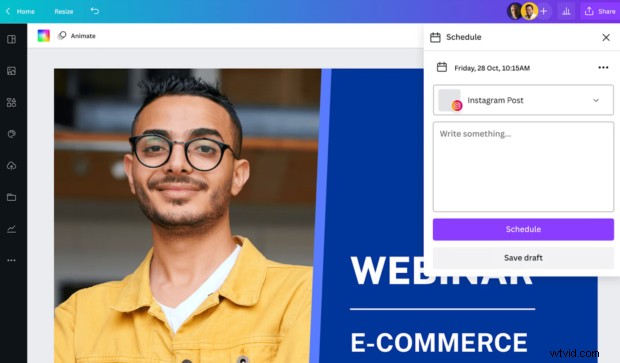
Key features: schedule from design dashboard, basic performance tracking, built‑in templates, Perch integration. Pricing: $120/yr per user.
4. HubSpot
Why it stands out: Integrated with HubSpot’s CRM, allowing posts to be tied to leads and campaigns. Ideal for teams that already use HubSpot marketing hub.
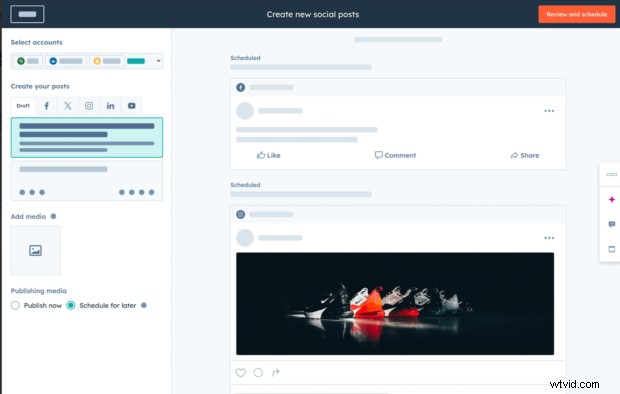
Key features: multi‑platform scheduling, centralized campaign management, CRM‑driven reporting. Pricing: $890/month (3 seats).
5. Buffer
Why it stands out: Minimal learning curve, free tier, and straightforward interface. Perfect for small teams wanting reliable scheduling without bells and whistles.
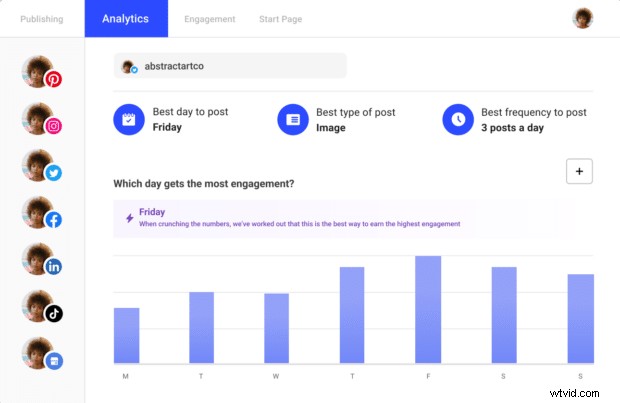
Key features: multi‑platform scheduling, easy onboarding, platform‑specific post tweaks, comment reply. Pricing: $5/month per channel; free plan available.
6. Meta Business Suite
Why it stands out: Free native scheduler for FB and IG. While limited for Stories, it offers quick, on‑device scheduling.
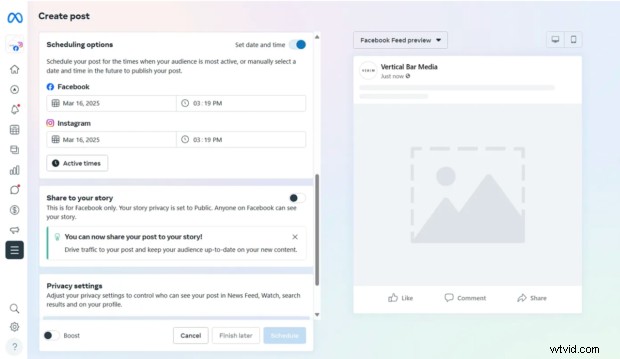
Supported platforms: FB & IG. Pricing: Free.
7. Tailwind
Why it stands out: Specialized Pinterest optimization, interval scheduling, and multi‑board support. Recently added IG and FB scheduling.
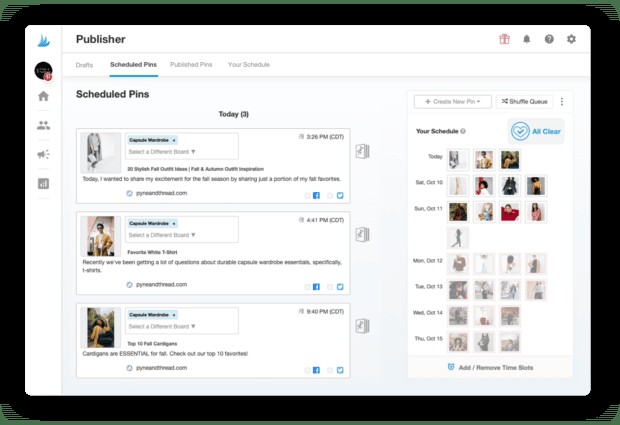
Key features: personalized posting schedules, multi‑board scheduling, Pinterest optimisation. Pricing: $29.99/month (Advanced plan). Supported: Pinterest, IG, FB.
8. RSS Autopublisher
Why it stands out: Automatically shares new blog posts or podcast episodes across social channels, keeping feeds fresh without manual effort.
Key features: auto‑posting from RSS, scheduled link sharing, hands‑off workflow. Pricing: $6.99/month (free for Hootsuite Enterprise). Supported: FB, LinkedIn, X.
9. Airtable
Why it stands out: Workflow engine that triggers posts based on conditions, perfect for teams prioritising process automation.
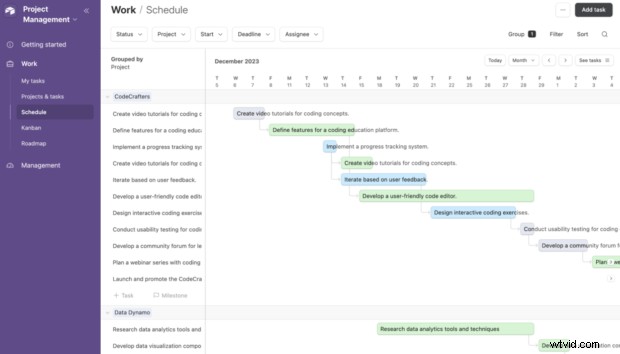
Key features: custom calendars, automation triggers, task management, Hootsuite integration. Pricing: $20/month per seat. Supported: FB, X; expand via integrations.
10. KAWO
Why it stands out: Tailored for Chinese platforms (WeChat, Weibo, Kuaishou, Douyin) with native scheduling and timing recommendations.
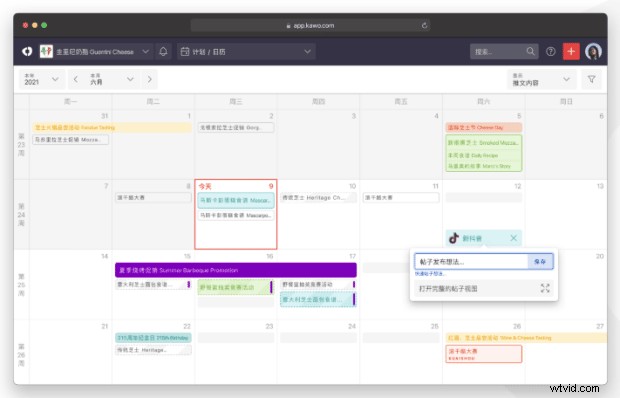
Key features: calendar‑based scheduling, best‑time recommendations, platform‑specific management. Pricing: $4,000/yr. Supported: WeChat, Weibo, Kuaishou, Douyin.
11. MeetEdgar
Why it stands out: Evergreen content recycling keeps feeds active without constant new creation.
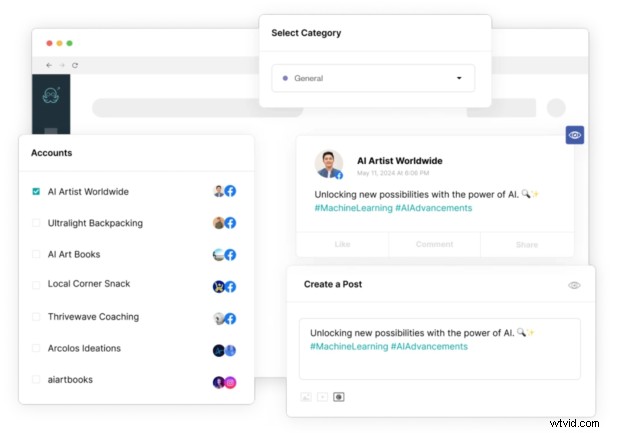
Key features: evergreen libraries, automated recycling, long‑term scheduling. Pricing: $299/yr. Supported: IG, FB, X, LinkedIn, Pinterest, TikTok, Threads.
12. Post Studio – Social Auto Post
Why it stands out: Automation for Shopify stores – schedules product posts daily or weekly, pulling from inventory.
Key features: automated product posting, randomised or recurring schedules, minimal setup. Pricing: $7.99/mo. Supported: Pinterest, IG, FB, X.
13. Mailchimp
Why it stands out: Syncs social posts with email campaigns, enabling coordinated multi‑channel outreach.
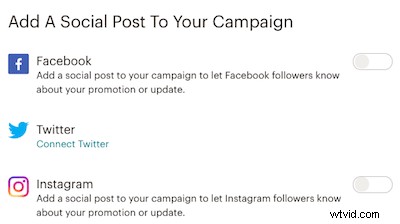
Key features: social posts tied to email campaigns, cross‑channel coordination, basic publishing. Pricing: $20/month. Supported: IG, FB, X.
How Scheduling Tools Work
Scheduling platforms use each network’s API to transmit content securely, ensuring posts appear at the scheduled time. The workflow typically involves:
- Connect accounts via API.
- Create content and assign target accounts.
- Set publish time; the tool recommends optimal windows.
- For Stories or YouTube, follow platform‑specific steps (e.g., push notification for IG Stories).
Bulk scheduling—uploading a CSV of multiple posts—lets you plan weeks or months in advance. For example, Hootsuite supports up to 350 posts per bulk upload.
Choosing the Right Tool
Businesses often choose:
- Perch by Hootsuite for large teams needing analytics, approvals, and cross‑platform publishing.
- Buffer for simple, cost‑effective scheduling.
- Later when visual feed planning is essential.
Key considerations include multi‑platform support, approval workflows, analytics depth, and team‑size scalability.
Measuring ROI
Track hours saved via batch scheduling, engagement lift from optimal posting times, and downstream metrics such as clicks, leads, and conversions. Built‑in dashboards in most platforms provide these insights.
For full‑stack management, combine Perch with Nest (comments & DMs) and Lumen (conversations & trends). Try it free today.
About the Author
Christina Newberry has been shaping digital marketing strategies since 2002, focusing on social media and content strategy. She has contributed to the Hootsuite blog since 2016.