
If your current platform limits features or support, migrating to a more robust solution empowers you to manage and scale your membership with confidence.
Choosing the right partner ensures a seamless migration that refines workflow, boosts recurring revenue, and elevates the member experience.
In this guide, we walk you through a safe migration strategy, how to refresh your library, and how modern platforms can enhance engagement, monetization, and retention.
Migration: A Strategic Reset
When a platform hampers growth, a well‑executed migration unlocks new content types, monetization options, and deeper member connections.
For instance, a fitness creator focused on on‑demand workouts can introduce live sessions or structured programs on a new platform, broadening the value offered to members.
Fittest Core, a pre‑ and postnatal fitness membership, reorganized 600+ videos during migration, improving discoverability and driving a 58% engagement lift.
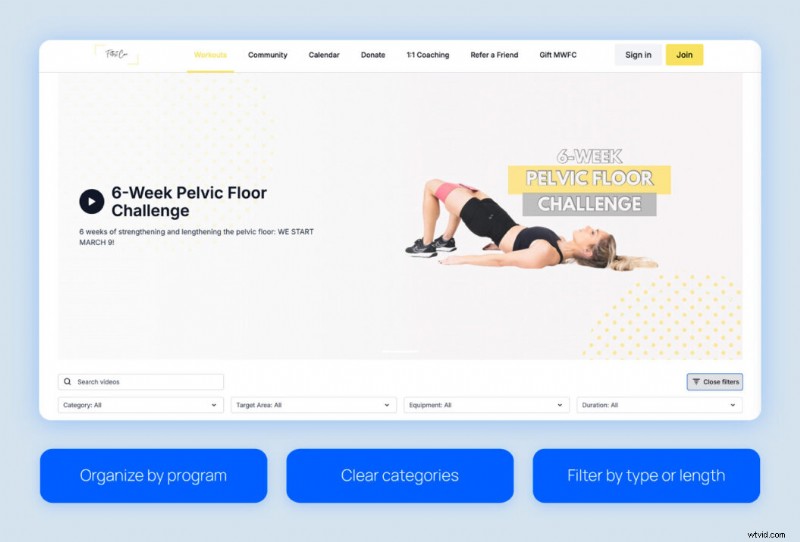
Refreshing the library during migration is a deliberate reset that builds a more organized, engaging catalog for members.
Evaluating Your Library Before Migration
Prior to moving, review each piece to decide whether to keep, update, or retire. A streamlined catalog sets the stage for a smoother, more engaging journey.
Refresh
Refresh content refers to videos that remain valuable but could perform better with modest updates.
- High engagement and ongoing revenue drivers.
- Evergreen topics that benefit from minor accuracy or relevance updates.
- Core offerings with a proven revenue history that could be enhanced.
Action: Every 3–6 months, refresh top performers or evergreen pieces by updating titles, thumbnails, or adding brief insights.
Archive
Archive content includes videos that aren’t immediately needed but may serve future purposes.
- Content requiring time or resources beyond current capacity.
- Legacy programs occasionally referenced by members.
- Bonus material that supports tiers without immediate attention.
Action: Repurpose archived content when your roadmap allows to fill gaps in your calendar.
Delete
Deletion is permanent. Remove only videos that unequivocally add no value, reducing clutter and storage overhead while sharpening focus on high‑impact content.
- Low engagement with minimal revenue impact.
- Off‑brand, outdated, or redundant material.
- Content that conflicts with current strategy.
Action: If uncertain, archive first and revisit later before permanent removal.
The Migration Process
Moving content is an opportunity to reorganize and set up a membership experience that keeps audiences engaged and supports scalable growth.
Typical steps for creators:
- Audit: Evaluate performance, potential for improvement, and candidates for deletion.
- Map: Decide retention or removal, and plan new organizational structure.
- Transfer & Upload: Move content, enrich with metadata, and configure access.
- Quality Assurance: Test playback, permissions, and organization for smooth operation.
While technical, migration is also a strategic opportunity to build clear categories or programs, simplifying member discovery and fueling long‑term success.
Migration with Uscreen
Uscreen’s migration specialists guide you through every step—organizing your library, uploading videos, setting permissions, and structuring content to ensure a smooth experience from day one.
Adaire Smithwick, Uscreen Community Manager, explains:

Migrations can feel daunting, especially with hundreds of videos. We walk you through library organization, mobile app setup, app store submission, scheduling, preview generation, and captioning, so you can focus on content and community.
Adaire Smithwick
Community Manager at Uscreen
Tools that ease the process:
- Community tools to keep members engaged during migration.
- Calendar scheduling for video releases and engagement.
- Marketing automation for upsells, cart recovery, and member activation.
Uscreen ensures a smooth, intuitive migration that keeps your audience engaged every step of the way.
Moving from YouTube
Shifting YouTube channel memberships to a dedicated platform unlocks deeper monetization and richer engagement.
Decide which videos remain on YouTube for discovery and which move into paid tiers as unlisted or members‑only content. Use Uscreen’s categorization tools to reorganize playlists, making content easier to find and guiding members through logical progression.
Use YouTube CTAs, description links, and bio to funnel casual viewers into paid membership.
Learn more about video experience
Moving from Vimeo
Transitioning from Vimeo to Uscreen offers enhanced engagement and organization. Evaluate private and protected videos to fit into programs, tiers, or collections.
Discovery features such as playlists and clear labels help members locate desired content effortlessly, supporting natural membership growth.
Moving from Patreon or similar platforms
Migrating from Patreon, Thinkific, or Podia preserves familiar features while unlocking deeper community tools—challenges, multiple text channels, and a single integrated experience.
Reevaluate tier structures, test new perks, or reorganize content to improve discoverability.
Uscreen expands membership offerings, relaunches content, and reduces churn.
Time and Cost Investment
Typical migrations span 4–8 weeks, depending on library size and membership complexity. Key tasks include:
- Uploading videos.
- Refreshing thumbnails and metadata.
- Organizing into categories or tiers.
- Testing member access.
Investing time now ensures a smooth transition and sets the foundation for long‑term growth.
Comparison: DIY vs. Uscreen‑assisted migration.
| Aspect | DIY Migration | Uscreen‑Assisted Migration |
|---|---|---|
| Effort | All steps handled by the creator | Experts manage the technical process and guide setup and communication |
| Time | Days to weeks, library‑dependent | Faster, more efficient |
| Risk | Higher chance of errors or missed updates | Reduced errors, smoother setup |
| Focus | Mostly technical tasks | Content creation and member engagement |
Whether DIY or assisted, proper preparation streamlines workflow and positions your membership for recurring revenue.
Pros and Cons of Migrating
Understanding benefits and challenges helps set realistic expectations.
| Pros for Creators | Challenges for Creators |
|---|---|
| Improved content discoverability | Time and effort to move and organize content |
| Optimized workflows and content management | Learning curve with a new platform |
| Consolidated content in one place | Risk of minor technical issues during transfer |
| Refresh and repackaging of older content |
Uscreen Migration Case Studies
Successful migration stories illustrate the tangible impact on revenue and engagement.
Fittest Core
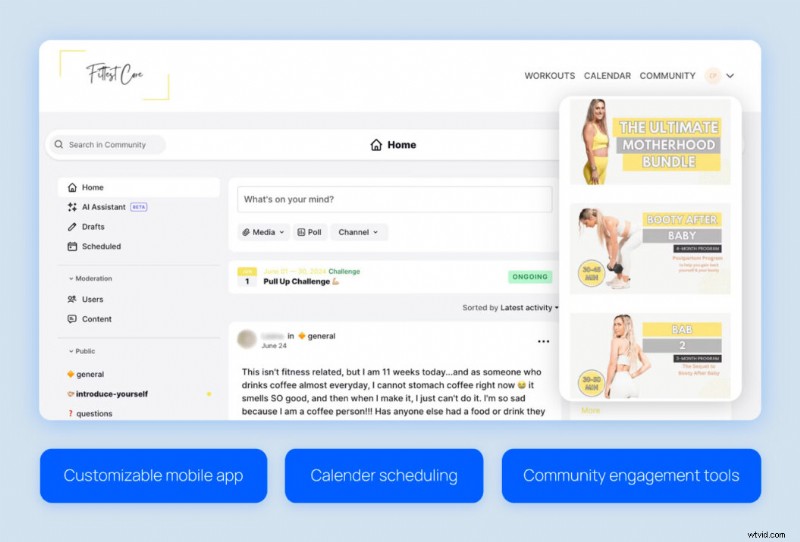
Macy and Chase Pruett moved 600+ videos from Vimeo OTT to Uscreen, reorganizing into structured programs and creating an intuitive experience.

Post‑migration, members find workouts faster, engagement rose 58%, and revenue increased 15%.
The Studio Membership
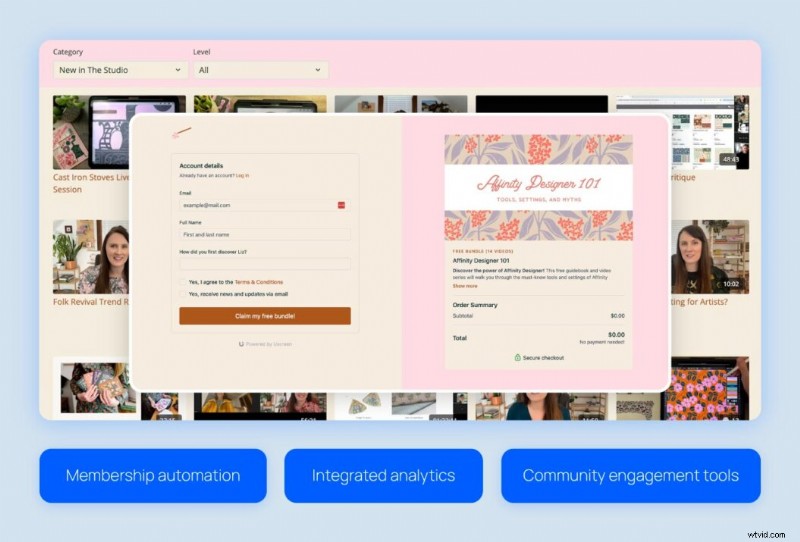
Liz transitioned from Kajabi to Uscreen to overcome backend slowness and limited community features, managing 500+ videos more efficiently.

Since migration, monthly revenue reached $75,000, with a 14% membership growth over three months.
Filmmakers Academy
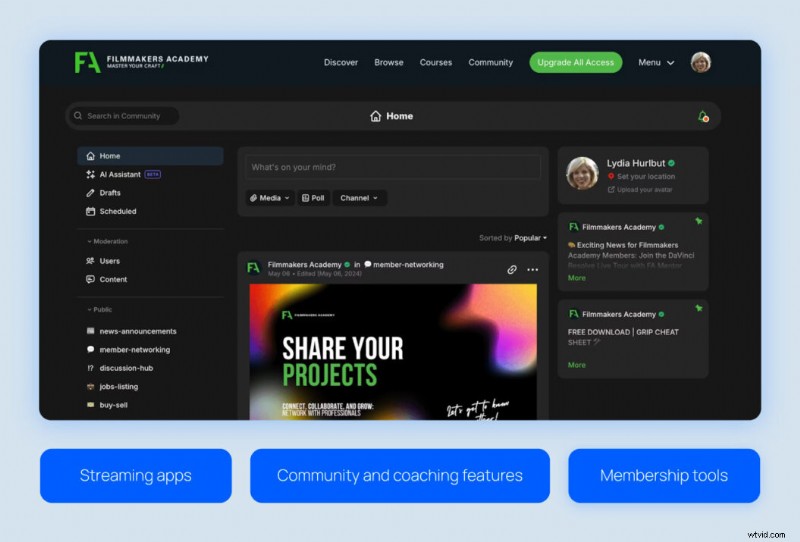
Shane and Lydia Hurlbut migrated to Uscreen to centralize content and launch four streaming apps, enhancing member experience.

Post‑migration, membership grew 180%, adding 96+ countries and achieving 8% monthly paid member growth.
Migrate Seamlessly with Uscreen
Migration is a strategic chance to monetize content effectively and deliver a membership experience your audience loves.
Uscreen’s dedicated migration specialist guides you from planning to launch, ensuring nothing is lost and the transition feels natural to members.

FAQs
What are the 5 stages of migration?
Typical stages:
- Audit
- Planning
- Transfer
- Testing
- Launch
Uscreen begins with a consultation, then customizes a plan and timeline tailored to your library.
What does content migration mean for creators?
It’s an opportunity to organize, refresh, and set up memberships for sustainable growth.
How long does migration take?
Four to eight weeks for most libraries; smaller collections may be faster. Uscreen’s support keeps the process efficient.
What support does Uscreen offer?
From planning to launch, migration experts guide organization, transfer, membership setup, and best practices to keep audiences engaged.
Will I lose existing subscribers during migration?
With careful planning and proactive communication, subscribers are retained throughout the transition.