
When you juggle multiple dashboards—content, memberships, community—you often spend more time syncing systems than creating. Consolidating your creator tools into a single platform restores that creative focus, letting you deliver high‑quality content, engage fans, and refine your distribution strategy to reach new viewers.
In this guide, we walk you through a practical consolidation process, address common challenges, and share actionable tips for optimizing your new setup. A single solution can simplify your workflow without sacrificing essential features.
Audit Your Current Tools
Start by cataloguing every platform you use and its core capabilities. Distinguish between essential functions and nice‑to‑have extras.
Your typical stack might look like this:
- Video hosting: Vimeo
- Membership management: Patreon
- Email/newsletters: Mailchimp
- Community: Discord
- Analytics: Google Analytics
- Payments & checkout: Stripe
Mapping the overlap reveals redundancies and fragmentation. A single platform that covers these needs reduces cost and administrative burden.
Action: Use a spreadsheet to list each tool and its key features. Highlight duplicates and confirm that a prospective platform meets all critical requirements.
Map Essential Functionality
With a clear feature list, assess how one platform can streamline repetitive tasks and eliminate unnecessary steps.
For example, Uscreen’s automation suite lets you:
- Onboard new members automatically upon subscription.
- Trigger follow‑ups based on member behavior, such as video views or inactivity.
- Run segmented campaigns so the right message reaches the right audience at the right time.
- Retain members with minimal manual effort.
Centralizing these capabilities creates a consistent member experience and simplifies scaling.
Action: Note which tasks could be automated or streamlined. This insight shows where a new solution can save time.
Choose the Right All‑In‑One Platform
After narrowing your feature set, compare platforms on price, UX, reviews, and scalability. A free trial or live demo provides hands‑on experience before commitment.
Action: During trials, document strengths and pain points to inform your final choice.
Plan & Execute Your Migration
Once you’ve selected a platform, map a phased migration strategy. A typical roadmap includes:
- Content migration: Transfer courses, videos, and key resources so members retain access immediately.
- Email & automations: Set up sequences, welcome messages, and notifications to guide members through the new platform.
- Community features: Import discussion boards, live chats, or other engagement tools.
Uscreen’s migration specialists help organize this plan and manage content and payment transfers.
| Phase | Weeks | Activities |
| Pilot | 1–2 | Move top‑priority content and engaged members; collect feedback. |
| Transition | 3–5 | Roll out the next batch, applying lessons from the pilot. |
| Completion | 6–8 | Finalize migration and workflows. |

Migration can feel risky, but professional support handles the technical side so you can focus on creative strategy.
Lyndsey Balfour
Head of Migrations at Uscreen
When planning, keep these practical pointers in mind:
- Inform members early to set expectations.
- Back up content in a secondary location to avoid accidental loss.
- Leverage new features—video discoverability, community tools—to enhance the member experience.
Action: Test the platform with a small, engaged group and refine your strategy before full rollout.
Test and Optimize Post‑Consolidation Workflows
After migration, audit workflows and audience interactions to catch issues early. A smooth first experience keeps churn low.
Key performance indicators to monitor include:
- Audience churn or drop‑off, indicating friction.
- Low watch time or early exits, pointing to player or delivery issues.
- Team inefficiencies revealing bottlenecks.
- Inconsistent content delivery confusing audiences.
- Slower subscription growth, signaling revenue bottlenecks.
Address any issues with your platform’s support team before a full launch. Incremental changes keep members comfortable while you fine‑tune.
Action: Implement major changes before the full launch; keep remaining tweaks incremental.
Common Challenges & How to Overcome Them
Tool consolidation can trigger challenges, but a phased approach mitigates risk.
| Challenge | Solution |
| Losing functionality | Identify gaps early and collaborate with the platform team for alternatives. |
| Learning curve | Allocate training time and use tutorials or support resources. |
| Temporary disruption | Move incrementally or pilot with a small group first. |
| Data gaps | Track key metrics immediately and import historical data where possible. |
A staged rollout and partnership with your platform’s sales and product teams ensure a smooth transition.
Click here to watch the video ➜ https://youtube.com/watch?v=iLl3zjHirLA
Consolidating tools simplifies operations, accelerates growth, and enhances the member experience.
- Streamline content, memberships, and engagement in one place.
- Unify analytics for sharper insights.
- Deliver a consistent brand experience.
- Reduce costs by eliminating redundant tools.
Click here to watch the video ➜ https://youtube.com/watch?v=sae_SrajBh4
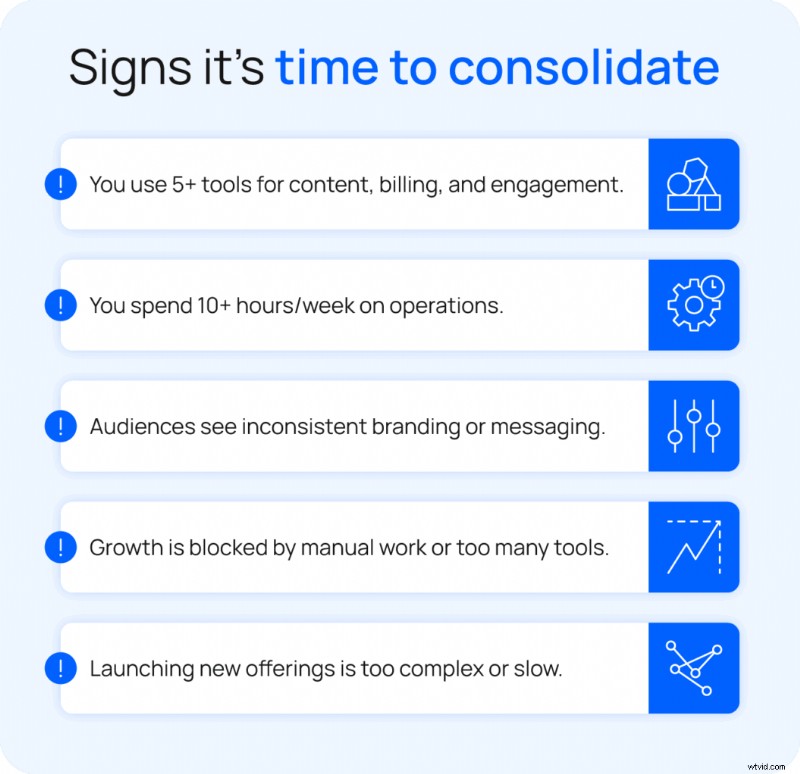
How to Know If You’re Ready to Switch
Consider switching when:
- You manage recurring offerings but rely on multiple tools for content, billing, and engagement.
- Platform management consumes more time than content creation.
- Your audience faces inconsistent access or a disjointed experience.
- You generate steady revenue but feel constrained by operational complexity.
- You want to launch new offerings without adding tools.
Natural Pilates
Laura Wilson pivoted to streaming when her Los Angeles studios closed. Existing platforms like Vimeo and Intelivideo were costly and fragmented. Migrating 500+ videos and memberships to Uscreen centralised workflows, allowing Laura to focus on content and community.
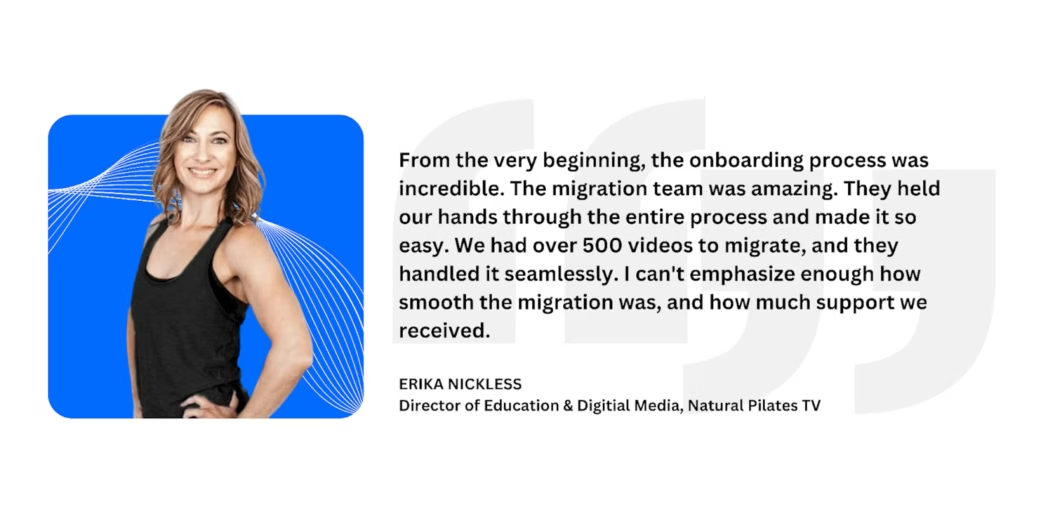
Today, Natural Pilates boasts 350+ active members and $5,900+ in monthly recurring revenue. Members connect via mobile apps, enjoying deeper engagement.
Abundance+
Justin Rhodes launched Abundance+ to share homesteading content. WordPress with multiple plugins made payments and community management cumbersome. Switching to Uscreen unified all workflows.
Click here to watch the video ➜ https://youtube.com/watch?v=ZQlwjzSAJYc

“Uscreen has empowered creators to build their own platform—own YouTube, own community.” – Lyndsey Balfour Since migrating, Abundance+ grew to 7,700 members and $1M+ in annual revenue, delivering seamless streaming across devices.
Tips to Optimize Your Consolidation
Prioritize Must‑Have Features
Identify critical workflows—membership tiers, content scheduling, pay‑per‑use, marketing automations—and keep them front‑and‑center when comparing platforms.
Document Current & Future Workflows
Record existing processes and design new ones on the chosen platform. Documentation prevents gaps and facilitates quick adjustments.
Test Before Full Transition
Launch a soft rollout with a subset of members or content to uncover issues early.
Use Data to Refine Workflows
Track engagement, retention, and revenue throughout the transition. Let metrics guide optimisations.
Consolidate Your Workflow with Uscreen
Centralising creator tools reduces admin time, unlocks new revenue streams, and provides a seamless member experience. Uscreen’s migration specialists ensure a smooth, organised transition.

FAQs
What is tool consolidation?
Bringing all content, memberships, analytics, and engagement into a single platform to cut administrative overhead.
How long does consolidation usually take?
Most creators finish in 4–8 weeks, depending on tool complexity. A step‑by‑step approach keeps the audience experience smooth.
How can I ensure the audience experience isn’t disrupted during migration?
Notify members early, use reminders, move content gradually, test the new system for bugs, and provide clear updates. A phased approach and platform support minimise disruption.