
Want to learn how to make a square video for Instagram?
Looking to quickly convert your landscape or vertical video to square dimensions?
Wondering how to post a square video on Instagram?
In this article, we show you how.
Things to Keep in Mind When Creating Square Videos
If you plan to expand or zoom your video to full square; that is, your footage completely fills the entire video without any blank space, then:
- Don’t shoot the video too close to make sure that the important parts of the video, say your face or your body, don’t get cut off.
- Make sure to record your video in HD quality. A low-quality video may turn out blurry when you expand it.
Create Square Videos for Instagram on Your Desktop
If you’re on your computer, you can use Animaker to convert your videos to square dimensions.
Animaker’s square video maker lets you create beautiful square videos online.
You don’t need any video making experience to use the tool.
And if you want to post a vertical video to Instagram, you need to know that Instagram automatically crops the vertical video to a 4:3 ratio.
This cuts off the top and bottom parts of your vertical video.
So if you want to fit your whole video into your Instagram post, you’re going to have to convert it to square dimensions before posting it.
You can use Animaker to easily turn your videos to the square format. Here’s how:
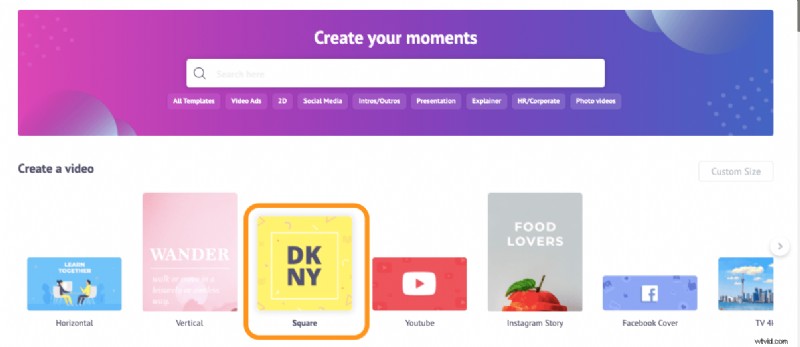
- From the dashboard, pick “Square” from the Create a video section.
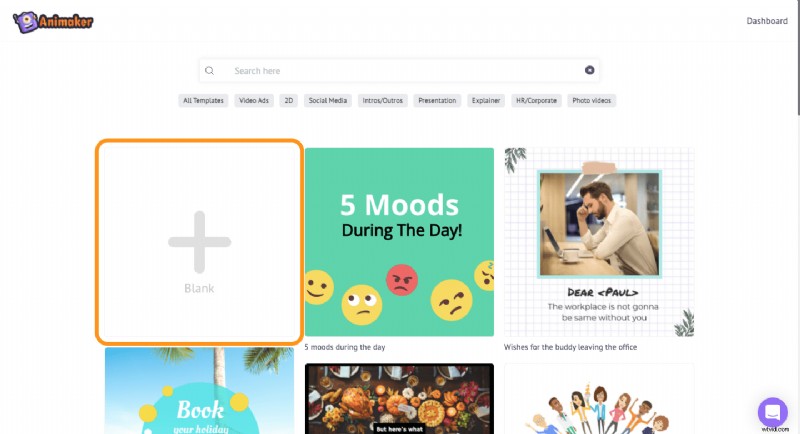
- Now click on the button with the plus icon and text that says “Blank”. This will open a blank square video project.
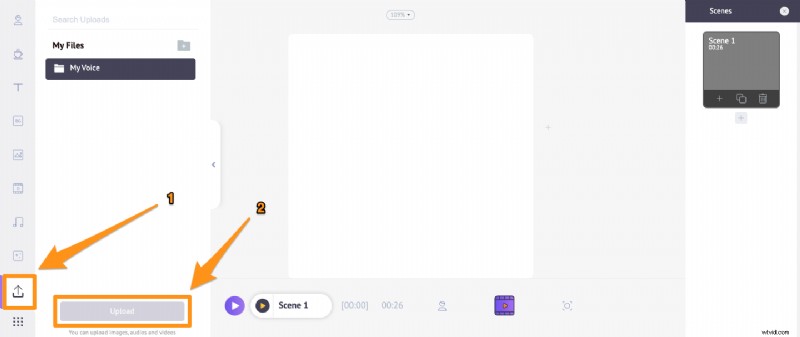
- To upload your video, head to the “Upload” tab in the main navigation bar, then click on the Upload button at the bottom of the tab window. Once the video has been uploaded, simply click on it to use it in your project.
As you can see, there’s some empty space that appears on either side of the video—if it’s vertical (9:16)— or top and bottom—if it’s a landscape video (16:9).
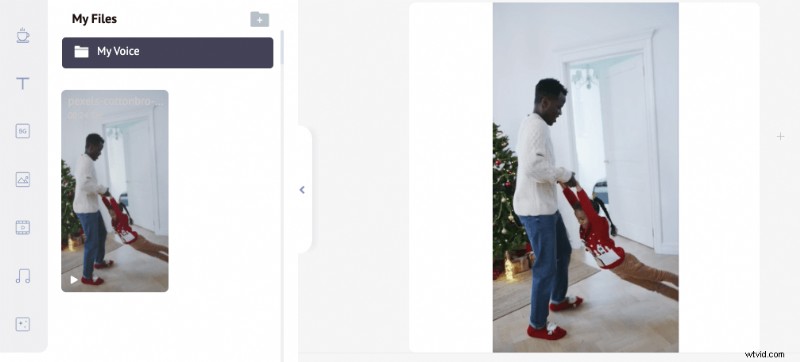
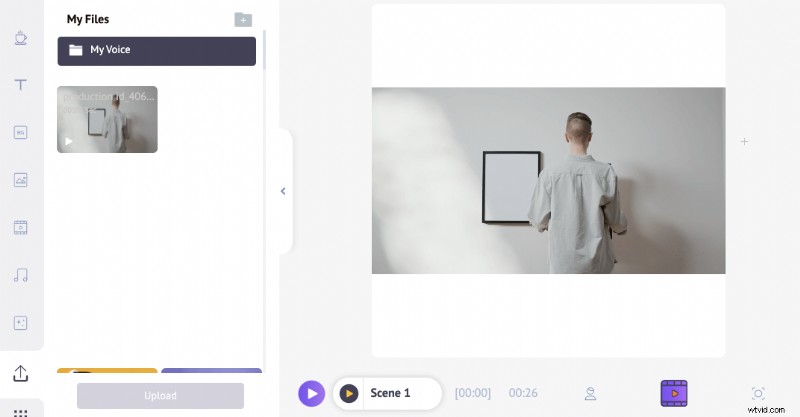
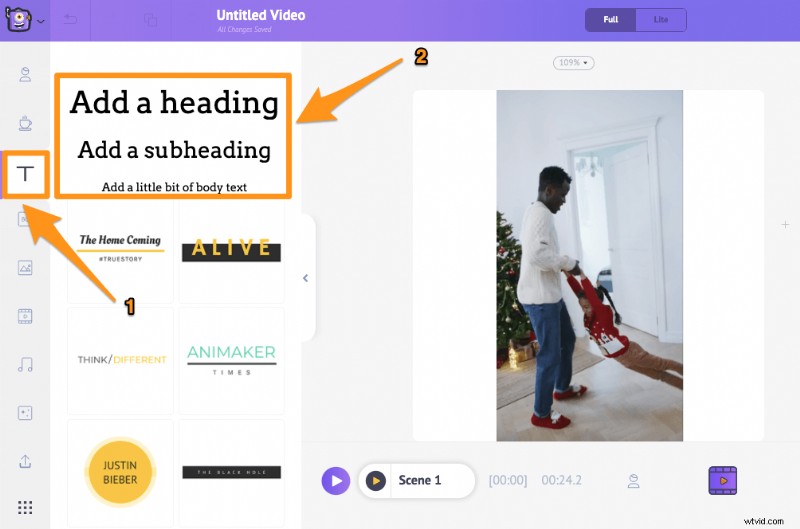
You can make use of the empty space and add some text or your logo.
- To add text to the video, click on the “Text” tab in the main navigation bar, then click on one of the text sizes to add it to to your video.
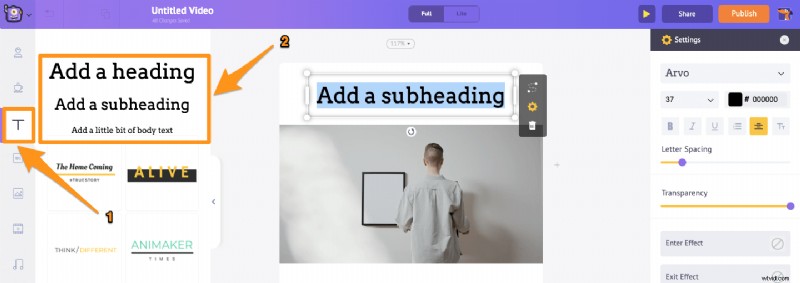
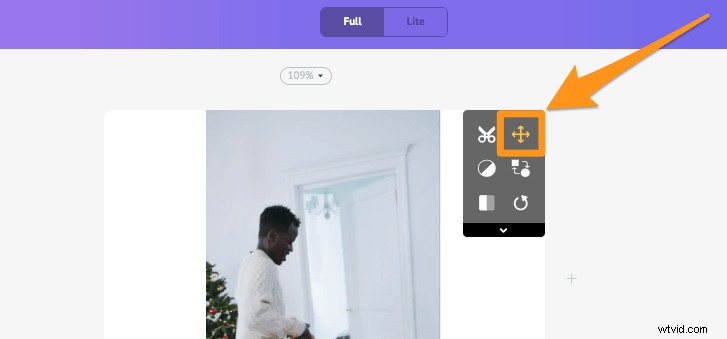
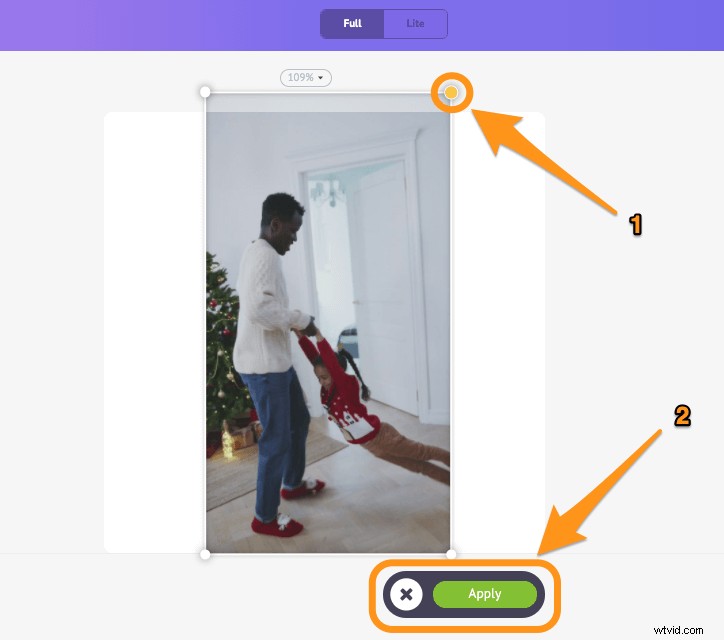
Or you can adjust or expand the video to make it fit the square dimensions the way you want it to. - Click on the Crop icon in the top right corner of the video, then drag the edges of the video to expand it and adjust its position. once you’re done, click on the green button that says “Apply”.
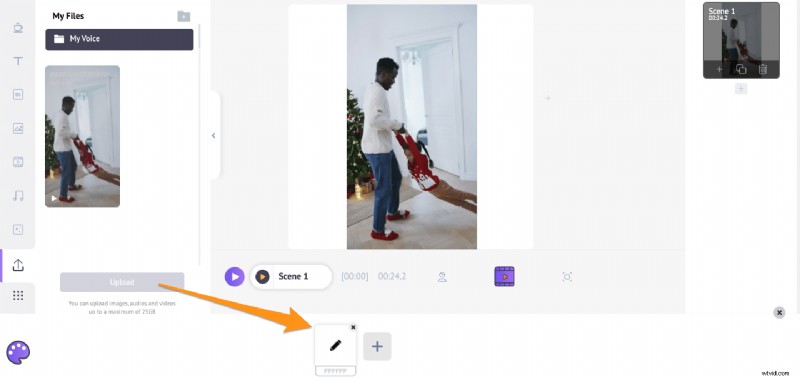
- If you want to change the white background color, simply click on the background area, this will bring up the color palette at the bottom of the screen. You can use the color picker or one of the colors listed to set the background color.
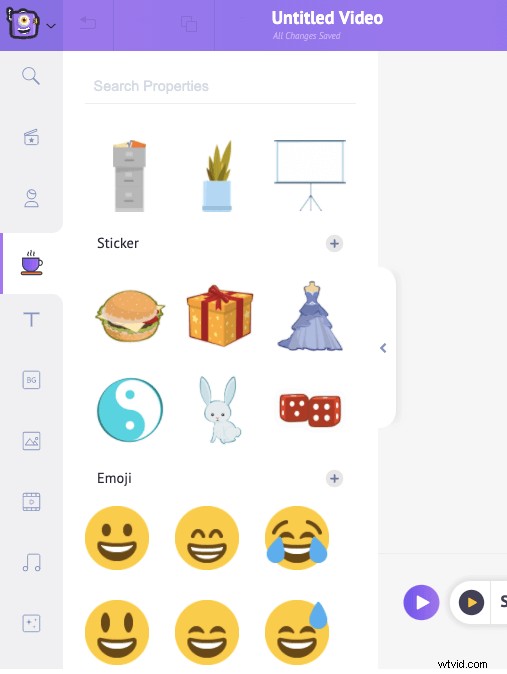
Also, you can use readymade stickers, shapes, emojis, gifs (from GIPHY), HD stock videos, and photos from Animaker’s huge built-in library.
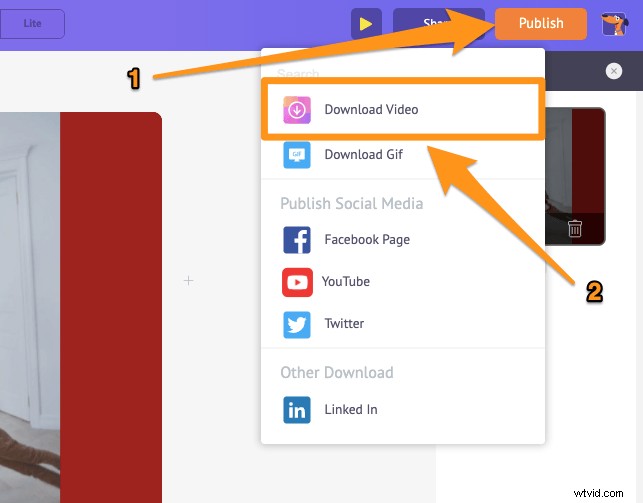
- Once you’re done creating your square video, you can download it to your local computer. Hit the “Publish” button in the top right corner of the app screen, then select Download Video from the dropdown menu. Finally, pick a resolution for your square video and hit Download.
And that’s how simple it is to create a beautiful square video from scratch using Animaker!
If you already haven’t started creating square videos for your Instagram channel using Animaker, we’d encourage you to check out square video maker.
It’d save you a ton of time and help you be more consistent in whipping up those beautiful square videos
And if you have any questions on creating square videos for Instagram, please let us know about them in the comment section below.