Are you frustrated by the low-quality thumbnail options YouTube auto-generated for you?
Are you looking to change(or set) custom thumbnails for your YouTube videos?
In this article, we give you easy step-by-step instructions on:
1. How to change a thumbnail on YouTube for a video that’s already been published.
2. How to add a custom thumbnail while you’re publishing a video to YouTube.
How to Change a Thumbnail on YouTube For a Published Video
Your YouTube account doesn’t come with the ability to upload custom thumbnails by default. In order for your account to gain this ability, you need to first enable the custom thumbnail option.
Once enabled, the process of setting a custom thumbnail for a published video is straightforward and involves just a few clicks.
1. Log in to YouTube.
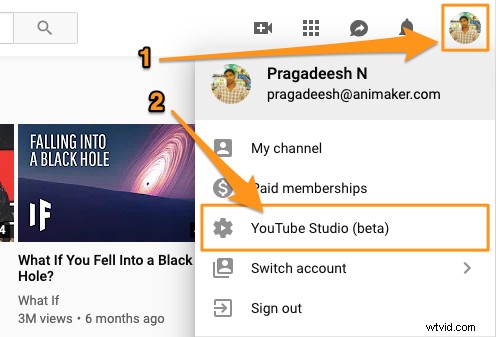
2. Click on your profile icon in the top right corner and select YouTube Studio(beta)’ from the dropdown menu.
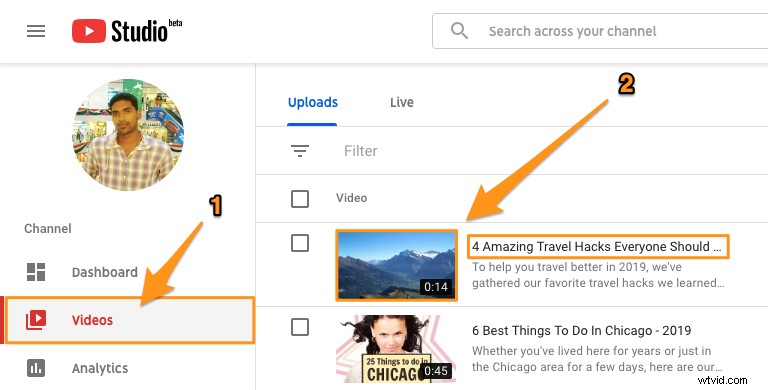
3. Click on the ‘Videos’ tab on the left side of the page and then click on the title or thumbnail of the video for which you want to change the thumbnail.
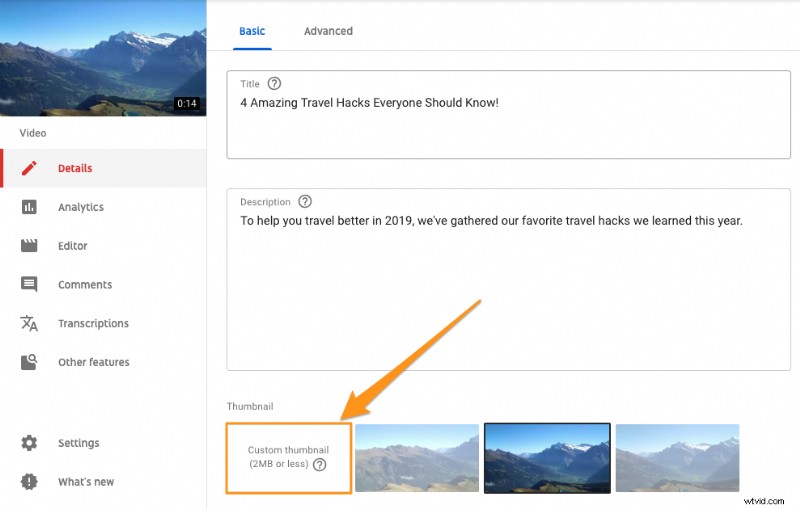
4. In the next screen that appears, under the ‘Basic’ tab, you’d see a section named ‘Thumbnail’. Under this section, you’d see three auto-generated thumbnail options and a button on the far left that says ‘Custom thumbnail’. Click on this button to upload your custom image.
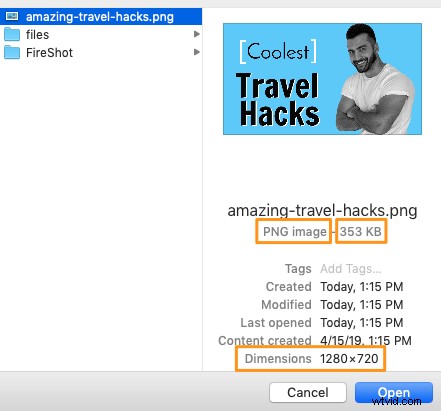
5. Now select the file you’d want to set as a thumbnail and click ‘Open’. Make sure that it adheres to all the technical recommendations. In the example below, the selected image has been optimized for the best YouTube thumbnail size, is under 2 MB, is in PNG format and follows the 16:9 aspect ratio.
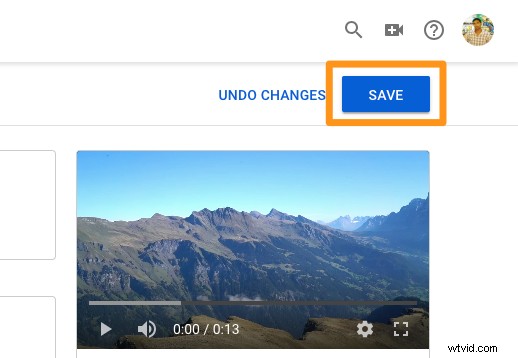
6. Finally, click on the ‘SAVE’ button in the top-right corner of the page. This will save the changes and apply the thumbnail to your video.
When you visit your channel, you’ll now see that the thumbnail is live! Wondering how you could set a custom thumbnail to a video while getting it published? Read on to learn how you could do that.
How to Add a Custom Thumbnail While Publishing a Video
YouTube makes it easy to set a custom thumbnail to a video while publishing it.
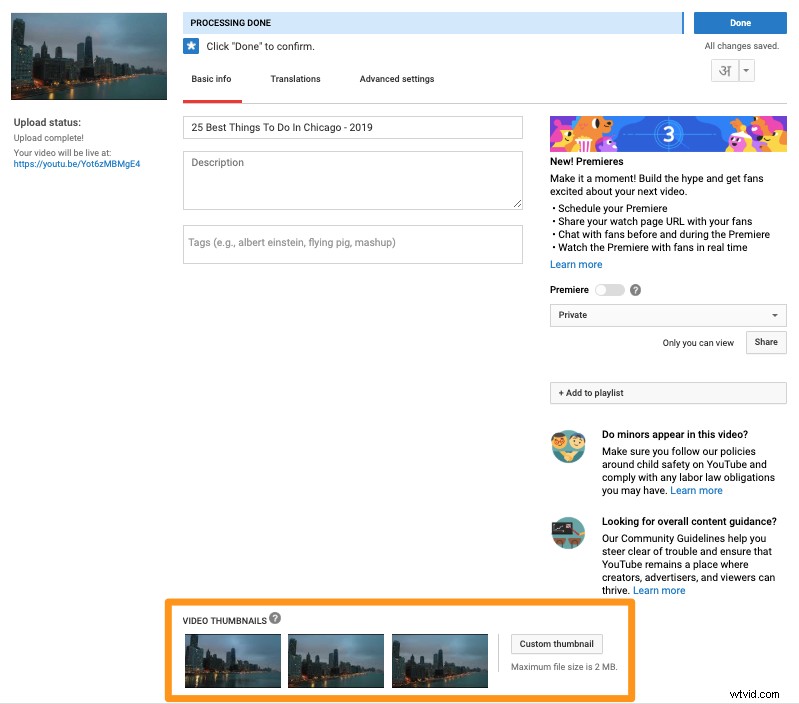
After successfully uploading your video, you’d see a section at the bottom of the page named ‘VIDEO THUMBNAILS’ with three images. These images are screenshots from the video you just uploaded and have been auto-generated by YouTube so you could set one of them as your video thumbnail.
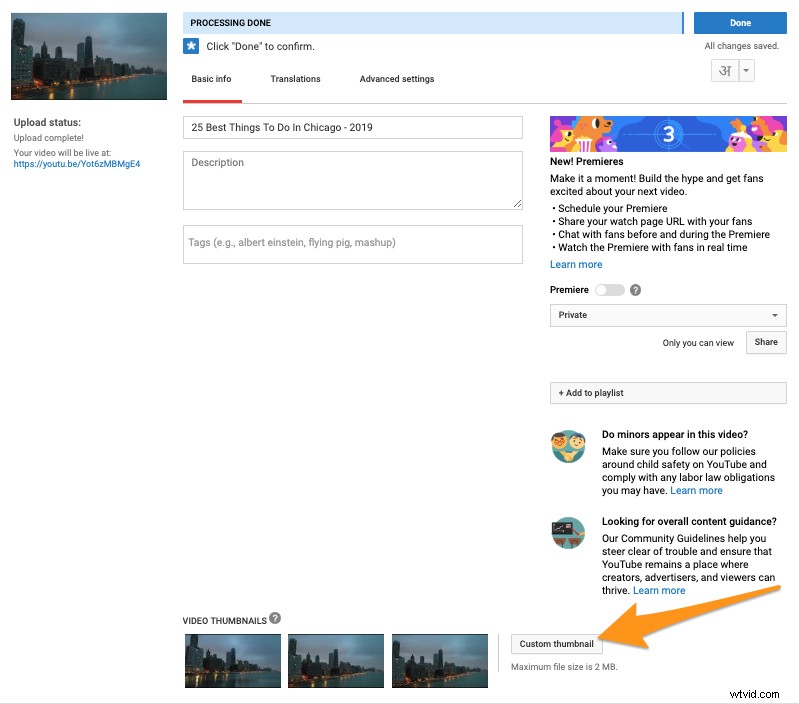
To the right of these thumbnail images, you’d see a button that says ‘Custom thumbnail’. Simply click on this button to upload and set the image of your choice as a thumbnail of the video.
Once you’ve successfully set your custom image as a thumbnail of the video, you can see a preview of it in the top left corner of the page.
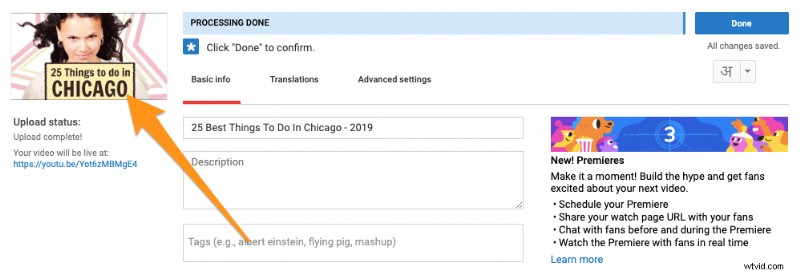
If for some reason, you want to change the image you just uploaded, you could do that by clicking on the same image at the bottom of the page to swap it with another one.