Launching a new business or rebranding? A captivating logo intro can instantly set your brand apart. Luckily, you don’t need to spend a fortune or master complex software to achieve that wow factor. This guide presents ten high‑quality, free After Effects templates that will help you create memorable, professional logo intros in minutes.
Each template comes ready‑to‑edit, so you can focus on brand identity rather than technical details. Whether you’re a designer, marketer, or entrepreneur, these resources are tailored to boost your visual storytelling.
In this article
Part 1: 10 Popular Free After Effects Logo Templates to Create Logo Intros
Below is a curated list of ten free After Effects templates that combine ease of use with striking visual impact. All templates are downloadable at no cost and include editable layers for logos, colors, and text.
1. Fast Flip Free After Effects Logo Reveal Template
This template delivers a quick, polished reveal that works for any industry. Replace the stock imagery with your own footage, customize the color scheme, and insert your logo to create a personalized intro.

2. Orbital Free HUD Logo Reveal for After Effects
Ideal for tech‑centric brands, Orbital offers a futuristic HUD style. Simply drop your logo in PNG or GIF format, tweak the background texture, and you’re ready to launch a sci‑fi‑inspired intro.

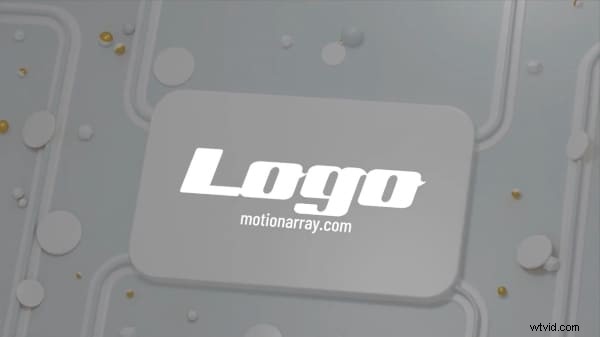
3. 3D White Logo
Minimalism meets sophistication with this 3D white logo template. Its clean animation is perfect for health, fashion, or fitness brands that want to convey professionalism without clutter.
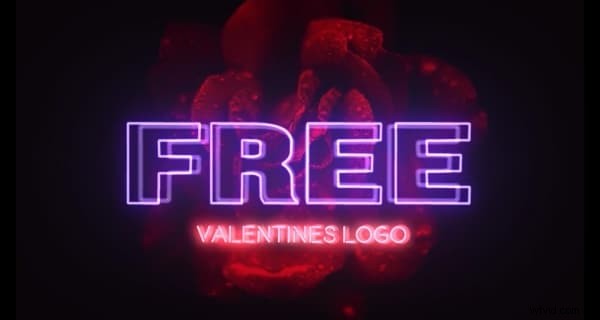
4. Valentine Neon Logo
For brands that thrive on romance and retro flair, Valentine Neon delivers a vibrant neon effect. Choose between a dark rose backdrop or a neon heart composition to capture your audience’s attention.
5. Clean Light Logo
Clean Light is all about gentle illumination and clarity. Its versatile design fits a wide range of niches, from lifestyle to corporate, and lets you add a subtle glow that reinforces brand warmth.

6. Minimal Logo Klick After Effects Templates
This template emphasizes smooth transitions and flexible editing. A single logo placeholder, editable text layer, and color controller make it straightforward to create a powerful statement.

7. Swirling Logo Color Reveal
Inject dynamic energy with swirling color bursts that culminate in a dramatic logo reveal. This template is perfect for brands wanting to showcase excitement and creativity.

8. Particle Fire Logo
Bring a fiery impact to your intro with lens flare and particle effects. Ideal for mergers, reboots, or standout launches, this template delivers an unforgettable visual.

9. Splash Logo Reveal
For creative ventures in architecture or visual arts, Splash offers a colorful ink‑splatter effect that leads smoothly into your logo. The vibrant palette adds a fresh, artistic touch.

10. Grunge Logo
Stand out in the gaming or indie space with a grunge aesthetic. Editable layers allow you to embed brand messaging, while the edgy design ensures your logo remains memorable.

After Effects is powerful but can be intimidating. If you’re looking for a simpler workflow, consider the next section, where we introduce a free alternative that’s equally effective.
Part 2: Free Alternative to After Effects for Logo Animation Intro
Wondershare Filmora offers an intuitive interface and a library of pre‑designed logo reveal templates. Whether you prefer a light swipe or a complex 3D animation, Filmora lets you craft professional intros in minutes.
How To Make an Animated Logo Reveal Intro Video?
Follow these streamlined steps to create a polished logo intro using Filmora:
Step 1: Open Filmora and Find Logo Reveal Animations
- Launch Filmora on your desktop and navigate to the Media tab’s Influence Kit.
- Select “Start Creating” from the dropdown menu.
- Click the “Start Creating” button under Brand Transmission > Logo Reveal to access the available effects.

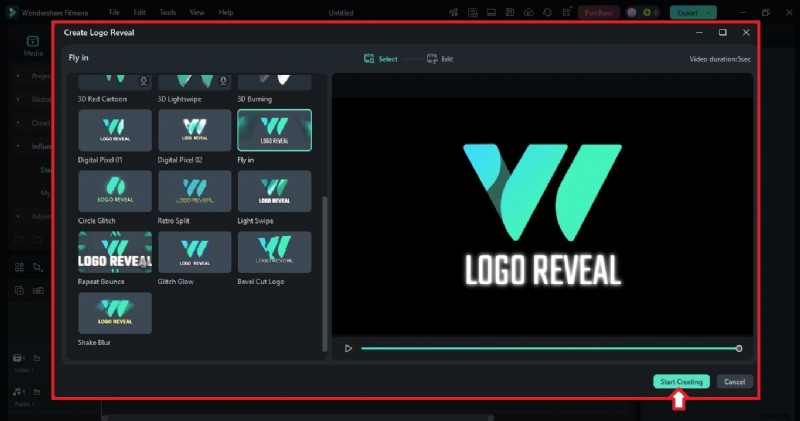
Step 2: Select a Logo Reveal Template
- Browse the free templates on the left pane of the pop‑up window.
- Click a thumbnail to preview the animation.
- When you find a style you like, click “Start Creating” to begin editing.
Step 3: Customize the Logo Animation
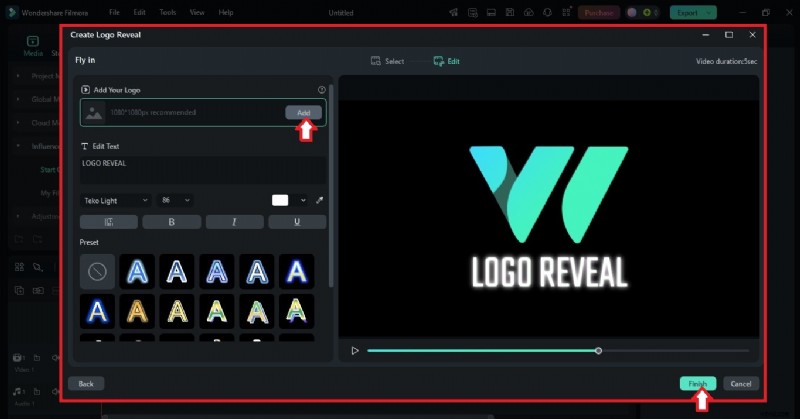
- Click “Add” and upload your logo file. Drag to reposition or resize using the corner handles.
- (Optional) Enter text directly in the preview window or in the designated text box.
- Adjust font, color, and alignment to match your brand guidelines.
Step 4: Export and Share
- Click “Finish” to render your animated logo reveal. If you already have a video on the timeline, the intro will be added automatically.
- Export the final video and use it for branding, promotions, or content creation.
How To Add a Logo Watermark to a Video?
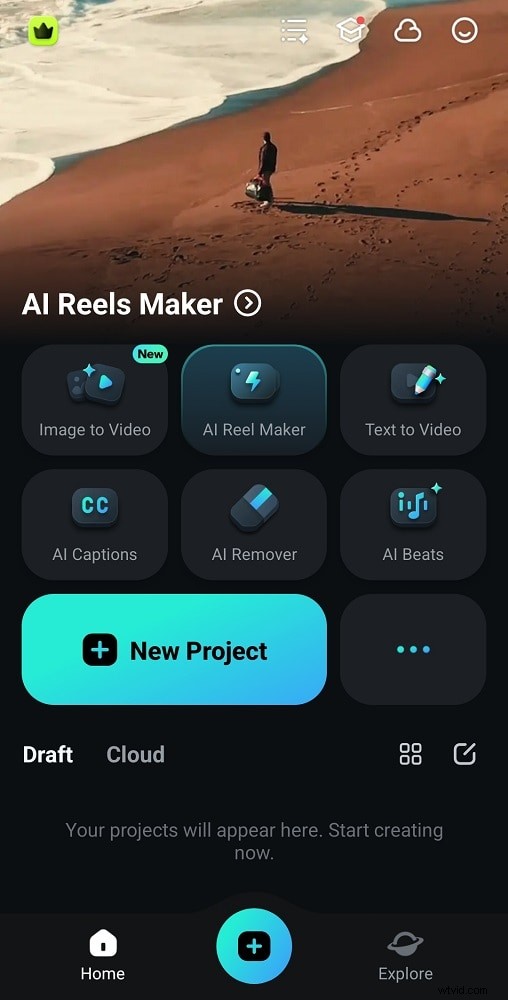
Use Filmora’s mobile app for quick watermarking. Here’s how:
Step 1: Start a New Project
- Open the Filmora app and create a new project.
- Import the video you wish to add a watermark to.
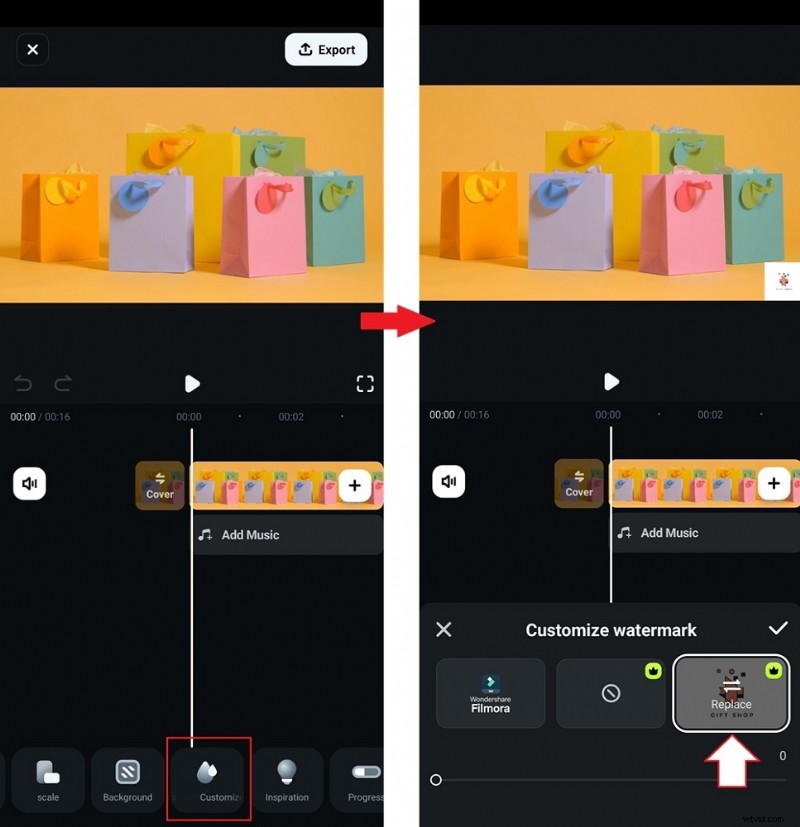
Step 2: Add Your Logo
- Swipe through the bottom menu and select “Customize Watermark.”
- Choose “Replace” and upload your logo file.
Step 3: Adjust the Logo Position and Size
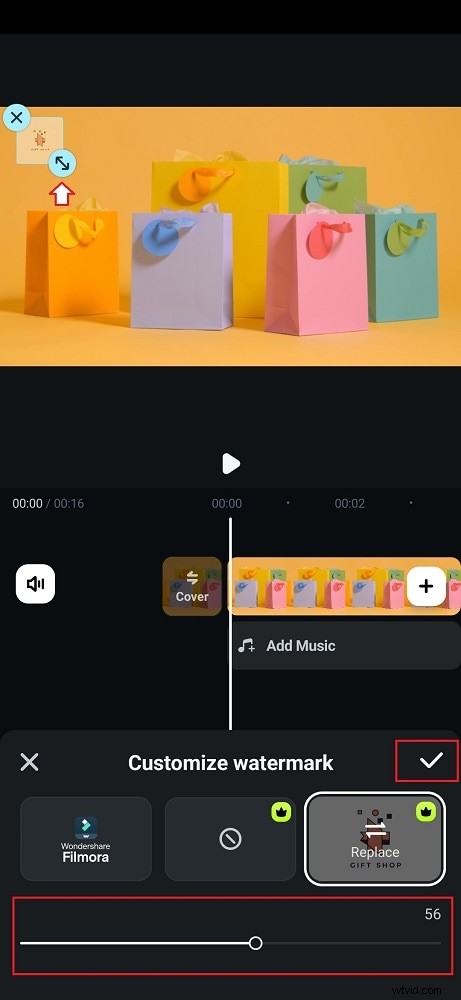
- Move the logo to a visible yet unobtrusive area of the screen.
- Resize as needed and reduce opacity for a subtle effect.
- Tap the check icon to save and apply the watermark.
Part 3: Ideas for Creating Unique Logo Intros in After Effects
Creating a distinctive logo intro is more than an aesthetic choice—it’s a strategic branding move. Consider the following best practices:
- Keep animations clean and focused; avoid overly complex sequences that dilute the core message.
- Leverage 3D effects to add depth, such as rotating the logo in space or adding subtle shadows.
- Finish with a lens flare or glow to create a memorable, cinematic ending.
Conclusion
Entrepreneurs and seasoned brands alike recognize the power of a strong visual identity. These free After Effects templates, coupled with user‑friendly alternatives like Filmora, empower you to produce striking logo intros that resonate with your audience. Explore the templates above, experiment with the ideas, and let your brand’s story begin with an unforgettable visual introduction.
Discover more free resources at Free Premiere Pro Video Templates.
Wondershare Filmora
Start creating powerful videos effortlessly with Filmora’s intuitive interface and extensive effects library.