
How to Slow Down GIFs: Expert Tips & Top Tools
GIFs (Graphics Interchange Format) are a staple of online communication, but their default playback speed can often miss the nuances that make moments memorable. By slowing a GIF, you highlight key actions, emphasize expressions, and create engaging, shareable content. This guide walks you through the best platforms for sourcing high‑quality GIFs, the most reliable tools for adjusting their speed, and a powerful desktop solution that gives you complete creative control.
In this article
- Where to Find Ready‑Made Slow‑Motion GIFs
- Online Tools for Slowing GIFs
- Desktop Editing with Filmora
- Conclusion
Part 1: Where to Find Ready‑Made Slow‑Motion GIFs
Finding a GIF that already captures the moment you want to emphasize is the quickest route to a polished slow‑motion effect. Below are two industry‑standard platforms that offer extensive libraries and user‑friendly download options.
1. Giphy
Giphy is the go‑to source for millions of GIFs across genres—from sports to cartoons. Creators can browse by category, upload their own work, and share directly via links or embed code.
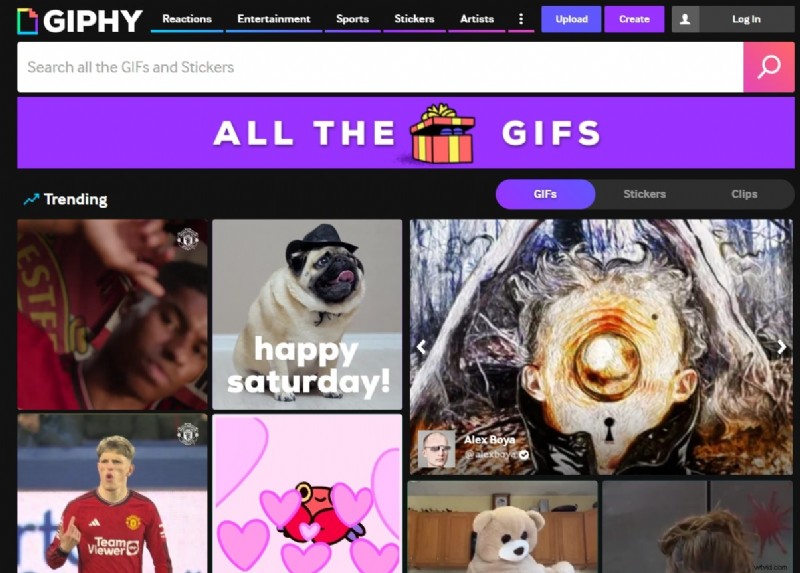
- Upload and publish GIFs globally.
- Share via link, embed, or social‑media buttons.
- Each GIF includes metadata such as file size, frame count, and source URL.
2. Tenor
Tenor provides a multilingual interface and real‑time trending searches. It allows you to select different quality formats (HD, MP4, SD) and auto‑suggests related GIFs.

- Download in your preferred resolution.
- Dynamic suggestions based on your current selection.
- Full specification details and shareable URLs.
Part 2: Online Tools for Slowing GIFs
Once you have the GIF, you’ll need a reliable tool to adjust its speed. The following three services are widely used by creators of all skill levels.
1. Ezgif.com
Ezgif is a dedicated online GIF editor that offers resizing, cropping, and speed control. It’s simple to use and works directly in your browser.
Step‑by‑Step
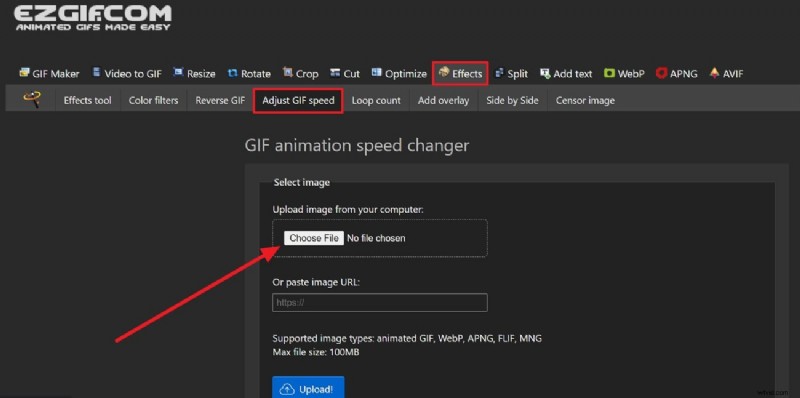
- Navigate to Ezgif.com → “Effects” → “Adjust GIF Speed.” Upload your file or paste a URL.
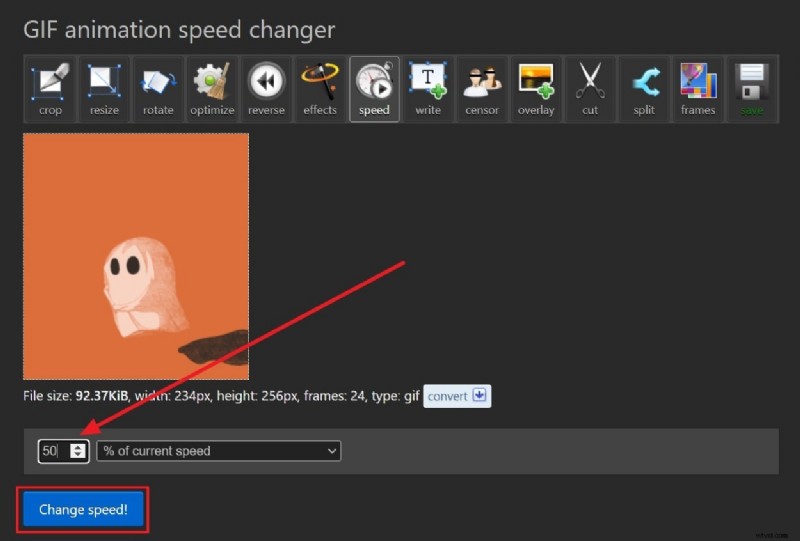
- Enter the percentage to slow the animation (e.g., 50% for half speed) and click “Change Speed.” The result appears instantly.
2. VEED.io
VEED is a cloud‑based editor that supports high‑quality video creation, including GIF speed changes. Its interface is designed for quick edits and instant previews.
Step‑by‑Step
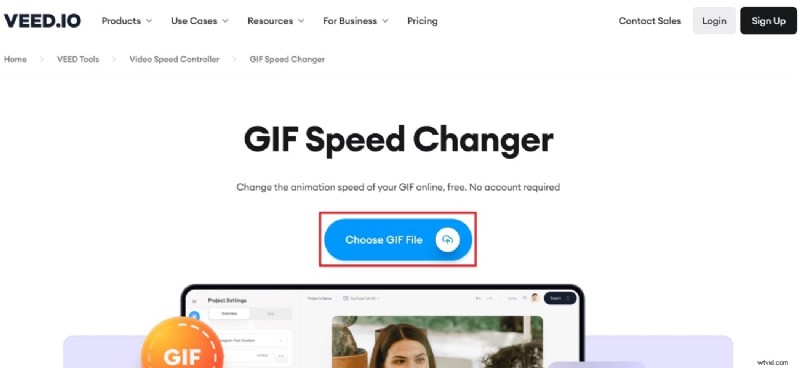
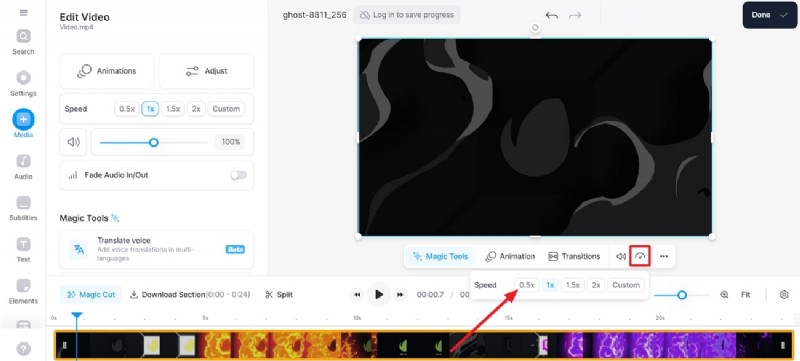
- Open VEED.io → “GIF Speed Changer.” Upload your GIF.
- In the preview panel, click the “Speed” icon next to the sound icon and select “0.5x” to achieve a 50% speed.
3. Canva
Canva’s expanding video suite now includes a GIF speed changer. It’s ideal if you want to combine the slowed GIF with other design elements.
Step‑by‑Step
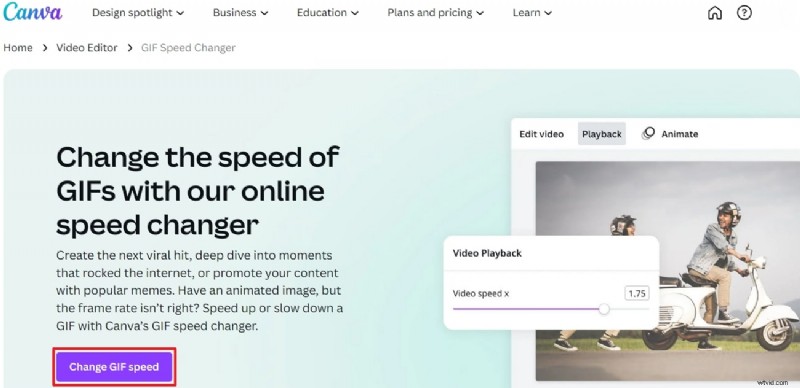
- Launch Canva → “Create a design” → choose a video template. In the toolbar, select “Change GIF Speed.”
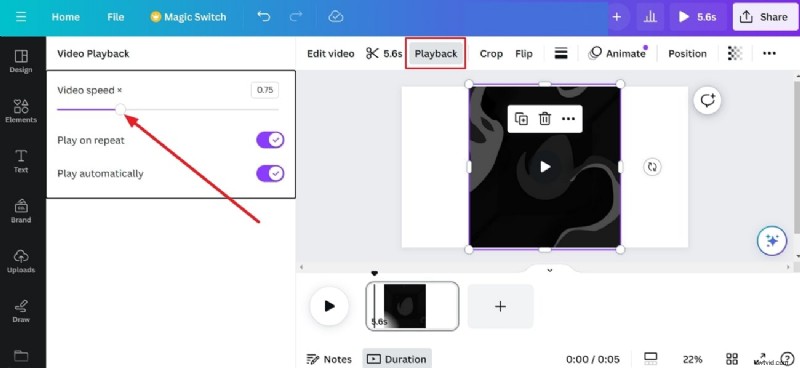
- Upload your GIF via the left panel, then use the “Video Speed” slider in the playback section to slow the animation.
Part 3: Desktop Editing with Filmora
Online tools offer convenience but often lack granular control. For professional‑grade slow‑motion GIFs, Wondershare Filmora provides a feature‑rich desktop solution.
Why Filmora?
- Over 10 billion stock assets in one library.
- Cross‑platform access with a single login.
- AI‑powered features that streamline editing.
Step‑by‑Step Guide
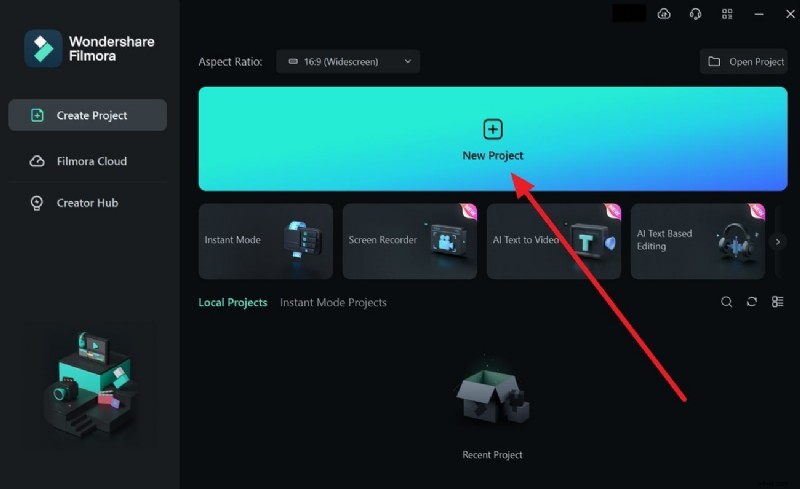
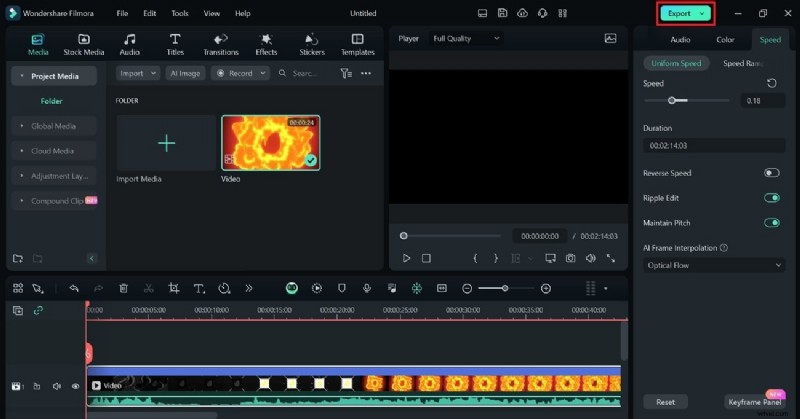
- Launch Filmora → “New Project.” Import your GIF into the media panel and drag it onto the timeline.
- Adjust Speed → Right‑click the clip → “Uniform Speed.” Move the slider left for slower motion, then enable “Optical Flow” under the AI interpolation menu for smooth frames.
- Export → Click “Export” at the top right. Choose GIF format and set the desired resolution.

Key Features of Filmora
- Speed Ramping – Fine‑tune keyframes for cinematic slow‑motion or fast‑forward effects.
- AI Copilot – Voice‑ or text‑based commands guide you through editing tasks.
- AI Music Generator – Create royalty‑free tracks that match your video length and mood.
- AI Image & Copywriting – Generate visuals from prompts and craft engaging scripts with ChatGPT integration.
Conclusion
Slowing down a GIF is a powerful way to sharpen details, highlight emotions, and increase viewer engagement. While online editors like Ezgif, VEED, and Canva offer quick solutions, Filmora delivers the depth and flexibility required for polished, professional results.