
Animated photos have become a staple across social media, advertising, and personal projects. By adding subtle motion, still images become more engaging, memorable, and shareable. The surge in popularity of photo animation tools reflects the demand for quick, high‑quality visual storytelling.
Whether you’re posting a story, designing a marketing banner, or simply looking to spice up a family photo, a well‑chosen animation tool can transform a static image into a dynamic asset. Below is a curated list of free tools that work across mobile, desktop, and online platforms.
In this guide
- Why Animated Photos Matter
- Best Free Mobile Animation Apps
- Top Desktop Software for Photo Animation
- Convenient Online Editors
- Tool Comparison Table
- Step‑by‑Step: Animate with Filmora
- Creating Animated Videos with AI
1. Why Animated Photos Matter
Animated photos go beyond aesthetics—they convey stories, highlight features, and capture attention in milliseconds. They are particularly effective on fast‑moving platforms like Instagram, TikTok, and X, where users scroll quickly and only a few seconds to hook them.
- Social Media: Stories, posts, and ads benefit from motion that stops the scroll and invites interaction.
- Marketing & Advertising: Animated images can showcase multiple angles, emphasize key product details, and increase click‑through rates.
- Presentations: Slides with animated visuals explain concepts more clearly and keep audiences engaged.
- Web Design: Hero sections and landing pages with moving images create stronger first impressions.
- Personal Use: Birthday wishes, holiday greetings, or creative memories feel more lively when animated.
2. Best Free Mobile Animation Apps
Most animated photos are shared as GIFs or short MP4 loops. A mobile app that exports GIFs will let you share effortlessly across social platforms. Below are the top free options for Android and iOS.
Wondershare Filmora (Android & iOS)
Though known as a video editor, Filmora’s intuitive interface makes photo animation simple. It offers built‑in stickers, motion elements, keyframe control, and a library of over 2 million creative assets. Export as GIF or MP4 for instant sharing.
Pros
- Comprehensive sticker and motion library
- Keyframe animation for precise control
- AI image‑to‑video feature
Cons
- Some advanced features are limited to the desktop version
Operating System: Android & iOS

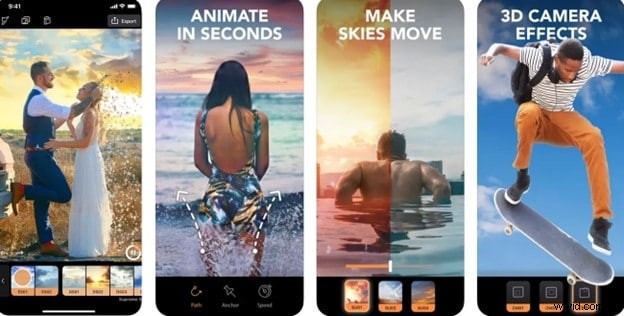
Motionleap by Lightricks (Android & iOS)
Motionleap allows you to animate parts of a photo while keeping others still. With a freeze brush and AI sky‑replacement, you can create realistic weather effects or surreal scenes with just a few taps.
Pros
- AI sky and weather animation
- Creative effects like spinning objects and flowing water
Cons
- May require a short learning curve for beginners
Operating System: Android & iOS
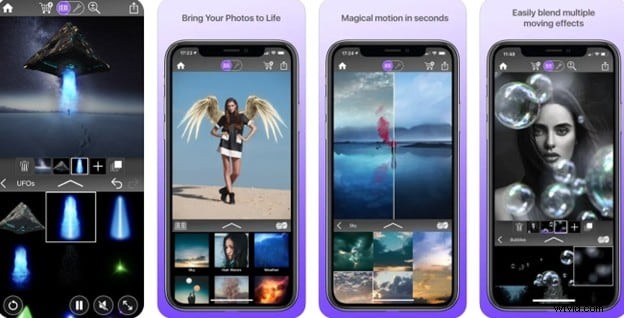
Werble (iOS)
Werble focuses on creative animation. Layer multiple effects, fine‑tune lighting, and adjust timing to produce standout visuals. Its community feed offers inspiration and a chance to share your work.
Pros
- Full control over motion, lighting, and filters
- Integrated community for sharing and inspiration
Cons
- May not meet professional production standards
Operating System: iOS
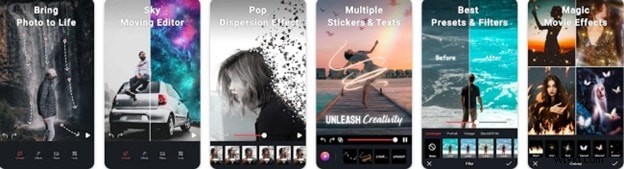
Movepic (Android)
Movepic offers templates, stickers, and preset effects for quick animation. With over 170 sky presets and 230 3D stickers, you can create glitch art, pop‑dispersion, or animated faces in seconds.
Pros
- Extensive 3D filters and overlays
- Face animation for humorous or surreal results
Cons
- Watermark appears on free exports
Operating System: Android
3. Top Desktop Software for Photo Animation
Desktop editors provide deeper control and advanced features. The following free tools deliver professional‑grade animation without a steep learning curve.
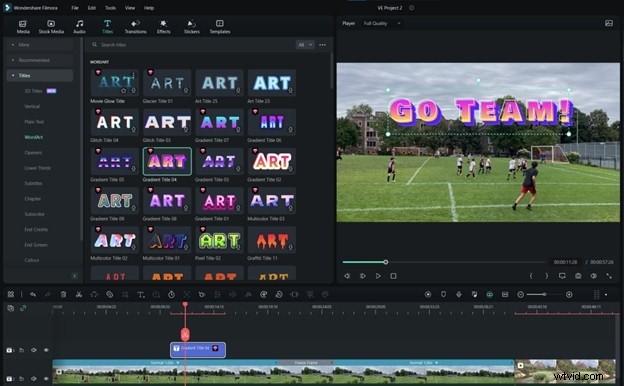
Wondershare Filmora (Windows & macOS)
Filmora’s layer‑based workflow, keyframing, and AI tools let you animate photos with ease. It supports 4K output and high‑resolution images, making it ideal for both hobbyists and small businesses.
Pros
- Beginner‑friendly interface
- Rich library of effects, transitions, and animation tools
- Handles 4K videos and high‑res photos
Cons
- Advanced tools may require a paid upgrade
- Not as comprehensive as industry‑level software
Operating System: Windows & macOS
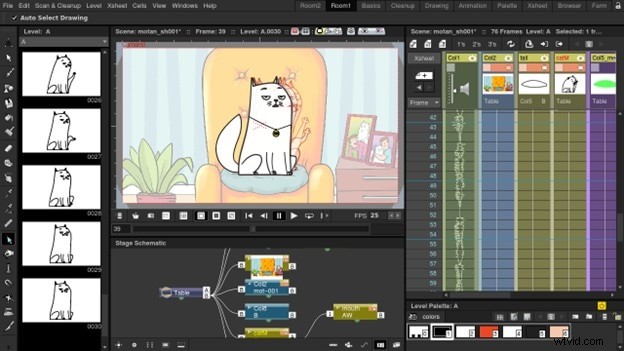
OpenToonz (Windows, macOS, Linux)
OpenToonz powers studios like Studio Ghibli. It offers frame‑by‑frame animation, onion skinning, and a customizable X‑sheet, making it a solid choice for traditional animators and photo‑animators alike.
Pros
- 100% free and open source
- Professional‑grade features
- Active community and extensive documentation
Cons
- Interface can be intimidating for newcomers
- Occasional stability issues on certain systems
Operating System: Windows, macOS, & Linux
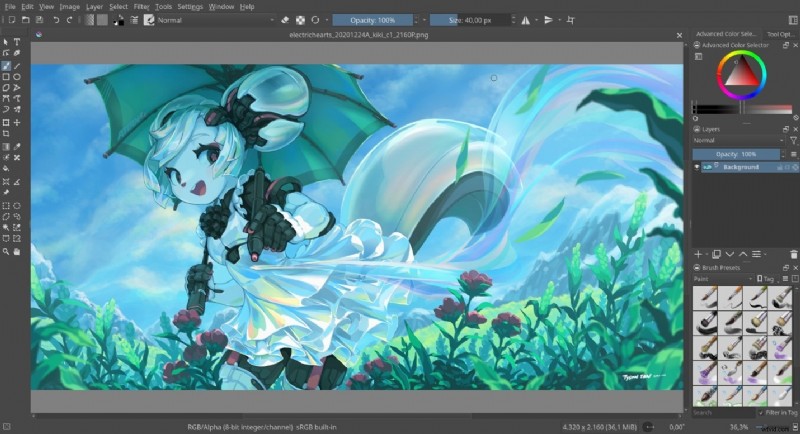
Krita (Windows, macOS, Linux)
Krita excels in digital painting but also supports animation. Its onion skinning, frame‑by‑frame timeline, and advanced brush engine give artists full creative control.
Pros
- Hand‑drawn animation capabilities
- Open source and free
- Highly customizable brushes and tools
Cons
- No automatic tweening or audio syncing
- High memory usage for complex projects
Operating System: Windows, macOS, & Linux
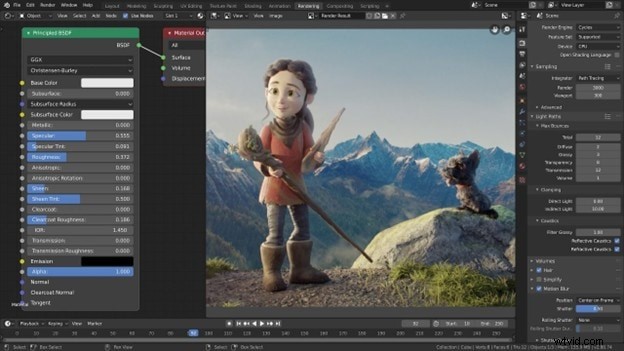
Blender (Windows, macOS, Linux)
Blender’s Grease Pencil lets you animate 2D images inside a 3D workspace. Combine keyframing, motion tracking, and physics simulations to create sophisticated animations.
Pros
- All‑in‑one 2D/3D animation platform
- Free and open source
- Large community with countless tutorials
Cons
- Steep learning curve for beginners
- Requires powerful hardware for smooth operation
Operating System: Windows, macOS, & Linux
4. Convenient Online Editors
If you prefer not to download software, these web‑based tools let you animate photos directly in your browser. They’re ideal for quick edits, though bandwidth can affect performance.
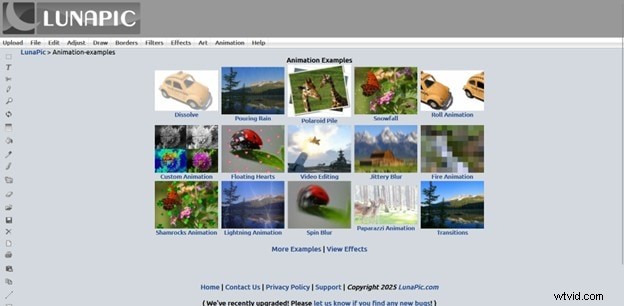
LunaPic
LunaPic offers a straightforward interface with built‑in animation effects such as zoom, slide, and overlay. It’s free, requires no signup, and exports directly to GIF.
Pros
- Zero cost and no registration needed
- Large library of animation presets
- Easy GIF creation
Cons
- Interface feels dated
- Lacks advanced animation controls
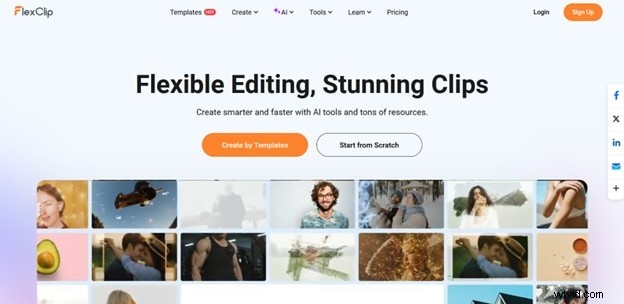
FlexClip
FlexClip’s drag‑and‑drop editor includes text animation, photo motion, and AI‑powered transitions. It’s ideal for social media videos or animated slideshows.
Pros
- User‑friendly for beginners
- AI templates and motion presets
Cons
- Free version adds a watermark
- Limited customization without a paid plan
Adobe Express
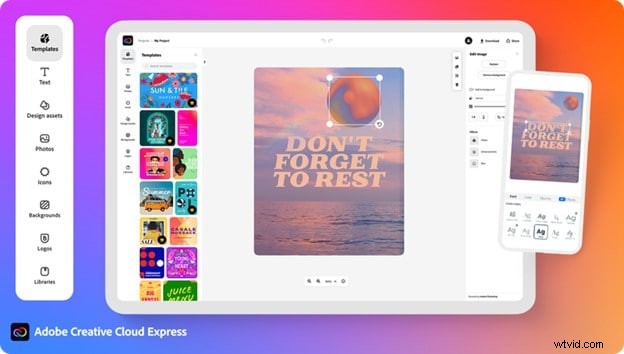
Adobe Express brings professional‑grade templates and animation styles to the web. Animate photos and text, adjust layers, and export as GIF or MP4—all within a familiar Adobe ecosystem.
Pros
- Polished animations with minimal effort
- Direct access to Adobe assets
Cons
- Feature set is limited compared to full Adobe Creative Cloud
- Advanced tools are behind a subscription
VEED.IO
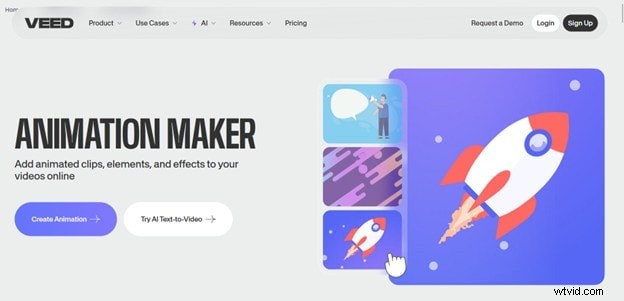
VEED.IO is a browser editor that focuses on quick social media content. It supports image and text animation, layer stacking, and exports in GIF or video formats.
Pros
- Clean interface, no download required
- Fast workflow for social media creators
Cons
- Watermark appears on free exports
- Export quality capped in the free tier
5. Quick Comparison Table
Below is a side‑by‑side snapshot of key features, GIF export capability, and pricing for each tool.
| Tool | Key Features | GIF Export | Free |
| Wondershare Filmora | Keyframing, motion tracking, stickers, AI effects | Yes | Partially (limited free version) |
| Motionleap | Anchor points, sky replacement, AI weather animation | Yes | Yes (limited freemium) |
| Werble | Layer animation, lighting control, community feed | Yes | Yes |
| Movepic | Sky presets, 3D stickers, face animation, dispersion effect | Yes | Yes (watermarked) |
| OpenToonz | Frame‑by‑frame, onion skinning, digital painting tools | Yes | Yes |
| Krita | Onion skinning, timeline, brush engines | Yes | Yes |
| Blender | 2D/3D animation, grease pencil, motion tracking | Yes | Yes |
| LunaPic | Animation effects, text motion, GIF creation | Yes | Yes |
| FlexClip | Motion effects, AI transitions, text animation | Yes | Yes (watermarked) |
| Adobe Express | Animated text/images, presets, layer editing | Yes | Yes (limited freemium) |
| VEED.IO | Image/text animation, social media templates | Yes | Yes |
6. How to Animate a Photo in Filmora
Filmora offers a step‑by‑step workflow for both desktop and mobile. The following sections outline the process and key tips.
Desktop Workflow
- Open Filmora and create a new project. Import your photo and drag it onto the timeline.
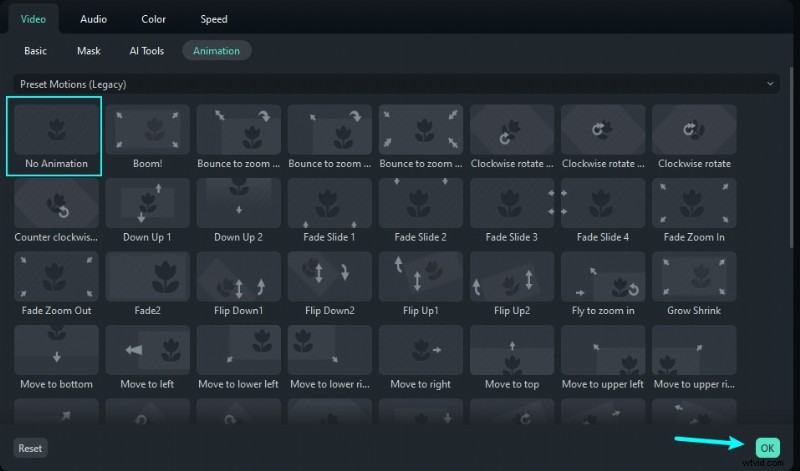
- Add Motion by selecting the image, then clicking the Animation tab. Choose from preset effects or keyframe your own (zoom, pan, rotate).
- Fine‑tune Timing by adjusting keyframe positions on the timeline to ensure smooth motion.
- Export the final clip as a GIF or MP4. Name the file, hit Export, and your animated image is ready for sharing.
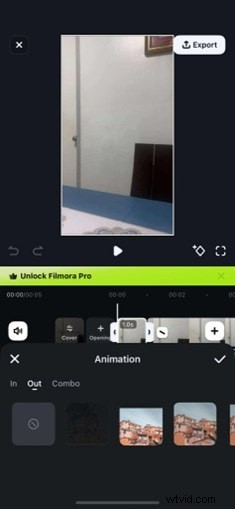
Mobile Workflow
- Install Filmora Mobile and open a new project. Import the photo from your gallery.
- Tap the image, then select the Effect icon. Browse motion effects and apply the one that suits your image.
- Adjust duration and style (In/Out/Combo) as needed. Tap the checkmark to apply.
- Export the animation to your phone, choosing GIF or MP4 format.
7. Creating Animated Videos with AI Image‑to‑Video
Filmora’s AI Image‑to‑Video feature turns a still photo into a dynamic video in minutes. It’s available on both desktop and mobile.
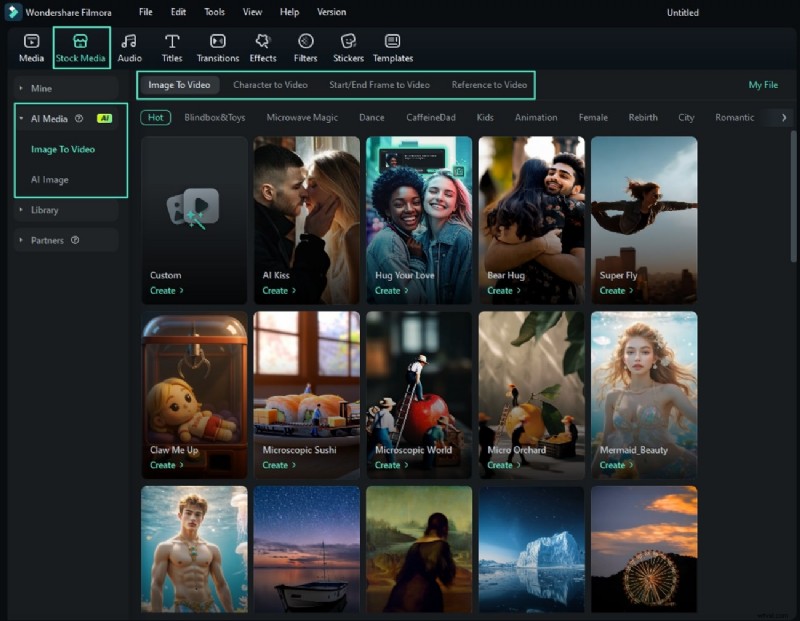
Desktop Steps
- Navigate to Media > AI Media > Image to Video.
- Select a template or enter a prompt, upload your photo, and preview the result.
- Adjust resolution and add additional reference images if desired. Click Submit.
- Drag the generated clip into the timeline for further edits.
Mobile Steps
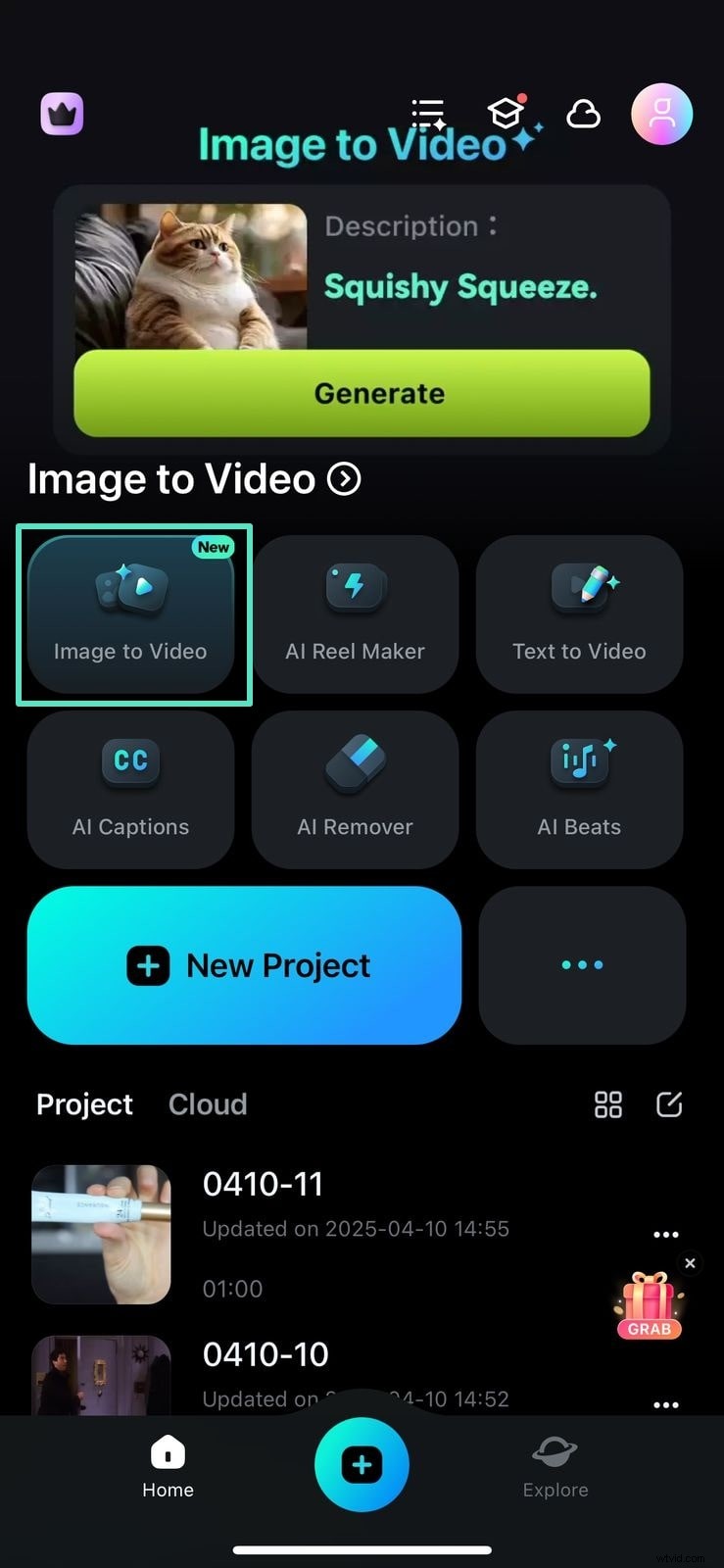
- Open the Filmora app and tap Image to Video from the home screen.
- Enter a prompt or choose a template. Review the preview and tap Generate.
- For more creativity, explore the Nano Banana Pro templates under the Trending tab.
Conclusion
Animated photos transform ordinary images into engaging stories that resonate across social platforms, marketing campaigns, and personal memories. Whether you choose a mobile app like Motionleap, a desktop powerhouse such as Krita, or an online editor like LunaPic, there’s a solution for every skill level.
For those seeking a balanced mix of ease and power, Wondershare Filmora remains a top recommendation. Its cross‑platform availability, intuitive animation tools, and seamless GIF export make it a reliable choice for creators of all backgrounds.