
GIFs are expressive and easy to share anywhere. But sometimes, a GIF's speed doesn't quite match the message or tone you want to convey. Maybe a reaction GIF plays too fast, you can barely catch what's happening, or it moves too slowly and loses the viewer's attention. That's when you know it's time to use a GIF speed changer.
Changing the GIF speed can dramatically alter its effect. If you need one, this article will show you the best GIF speed changers in 2025 for Windows, Mac, and online. Easy and convenient for every need!

Wondershare Filmora
A powerful video editor that offers comprehensive GIF editing, both beginners and professionals.
EZGIF
A highly popular online tool known for its straightforward interface and a wide array of GIF editing functionalities.
View detail
Canva
More than just a design tool, Canva also provides an intuitive platform for creating and editing GIFs.
View detail
Part 1. GIF Speed Changer Comparison Chart
To help you make an informed decision at a glance, here's a comparison chart highlighting key features and our overall rating for some of the best GIF speed changers. Easy to compare capabilities and find the perfect tool for your specific GIF editing needs.
| GIF Speed Changer | Speed Minimum | Speed Maximum | Notes | Rating |
| Filmora | 0.1× | 100× | Best for easy & pro edits | 4.5/5 on Software Advice |
| EZGIF | Flexible | Flexible | Fast online tool | 4/5 |
| VEED.io | 0.5× | Flexible | Good for basic use | 4/5 |
| Canva | 0.1× | 30× | Best for design & brand | 4/5 |
| Online GIF Tools | Flexible (in ms) | Flexible (in ms) | Straightforward & fast | 3/5 |
|
Show more Show less |
Part 2. Best GIF Speed Editor on Desktop
When it comes to professional-grade editing, a desktop application often outperforms online tools. For those who frequently work with advanced video editing alongside GIF editing, Wondershare Filmora stands out as the premier choice.
Filmora is perfect for creators who want more than just speed change. It is intuitive and seamlessly integrates a GIF speed adjuster tool with a wealth of other creative features. An all-in-one solution for content creators on both Windows and Mac, for both beginners and professionals.

 Secure Download
Key Features
Precise Speed Control
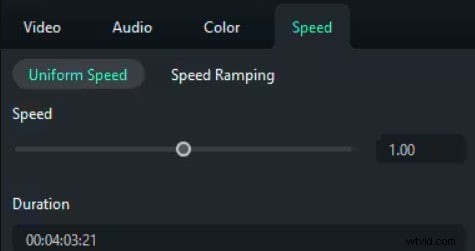
Filmora offers precise control over GIF speed. You can adjust playback from incredibly slow (0.1x) to super-fast (100x). Gives you ultimate creative freedom!
Batch editing process
Editing for multiple GIFs? You can efficiently change the speed of multiple GIFs at once. Save your significant time for other animation projects!
Built-in Library
Beyond just speed, you can trim, crop, add text, and apply effects. Every need seamlessly integrated for your GIFs into larger video projects.
High-quality export in multiple formats
Export your modified GIFs in various formats and resolutions without compromising on quality.
Pros & Cons
- User-friendly UI for both Mac and Windows
- Precise speed adjustment
- All-in-one editing suite
- Require software installation
- The free version includes a watermark
Pricing Information
Filmora offers flexible pricing plans, including a free version, monthly/annual subscription, and a perpetual license.
Why We Picked It
Filmora offers a complete editing experience, not just speed changes. You can add music, transitions, text, and export in high resolution while keeping your workflow smooth and fast. If you're looking for a reliable tool that grows with your editing skills, Filmora is an exceptional investment. It extends far beyond simple GIF speed adjustments.
Part 3. Top 4 Free & Paid GIF Speed Changers Online
When you want a quick edit without downloading software, online tools are a convenient choice. They are accessible from any browser on any device and often provide immediate results. Here are the top free and paid GIF speed changers available online in 2025:
1. EZGIF
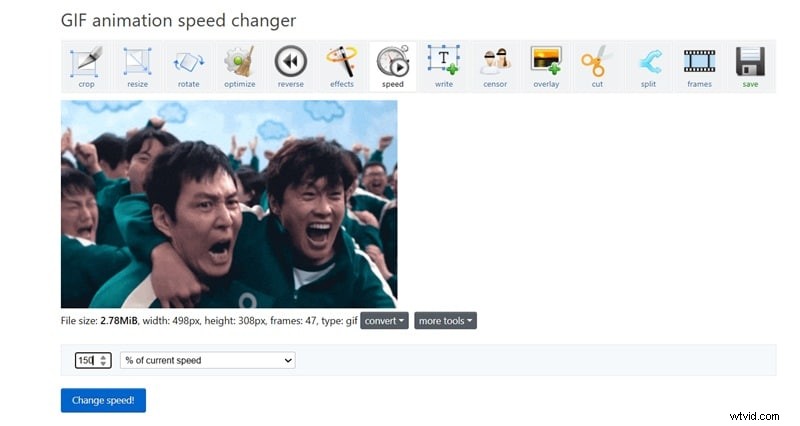
EZGIF is a household name in the world of online GIF tools. It offers a comprehensive suite of utilities for GIF editing, with its speed changer being one of the most popular. It's incredibly straightforward and effective.
Key Features
- Adjust GIF speed by setting a percentage increase or decrease
- Customize frame delay with precise time settings (in hundredths of a second)
- Offers resizer, optimizer, and splitter tools to edit GIFs
Pros & Cons
- Completely free
- No registration required
- Flexible speed control. Enter any custom speed value you want
- Limited file size (up to 200MB)
- Ads on the interface
- No batch processing
- Results can sometimes be less smooth if extreme speed changes are applied
Pricing Information
Free to use.
Why We Picked It
EZGIF is highly recommended for anyone needing a fast, free, and hassle-free solution. It's an excellent go-to for quick tasks.
2. VEED.io
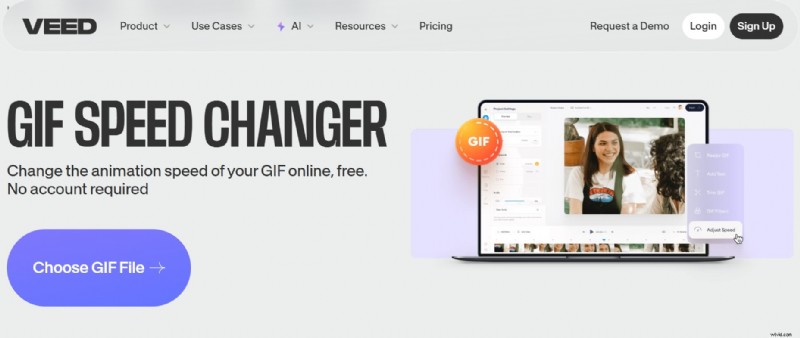
VEED.io is an online video editor that also offers powerful GIF editing capabilities. It's designed for content creators who need more than just simple speed adjustments.
Key Features
- Custom speed curve options for advanced control
- Built-in speed adjustment presets
- Full suite of video editing tools, including text, filters, and transitions
Pros & Cons
- User-friendly interface
- Integrates well with other video editing features
- Good export quality.
- Some advanced features need a subscription
- Slow processing time
- Not straightforward compared to other online tools
Pricing Information
- Free Plan: Basic features, watermarked exports.
- Paid Plans: Start from around $9/month (billed annually) for more features, higher resolution, and no watermarks.
Why We Picked It
VEED.io is perfect for users who want a professional-looking online tool. You can not only change GIF speed but also facilitate more advanced video and GIF creation for social media and marketing.
3. Canva
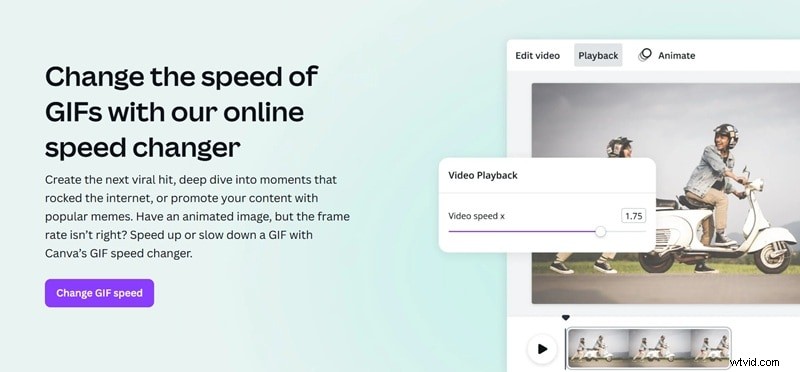
Canva, widely known for its graphic design platforms. Yet, it also extends its creative capabilities to GIFs. Canva offers a simple yet effective GIF speed changer as part of its extensive editor. It's ideal for designers and marketers.
Key Features
- Adjust animation speed for individual elements or entire pages
- Control the duration for each frame or slide in your GIF or video
- Ability to create GIFs from scratch
Pros & Cons
- Integrated with Canva's large media and template library
- Excellent for adding elements to GIFs
- Supports direct export to GIF or MP4 formats
- Primarily a design tool, so GIF-specific speed control might be less precise
- Some features are only for Pro subscription users
Pricing Information
- Free Plan: Extensive features, but with limitations on asset access and certain functionalities.
- Canva Pro: Around $119.99/year for full access to their library and premium features.
Why We Picked It
If you're already using Canva for your design needs, its GIF animation speed changer is a seamless addition. It's great for those who want to integrate GIF speed adjustments into a broader creative workflow.
4. Online GIF Tools
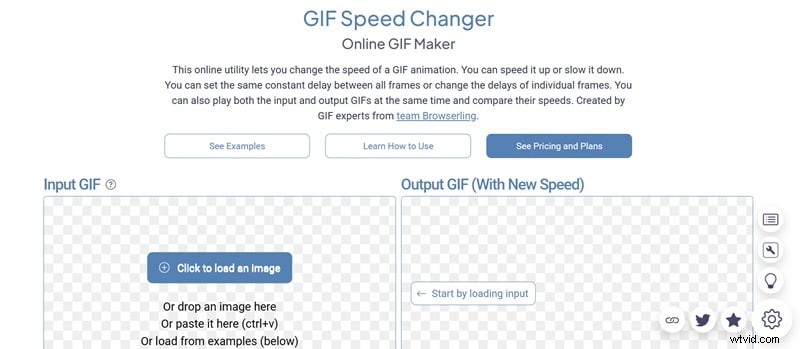
Online GIF Tools is a fast-loading, single-purpose utility dedicated to GIF editing. Its GIF speed editor is minimalistic but highly effective at doing one job well.
Key Features
- Adjust GIF speed by setting custom frame delay in milliseconds (ms)
- Live preview to see changes in real time
- Includes extra tools like rotate, resize, and split
Pros & Cons
- Provides detailed information of your GIF speed
- Ad-free experience
- The interface feels outdated
- Not suitable for users who need advanced editing features
- Requires knowledge of frame delay settings for precise adjustments
Pricing Information
Free to use.
Why We Picked It
If you happen to need to change GIF speed without any extra features, Online GIF Tools is a reliable and quick solution.
Part 4. How to Choose the Best GIF Speed Changer for You?
Selecting the right GIF animation speed changer depends heavily on your specific needs, workflow, and budget. With numerous options available, making an informed decision requires understanding your editing goals and the capabilities of different platforms.
Know Your Editing Goals
Before diving into tools, consider what you primarily want to achieve. Are you just adjusting speed for fun or using it as part of a larger project? Defining your primary use case will narrow down your options significantly.

Speed Range & Precision
Look for tools that offer a wider range of speed options. The range of speed adjustment and the precision offered are crucial. Some tools provide simple "faster" or "slower" options, while others allow you to input exact percentages or even adjust individual frame delays.
Free vs Paid Tools
Your budget will naturally influence your choice.
- Free online GIF speed editors are excellent for basic, occasional use and don't require any software installation. But they often come with limitations such as watermarks, file size caps, or a lack of advanced features.
- Paid GIF speed adjusters often offer a more comprehensive feature set, no watermarks, and dedicated support.
Export Quality and Format Options
Consider the final output. Does the tool maintain the GIF's quality after adjustment, or does it turn pixelated? Also, check what export formats are supported. Ensure your tool supports high-resolution exports and formats that are compatible with the platforms you use.

Ultimately, for casual, quick, and free GIF speed adjustments, online tools like EZGIF or Online GIF Tools are excellent choices. However, for content creators, professionals, or anyone requiring advanced features and the ability to integrate GIF editing into a broader video workflow, Filmora stands out as the best solution.
Filmora's comprehensive capabilities and user-friendly design can be hands-on in 2025. It also offers the flexibility to handle everything from simple GIF speed changes to complex video projects, both on desktop and mobile platforms.
Conclusion
Whether you're editing GIF speed for fun or branding, having the right speed changer makes all the difference. From quick online tools to a full-featured editor like Filmora, this guide has shown the best options available.

Filmora
AI Video Editing App & Software
Best tool for making videos anywhere for all creators!
Choose the ideal GIF speed changer to ensure your content hits the right pace and leaves a lasting impression.
🎪 GIF Speed Changer Showdown: Pick Your Fave! ⚡
Community has spoken, but we want YOUR voice!
Vote now and see if you pick the winner! 🎯
Filmora CURRENT LEADER
EZGIF
VEED.io
Canva
Online GIF Tools
🎉 Vote registered! See gif speed changer results below! 📊