
Texts play a vital role in video creation. From titles to transition slides, animated texts significantly outperform static effects. If you're looking for inspiration, this guide covers the most common types of text animation as well as 8 unique text animation ideas. Discover 14 stunning text animation examples and learn how to implement these dynamic animated letters and styles to make your videos stand out.
Part 1. Common Types of Text Animation & Styles You Should Know
Here is the list of the common types of text animations that you usually see on social media videos as well as video streaming platforms. Using these common text animation types, various interesting and innovative text animations are created.
1. 3D Text Animations
3D text animations add depth and dimension to your text, giving it a more dynamic and visually appealing effect. You can go for a simple 3D effect where the text rotates or floats across the screen, creating a sense of movement. For a more immersive look, consider adding perspective from different angles, or use shadows and lighting to enhance the 3D effect. When working with large text, you can apply a modified 3D animation where each character shines in and out individually, making the text more eye-catching. Whether it's for website design or video production, 3D text animations offer endless text animation ideas that will leave a lasting impression and serve as exciting text animation examples.
 Secure Download
2. Fade in and fade out
Fade in and fade out text animation is extremely common in videos where the text slowly appears on the screen and its color brightness increase slowly. After reaching its full brightness, the text slowly loses its brightness and finally vanishes completely. Generally, the words appear and disappear simultaneously but in the modern effect, the characters appear and disappear individually at different times for more visual impact.
3. Interactive Text Animations
Interactive Text Animations are a highly popular text animation style used in modern web and app design for maximum engagement. These animations allow text to change dynamically based on user interactions, such as clicking, scrolling, or hovering. ... In Filmora, you can mimic this interactivity using advanced keyframe animation techniques or applying Motion Tracking to text, creating compelling animated text that responds to elements in your video.
4. Text breaks away animation
There are different variations of text breaks away animation but it is one of the most visually appealing text animations. That text appears on the video and it shatters and disappears. Sometimes, the text turns into dust after shattering like a glass. This text effect cum animation is highly impactful in getting the attention of the viewers immediately.
5. Typing text animation
Referred to as typewriter text animation as well, the characters in a word or sentence appear on the screen one by one as if someone is typing it in real-time. There is always a cursor blinking at the end of the character and it shifts with the appearance of the words and sentences. Instead of showing words or sentences all at once, showing text as if someone is typing it on the screen is more visually pleasing.
6. SVG and Canvas-based Animations
SVG and Canvas-based animations offer great flexibility and high-quality output for text animations. Unlike traditional text animations, these technologies allow for more complex path animations and vector-based effects. For instance, text can follow a custom path, or it can be gradually drawn out during the animation. With SVG and Canvas, you can easily incorporate intricate details like gradients, complex transformations, and even responsive designs that adapt to different screen sizes. If you want to create high-quality, creative text animation examples, SVG and Canvas animations are perfect for projects that require rich, interactive visual effects.
Part 2. 8 Interesting Text Animation Examples
You should always keep the basic and the common types of text animations in mind and come up with interesting and creative text animations. We are listing down some popular text animation examples that you can use on your video.
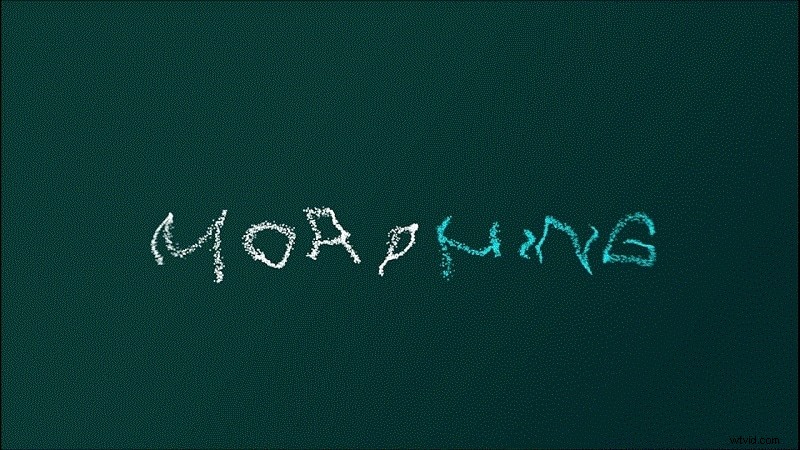
1. Morphing Text Animation
When there are multiple words to display one by one, instead of fade in and fade out effect, you can opt for morphing text animation. In this animation, the words seem to get morphed into one another. So, the first word will morph into the second word for the second word to appear on the screen and the sequence continues. The animation can be done fast to showcase multiple words in a short time period.
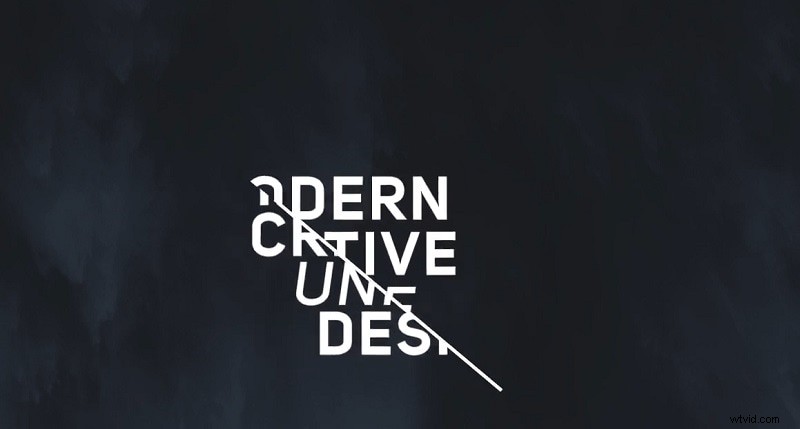
2. Combined Slide Out Animation
Generally, in a slide out text animation, the text comes out of a border and the animation type remains the same throughout. However, in the modified slide out animation, the text comes out of the border but it can come out of the top, the side, as well as both sides of the border. The border can also animate to move from the side to the top as well as be placed obliquely.
3. The Stomp Animation
The stomp effect is quite eye-catching due to its dynamic nature. In this animation, the words come out from another word till the entire sentence is displayed. For example, you have a sentence of four words to display. So, you should show the first word and the second word will come out of the first word and the sequence will continue. If you have two words, you can show them coming out of one another from the middle.
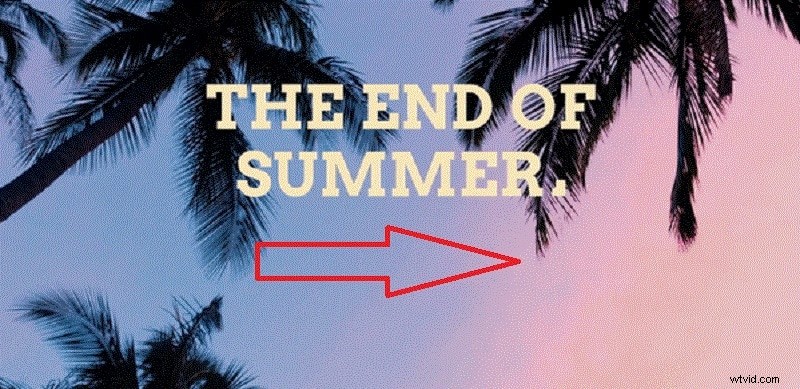
4. The Curtain Animation
In this animation, the moving boxes will slide in and slide out and in the process, they will reveal the text hidden behind them. It looks similar to parting the curtain and getting a view. Thereafter, the boxes will slide back in and cover up the text. The sequence will continue to reveal new texts as required.

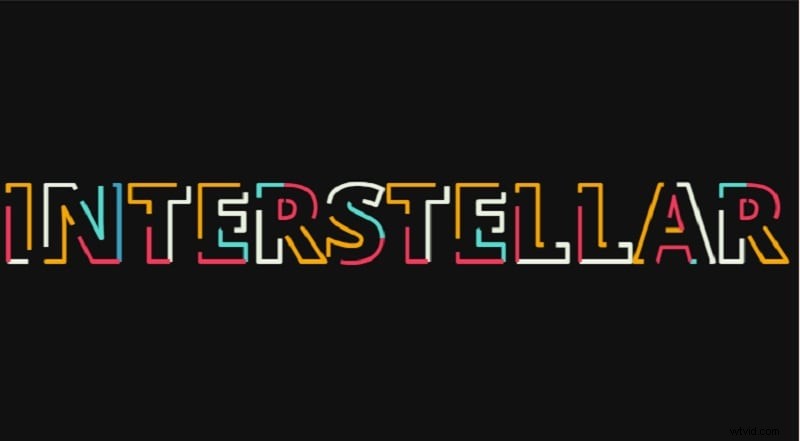
5. Animated Text Outline Effect
This is one of the stunning After Effects text animation examples whereby the outline of the text is made to animate with different colors so that the text becomes eye-catching. The text fill color should stay the same as the background so that only the outline is visible and the outline will be moving around one another.
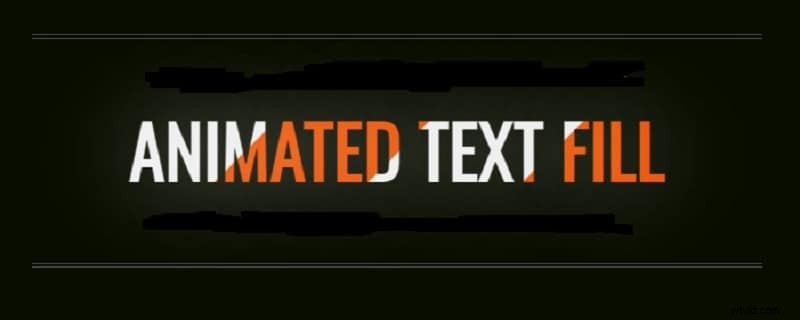
6. Animated Text Fill Effect
This is one of the most popular GSAP text animation examples whereby you display a sentence with bold style and a color should be moving across the characters in the text. The animated text fill will stay within the characters and should not spill out in the background. The background should be dark for better focus and attention grabbing. Sometimes, people make the color roll from left to right or the text can have a gradient color with the color waving up and down.
7. Neon Light Animation
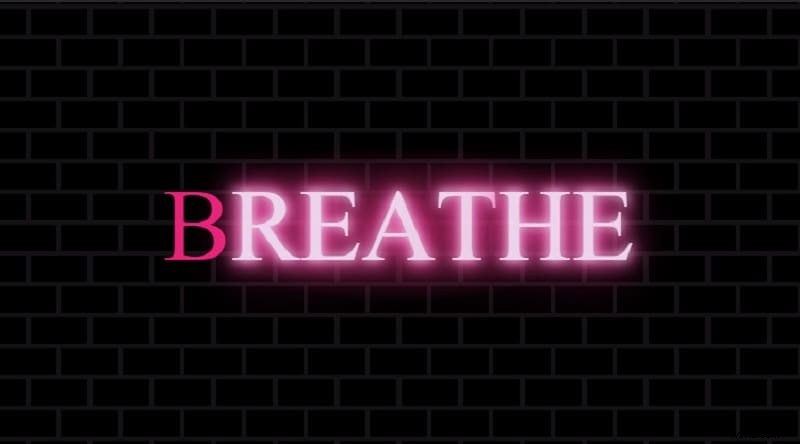
There are different variations of neon light animation that cool super cool. You can go for the simple neon light animation where the text says still and the neon lights fade in and out. You can change the color of the lights if you plan to keep the text for some time. If you are using a large text, you can go for the modified neon light animation where you can shine in and out for individual characters and the lights could be flickering.
8. In and Out of Focus Text Effect
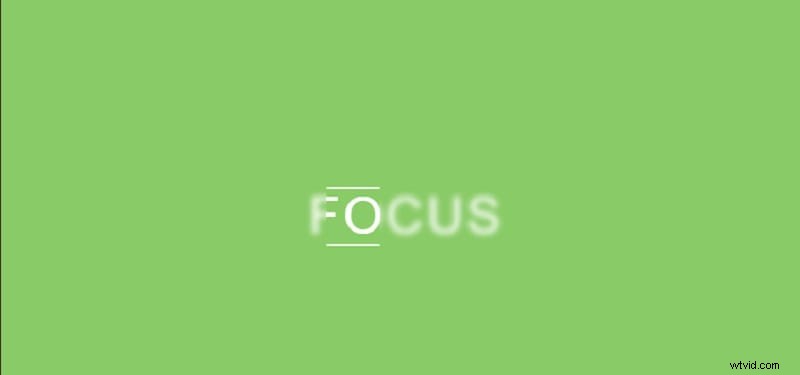
Instead of bringing the entire sentence into focus, you can use a square box to run over the sentence and bring the focus on the words depending on the position of the square box. The animation is highly effective in getting the viewers to read the sentence and get the message.
Part 3. How to Make a Text Animation Video
If you want to create all these interesting and amazing text animations easily, you will need a powerful, intuitive video editor. We recommend Wondershare Filmora, which provides a vast library of text effects, styles, and animations that you can apply instantly to your video projects.
Secure Download
How To Add Text Animation With Filmora Desktop
Step 1
Download and Install Filmora
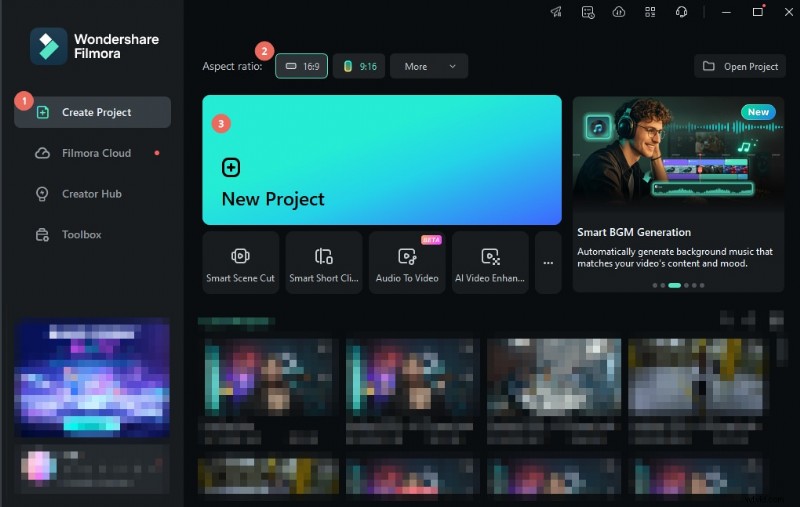
Download and install Wondershare Filmora on your computer. Click New Project and import any video clip that you want to use as your background.
Secure Download
Step 2
Choose or Add a Background Video
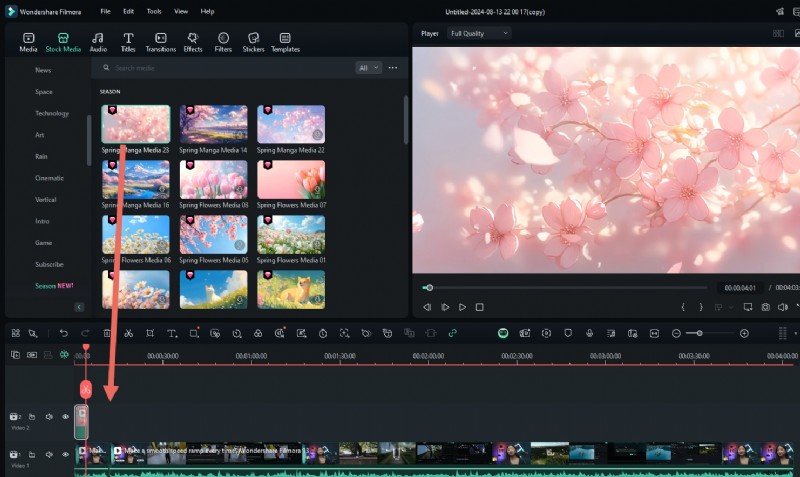
If you don't have a background video, go to Stock Media > Library and drag and drop an animated background onto the timeline.
Step 3
Add and Customize Text Animation
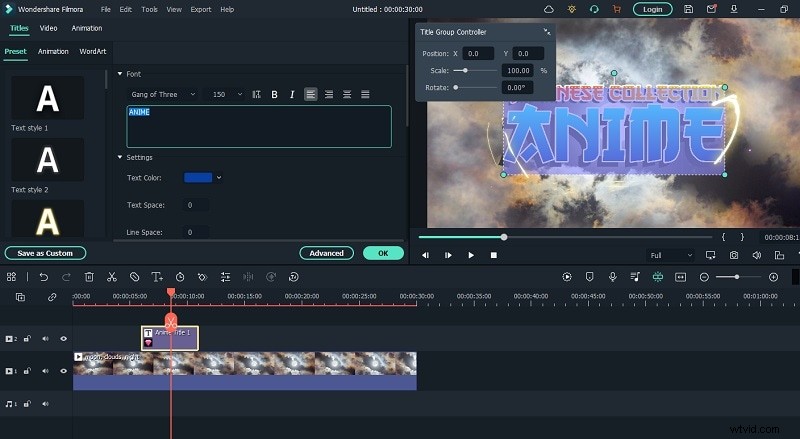
Go to the Titles section to browse various text animation templates. Search for “animation” to find stunning options and drag any template onto the timeline above the background layer.

Step 4
Edit and Position the Text
Reposition the text layer as you prefer, or adjust text objects from the Viewer. Double-click on the text layer to enter your desired text.
How To Add Text Animation With Filmora Mobile
Aside from desktop options, finding the exact text animation examples on mobile is possible. Many tools, such as Filmora, offer amazing text animations. With this app, you can choose from classic animations and creative ones. All you have to do is find the right one for your video, and you'll be good to go.
To choose from a variety of text animation examples in Filmora, follow the steps below:
Step 1
Download Wondershare Filmora
Secure Download
Step 2
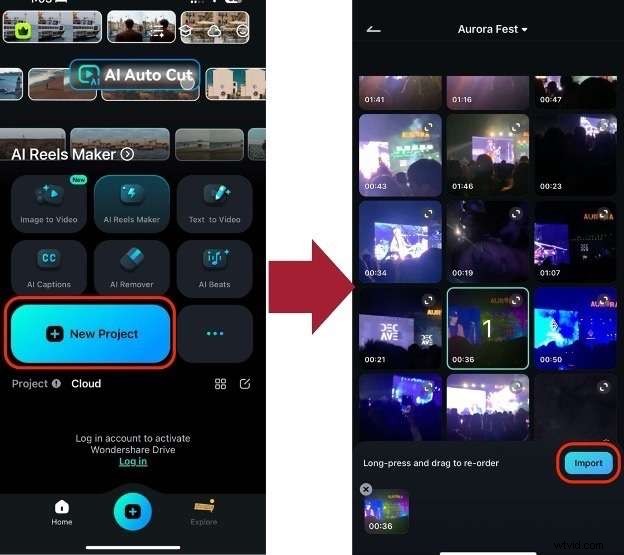
Create a New Project and Import Videos
Create a New Project and import the videos to which you want to add text animations.
Step 3
Access the Text Feature
Select Text > Add Text from the bottom toolbar to insert text into your project.

Step 4
Apply and Adjust Text Animation
Under the Animation tab, choose your preferred text animation preset and adjust the duration using the bottom slider. To extend the text's display time, go to the timeline and increase the text layer duration.
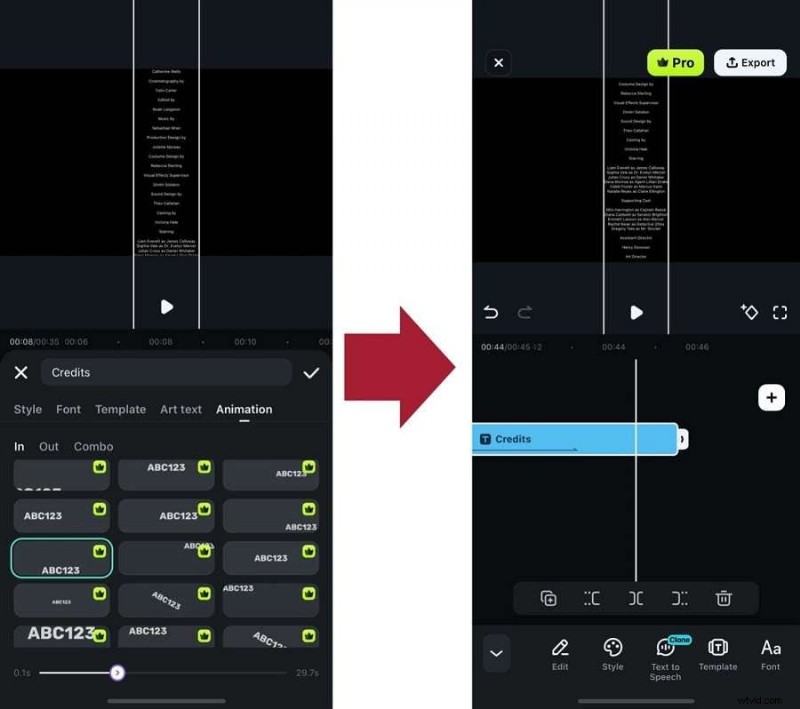
As you can see, there are a lot of text animations to choose from. Don't be afraid to explore animations or text styles/art to create the perfect text content for your videos.
The Bottom Line
We've given you some common text animation examples and awesome effects to enhance your video project. Finally, we recommend Wondershare Filmora for creating and editing stunning text animations in minutes, no experience needed.

Filmora
AI Video Editing App & Software
Best tool for making videos anywhere for all creators!
Simplify all your steps in video editing, from the pre-processing to finalizing, Filmora AI stays tuned.