
If you’re a fan of the iconic Peanuts character, a Snoopy profile picture (PFP) is a charming way to display nostalgia and personality on your digital profile.
Snoopy PFPs have become a trending symbol of calmness and retro charm across platforms such as TikTok, Instagram, and Discord.
Using Filmora, you can elevate your Snoopy PFP with custom edits and animations, making your avatar truly unique.
In this article
-
- Method 1. Download from Official Peanuts Pages or Fan Art Galleries
- Method 2. Use Pinterest, Reddit, or Wallpaper Sites
- Tips for Picking the Right Resolution and Format for Your Snoopy PFP
-
- Why Snoopy PFP Is Trending
- Stylize And Animate Snoopy PFP With Filmora
- Highlights of Filmora for Snoopy PFP
-
- Detailed Steps for Creating a Couple Snoopy PFP Using The Filmora App
Part 1. How to Get a Snoopy PFP (Easiest Methods 2025)
If you’re looking for ways to get the cutest Snoopy PFP, read on. Below are the most straightforward methods to secure a high‑quality profile picture for your social accounts:
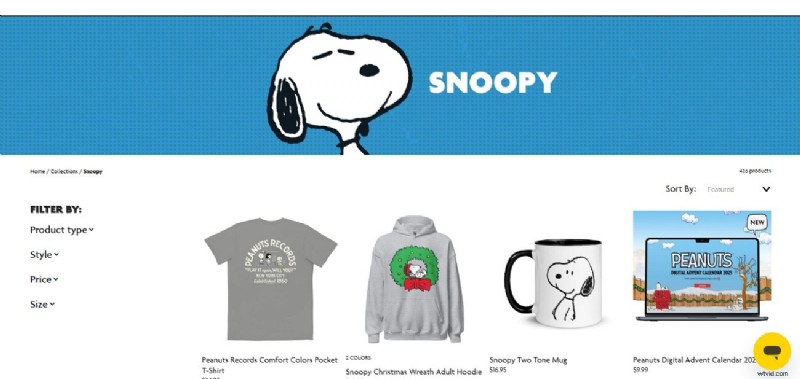
Method 1. Download from Official Peanuts Pages or Fan Art Galleries
Visit the official Peanuts website or reputable fan‑art galleries. These sources provide high‑resolution, authentic images that are copyright‑safe and instantly recognizable.
Method 2. Use Pinterest, Reddit, or Wallpaper Sites
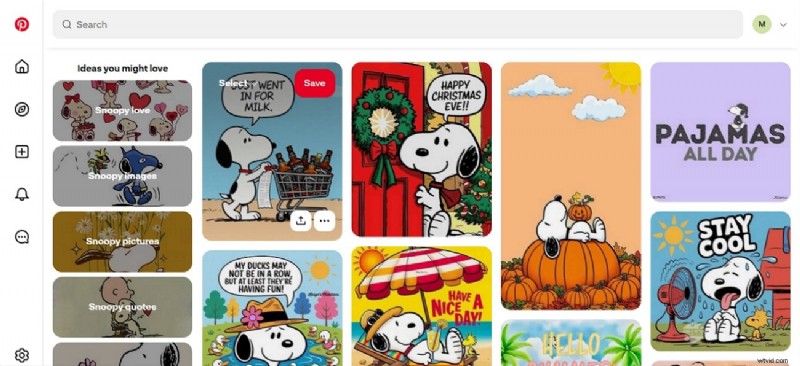
Community platforms like Pinterest and Reddit host a wide variety of Snoopy PFPs shared by fans worldwide. Wallpaper sites also offer high‑resolution, creatively styled images suitable for personalizing your profile.
Tips for Picking the Right Resolution and Format for Your Snoopy PFP
- Optimal Resolution: Choose images with at least 400×400 pixels for clear, crisp displays across platforms.
- Square Aspect Ratio: Use a 1:1 ratio to fit perfectly in circular profile frames without cropping essential details.
- File Format: PNG supports transparency for cleaner overlays; JPG offers smaller file sizes and broad compatibility.
- High DPI: Select 72 dpi or higher for screen quality; 300 dpi if you plan to print.
- Avoid Over‑Compression: Export at the highest quality to prevent pixelation or blurriness.
Part 2. Why Snoopy PFP Is Trending and How Filmora Enhances It
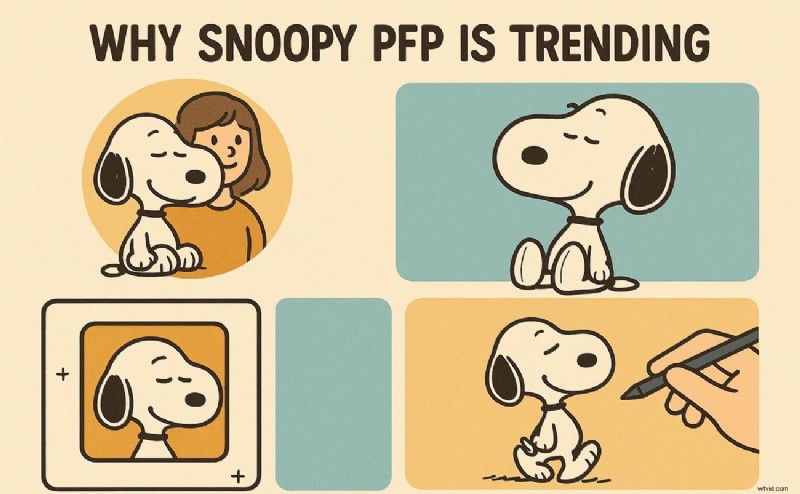
A Snoopy PFP is more than a nostalgic image—it’s a statement of calm, creativity, and personal style. In 2025, Snoopy became a social‑media trend, symbolizing relaxed vibes across TikTok, Discord, and Instagram. Users share animated and custom Snoopy avatars to express individuality.
Why Snoopy PFP Is Trending
- Snoopy evokes childhood memories and simpler times.
- His relaxed demeanor projects tranquility and chill vibes.
- The classic cartoon style meshes with minimalist and retro aesthetics.
- Snoopy adapts easily to diverse moods and online themes.
- Users personalize Snoopy PFPs with edits and animations, showcasing creativity.
Stylize And Animate Snoopy PFP With Filmora
Filmora’s intuitive interface, AI tools, and asset library make it the easiest way to craft standout Snoopy PFPs. Its features—such as Smart Cutout, artistic filters, keyframe animation, and one‑click effects—enable both beginners and pros to create polished, dynamic avatars.
Highlights of Filmora for Snoopy PFP
- AI Editing Tools: Smart Cutout automatically isolates subjects from backgrounds.
- Filters: A wide library of artistic filters enhances visual appeal.
- Customization: Keyframe animation and multi‑layer editing produce unique, dynamic compositions.
- One‑Click Effects: Simplifies adding stylish motion and transitions.
- High‑Quality Export: Maintains clarity and sharpness in the final output.
Part 3. How to Make a Snoopy PFP from Scratch Using Filmora
Follow these step‑by‑step instructions to create a personalized Snoopy PFP on your desktop:
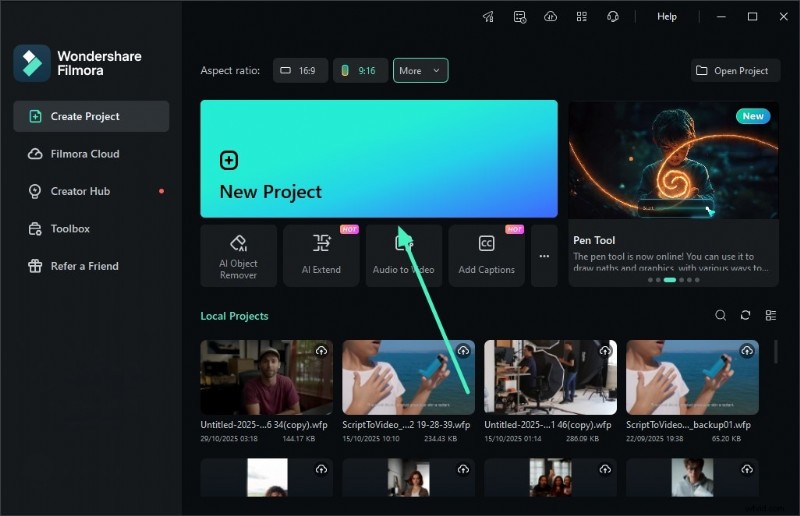
- Step 1. Start a New Project. Launch Filmora and click the “New Project” button on the homepage.
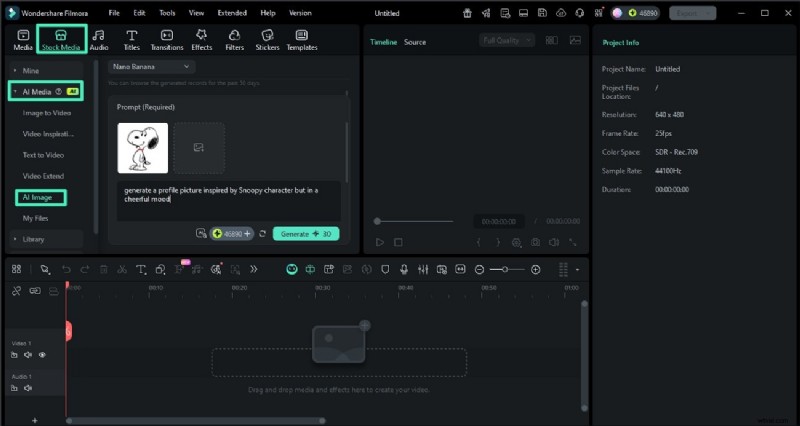
- Step 2. Access the AI Image Feature. From the top toolbar, select “Stock Media,” enable the “AI Media” section, and choose “AI Image.” Import a reference image and enter a text prompt. Click “Generate.”
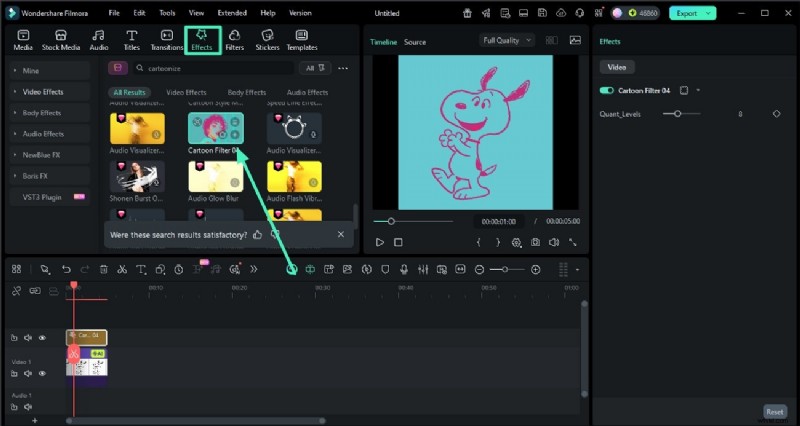
- Step 3. Apply Effects. Use the “Effects” toolbar to add a relevant filter, such as “Cartoonize.” Add it with the “+” icon.
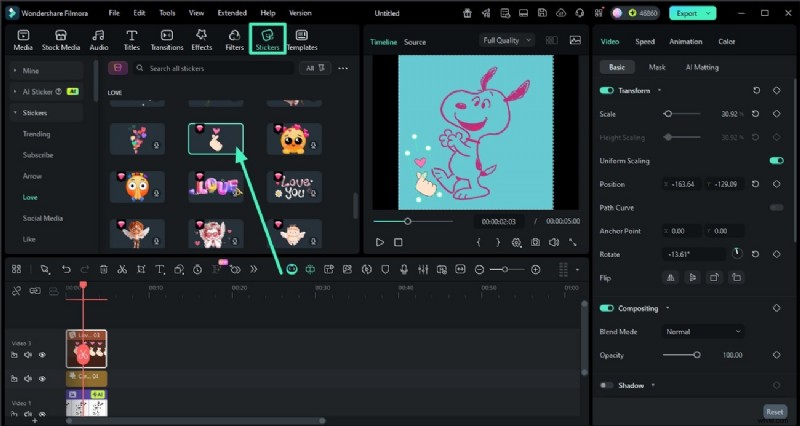
- Step 4. Add a Sticker. Go to “Sticker,” choose a suitable design, and place it with the “+” icon. When satisfied, hit the “Export” button.
- Step 5. Save as JPG. In the export window, select “JPG Image Sequence” and click “Export.”
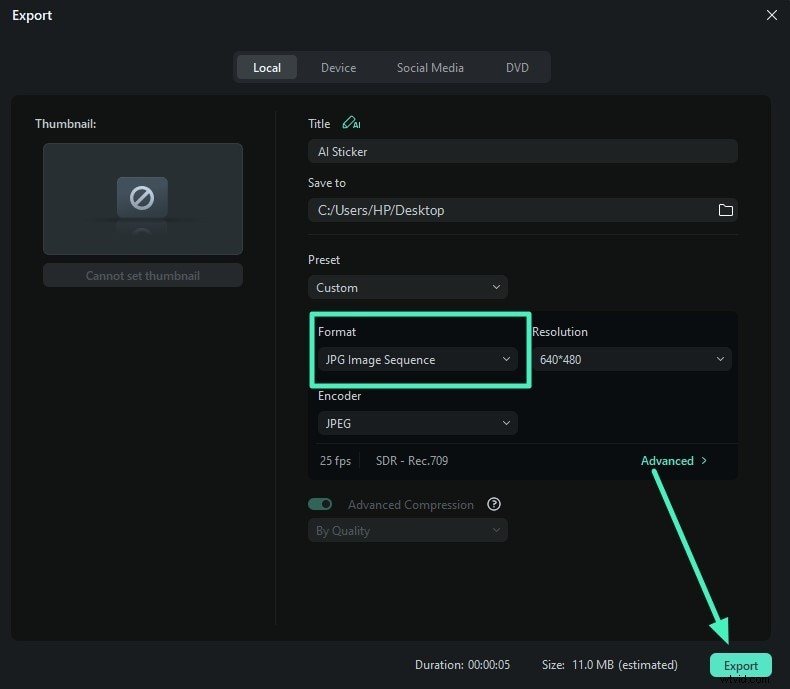
Preview the export result below.

Part 4. Create Matching or Couple Snoopy PFPs with the Filmora App
For mobile users, the Filmora App (iOS/Android) offers an “Image‑to‑Video” feature that turns two Snoopy images into animated avatars. This transforms static photos into vibrant, moving visuals.
Detailed Steps for Creating a Couple Snoopy PFP Using The Filmora App
Follow this concise guide to produce an aesthetic Snoopy PFP video:
- Step 1. Launch the Filmora App and select “Image to Video.” Add Snoopy pictures, enter a text prompt, and tap “Generate.”
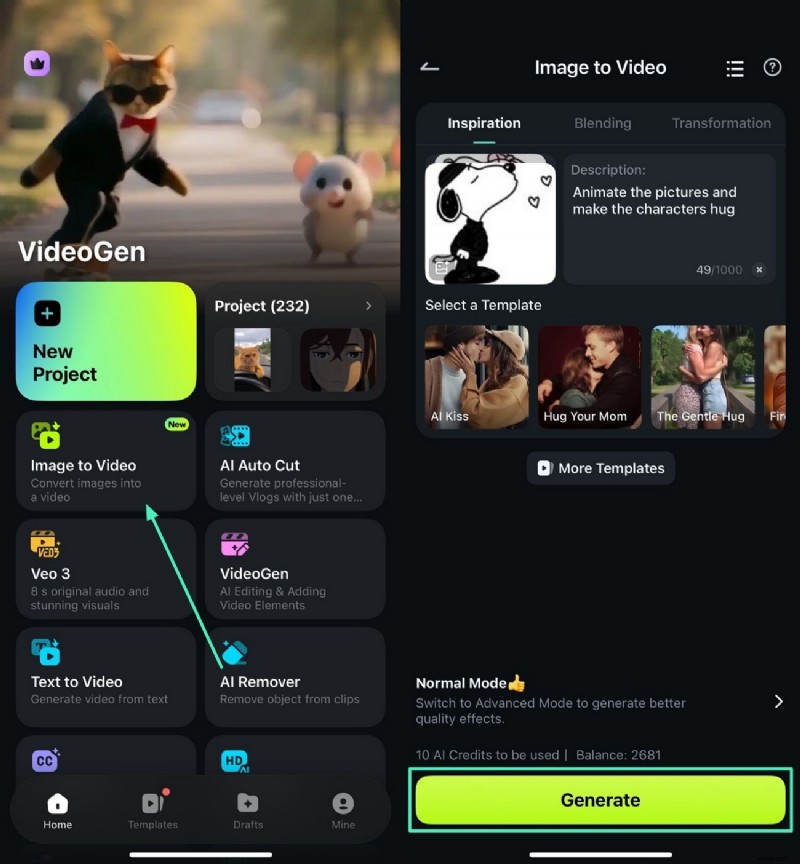
- Step 2. Preview and Edit. Tap “Project Edit” and then “Effects.”
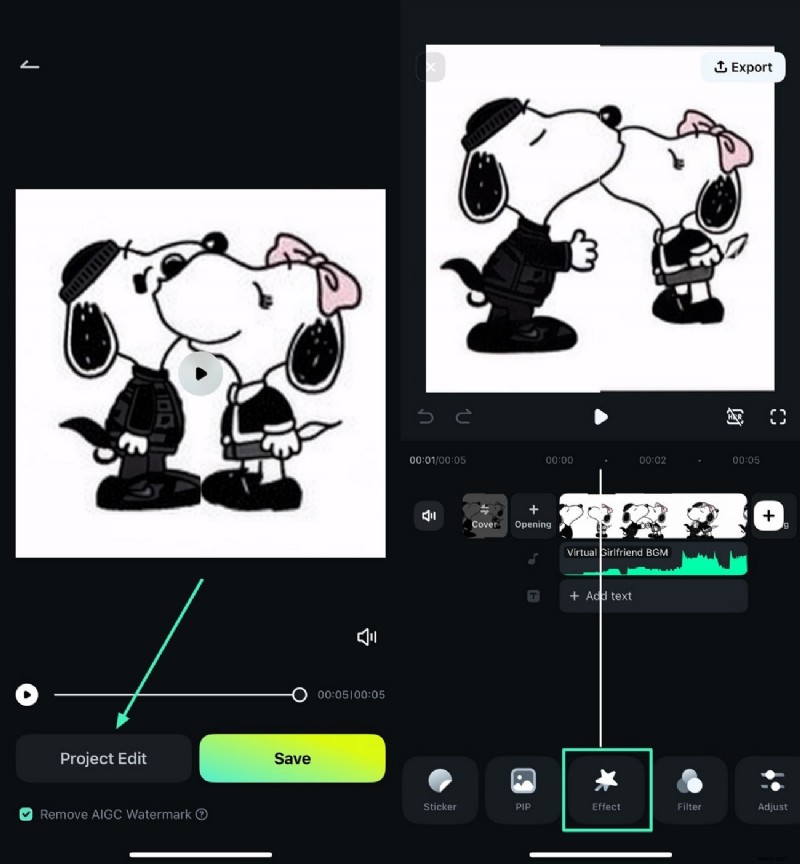
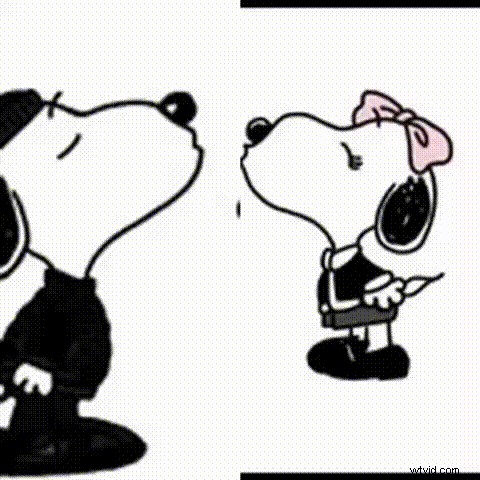
- Step 3. Apply Effect and Export. Choose an effect, apply it, preview, then tap “Export.” Set the desired settings and export the video. Optionally, convert the final file to a GIF for easy sharing.
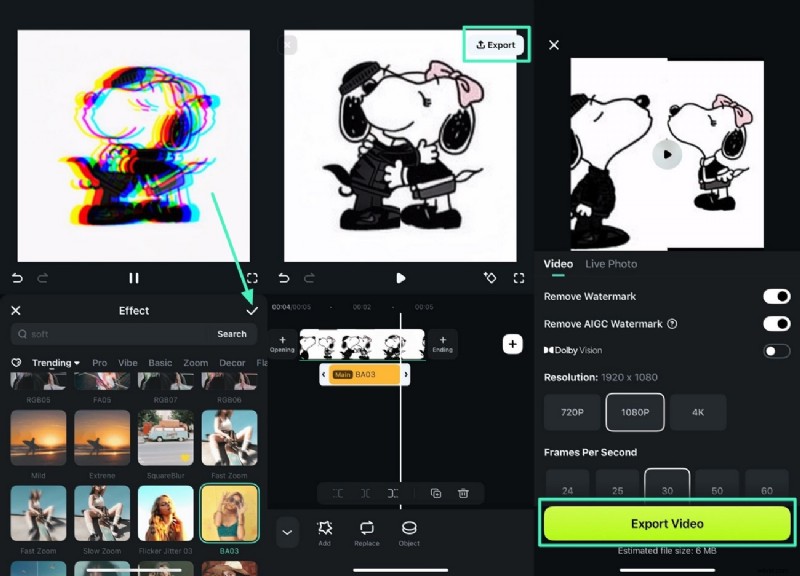
Check out the exported GIF effect below.
Part 5. Tips to Make Your Snoopy PFP Stand Out Using Filmora
Elevate your Snoopy PFP with these smart editing techniques:
- Combine Filmora’s AI Stickers with Snoopy Expressions to add playful flair.
- Experiment with Motion Effects or export as a GIF for dynamic presentation.
- Use the Text‑to‑Video feature to embed Snoopy quotes or captions.
- Keep backgrounds minimal to focus attention on Snoopy’s charm.
Conclusion
This guide covers everything you need to create eye‑catching Snoopy PFPs—whether on desktop or mobile. By leveraging Filmora’s AI and creative tools, you can craft personalized, high‑quality avatars in minutes.